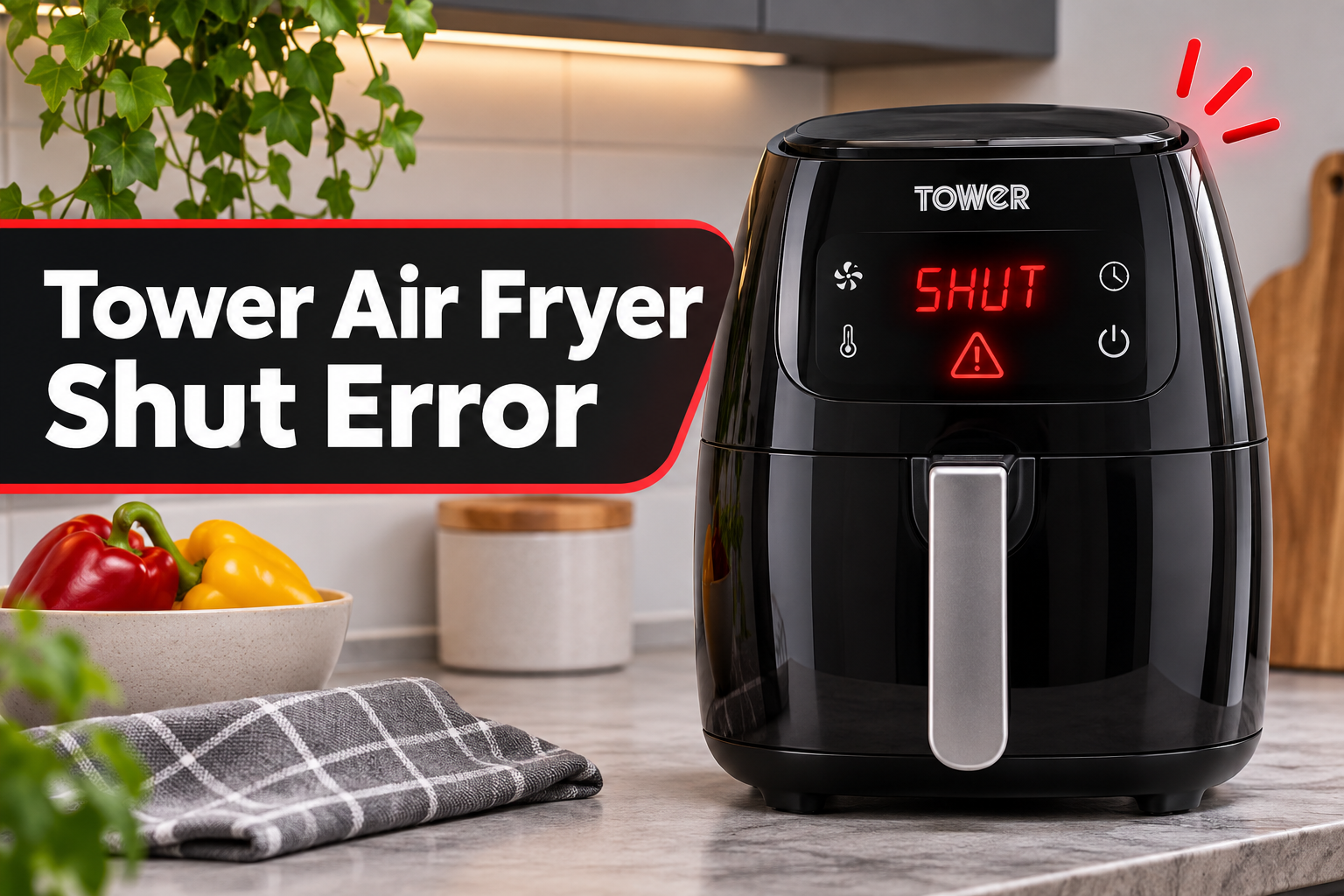
Seeing the word SHUT on your Tower air fryer can be frustrating, especially when the cooking drawer appears to be closed properly. You might find that the appliance refuses to start, stops cooking unexpectedly, or keeps displaying the same message whenever you try to use it.
Fortunately, this error often relates to how the cooking drawer fits inside the appliance. Understanding what triggers the warning can help you identify the problem and determine whether a simple adjustment or professional repair is necessary.
What Does the SHUT Error Mean on a Tower Air Fryer?
The SHUT error on a Tower air fryer means the appliance isn’t detecting that its cooking drawer or basket is properly closed. On some Tower models, a similar warning may appear as ADD POT when the drawer isn’t correctly inserted or the safety mechanism hasn’t been activated.
Many Tower air fryers have a safety mechanism that prevents cooking when the drawer isn’t properly positioned. This protects you from accidentally operating the appliance with an open cooking compartment. Once the drawer closes correctly, the safety mechanism allows the appliance to operate.
When something interferes with this process, the air fryer may display SHUT instead of starting. You might notice that the message appears immediately after switching on the appliance, returns whenever you insert the basket, or interrupts an ongoing cooking cycle. Some models automatically pause when their drawers are removed and resume cooking after they’re reinserted.
However, the warning doesn’t necessarily mean that the safety switch is defective. Food debris, an overloaded basket, damaged components, or a drawer that hasn’t slid completely into position can produce similar symptoms. Also, don’t confuse SHUT with SHK, which is a normal reminder to shake your food on certain Tower models.
Tower Air Fryer Shut Error: Likely Causes
Several problems can prevent your Tower air fryer from recognizing its cooking drawer. Identifying the underlying cause will help you avoid replacing components unnecessarily.
1. The Cooking Drawer Isn’t Fully Closed
One of the most likely reasons for the SHUT error is a drawer that hasn’t been pushed completely into place. Although it may look closed from the outside, even a small gap can prevent the appliance’s safety mechanism from recognizing it.
This often happens when you remove the drawer to check your food and then slide it back without aligning it correctly. The drawer may enter slightly unevenly or encounter resistance before reaching its intended position. As a result, the appliance continues to register the cooking compartment as open.
A useful clue is how the error behaves when you reinsert the drawer. If the message disappears after removing and carefully replacing it, an incomplete closure was probably responsible. However, if the drawer repeatedly gets stuck at the same point, something may be obstructing its movement or affecting its alignment.
2. Excess Food or Cooking Accessories
Overfilling the cooking basket can interfere with how the drawer closes. When ingredients extend above the basket’s intended capacity, they may press against the cooking compartment or prevent the basket from fitting correctly.
For example, a large piece of chicken, a tall baking container, or improperly positioned cooking accessories might interfere with the drawer’s movement. Silicone liners and other removable accessories can also create problems if they aren’t suitable for the particular air fryer.
Sometimes, the drawer closes normally when empty but triggers the SHUT warning after food has been added.
This difference is an important diagnostic clue. It suggests that the ingredients or accessories may be affecting the drawer’s position rather than an internal electrical component.
3. Grease and Food Debris Around the Drawer
Air fryers regularly collect crumbs, cooking oil, and food residue. Over time, these materials can accumulate around the drawer opening and other accessible surfaces.
Small pieces of food may also fall into the compartment when you shake the basket or remove cooked ingredients. If debris gets trapped where the drawer meets the appliance, it can prevent the two surfaces from fitting together properly.
Grease buildup can make the situation worse because it holds crumbs and other particles in place.
You might notice that the drawer feels unusually stiff, requires extra pressure to close, or doesn’t slide as smoothly as before. These symptoms are worth investigating, particularly when the SHUT error developed gradually after several cooking sessions.
4. A Damaged or Warped Cooking Drawer
The drawer, basket, and surrounding components must maintain their intended shape to fit correctly. Damage to any of these parts can interfere with the closing mechanism and trigger the SHUT warning.
A drawer might become distorted after being dropped, handled roughly, or exposed to conditions that damage its materials. Similarly, a damaged handle assembly or an incorrectly fitted removable basket can affect how the entire drawer sits inside the appliance.
The problem may be visible as an uneven edge, cracked plastic, a bent section, or a drawer that no longer sits flush against the front of the air fryer.
However, some damage is difficult to notice immediately. You may need to compare how the drawer fits when empty with how it previously operated. If it consistently stops short of its normal position, even after cleaning, a damaged component becomes a stronger possibility.
Tower specifically recommends checking the drawer, basket, and lining for distortion when troubleshooting this warning.
5. A Faulty Drawer Safety Switch
If the drawer closes properly and nothing appears to obstruct it, the safety switch may be responsible.
On models equipped with this mechanism, the switch helps the air fryer determine whether the drawer is correctly positioned. When the drawer closes, the mechanism should register that the cooking compartment is ready for operation.
A damaged or malfunctioning switch may fail to provide that confirmation, even when everything appears to fit correctly.
You might suspect this problem if the SHUT warning remains after cleaning, removing excess food, and carefully reinserting the drawer. However, these symptoms cannot confirm that the switch itself has failed. Its associated mechanism or internal electrical connections could also be responsible, and identifying the actual fault requires professional testing.
Tower Air Fryer Shut Error: DIY Fixes
The best way to approach this problem is to begin with the simple checks that address drawer closure and alignment. If those don’t help, the next steps can reveal whether the appliance needs a replacement part or professional attention.
1. Remove and Properly Reinsert the Cooking Drawer
Start by checking whether the drawer is seated correctly. This is the simplest solution and often worth trying before investigating other possible causes.
If the appliance is cooking, stop the cooking cycle first. Use the handle to remove the drawer carefully, keeping your hands away from hot cooking surfaces. If the drawer doesn’t move smoothly, avoid forcing it because excessive pressure could damage the surrounding components.
Once you’ve removed it, follow these steps.
- Check that the basket and any removable cooking plate are seated in their intended positions.
- Look around the drawer’s outer edges for anything that might prevent it from closing.
- Align the drawer with its opening and slide it straight into the appliance.
- Push it gently but firmly until it reaches its normal closed position.
- Check whether the SHUT message disappears.
Some Tower models make an audible click when their drawers reach the correct position, although this isn’t a feature you should expect from every model.
If your air fryer has two drawers, check the compartment associated with the warning. Once the relevant drawer is correctly seated, the appliance should recognize its closed position. If the warning remains, don’t repeatedly slam the drawer or hold it shut with force.
2. Remove Excess Food and Reposition Accessories
If the warning started after loading the basket, check whether something inside is preventing the drawer from closing.
Switch off the appliance, remove the drawer, and place it on a heat resistant surface. Once it’s safe to handle the contents, remove any ingredients extending above the recommended filling level. You should also check that cooking trays, liners, and other accessories aren’t protruding or sitting incorrectly.
Next, try inserting the drawer without food or loose accessories.
If it closes properly and the SHUT message disappears, gradually reintroduce the food while keeping everything within the recommended capacity. Only use accessories suitable for your particular Tower model, and ensure they don’t interfere with the drawer or heating element.
3. Clean the Drawer and Cooking Compartment
A thorough cleaning can help when grease or food particles prevent the drawer from fitting correctly.
Begin by switching off the air fryer, unplugging it from the electrical outlet, and allowing it to cool completely. Never attempt to clean the cooking compartment while the appliance is plugged in or its surfaces are still hot.
Once it has cooled, clean the accessible areas carefully.
- Remove the drawer and cooking plate. Look for crumbs, grease, and food residue around their edges and contact surfaces.
- Wash the removable parts. Use warm water, mild dish soap, and a soft sponge. Only use a dishwasher if your particular model’s manual permits it.
- Wipe the drawer opening. Use a soft, slightly damp cloth to remove visible residue from accessible surfaces.
- Check the surrounding edges. Pay particular attention to places where grease or crumbs might prevent the drawer from sitting flush.
- Dry everything thoroughly. Ensure the removable components and cleaned surfaces are dry before reassembling the appliance.
Avoid abrasive cleaning materials, sharp tools, or excessive water. These can damage the coating, scratch plastic surfaces, or allow moisture to reach electrical components.
Tower recommends cleaning the basket and drawer after use and making sure removable parts are dry before replacing them.
After cleaning, insert the empty drawer and check the display. If the SHUT message disappears, accumulated debris may have been interfering with closure. Regular cleaning should also help prevent the same obstruction from developing again.
4. Inspect the Drawer and Replace Damaged Parts
If cleaning doesn’t resolve the error, examine the condition of the drawer and its removable components.
With the appliance unplugged and fully cooled, remove the drawer and inspect its outer edges, handle attachment, and accessible fitting surfaces. Look for cracks, unusual bends, loose components, or areas that appear distorted.
You should also check that the removable basket or cooking plate is correctly fitted. Refer to your model’s instruction manual if you’re unsure how these parts should be positioned.
If the drawer has visible damage, don’t attempt to reshape it using heat, glue broken sections, or force it into the appliance. These methods could affect its fit or create additional safety concerns.
Instead, identify your air fryer’s model number and check whether Tower supplies a suitable replacement. The manufacturer offers replacement drawers, baskets, and other components for selected models through its official spare parts collection.
It’s particularly important to choose an exact match. Similar looking Tower drawers aren’t necessarily interchangeable because their dimensions and safety mechanisms can differ.
If the drawer appears undamaged but the surrounding housing is warped or cracked, stop using the appliance and seek professional advice. Replacing a basket won’t necessarily resolve damage affecting the main body of the air fryer.
5. Unplug and Reset the Air Fryer
Sometimes, the SHUT warning remains on the display even after you’ve corrected an obvious drawer problem. A power reset is another safe troubleshooting step worth trying.
Tower recommends switching off the appliance, disconnecting it from the electrical supply, and waiting a few minutes before reconnecting it. This gives the appliance an opportunity to restart its control system.
Follow this procedure.
- Stop any active cooking program and switch off the air fryer.
- Unplug the power cord from the wall socket.
- Leave the appliance disconnected for a few minutes.
- Confirm that the drawer is properly fitted and nothing is obstructing it.
- Reconnect the power supply and switch on the air fryer.
- Check whether the SHUT error has cleared.
If the warning disappears, select a suitable cooking program and check that the appliance responds normally. Follow your model’s instructions for starting or resuming cooking, as some models may retain previous settings after losing power.
However, a reset cannot repair a physically damaged drawer or defective safety switch. If the warning reappears immediately, especially with the drawer correctly fitted, the problem may require further investigation.
6. Contact a Qualified Appliance Repair Technician
If the SHUT error persists after completing these checks, you may be dealing with a defective safety mechanism or another internal fault.
At this point, avoid opening the air fryer’s casing, attempting to manipulate its internal switch, or using tape or other objects to hold the safety mechanism in an activated position. Bypassing this protection could allow the appliance to operate when its cooking compartment isn’t safely closed.
Contact Tower’s customer support team if your appliance is still covered by its warranty. You can use the manufacturer’s official support website to explain the problem.
Before contacting support, gather the model number, proof of purchase, and details about when the error appears. It can also help to mention whether the drawer slides in normally, whether cleaning changed anything, and whether the warning occurs with the basket empty.
For an appliance outside its warranty, a qualified repair technician can assess the safety switch and associated components. The technician can then determine whether a repair is practical or replacing the air fryer would make better financial sense.
Stop using the appliance immediately if you notice smoke, a burning electrical smell, damaged wiring, unusual overheating, or a drawer that cannot close safely. These symptoms require professional attention rather than further attempts to restart the machine.
Wrapping Up
The Tower air fryer SHUT error usually indicates that the appliance hasn’t recognized its cooking drawer as properly closed. Although this can interrupt your cooking plans, the warning often points to something you can check safely, such as drawer alignment, excess food, or trapped debris.
Start with the simplest checks and pay attention to how the appliance responds after each adjustment. If the drawer closes correctly but the warning continues, professional diagnosis is the safer option. Addressing the underlying issue early will help you get your air fryer operating reliably again without risking further damage.