Seeing “POT” on your Vortx air fryer can be frustrating, especially when the cooking basket is already inside. The appliance may stop heating, pause unexpectedly, or refuse to start a cooking cycle. Even after pushing the basket back into place, the warning may remain on the display.
Fortunately, this message often relates to how the appliance detects its cooking basket. Understanding what triggers it can help you identify the problem, perform safe troubleshooting checks, and determine whether professional repair is necessary.
Understanding the Vortx Air Fryer Pot Error
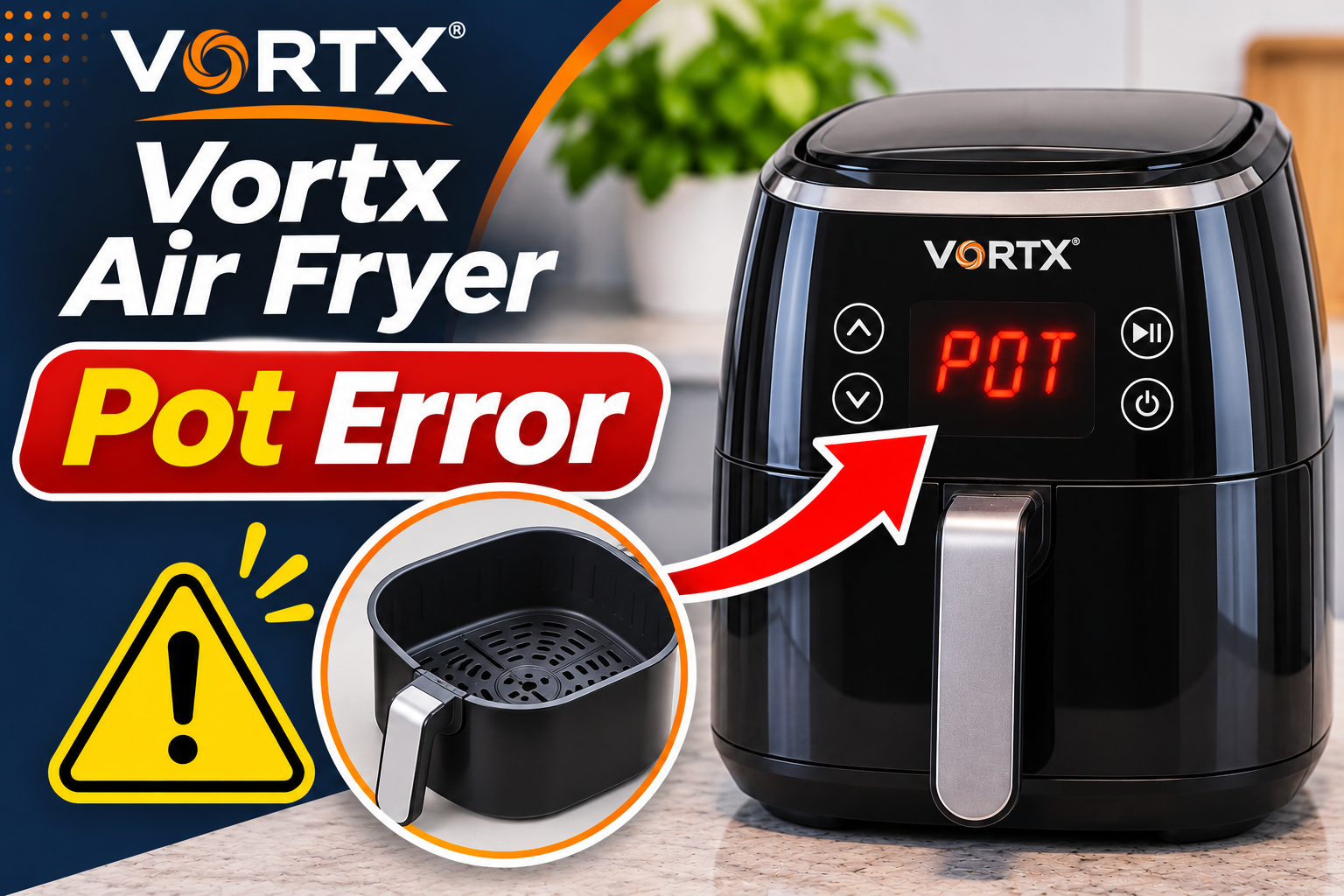
The Vortx air fryer POT error indicates that the appliance has detected an open, missing, or incorrectly positioned cooking basket. On certain Tower Vortx models, including the T17138 dual basket air fryer, the word “Pot” appears when a cooking basket is removed during operation. The appliance automatically pauses cooking until the basket is reinserted.
Your Vortx air fryer has a safety mechanism that helps prevent the heating system from operating when the cooking compartment isn’t properly closed. Depending on the model, a basket safety switch detects whether the drawer has reached its correct position. Once the appliance recognizes that the basket is fully inserted, cooking can resume.
This warning isn’t necessarily a sign of a damaged appliance. For example, removing a basket to shake fries or check your food can trigger the message during normal operation. However, if POT remains on the display after you’ve returned the basket, something may be preventing the appliance from detecting it correctly.
The exact wording varies between models. Some Tower Vortx air fryers display “Pot,” while others show “ADD POT,” “SHUT,” or a similar basket warning. These messages can indicate related positioning problems, although their precise behavior depends on the model. If your appliance continues showing the warning, checking the basket and its detection mechanism is a sensible starting point.
Vortx Air Fryer Pot Error: Likely Causes
Several issues can prevent your Tower Vortx air fryer from recognizing that its cooking basket is properly inserted. Some are simple positioning mistakes, while others involve damaged components that may require replacement or professional attention.
1. The Cooking Basket Isn’t Fully Inserted
One of the most common reasons for the POT message is a cooking basket that hasn’t been pushed completely into its compartment. Even a small gap can prevent the appliance from recognizing that the drawer is closed.
This often happens after removing the basket during cooking. You might slide it back in at a slight angle or stop pushing before it reaches its normal resting position. Consequently, the safety mechanism continues detecting an open compartment, and the appliance refuses to resume heating.
Check whether the basket sits evenly against the front of the air fryer. A visible gap, uneven alignment, or drawer that feels loose may indicate incorrect positioning.
However, don’t force the basket into place. If it doesn’t slide smoothly, an obstruction or damaged component may be preventing proper closure.
2. Food Debris and Grease Around the Basket
Air fryers accumulate food crumbs, grease, and cooking residue over time. Although most of this material remains inside the cooking basket, small particles can collect around its edges and the surfaces that guide it into the appliance.
As grease cools and hardens, it can make the drawer harder to insert. A trapped food particle may also prevent the basket from reaching the position needed to activate its safety mechanism.
You might notice that the basket feels slightly stiff, doesn’t slide as smoothly as before, or stops just short of closing completely. These symptoms are particularly worth checking if the POT warning appeared after several cooking sessions without cleaning.
However, visible grease doesn’t automatically mean it’s responsible for the error. If the basket moves freely and fits correctly, the problem may involve another component.
3. An Overfilled Basket or Incorrectly Positioned Grill Plate
Putting too much food inside your Vortx air fryer can interfere with how the cooking basket fits into its compartment.
For example, large chicken pieces, stacked food, or ingredients extending above the basket’s intended cooking area may prevent proper closure. This is particularly possible when food catches against the compartment as the drawer slides inward.
The removable grill plate can also contribute to positioning problems if it isn’t installed correctly. On certain models, a plate that sits unevenly may interfere with food placement or basket assembly.
Tower specifically recommends checking for overloaded baskets when troubleshooting its SHUT and ADD POT warnings.
If the message appears only after you’ve filled the basket, remove some food and inspect the arrangement of the remaining ingredients. The warning may disappear once the drawer can close without obstruction.
4. A Damaged or Misaligned Cooking Basket
Your Vortx air fryer depends on the basket fitting accurately inside its cooking compartment. If the basket becomes bent, cracked, or distorted, the appliance may struggle to recognize that it’s properly closed.
Damage can occur if the basket is dropped, forced into the appliance, or accidentally knocked against a hard surface. Over time, repeated handling may also contribute to wear in parts that guide or support the drawer.
For example, a damaged edge may prevent the basket from sliding straight into position. A broken plastic section involved in operating the safety switch could also stop the appliance from recognizing the drawer.
Look for visible cracks, uneven gaps, loose components, or changes in how the basket fits. If the POT warning started after the drawer was dropped or damaged, its physical condition deserves particular attention.
5. A Faulty Basket Safety Switch
If the cooking basket is clean, undamaged, and correctly inserted but the POT message remains, the problem may involve the basket detection mechanism.
Many Tower Vortx air fryers use a safety switch that responds when the basket reaches its intended position. If this switch becomes damaged or fails to operate correctly, the appliance may continue detecting an open basket.
A broken component that normally activates the switch can produce similar symptoms. In other cases, the problem may involve the switch’s electrical connections or the electronic control system.
One possible clue is a POT message that appears immediately after switching on the air fryer, even when the empty basket is fully inserted. Intermittent operation may also suggest a detection problem.
However, these symptoms don’t confirm a defective switch. A technician may need to inspect the mechanism and associated components to establish the cause.
Never bypass or hold down the basket safety switch to make the air fryer operate. This feature helps prevent the heating system from running when the cooking compartment isn’t correctly closed.
Vortx Air Fryer Pot Error: How to Fix
Fixing the Vortx air fryer POT error usually begins with checking the cooking basket and removing anything that prevents it from closing. Tower recommends several simple troubleshooting methods for its basket detection warnings, so you can safely perform these checks before seeking professional assistance.
1. Remove and Reinsert the Cooking Basket Properly
The first solution is to remove the cooking basket and carefully slide it back into the appliance. This addresses the most direct cause of the warning.
If the air fryer has been operating, stop the cooking process and handle the basket carefully. The drawer and its contents may be hot, so use the handle and avoid touching exposed metal surfaces.
Follow these steps.
- Pull the cooking basket completely out of its compartment.
- Check that nothing is protruding from the basket or blocking its movement.
- Position the drawer directly in front of the opening.
- Make sure it’s level and aligned with the compartment.
- Slide the basket inward using gentle, steady pressure.
- Push it until it reaches its normal fully closed position.
On some Tower Vortx models, you may hear a click when the basket is correctly inserted. However, this depends on the appliance’s design.
If the basket was incorrectly positioned, the POT message should disappear once the air fryer recognizes that it’s closed.
For dual basket models, inspect the drawer associated with the warning. If the appliance still refuses to operate, check whether both baskets are properly inserted.
Avoid repeatedly forcing the drawer if it meets resistance. Instead, remove it again and look for the obstruction preventing normal closure.
2. Clean the Basket and Its Compartment
If reinserting the basket doesn’t clear the warning, accumulated grease or food debris may be interfering with its movement.
Unplug the appliance from the electrical outlet and allow it to cool completely. Then, remove the cooking basket and any detachable grill plates.
Check the basket edges and accessible surfaces inside the cooking compartment. Look for trapped crumbs, hardened grease, or food particles that could prevent the drawer from fitting correctly.
To clean these areas safely, follow these steps.
- Wash the removable cooking basket with warm water, mild dish soap, and a soft sponge.
- Clean the grill plate according to your model’s instructions.
- Wipe accessible surfaces around the basket opening with a lightly damp cloth.
- Gently remove visible crumbs without pushing debris into internal openings.
- Dry all cleaned components thoroughly before reassembling the appliance.
Tower recommends cleaning its Vortx air fryers after use to prevent food residue from accumulating.
However, cleaning instructions vary between models. For example, the T17138 manual states that its cooking baskets aren’t dishwasher safe. Always check your owner’s manual before placing removable components in a dishwasher.
Never immerse the main air fryer unit in water or spray cleaning liquids into its electrical openings. Avoid inserting sharp objects or metal tools into the basket detection area.
Once everything is clean and dry, return the basket to its compartment. If residue was preventing proper closure, the POT warning may disappear.
3. Reduce the Food Load and Check the Grill Plate
An overloaded basket can prevent your Vortx air fryer from closing properly, particularly when food extends beyond the intended cooking area.
Remove the basket and check how the ingredients are arranged. If food is piled too high or protrudes from the drawer, remove some and redistribute the remaining portions.
Keep the contents within the maximum filling limits specified for your model. If the basket has a marked maximum fill line, make sure the food doesn’t exceed it.
Next, examine the removable grill plate or cooking insert. Confirm that it’s positioned correctly and rests securely in its intended location.
If the plate has shifted or become trapped beneath food, remove the contents and reinstall the accessory according to the manufacturer’s instructions.
A properly seated grill plate helps maintain the intended cooking arrangement. However, it shouldn’t require excessive pressure to fit into place.
Once you’ve adjusted the food and accessories, reinsert the basket and check the display.
If the POT warning disappears, the original food load or accessory arrangement may have prevented the drawer from closing.
4. Inspect the Basket for Damage
If the POT warning remains after cleaning and adjusting the basket, inspect the drawer for physical damage.
Unplug the air fryer and allow it to cool completely. Remove the basket and place it on a stable surface where you can examine it safely.
Pay attention to the edges, handle attachment, plastic housing, and surfaces that guide the drawer into the appliance.
Look for cracks, bent sections, loose parts, or anything that appears different from the basket’s original shape.
Also, examine the accessible opening of the air fryer. You may notice a damaged guide or visible obstruction that prevents the basket from sliding correctly.
However, don’t attempt to straighten bent components by force or repair broken plastic with glue. These methods may interfere with the basket’s alignment or the appliance’s safety system.
If the basket is damaged, check whether Tower supplies a compatible replacement for your exact model.
A replacement drawer must match the appliance’s design. Similar looking Vortx models don’t necessarily use interchangeable baskets.
If the damage appears to involve the main appliance rather than the removable drawer, stop using the air fryer and arrange professional assessment.
5. Unplug the Air Fryer and Restart It
If the basket appears properly installed and undamaged, a power restart may help clear a temporary detection problem.
Tower includes a power restart among its recommended troubleshooting steps for persistent SHUT and ADD POT warnings.
However, this method is appropriate only when the appliance has no signs of electrical damage, overheating, or other hazardous conditions.
Follow these steps.
- Switch off the air fryer using its normal power control.
- Unplug the appliance from the wall outlet.
- Leave it disconnected for several minutes.
- Confirm that the cooking basket is properly inserted.
- Reconnect the air fryer to a suitable electrical outlet.
- Check whether the POT message remains on the display.
If the warning disappears, follow your model’s operating instructions before starting another cooking cycle.
On models where POT normally appears after removing a basket, the display should return to its usual cooking information when the drawer is correctly reinserted.
However, a restart won’t repair a broken safety switch, damaged basket, or faulty electrical connection.
If the error immediately returns, avoid repeatedly disconnecting and reconnecting the appliance. The underlying problem may require professional diagnosis.
6. Contact Tower Customer Support or a Qualified Technician
If the POT error continues after checking the basket, removing obstructions, and performing the recommended restart, professional assistance is the next step.
Tower advises customers to contact its support team when the SHUT or ADD POT message remains after basic troubleshooting, particularly when the appliance is still covered by its warranty.
Before contacting support, gather the following information.
- Model number: Identify the exact Tower Vortx model, such as T17138 or T17131.
- Error message: Note whether the display shows POT, ADD POT, or SHUT.
- Basket condition: Explain whether the basket fits securely and slides smoothly.
- Error behavior: Mention whether the message appears immediately or only during cooking.
- Troubleshooting attempts: Describe the cleaning, basket adjustments, or restart you’ve already completed.
- Purchase information: Keep your receipt and warranty details available.
You can contact Tower through its official support website at https://support.towerhousewares.co.uk/.
For a suspected internal detection fault, a qualified appliance technician or authorized service provider may need to examine the safety switch, associated wiring, or electronic controls.
Avoid removing the appliance’s housing or attempting to reconnect internal wires yourself. Electrical components can present serious hazards, and unauthorized repairs may affect warranty coverage.
If your air fryer is still under warranty, contact Tower before arranging independent repairs. Depending on the model, fault, and warranty conditions, repair or replacement may be available.
For an older appliance, compare the cost of an approved repair with the price of a replacement. If the basket detection system cannot operate reliably, the air fryer shouldn’t be used until the problem has been corrected.
Wrapping Up
The Vortx air fryer POT error generally appears when the appliance detects that its cooking basket is missing or incorrectly positioned. While this is normal when you remove the basket during cooking, a warning that remains after reinsertion may indicate an obstruction, damaged drawer, or faulty detection mechanism.
Start by checking the basket’s position, cleaning accessible surfaces, and removing anything that prevents proper closure. If the warning persists, contact Tower or a qualified technician rather than forcing the basket or bypassing its safety switch. Correcting the underlying problem will help restore safe, reliable cooking.