Seeing Error 2 on your KitchenAid rice cooker can be frustrating, especially when the machine stops cooking or refuses to start. The display may show the warning unexpectedly, leaving you unsure whether the problem is temporary or requires repairs.
This error usually points to a communication problem involving the appliance’s power board. Fortunately, restarting the cooker may clear a temporary fault. However, persistent errors can indicate damaged internal components that need professional attention.
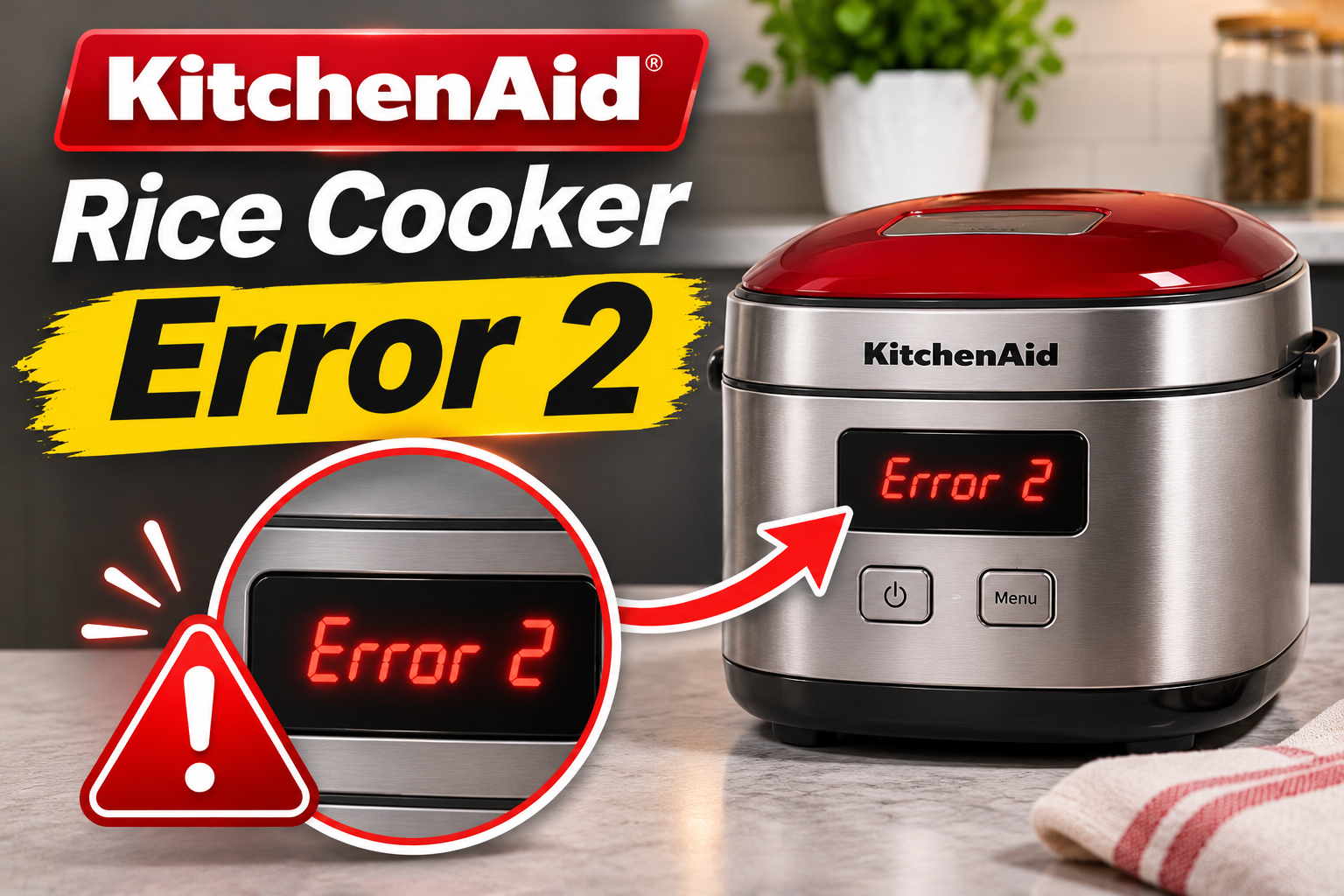
What Does KitchenAid Rice Cooker Error 2 Mean?
KitchenAid rice cooker Error 2 indicates a communication failure involving the power board. This is the manufacturer’s documented meaning for its Grain and Rice Cooker models, including the standard and compact versions.
The power board is part of the appliance’s electronic control system. It manages electrical functions needed for operation and communicates with other controls that coordinate the cooking process.
When this communication fails, the cooker may be unable to operate correctly. The display can show Error 2, preventing the machine from continuing its normal cooking sequence.
You may notice several symptoms, including:
- Error 2 appearing on the touchscreen display.
- The cooking cycle stopping unexpectedly.
- The machine refusing to begin another cycle.
- Controls becoming temporarily unresponsive.
- The warning returning after restarting the cooker.
However, these symptoms don’t confirm that the power board itself is damaged. A temporary electronic problem or an interrupted electrical connection may produce similar behavior.
KitchenAid recommends unplugging and restarting the cooker when Error 2 appears. If the warning persists, the manufacturer advises contacting customer support.
KitchenAid Rice Cooker Error 2 [FIXED]: Common Causes
Error 2 occurs when the cooker cannot communicate correctly with its power board. Although KitchenAid identifies the affected system, the warning alone doesn’t reveal which component is responsible.
1. Temporary Electronic Communication Fault
A temporary communication problem is one possible explanation when Error 2 appears unexpectedly.
Your KitchenAid rice cooker uses electronic controls to coordinate heating and cooking functions. These controls must exchange information correctly for the machine to operate.
If communication between the components is interrupted, the cooker may detect a fault and display Error 2.
Sometimes, restarting an electronic appliance restores normal communication. This explains why KitchenAid recommends unplugging and restarting the rice cooker as the first troubleshooting step.
You may suspect a temporary fault if the warning appears once and disappears after restarting the machine. However, an error that repeatedly returns suggests a problem requiring further attention.
2. Interrupted or Unstable Power Supply
The rice cooker needs a reliable electrical supply to operate its electronic controls.
If the power connection becomes loose or electricity is interrupted, the appliance may shut down or behave unexpectedly. On KitchenAid models with a removable power cord, an improperly seated connection can also cause operating problems.
A sudden power interruption doesn’t automatically cause Error 2. However, checking the power supply helps rule out a separate problem that may be affecting the cooker’s operation.
For example, if the display turns off unexpectedly or the machine loses power during cooking, inspect the accessible power connections before assuming the internal control system has failed.
KitchenAid specifically recommends checking both ends of the removable power cord when the Grain and Rice Cooker won’t turn on or unexpectedly loses power.
3. Loose or Damaged Internal Electrical Connections
Electrical connections allow different parts of the rice cooker’s control system to exchange signals.
If an internal connector becomes loose or damaged, communication between components may be interrupted. This could potentially trigger a power board communication error.
Damage may result from physical impact, moisture exposure, or deterioration of electrical components. However, the exact cause cannot be determined from the error message alone.
A rice cooker that displays Error 2 repeatedly after being moved or accidentally dropped may need inspection for internal damage.
Since these connections are located inside the appliance, checking them requires technical knowledge. Opening the housing without proper training can expose you to electrical hazards.
4. Faulty Power Board
A defective power board is another possible explanation for a persistent Error 2 warning.
The power board performs electrical functions needed for the rice cooker’s operation. If its electronic components fail, communication with the appliance’s control system may become unreliable or stop completely.
This can prevent the cooker from operating normally.
You might notice that the machine powers on but refuses to begin cooking. In other cases, the warning may appear immediately after switching on the appliance.
However, Error 2 doesn’t prove that the power board needs replacement. The problem could involve the communication connection or another control component.
A qualified technician must confirm the faulty part before recommending a replacement.
5. Defective Main Control Electronics
The rice cooker’s main electronic controls manage user commands and coordinate the cooking process.
If the control electronics develop a fault, they may fail to communicate correctly with the power board. The machine could then display Error 2 even when the power board itself remains functional.
Possible internal faults include damaged electronic components or failures within the communication circuit.
One clue may be an error that appears immediately after every restart, even when the appliance is connected to a working outlet.
Still, this behavior cannot distinguish a defective main control from a faulty power board. Professional diagnosis is necessary to identify the affected component.
KitchenAid Rice Cooker Error 2 [FIXED]: How to Fix
KitchenAid’s recommended solution for Error 2 is to unplug and restart the cooker. Before considering repairs, you can also check the accessible power connections and inspect the appliance for visible damage.
1. Confirm the Error Code and Rice Cooker Model
Before troubleshooting, check that the display actually shows Error 2.
KitchenAid Grain and Rice Cookers use different error numbers to identify specific problems. For example, Error 1 concerns the upper temperature sensor, while Error 3 indicates a lower temperature sensor problem.
Error 2 specifically identifies a communication problem involving the power board.
Find your model number on the appliance’s identification label, usually located on the underside or another exterior surface.
Unplug the cooker and allow it to cool before moving it to examine the label.
Write down the model number and compare the warning with the information in your user manual.
This helps ensure you’re following the correct procedure, particularly if you own a different KitchenAid cooker model.
2. Unplug and Restart the Rice Cooker
Restarting the appliance is the manufacturer’s recommended first solution for Error 2.
Disconnecting power allows the electronic controls to shut down before restarting. If the warning resulted from a temporary communication problem, this may restore normal operation.
Follow these steps:
- Turn off the rice cooker using its power switch, if equipped.
- Unplug the power cord from the electrical outlet.
- Allow the cooker to cool if it was recently operating.
- Leave the appliance disconnected briefly.
- Reconnect the power cord properly.
- Switch on the cooker and check the display.
KitchenAid doesn’t specify a required disconnection time for Error 2. The important step is to disconnect and restart the appliance.
If the warning disappears, the electronic system has restarted successfully.
However, clearing the display doesn’t guarantee that the underlying issue has been permanently corrected. If the error returns, avoid repeatedly restarting the cooker.
3. Check the Power Cord Connections
A loose power cord can interrupt electricity reaching the rice cooker.
On the KitchenAid KGC3155 Grain and Rice Cooker, the cord is removable and connects to a receptacle on the appliance. If either end isn’t properly inserted, the machine may lose power unexpectedly.
Before checking the cord, turn off the cooker and unplug it from the wall.
Follow these steps:
- Examine the power cord for visible damage.
- Check whether the plug fits securely into the cooker.
- If the cord is removable, reconnect it fully according to the manual.
- Make sure the wall plug is properly inserted.
- Restore power and check whether the appliance starts normally.
Inspect the cord for cracked insulation, exposed wires, melted areas, or damaged plugs.
If you notice damage, don’t reconnect the appliance. Contact KitchenAid for the correct replacement or service guidance.
Also, avoid using an extension cord or adapter. KitchenAid specifies a properly grounded outlet for its Grain and Rice Cooker.
If the power cord is secure but Error 2 remains, the problem may involve the internal electronic system.
4. Check the Electrical Outlet
An unreliable electrical outlet can cause unexpected shutdowns and other operating problems.
Before assuming that your rice cooker’s power board is defective, make sure the appliance is receiving electricity through a suitable outlet.
Disconnect the cooker and inspect the outlet for visible damage, scorch marks, or loose fittings.
If everything appears normal, you can check whether the outlet supplies power using a small, properly functioning appliance.
However, don’t use an outlet that sparks, feels unusually hot, or shows signs of electrical damage.
KitchenAid’s operating instructions also recommend checking whether the outlet’s circuit breaker or fuse is functioning correctly when the cooker won’t operate.
Make sure the outlet matches the voltage and grounding requirements printed on your rice cooker’s rating label. For example, the North American KGC3155 is rated for 120 volts and 60 Hz.
If the outlet isn’t working, contact a qualified electrician. Don’t modify the rice cooker’s plug or use an unsuitable power adapter.
A working outlet rules out one external power problem, but it doesn’t confirm that the internal power board is functioning correctly.
5. Inspect the Cooker for Visible Damage or Moisture
Moisture and physical damage can affect electrical appliances, including rice cookers.
Before restarting your KitchenAid cooker, examine its accessible exterior surfaces for signs of spilled liquid or damage.
Make sure the appliance is unplugged and completely cool.
Look around the power cord receptacle, controls, and exterior housing for visible moisture, cracks, or signs of overheating.
If you notice ordinary food residue on an accessible surface, gently wipe it away using a soft cloth. Follow the manufacturer’s cleaning instructions and allow the surface to dry completely.
Never immerse the cooker base in water or allow cleaning liquid to enter the electrical housing.
If water has entered the power receptacle or internal electrical compartment, don’t reconnect the appliance to test it. Professional inspection is necessary.
Similarly, stop using the cooker if you notice a burning smell, melted plastic, or damage caused by a fall.
External cleaning may address surface contamination, but it won’t repair a failed power board or damaged internal wiring.
6. Test the Cooker After Restarting
If Error 2 disappears after restarting and there are no signs of electrical damage, check whether the rice cooker responds normally.
Make sure the ceramic pot and other required components are correctly installed according to your model’s instructions.
Switch on the cooker and observe the touchscreen display.
If the usual cooking menu appears, select an appropriate cooking program and follow the manufacturer’s operating instructions.
Don’t run the appliance empty or operate it without its required ceramic pot and inner lid.
During the cooking process, pay attention to unusual behavior.
The machine should respond to the controls and operate without displaying another communication warning.
If Error 2 returns immediately or during cooking, stop the cycle and disconnect power.
Don’t continue testing the appliance repeatedly. A recurring communication failure may require internal electrical diagnosis.
7. Contact KitchenAid Customer Support or a Qualified Technician
If the warning continues after restarting the cooker and checking the power supply, professional assistance is the next step.
KitchenAid specifically recommends contacting customer service when Error 2 persists.
A qualified technician can determine whether the problem involves the power board, internal communication connections, or another electronic control component.
Depending on the model and repair options, the appliance may need component replacement or replacement of the complete unit.
Avoid opening the cooker to test electrical circuits or replace internal parts yourself. Electronic components may present electrical hazards even after the appliance has been unplugged.
For assistance in the United States, contact KitchenAid at 1-800-541-6390 or visit the official KitchenAid support website.
Before requesting service, have the following information available:
- Rice cooker model and serial number.
- Exact error message displayed.
- When the warning first appeared.
- Whether the error returns after restarting.
- Any unusual electrical or operating symptoms.
- Purchase information, if available.
KitchenAid’s KGC3155 product guide lists a one-year limited warranty for eligible purchases in the United States and Canada. Coverage and service options depend on your product and warranty terms.
If your cooker is still under warranty, contact KitchenAid before arranging repairs through an independent service provider.
Wrapping Up
KitchenAid rice cooker Error 2 indicates a communication problem involving the power board. Although a temporary electronic fault may be responsible, persistent warnings can also point to damaged internal connections or control components.
Start by unplugging and restarting the cooker, then check the power cord and electrical outlet if the machine isn’t operating normally. If the error returns, avoid further use and contact KitchenAid support. Proper diagnosis can help identify the faulty component and prevent unnecessary repairs.