Seeing the H2O error on your KitchenAid dishwasher can be frustrating, especially when the appliance stops shortly after starting or refuses to fill with water. This error generally means the dishwasher isn’t detecting the water it needs to continue washing.
Fortunately, the problem may be as simple as a closed water supply valve or a kinked hose. However, internal components can also cause it. Understanding the possible causes will help you identify the problem and determine which fixes are safe to try.
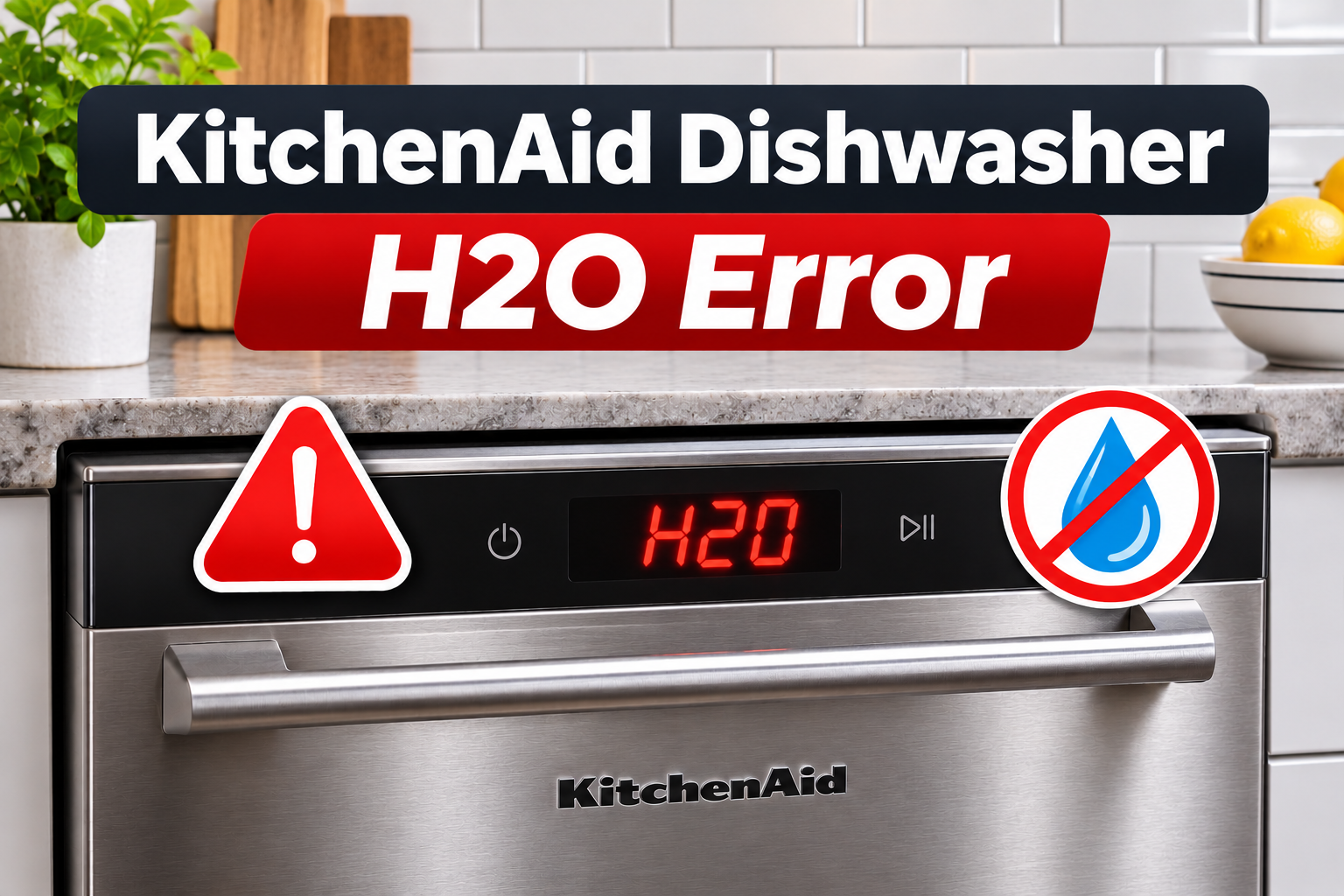
What Does the KitchenAid Dishwasher H2O Error Mean?
The KitchenAid dishwasher H2O error indicates that the appliance isn’t detecting enough incoming water to operate correctly. The code is associated with a water supply problem and may also appear as F8E1 on certain models.
During a normal wash cycle, the dishwasher opens its water inlet valve to allow fresh water into the tub. The electronic control monitors the filling process and expects the required amount of water to enter within the appropriate time. If the dishwasher cannot detect the expected water supply, it may pause the cycle and display H2O.
You might notice that your dishwasher starts but doesn’t fill, stops shortly after beginning a cycle, or remains unusually quiet when it should be taking in water. On some models, the warning may appear as eight indicator light flashes, followed by a pause and one additional flash.
The H2O error doesn’t automatically mean the water inlet valve is defective. A closed supply valve, restricted hose, or another filling problem can produce the same warning. KitchenAid recommends checking the water supply and hose first, then pressing Start to resume the cycle once the problem has been corrected.
KitchenAid Dishwasher H2O Error: Common Causes
Several problems can prevent your KitchenAid dishwasher from receiving or detecting enough water. Some involve the household plumbing, while others affect the dishwasher’s internal filling and sensing components.
1. Closed Water Supply Valve or Low Water Pressure
Your dishwasher receives water through a supply line connected to your home’s plumbing. A shutoff valve, usually located beneath the kitchen sink, controls whether water can enter the appliance.
If this valve is closed or partially open, the dishwasher may receive little or no water. The electronic control can detect the unsuccessful filling process and display the H2O error.
This sometimes happens after plumbing repairs, dishwasher installation, or work beneath the kitchen sink. Someone may close the valve temporarily and forget to reopen it. A partially closed valve can also restrict water flow enough to interfere with filling.
Low household water pressure can produce similar symptoms. For example, a plumbing supply problem may reduce the amount of water reaching the dishwasher, even though the shutoff valve is open.
You may notice that the dishwasher takes longer than usual to fill or stops before washing begins. If nearby faucets also have unusually weak flow, the problem may involve your household water supply rather than the dishwasher itself.
2. Kinked or Pinched Water Supply Hose
The water supply hose carries fresh water from the household plumbing to the dishwasher’s inlet valve. Water must pass through this hose without significant restrictions for the appliance to fill correctly.
If the hose becomes sharply bent, twisted, or compressed, the amount of water entering the dishwasher can decrease. A severe restriction may stop the flow almost completely.
This problem can develop during installation when the dishwasher is pushed into its cabinet opening. The hose may become trapped behind the appliance or compressed against the cabinet.
You might also encounter the problem after moving the dishwasher for cleaning or kitchen renovations.
A useful clue is an H2O error that appears shortly after installation or after the appliance has been repositioned. However, a hidden restriction cannot always be confirmed without inspecting the water connection.
3. Clogged or Defective Water Inlet Valve
The water inlet valve controls the flow of fresh water into your KitchenAid dishwasher. When the electronic control requests water, the valve opens. Once the required amount has entered, it closes.
Over time, mineral deposits, sediment, or small particles from the plumbing system can collect around the valve’s inlet screen. If enough debris accumulates, it may restrict the amount of water entering the dishwasher.
The valve can also develop an electrical or mechanical failure. For example, a damaged internal solenoid may prevent it from opening when the control requests water.
In either case, the dishwasher may stop during the filling stage and display the H2O error.
You might hear a faint humming sound when the dishwasher attempts to fill, but little or no water enters the tub. However, this symptom alone cannot confirm a faulty inlet valve.
A damaged wire or control circuit can also prevent the valve from operating. Professional testing is usually necessary to determine whether the valve itself needs replacement.
4. A Stuck Float or Faulty Water Sensing Component
KitchenAid dishwashers use protective components to help manage water levels and prevent overfilling. Depending on the model, these may include a mechanical overfill float and electronic components that monitor incoming water.
On models with an accessible overfill float, the float moves as the water level changes. If it becomes stuck in the raised position, the dishwasher may interpret the condition as an overfill warning and prevent normal filling.
Food particles, grease, or small objects can sometimes interfere with the float’s movement.
Some newer models also use a flow meter to monitor incoming water. If the flow meter or its electrical circuit develops a fault, the control may fail to recognize water entering the dishwasher correctly.
You might notice that the dishwasher refuses to fill even though the household water supply is working normally.
However, float and sensing problems can produce different error codes depending on the model. Therefore, they should be investigated as possible filling system faults rather than assumed to be the cause of every H2O warning.
5. Incorrectly Installed Drain Hose
The dishwasher’s drain hose carries wastewater out of the appliance after washing and rinsing. However, the hose must be installed correctly to prevent water from leaving the tub at the wrong time.
If the drain hose is positioned too low or connected incorrectly, water may siphon out while the dishwasher is filling. This means water leaves through the drain system without the drain pump actively removing it.
Consequently, the dishwasher may struggle to maintain the expected amount of water inside the tub.
KitchenAid identifies improper drain hose positioning as a possible cause of filling problems. Many models require the drain hose connection to maintain a specified height, commonly at least 20 inches above the floor, although exact installation requirements should be checked for your model.
You may notice the dishwasher repeatedly taking in water without beginning normal washing. The problem can be especially noticeable after a new installation or plumbing modification.
Unlike a closed supply valve, siphoning allows water to enter the appliance but prevents it from remaining inside as expected.
KitchenAid Dishwasher H2O Error: How to Fix
The best way to troubleshoot the H2O error is to begin with the water supply before checking other possible causes. Most of the initial checks are straightforward and don’t require opening the dishwasher’s electrical compartments.
1. Check and Open the Water Supply Valve
The first thing to check is whether your dishwasher has an adequate water supply. KitchenAid specifically recommends confirming that the supply is turned on when the H2O error appears.
Start by locating the dishwasher’s shutoff valve. It’s commonly found beneath the kitchen sink, although its position depends on your plumbing arrangement.
Follow these steps.
- Open the cabinet beneath your kitchen sink.
- Identify the water supply line connected to the dishwasher.
- Locate the shutoff valve controlling that line.
- Check whether the valve is fully open.
- If it’s closed or partially open, carefully move it to the open position.
- Check the connection for visible leaks.
Many traditional shutoff valves open by turning the handle counterclockwise. However, quarter turn valves use a different arrangement, so follow the valve’s design.
Don’t force a valve that feels stuck or damaged. Forcing it may damage an old plumbing connection and cause a leak.
Once the valve is fully open, check whether the dishwasher can fill normally.
If the appliance resumes washing without displaying H2O, the restricted water supply was likely responsible.
However, if the dishwasher still doesn’t fill, check whether other plumbing fixtures have adequate water pressure.
A household supply problem may require a plumber, particularly if water pressure has suddenly dropped throughout your kitchen.
2. Inspect the Water Supply Hose for Kinks
A kinked supply hose can prevent your dishwasher from receiving water even when the shutoff valve is completely open.
Begin by inspecting any accessible section of the hose beneath the sink or around the dishwasher’s water connection.
Look for sharp bends, twisted sections, compression against cabinet walls, or visible damage.
If the hose is accessible without moving the dishwasher or disturbing its connections, gently correct any minor bend that restricts the water flow.
However, don’t pull the dishwasher out of its cabinet simply to reach a hidden hose unless you can follow the installation instructions safely.
Dishwashers are often secured to surrounding cabinets or countertops, and moving them incorrectly can damage electrical connections or water lines.
If the supply hose appears cracked, swollen, or worn, it should be replaced with a compatible part.
Avoid attempting to repair a damaged supply hose using adhesive tape or temporary sealants. These materials aren’t reliable solutions for pressurized water connections.
Once the visible restriction has been corrected, check for leaks and attempt to resume the dishwasher’s cycle.
If the H2O error disappears and normal filling resumes, the hose restriction was likely the cause.
If the hose appears normal but the dishwasher still receives no water, the inlet valve or another internal component may require attention.
3. Check the Dishwasher Door and Overfill Float
Before assuming that an internal water component has failed, confirm that the dishwasher door is closing correctly.
KitchenAid dishwashers generally won’t begin normal operation unless the door is properly latched. If the door remains open or the latch doesn’t engage, the dishwasher may refuse to start or resume its cycle.
Remove any utensils, large dishes, or racks that prevent the door from closing completely.
Then close the door firmly without slamming it.
If your model has a Start/Resume indicator, check whether it’s flashing. On many models, pressing Start/Resume and closing the door promptly allows an interrupted cycle to continue.
Next, check the overfill float if your dishwasher has an accessible one.
To inspect it safely, follow these steps.
- Disconnect power to the dishwasher.
- Remove the lower dish rack.
- Locate the overfill float using your owner’s manual.
- Look for food particles or small objects trapped around it.
- Gently lift and release the float if your model allows this movement.
- Remove accessible debris using a soft cloth.
- Confirm that the float moves freely.
A float that remains stuck in its raised position may interfere with normal filling.
However, some newer models use different water sensing arrangements and may not have an owner accessible float.
Don’t force parts apart or remove electrical components beneath the tub.
If the float moves normally but the dishwasher continues reporting H2O, the problem may involve another part of the filling system.
4. Check the Drain Hose Position
An incorrectly positioned drain hose can allow water to siphon out of the dishwasher while it fills.
This is especially worth investigating if the appliance was recently installed, moved, or connected to new kitchen plumbing.
Start by looking beneath your kitchen sink, where the dishwasher’s drain hose usually connects to the garbage disposal or household drain.
The hose should follow the routing specified in your dishwasher’s installation instructions.
On many KitchenAid models, the drain connection must be at least 20 inches above the floor, and the hose may require a properly secured high loop or an approved air gap.
A high loop is a section of drain hose that rises before descending toward its drain connection. Its purpose is to help prevent unwanted water movement through the drain system.
If your installation uses a high loop, check whether it has fallen from its support or become incorrectly positioned.
Where the hose is safely accessible, you may be able to restore its intended position without disconnecting any plumbing connections.
However, don’t attempt to remove the drain hose or change the plumbing arrangement unless you’re familiar with the installation requirements.
Incorrect drain connections can cause wastewater to return to the appliance or interfere with its ability to retain water.
After correcting an accessible positioning problem, check whether the dishwasher fills and begins washing normally.
If water continues leaving the tub unexpectedly, contact a qualified appliance technician or plumber.
5. Resume the Cycle or Reset the Dishwasher
Once you’ve corrected an obvious water supply problem, KitchenAid recommends pressing Start so the dishwasher can attempt to fill and resume its interrupted cycle.
This is generally the appropriate first response after opening a closed supply valve or correcting a kinked hose.
Make sure the door is properly closed and follow the Start/Resume instructions for your model.
The dishwasher should attempt to continue its normal operation. Listen for water entering the machine and the usual washing sounds after the filling stage.
If H2O disappears and the dishwasher begins washing normally, the problem may have been resolved.
However, if the error persists despite confirming the water supply, a basic electronic reset may help rule out a temporary control problem.
KitchenAid’s general reset procedure involves disconnecting power for at least 30 seconds.
Follow these steps.
- Make sure there are no water leaks or other unsafe conditions.
- Cancel the cycle if appropriate.
- Disconnect power using an accessible plug or dedicated circuit breaker.
- Leave the dishwasher disconnected for at least 30 seconds.
- Restore power.
- Select an appropriate cycle and check whether filling resumes.
A reset may clear a temporary electronic fault, but it won’t repair a blocked inlet valve, damaged hose, or faulty water sensing component.
If H2O returns after the water supply checks, stop repeating the cycle. Continued attempts won’t correct a mechanical or electrical problem.
Also, don’t manually pour water into the dishwasher to bypass the filling error. KitchenAid doesn’t recommend this approach because it can interfere with the appliance’s normal water level control.
6. Contact a Qualified Appliance Repair Technician
If your KitchenAid dishwasher continues displaying H2O after the basic checks, professional diagnosis is the safest next step.
A qualified technician can inspect the water inlet valve, check for internal restrictions, and determine whether the dishwasher is receiving the expected water supply.
If the inlet valve is blocked with sediment or has failed electrically, it may require cleaning or replacement according to the manufacturer’s service instructions.
The technician can also examine the flow meter, overfill protection system, wiring connections, and electronic control if your model uses these components.
For example, a dishwasher may receive enough household water pressure but still fail to fill because its inlet valve isn’t opening. Another machine may admit water normally but fail to detect the incoming flow because of a sensing problem.
These faults require different repairs, so replacing the inlet valve without confirming the diagnosis may waste money.
Professional service is particularly important if the dishwasher has developed a leak, damaged wiring, or an internal electrical fault.
When arranging repairs, provide your dishwasher’s model number, the exact error displayed, and a description of what happens when you start a cycle.
Mention whether the dishwasher makes a filling sound, receives any water, or stops immediately after starting.
This information helps the technician identify the affected system and determine which components need testing.
Wrapping Up
The KitchenAid dishwasher H2O error generally means the appliance isn’t detecting the water it needs to complete a wash cycle. A closed supply valve, kinked hose, blocked inlet valve, or water sensing problem may be responsible.
Start by confirming that the water supply is open and checking accessible hoses for restrictions. Then inspect the door, float, and drain hose arrangement where applicable. Once the supply problem is corrected, press Start to resume the cycle. If H2O continues appearing, professional diagnosis can help identify the faulty component and restore normal operation.