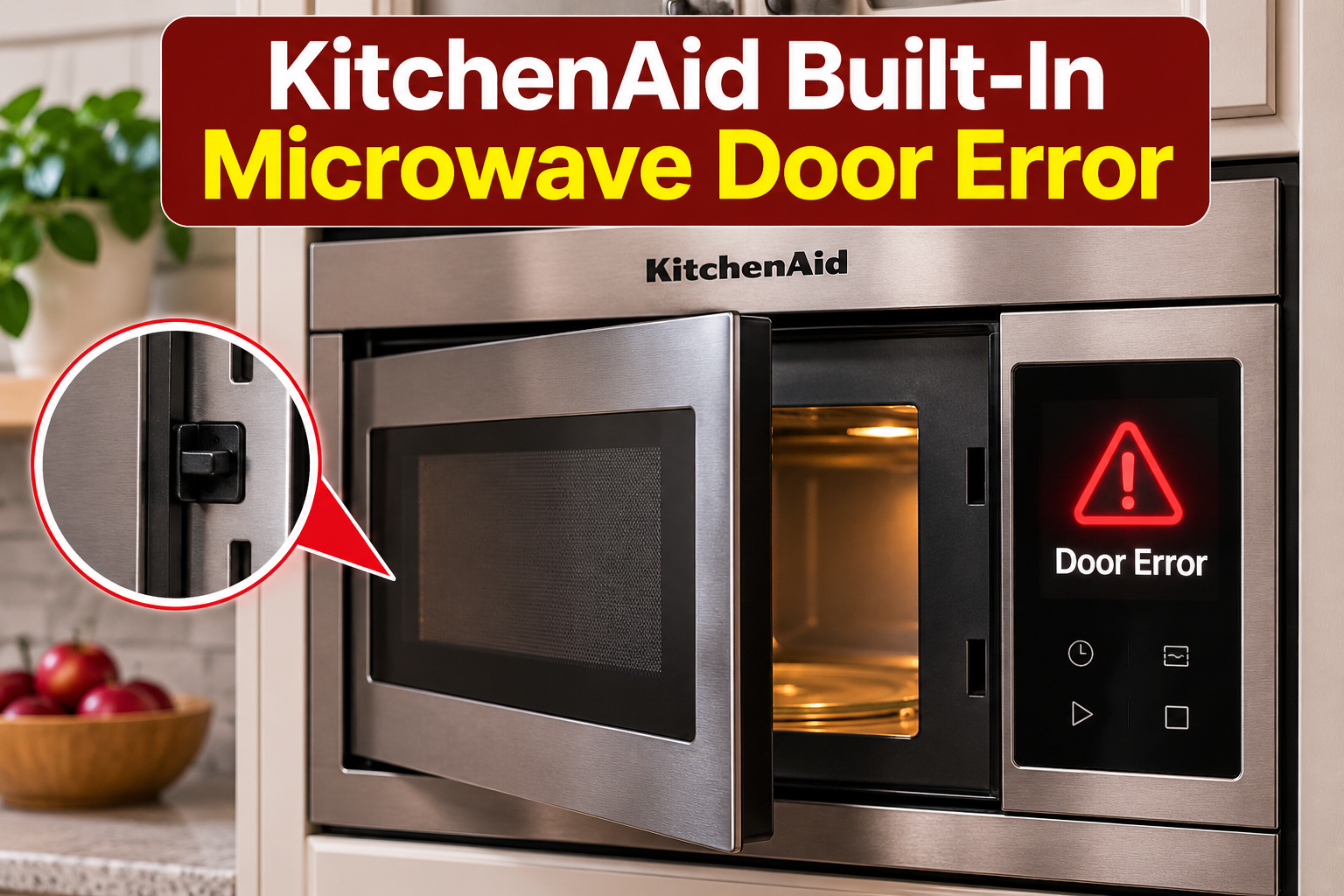
The door error on your KitchenAid built-in microwave can be confusing, especially when the door appears properly closed but the appliance refuses to start. You might see “DOOR” or “OPEN/CLOSE DOOR” on the display, even though nothing seems physically wrong.
Fortunately, this warning often has a simple explanation. It can appear because of a built-in safety feature, an obstruction around the door, or a faulty door switch. Understanding what triggers the message can help you fix it safely.
What Does the KitchenAid Built-In Microwave Door Error Mean?
The KitchenAid built-in microwave door error usually means the appliance needs you to open and close the door before starting a cooking cycle. On many models, this message is part of a safety feature that helps prevent the microwave from starting unintentionally.
According to KitchenAid, the warning can appear when the microwave door has remained closed for approximately five minutes or longer without a cooking cycle being started. The control system requires you to open and close the door again before it allows cooking to begin. In this situation, the message doesn’t indicate a damaged component.
However, if the warning remains after you open and close the door, the microwave may not be recognizing that the door is properly shut. Microwave ovens use door switches and mechanical latches to confirm that the door is closed before allowing microwave energy to be generated. A blocked latch or faulty switch can interfere with this process.
You might notice that pressing Start does nothing, the warning returns immediately, or the microwave only works after several attempts to close the door. These symptoms suggest that further inspection may be necessary. If the door is visibly damaged, doesn’t close securely, or has a broken latch, stop using the appliance until it has been professionally inspected.
KitchenAid Built-In Microwave Door Error: Common Causes
Several conditions can trigger the door warning on your KitchenAid built-in microwave. Some involve normal safety functions, while others indicate that the door isn’t closing or being detected correctly.
1. The Five-Minute Door Safety Feature
One of the most common reasons for the KitchenAid microwave door message is a safety feature that prevents unintended operation.
On applicable models, if the microwave door remains closed for approximately five minutes without the appliance being started, the control system may require another door opening and closing action. This helps prevent someone from accidentally starting a cooking cycle without first opening the microwave.
For example, you might finish heating your food, close the door, and leave the appliance unused for several minutes. When you return and press Start, the display may show “DOOR” or “OPEN/CLOSE DOOR” instead of beginning the cooking cycle.
The warning can also appear when you’ve left food inside the microwave without starting it immediately. Opening and closing the door again normally allows the control system to accept a new cooking command.
This behavior is generally normal and doesn’t mean the door switch needs replacement. However, if the message remains after you reopen and close the door, another problem may be preventing the microwave from detecting the door correctly.
2. An Obstruction Preventing the Door From Closing
Sometimes, a small obstruction prevents the microwave door from closing completely, even when it looks properly shut.
KitchenAid identifies packaging material, oversized cookware, and incorrectly positioned cooking racks as possible causes of door closure problems. These items can prevent the door from reaching the position needed for the latch mechanism to engage.
For example, a large plate extending too close to the door may prevent it from closing securely. Similarly, a cooking rack that has shifted out of position can interfere with the door.
You may notice that the door requires unusual pressure to close, doesn’t sit evenly against the frame, or opens again after you release it.
If the problem appeared after you placed a large dish inside the microwave, check whether the dish is interfering with the door. On a newly installed appliance, inspect the visible door area for any remaining shipping materials.
3. Food Residue Around the Door and Latch Area
Food spills and grease buildup can also contribute to door closure problems.
When you heat food in your microwave, steam, grease, and small food particles can collect around the inner door edges and the surrounding frame. Over time, accumulated residue may prevent the door from closing smoothly.
This problem is especially worth considering if you notice dried food around the door contact surfaces or visible debris near the latch openings.
A small amount of ordinary residue won’t necessarily trigger a door error. However, heavier buildup in the wrong location may interfere with proper closure or prevent the latch from engaging.
Cleaning the accessible door contact surfaces can help eliminate this possible obstruction. Be careful not to damage the door seal, latch, or surrounding components while cleaning.
4. A Faulty Door Latch or Interlock Switch
If the warning continues even though the door is clean and closes properly, a faulty door latch or interlock switch becomes another possibility.
The door latch is the mechanical part that helps secure the microwave door. Interlock switches are safety components that monitor whether the door is in the correct position for operation.
When you close the door, the latch mechanism operates the appropriate switches. The control system uses these signals to determine whether microwave cooking can begin.
If a switch fails or the latch mechanism becomes damaged, the appliance may continue registering the door as open.
You might notice that the microwave refuses to start despite the door closing normally, or that the problem appears intermittently.
A loose or damaged hinge can also affect door alignment. However, a display warning alone cannot confirm that a switch, hinge, or latch has failed.
Door interlock switches are safety-critical components and should only be tested or replaced by a qualified microwave technician. Attempting to bypass or adjust them can create a serious safety hazard.
KitchenAid Built-In Microwave Door Error: How to Fix
The best approach is to begin with the simplest checks before considering repairs. Most of the initial troubleshooting can be completed without tools, provided the microwave door and latch are undamaged.
1. Open and Close the Microwave Door Again
The first thing to try is opening and closing the microwave door. This is KitchenAid’s recommended solution when the warning appears because the door has remained closed for approximately five minutes without the appliance being started.
The procedure is straightforward:
- Press Cancel or Stop if a cooking command is pending.
- Open the microwave door completely.
- Check that nothing is preventing the door from closing.
- Close the door normally until it latches securely.
- Enter your desired cooking time.
- Press Start and check whether the cooking cycle begins.
If the microwave starts normally and the warning disappears, the safety feature was likely responsible. No component replacement is necessary.
However, if the door warning remains, avoid repeatedly slamming or forcing the door. This can damage the latch mechanism and make the problem worse.
Also, don’t attempt to hold the door closed manually while starting the microwave. A properly functioning microwave should recognize that its door is securely shut without additional pressure.
2. Remove Anything Blocking the Door
If reopening and closing the door doesn’t resolve the warning, check whether something inside the microwave is preventing it from shutting properly.
Open the door and examine the cooking compartment. Pay particular attention to large dishes, removable cooking racks, and any packaging material left behind during installation.
Remove any obvious obstruction, then check that the cooking rack, if your model has one, is seated correctly according to the owner’s manual.
If you’re using an oversized plate or container, replace it with appropriately sized microwave-safe cookware that fits comfortably inside the appliance.
After clearing the obstruction, close the door normally and check whether it sits evenly against the microwave frame.
If the door now closes securely, try starting a cooking cycle. If it still doesn’t close properly, don’t force it. The latch or another door component may require professional attention.
3. Clean the Door Contact Surfaces
Food residue around the microwave door can sometimes interfere with proper closure. Cleaning these surfaces is a simple way to eliminate buildup as a possible cause.
Before cleaning, make sure the appliance is switched off and has cooled completely. Disconnect its electrical supply using an accessible plug or the appropriate circuit breaker if necessary.
Then follow these steps:
- Open the microwave door and inspect its inner edges.
- Look for visible grease, dried food, or other debris.
- Dampen a soft cloth with warm water and a small amount of mild dish detergent.
- Gently wipe the accessible door edges and surrounding frame.
- Carefully clean visible residue around the latch area without inserting anything into the openings.
- Wipe away detergent with a clean, damp cloth and dry the surfaces.
Avoid using steel wool, sharp tools, abrasive cleaners, or excessive water. These can damage surfaces or allow moisture to enter places where it doesn’t belong.
Pay particular attention to the areas where the door meets the microwave frame. However, don’t remove, loosen, or alter any part of the door seal or latch mechanism.
Once everything is clean and dry, close the door and check whether the warning disappears.
If you find a torn seal, cracked latch, bent door, or damaged hinge while cleaning, stop troubleshooting and arrange professional service. These problems should not be treated as ordinary cleaning issues.
4. Check the Control Settings
If the microwave door closes securely but the appliance still refuses to start, check whether the control settings are contributing to the problem.
Some KitchenAid built-in microwaves have a Control Lock feature that disables certain buttons to prevent unintended use. Depending on the model, an active lock may be indicated by “LOC,” “LOCKED,” or a padlock symbol.
This is different from the normal door warning, but it can produce a similar symptom because the microwave won’t respond when you try to start cooking.
Look at the display and check whether Control Lock is enabled. If it is, follow your model’s owner’s manual to disable the feature. The required button combination can vary between models.
Also, confirm that you’ve selected a microwave cooking function rather than a kitchen timer. A timer can count down without actually heating food.
Some models also have a Demo Mode that allows the controls to operate without producing microwave heat. If the controls respond but food doesn’t heat, check whether this mode is enabled.
After confirming the correct settings, open and close the door, enter a cooking time, and press Start.
If the display continues showing the door warning, the problem may involve door detection rather than the control settings.
5. Reset the Microwave’s Power Supply
If the earlier checks haven’t resolved the problem, resetting the microwave’s electrical supply may help clear a temporary control issue.
A power reset allows the electronic control system to restart. Although this won’t repair a broken latch or failed door switch, it may resolve an occasional electronic fault.
KitchenAid recommends a one-minute power reset for certain built-in microwave operating problems.
To perform the reset:
- Make sure the microwave isn’t running.
- Locate the circuit breaker supplying electricity to the appliance.
- Switch off the appropriate breaker or breakers.
- Leave the electricity disconnected for at least one minute.
- Restore power.
- Allow the display to finish its startup process.
- Open and close the microwave door normally.
- Try starting a cooking cycle.
If the message disappears and the microwave operates normally, the reset may have cleared a temporary control problem.
However, if the error returns immediately or repeatedly, further resets are unlikely to solve an underlying mechanical or electrical fault.
Don’t continue using the microwave if the door is damaged, doesn’t close securely, or appears to have a defective latch. Resetting the controls doesn’t establish that the door safety system is working correctly.
6. Contact a Qualified Microwave Technician
If your KitchenAid built-in microwave continues displaying the door error after these checks, professional diagnosis is the next step.
A technician may need to inspect the door latch assembly, interlock switches, associated wiring, and electronic controls. These parts work together to ensure that the microwave can operate safely.
The exact component requiring attention depends on the appliance model and the results of proper testing.
For example, a damaged latch may prevent a working switch from being activated. In another case, the latch may operate normally while an interlock switch fails to send the expected signal.
The symptoms can look similar, so replacing parts without diagnosis may waste money without resolving the problem.
Avoid removing the microwave’s outer cover, accessing the internal switches, or attempting electrical tests yourself. Microwave ovens contain high-voltage components, including capacitors that can retain dangerous electrical energy after power has been disconnected.
You should also seek professional service if the door is visibly bent, the hinges are loose, the seal is damaged, or the microwave appears capable of heating while the door is open.
Before arranging a repair, find your microwave’s model number and describe exactly what appears on the display. Mention whether the warning disappears after reopening the door and whether the appliance closes securely.
If your microwave is still under warranty, check the coverage before authorizing repairs. You can also contact KitchenAid through its official service support channels for assistance.
Wrap-Up
The KitchenAid built-in microwave door error often appears because of a normal safety feature that requires you to open and close the door before starting a cooking cycle. However, blocked latches, accumulated food residue, and defective door components can also prevent the appliance from recognizing a closed door.
Start by reopening the door, removing obstructions, and checking the accessible door surfaces. If these steps don’t resolve the warning, a power reset may help with a temporary control issue. Persistent errors or damaged door components should be handled by a qualified technician to ensure safe operation.