Seeing a service error on your Ninja air fryer can be concerning, especially when the appliance suddenly stops cooking or refuses to respond to its controls. You may notice an error number alongside a message instructing you to contact customer service.
Unlike ordinary reminders about cooking settings, a service warning generally indicates that the appliance has detected a malfunction. While some operating conditions are easy to check, others require professional attention. Understanding the warning can help you avoid unnecessary repairs and further damage.
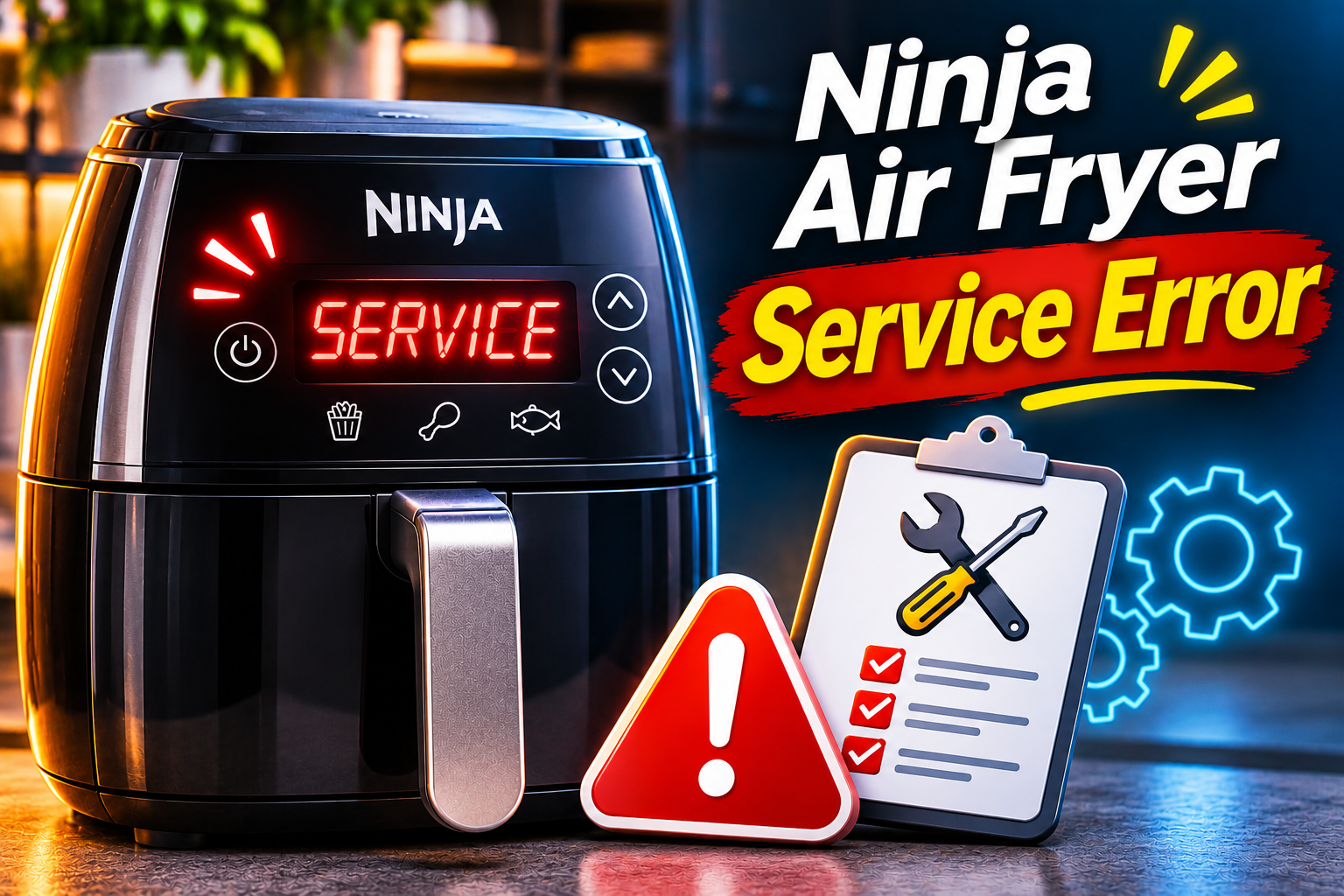
What Does the Service Error Mean on a Ninja Air Fryer?
The Ninja air fryer service error means the appliance has detected a problem that may require manufacturer assistance. On certain Ninja Foodi air fryer ovens, the display shows “CALL CUSt SrVC” followed by an error code. This message tells you to stop using the appliance and contact Ninja Customer Service.
For example, the official Ninja Foodi XL Pro Air Oven DT200 Series owner’s guide identifies service warnings accompanied by codes Er0, Er1, Er2, Er3, Er4, Er5, or Er6. Ninja instructs owners to switch off the appliance and contact customer service when any of these messages appear. However, the manual doesn’t provide individual component diagnoses for those codes.
Other Ninja air fryers use different error messages. Some basket-style models display an E warning to indicate that the appliance isn’t functioning properly. Meanwhile, certain newer models have specific codes for overheating or temperature sensor problems. Therefore, a service warning on one model shouldn’t automatically be interpreted using another model’s error code definitions.
The warning may appear while the appliance is heating, shortly after switching it on, or when attempting to begin a cooking cycle. Depending on the fault, the air fryer may stop heating or become unresponsive. Because the message can indicate an internal malfunction, Ninja’s instruction to stop using the appliance and request support should take priority over further home troubleshooting.
Ninja Air Fryer Service Error: Likely Causes
Several internal problems can potentially trigger an air fryer malfunction warning. However, Ninja doesn’t publish a universal list of component failures responsible for every service error, so the exact cause cannot be established from the message alone.
1. A Problem With the Temperature Monitoring System
Your Ninja air fryer relies on temperature monitoring components to maintain the heat required for cooking. These components help the electronic control system determine whether the appliance is operating within its intended temperature range.
If a temperature sensor or its associated circuit develops a fault, the control system may receive incorrect information. This can interfere with temperature regulation and, depending on the model, produce an error warning.
Ninja identifies temperature sensor faults through specific error codes on some appliances. For instance, its CRISPi DualZone DD100 series uses E1 and E2 for Zone 1 temperature sensor issues and E3 and E4 for Zone 2. However, these definitions cannot be applied directly to the Er0 through Er6 service messages on the DT200 series.
A temperature monitoring problem may be suspected when a warning occurs during heating or appears repeatedly without an obvious external cause. Nevertheless, the timing doesn’t confirm that a sensor has failed.
If the display shows a service warning even when the air fryer is cool, an electronic detection problem remains possible. Proper diagnosis requires checking the relevant components using the manufacturer’s service procedures, which should be handled by qualified personnel.
2. Excessive Heat Inside the Appliance
Air fryers generate considerable heat during cooking. Although the cooking chamber is designed to operate at high temperatures, the appliance must also manage heat around its electronic controls and other internal parts.
If heat accumulates beyond acceptable limits, the appliance may activate a protective warning. Possible contributing conditions include blocked ventilation openings, insufficient clearance, and exposure to another nearby heat source.
Ninja specifically documents an O-H overheating warning on its SL200 DoubleStack models when the appliance is positioned in a corner or restricted space. This confirms that ventilation problems can trigger overheating protection on certain Ninja products.
However, an O-H warning and a CALL CUSt SrVC message are different indications. The existence of an overheating warning on one series doesn’t establish overheating as the cause of a service code on another.
You may notice unusually hot surrounding surfaces, restricted ventilation openings, or an error occurring after prolonged cooking. These observations are useful when describing the problem to Ninja support.
Even if the appliance appears to have been positioned poorly, improving its ventilation shouldn’t be treated as permission to continue operating it after a service warning. Internal components may still require assessment.
3. A Fault Affecting the Heating or Fan System
The heating element and circulation fan work together to cook food inside an air fryer. The element produces heat, while the fan distributes that heat through the cooking chamber.
If either system develops a fault, the appliance may struggle to maintain normal cooking conditions. A malfunctioning fan, for example, can affect airflow, while a problem with the heating controls may interfere with temperature regulation.
Some faults may produce noticeable symptoms before a warning appears. You might observe that food takes longer than expected to cook, that the appliance makes an unusual sound, or that heating stops unexpectedly.
However, these symptoms can have several explanations. A change in fan noise doesn’t prove that the motor is defective, and poor cooking results don’t necessarily mean the heating element has failed.
The DT200 owner’s manual doesn’t identify particular fan or heating element failures as the confirmed causes of its individual service codes. Consequently, replacing either component based solely on the displayed message would be premature.
4. An Electronic Control Board Malfunction
The electronic control board manages the air fryer’s cooking functions. It processes information from operating controls and monitoring components, then helps regulate heating and other functions.
If the board develops a malfunction, the appliance may be unable to operate correctly. Electronic faults can involve damaged components, defective connections, or problems with the circuits responsible for controlling the appliance.
A possible clue is when the display becomes unresponsive, the controls behave unexpectedly, or the same service warning appears whenever the appliance is switched on.
Nevertheless, the control board isn’t automatically responsible for every service warning. An error can originate from another component monitored by the board.
It is also possible for damage involving internal wiring or electrical connections to interfere with operation. Moisture entering electrical areas or physical damage to the appliance may contribute to certain faults, although neither is a confirmed universal cause of Ninja service messages.
Determining whether the problem involves the board, its connections, or another internal component requires proper electrical testing. Opening the appliance at home can expose dangerous electrical parts and may affect warranty coverage.
Ninja Air Fryer Service Error: How to Fix
When a Ninja air fryer displays a service warning, the safest approach is to stop operating it and follow the manufacturer’s instructions. The checks below can help you identify obvious external problems and gather useful information, but they aren’t substitutes for professional diagnosis.
1. Identify the Exact Service Error and Model Number
Before arranging service, identify the message displayed by your appliance. Ninja uses different error codes across its air fryer models, so accurate identification is essential.
For the Ninja Foodi XL Pro Air Oven DT200 Series, the service message appears as “CALL CUSt SrVC” followed by one of several codes.
These include:
- Er0
- Er1
- Er2
- Er3
- Er4
- Er5
- Er6
The manufacturer’s guide doesn’t assign separate publicly documented component diagnoses to these codes. Therefore, you shouldn’t assume that a particular number means a defective fan, temperature sensor, or circuit board.
If the display is still visible, take a clear photograph of the warning before switching off the appliance. This can help you report the exact message without having to power it on again.
Next, locate the model number. On the DT200 series, Ninja states that the model and serial numbers are printed on the QR code label underneath the appliance.
Make sure the air fryer is unplugged and completely cool before attempting to inspect its underside. You can then compare its model number with the instructions available through Ninja’s official support website.
Knowing the exact model and error code will help customer support provide guidance that applies to your appliance.
2. Switch Off the Appliance and Let It Cool Completely
If the display shows a service warning, stop cooking immediately. Ninja’s official DT200 Series troubleshooting instructions specifically recommend turning off the appliance and contacting customer service.
Use the power button if it responds, then unplug the appliance from the wall outlet when it’s safe to do so.
If you notice smoke, sparks, a damaged power cord, or melting near the electrical connection, don’t touch the appliance or plug while the situation remains unsafe. Disconnect power at the circuit breaker if necessary and safe, then seek appropriate assistance.
If the appliance has simply stopped heating and shows no signs of immediate danger, leave it on a stable, heat-resistant surface and allow it to cool.
Avoid touching the heating elements, interior walls, or metal cooking accessories. These parts can remain hot after the appliance stops operating.
Don’t attempt to speed up cooling by pouring water into the cooking chamber or placing the appliance in a cold environment. Allow it to return to room temperature naturally.
Cooling is a sensible safety precaution, but it isn’t a confirmed repair for the DT200 service error codes. An internal fault can remain even after the appliance has cooled completely.
Once the appliance is cool, proceed with external checks without restarting it. If the error requires manufacturer service, repeatedly switching the unit on may expose it to the same fault again.
3. Check the Power Cord and Electrical Outlet
A service warning doesn’t necessarily mean there is a problem with the electrical supply. However, examining the external power connection can help identify visible damage that requires attention.
With the appliance unplugged, inspect the power cord and plug for signs of wear. Look for cracked insulation, exposed wiring, discoloration, bent plug pins, or melted areas.
Also, check the wall outlet for visible damage or signs of overheating. A scorched socket, unusual smell, or loose electrical connection should be assessed by a qualified electrician.
Ninja’s DT200 troubleshooting guidance recommends checking the outlet connection when the oven won’t power on. However, that advice addresses a power failure rather than the documented service warning.
Don’t repeatedly reconnect an appliance displaying CALL CUSt SrVC simply to test different outlets. The manufacturer instructs owners to stop using it and request support.
If your appliance has no visible damage, you can make a note of the outlet and power conditions for the support team.
Avoid using extension cords, overloaded power strips, or unsuitable adapters to operate high-power cooking appliances. Follow the electrical requirements listed in the manual for your specific Ninja model.
If the outlet itself appears faulty, have it checked before using it with any appliance.
4. Inspect the Ventilation Openings and Placement
Proper ventilation helps an air fryer release heat while cooking. Restricted airflow can create unfavorable operating conditions and may contribute to overheating in certain models.
After unplugging the appliance and allowing it to cool completely, examine its position on the countertop.
Look at the air intake and exhaust openings. Make sure they aren’t covered by kitchen towels, cooking equipment, packaging, or other objects.
You should also check whether the air fryer is positioned directly against a wall or beneath a low cabinet.
For example, Ninja’s SL200 DoubleStack manual specifies at least 6 inches of clearance above and around the sides of the appliance and recommends moving it away from nearby heat sources when an O-H overheating warning appears.
These measurements are specific to that series. Other Ninja models may have different clearance requirements, so follow the instructions supplied with your appliance.
If you notice an obvious obstruction, remove it while the unit is switched off and cool. Place the appliance where it has adequate ventilation and sits securely on a heat-resistant surface.
Although this corrects a potential operating problem, it doesn’t prove that the service warning was caused by overheating.
If the unit has displayed CALL CUSt SrVC or another documented malfunction warning, contact Ninja before using it again.
5. Clean Accessible Parts and Check for Visible Damage
Regular cleaning helps prevent grease and food debris from collecting inside an air fryer. While cleaning isn’t an established repair for Ninja service codes, it can help you identify visible maintenance problems.
Make sure the appliance is disconnected from electricity and completely cool before beginning.
For a Ninja Foodi air fryer oven, remove the approved cooking accessories according to the owner’s manual. These may include the air fry basket, sheet pan, wire rack, roast tray, and crumb tray.
The DT200 Series manual recommends removing the crumb tray and cleaning food residue from the cooking chamber after use. It also advises using a soft, damp sponge for the interior walls and glass door.
Follow these precautions during cleaning:
- Wash removable accessories according to their specific cleaning instructions.
- Use mild dish soap and nonabrasive cleaning materials where permitted.
- Avoid spraying cleaning products directly into electrical controls or ventilation openings.
- Never immerse the main appliance in water.
- Dry the cleaned components thoroughly before storing them.
While cleaning, look for unusual damage such as warped accessories, damaged interior surfaces, or signs that food has burned excessively.
Don’t insert tools into the air vents, attempt to clean behind the control panel, or remove protective covers to inspect internal components.
If you discover melted plastic, damaged heating elements, or other signs of serious deterioration, leave the appliance unplugged and report the findings to Ninja.
Cleaning can address dirt and residue, but it won’t repair a damaged temperature sensor or control board. A persistent service warning still requires the manufacturer’s attention.
6. Contact Ninja Customer Service or a Qualified Technician
If your Ninja air fryer displays a service warning, contacting the manufacturer is the primary recommended solution.
For the Ninja Foodi XL Pro Air Oven DT200 Series, the official owner’s guide specifically instructs users to turn off the appliance and call customer service when CALL CUSt SrVC appears with codes Er0 through Er6.
In the United States, Ninja lists 1-877-646-5288 as its customer service telephone number. You can also visit Ninja Customer Support to find assistance for your model.
Before contacting support, gather your model number, serial number, purchase date, and proof of purchase if available.
Explain exactly when the warning appeared and whether the appliance was heating, preheating, or waiting for a cooking function to start. Mention any unusual sounds, smells, or changes in performance that occurred before the warning.
A support representative can determine the appropriate next step based on your appliance and the displayed code. Depending on the circumstances, the manufacturer may recommend additional model-specific checks, professional repair, or replacement.
If the appliance is covered by a warranty, contact Ninja before arranging an independent repair. Warranty terms vary by product and region, and unauthorized repairs may affect coverage.
Avoid following online instructions that recommend bypassing temperature protection devices, replacing internal wiring without proper training, or modifying the control board.
Also, don’t confuse restoring cooking presets with repairing an electrical malfunction. Although some Ninja ovens allow users to reset their preferred cooking settings, this feature isn’t a documented solution for CALL CUSt SrVC errors.
If professional repair isn’t practical, the manufacturer can help you determine whether replacement is the better option.
Wrap-Up
A Ninja air fryer service error indicates that the appliance may have developed a malfunction requiring manufacturer attention. On the DT200 Series, the CALL CUSt SrVC message accompanied by Er0 through Er6 specifically instructs you to stop using the oven and contact customer service.
Begin by recording the exact warning, switching off the appliance, and checking for visible external problems once it has cooled. Avoid repeated restarts or unauthorized electrical repairs. With the correct model information and error details, Ninja support can help determine the safest next step.