You pull your Ninja Creami out of the box, excited to make your first batch of homemade ice cream. But instead of the smooth setup you expected, you’re greeted by a blinking install light that refuses to cooperate.
This flashing light can feel frustrating, especially when you’re eager to start creating frozen treats. The good news is that this common issue usually has straightforward solutions that don’t require calling customer service or returning your machine.
Throughout this guide, you’ll learn exactly why your Ninja Creami’s install light keeps blinking, what causes this problem, and most importantly, how to fix it yourself using simple steps that take just a few minutes.
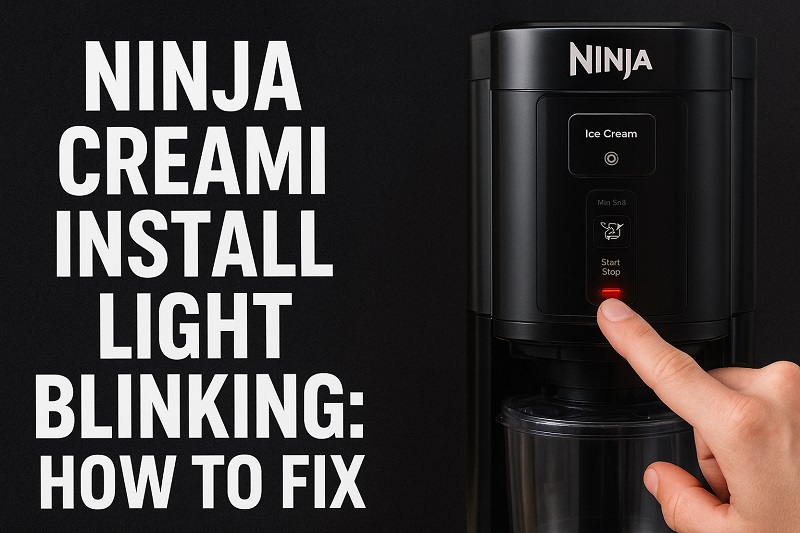
What the Blinking Install Light Actually Means
The install light on your Ninja Creami serves as a communication tool between you and the machine. When it blinks continuously, your Creami is telling you that something isn’t quite right with the setup or installation process. Think of it as your machine’s way of saying “hold on, we need to fix something before we can start making ice cream.”
This blinking pattern typically appears during the initial setup phase or after you’ve made changes to how the machine is assembled. Your Creami has built-in safety mechanisms that prevent it from operating when components aren’t properly aligned or secured. The install light acts as the first line of defense, alerting you to potential issues before they become bigger problems.
Most users encounter this blinking light during their very first use, which can create unnecessary worry. However, the blinking install light rarely indicates a serious malfunction or defective unit. Instead, it usually points to simple assembly oversights or minor positioning issues that you can easily correct.
The light will continue blinking until the machine detects that all components are properly installed and aligned according to its internal safety checklist. Once everything checks out, the light should turn solid or turn off completely, depending on your specific Creami model.
Ninja Creami Install Light Blinking: Common Causes
Understanding what triggers the blinking install light helps you troubleshoot more effectively. Most causes stem from simple oversights during the assembly process rather than complex mechanical failures.
1. Pint Container Not Properly Seated
The most frequent culprit behind a blinking install light is an improperly positioned pint container. Your Ninja Creami relies on precise alignment between the container and the machine’s internal mechanisms to function safely.
When you place the pint container into the machine, it needs to sit flush against the bottom platform with no gaps or tilting. Even a slight misalignment can trigger the safety sensors, causing the install light to blink continuously. The container should drop into place with a satisfying click or thud that indicates proper seating.
Sometimes the container appears to be in the right position but hasn’t actually engaged with the alignment guides inside the machine. This creates the illusion of proper installation while the sensors detect the misalignment and keep the install light blinking as a precaution.
2. Creamerizer Paddle Misalignment
The creamerizer paddle, which does the actual mixing and churning work, must be perfectly aligned with both the pint container and the machine’s motor shaft. This component has specific notches and grooves that need to match up exactly with corresponding features in your Creami.
If the paddle isn’t fully inserted or has been twisted slightly during installation, the machine’s sensors will detect this misalignment. The paddle should slide down smoothly until it reaches the bottom of its housing, with no resistance or binding along the way.
3. Lid Assembly Issues
Your Ninja Creami’s lid contains multiple safety switches and sensors that must all be properly engaged before the machine will operate. The lid needs to close completely and lock into position, creating a seal that satisfies all the internal safety requirements.
Sometimes the lid appears closed but hasn’t actually triggered all the necessary switches. This can happen if there’s debris around the lid edges, if the lid is slightly warped, or if you haven’t applied enough downward pressure during closing. Each safety switch must click into place for the install light to stop blinking.
The lid also houses part of the alignment system for the creamerizer paddle, so any issues with lid positioning can affect paddle alignment as well. This creates a cascading effect where multiple systems show misalignment even though the root cause is simply an improperly closed lid.
4. Foreign Objects or Debris Interference
Small pieces of packaging material, food particles, or manufacturing residue can interfere with proper component alignment. These tiny obstructions might not be immediately visible but can prevent parts from seating correctly.
Packaging foam, plastic fragments, or even dust from storage can accumulate in the precise grooves and channels that guide component installation. When these areas become blocked, components can’t reach their intended positions, triggering the safety sensors and causing the install light to blink.
5. Power Connection Problems
Less commonly, the blinking install light can result from inconsistent power delivery to the machine’s control systems. This might happen if the power cord isn’t fully inserted into the wall outlet or if there’s a loose connection at the machine’s power input.
Voltage fluctuations or power surges can also confuse the machine’s control board, causing it to display the blinking install light even when all components are properly positioned. This type of issue often resolves itself with a simple power cycle but can be concerning for new users who aren’t expecting electrical factors to affect installation status.
Ninja Creami Install Light Blinking: DIY Fixes
Now that you understand what causes the blinking install light, let’s walk through the solutions that will get your Ninja Creami working properly. These fixes address the most common issues and can be completed in just a few minutes.
1. Reseat the Pint Container Completely
Start by removing the pint container entirely from your Ninja Creami. Take a moment to examine both the container and the platform where it sits inside the machine. Look for any obvious debris, packaging materials, or food residue that might interfere with proper placement.
Clean both surfaces with a damp cloth if needed, making sure everything is completely dry before reassembly. Now, position the pint container directly above the platform and lower it straight down without tilting or angling it to either side. You should feel the container settle into place with a definitive drop or click.
Give the container a gentle twist or wiggle to ensure it’s fully seated. If it moves easily or feels loose, lift it out and try again. The properly installed container should feel secure and stable, with no wobbling or shifting when you apply light pressure from different angles.
2. Check and Realign the Creamerizer Paddle
Remove the creamerizer paddle from the machine and inspect it for any damage, debris, or packaging material. Pay special attention to the shaft area and the bottom of the paddle where it connects to the motor mechanism.
Insert the paddle back into the machine slowly, feeling for the alignment guides and letting it settle naturally into position. The paddle should slide down smoothly without forcing or jamming. If you encounter resistance, remove it and try again rather than pushing harder.
Once the paddle reaches the bottom of its travel, it should sit flush with the top of the machine housing. There shouldn’t be any gap between the paddle assembly and the machine, and the paddle should not spin freely when you try to rotate it by hand. A properly installed paddle will have slight resistance when turned, indicating proper engagement with the motor shaft.
3. Properly Close and Lock the Lid
Open the lid completely and examine the closing mechanism for any obstructions or damage. Look for small pieces of packaging material or debris that might prevent the lid from closing fully. Clean the lid edges and the corresponding areas on the machine body with a damp cloth.
When closing the lid, apply firm, even pressure across the entire surface rather than pushing down on just one corner or edge. You should hear multiple distinct clicks as each safety switch engages. The lid should feel completely flush against the machine body with no gaps or raised areas.
After closing the lid, try to lift it gently. If it opens easily, it’s not properly locked. Repeat the closing process, making sure to press down firmly until all locking mechanisms engage. A properly closed lid will require deliberate action to open and won’t lift with casual pressure.
4. Perform a Complete Power Reset
Unplug your Ninja Creami from the wall outlet and let it sit disconnected for at least 30 seconds. This allows the machine’s control systems to fully reset and clear any temporary glitches or confusion in the safety monitoring systems.
While the machine is unplugged, press and hold the power button for 10 seconds to discharge any residual electrical charge in the system. This step ensures a complete reset rather than just interrupting power flow.
Plug the machine back into a different electrical outlet if possible, or at least verify that the current outlet is working properly by testing it with another device. Push the power plug firmly into both the wall outlet and the machine’s power input to ensure solid connections.
Turn the machine on and check if the install light behavior has changed. Sometimes a simple power reset resolves sensor glitches or control board confusion that was causing the blinking pattern.
5. Clean All Contact Points and Sensors
Use a clean, dry cloth to wipe down all visible sensors and contact points inside your Ninja Creami. These small components are usually located around the pint container platform and lid area, though their exact positions vary by model.
Pay particular attention to any small holes, grooves, or recessed areas where sensors might be located. Use a cotton swab lightly dampened with water to clean tight spaces, but avoid getting moisture directly on electrical components.
Check the bottom of the pint container and the corresponding area of the machine platform for any sticky residue or foreign material. Even invisible films from manufacturing processes can interfere with proper sensor function, so thorough cleaning often resolves mysterious sensor issues.
6. Contact Ninja Customer Support
If all the previous solutions fail to resolve the blinking install light, the issue might require professional diagnosis or warranty service. Before contacting support, make note of your machine’s model number, purchase date, and exactly which troubleshooting steps you’ve already tried.
Having this information ready will help customer support provide more targeted assistance and determine whether your issue requires a replacement part or represents a more significant mechanical problem that wasn’t covered by the DIY solutions.
Wrapping Up
The blinking install light on your Ninja Creami might seem like a major obstacle, but it’s usually just your machine’s way of asking for a small adjustment. Most of these issues resolve quickly once you understand what the machine needs and take a systematic approach to troubleshooting.
Starting with the simplest solutions like reseating components and performing a power reset will solve the majority of install light problems. When your Creami is working properly, you’ll be able to focus on what really matters: creating delicious frozen treats that rival anything from the store.