Depending on your NuWave model, this error could indicate overheating or an electrical fault. Fortunately, understanding the difference can help you identify the appropriate solution and avoid unnecessary repairs.
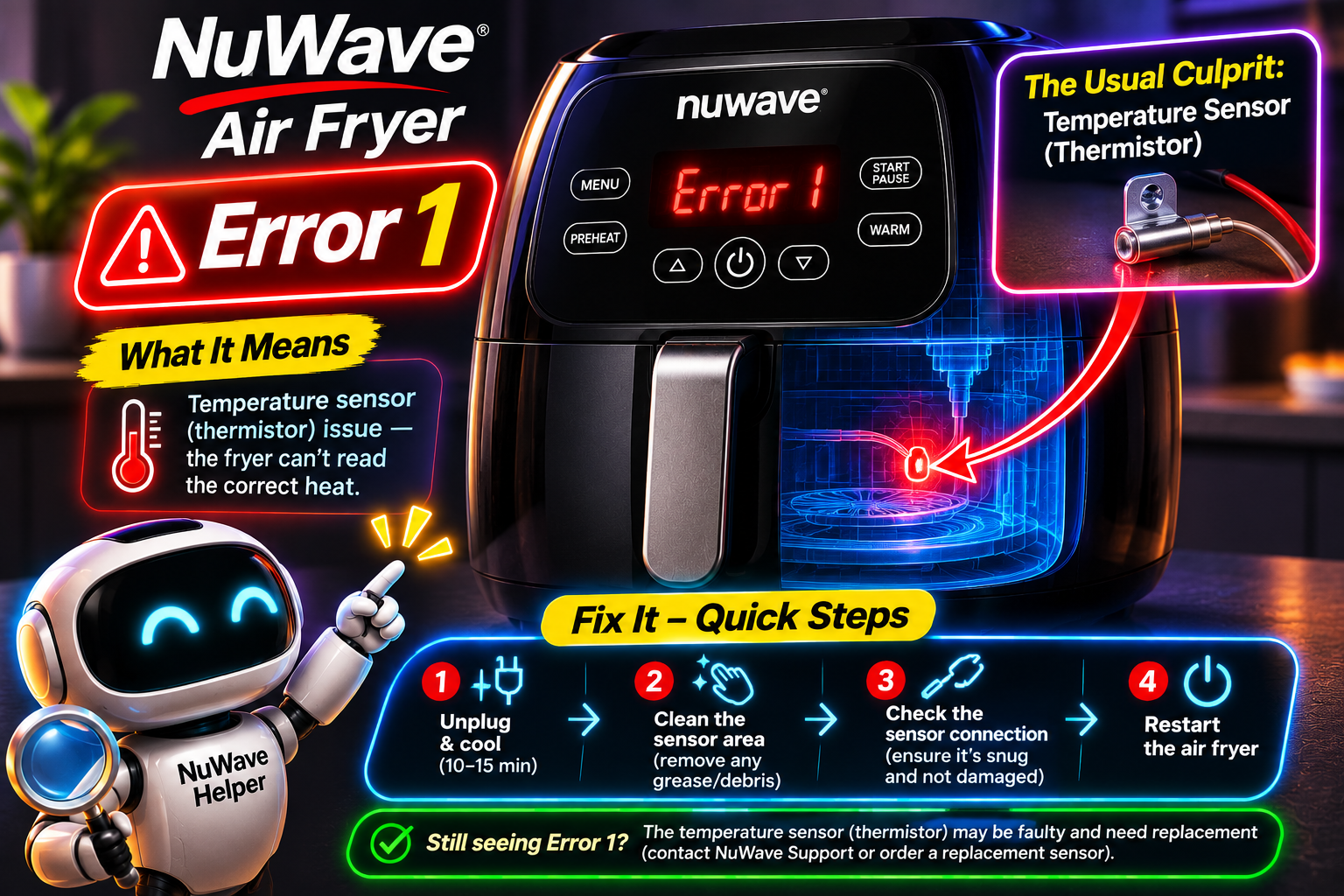
What Does Error 1 Mean on a NuWave Air Fryer?
The meaning of Error 1 on a NuWave air fryer depends on the exact characters appearing on the display and the model you own. Although E1, Er1, and Err1 look similar, they represent different operating faults.
According to NuWave’s product manuals, these error codes generally have the following meanings:
| Error code | Meaning | Applicable models |
|---|---|---|
| E1 | Open temperature sensor circuit | Older Brio 3QT and certain 6QT models |
| Er1 | Overheating | Several newer Brio and Brio Plus models |
| Err1 | Short circuit | Several newer Brio and Brio Plus models |
Your NuWave air fryer uses a temperature sensor to monitor the heat inside the cooking chamber. The electronic control board processes information from this sensor and regulates the heating element to maintain your selected cooking temperature.
If the sensor becomes excessively hot or its electrical circuit develops a fault, the appliance may interrupt cooking and display an error message. However, while overheating can sometimes be resolved by allowing the appliance to cool, a damaged sensor circuit generally requires professional attention.
This distinction is particularly important because applying an overheating solution to a defective temperature sensor won’t address the underlying problem.
For example, the NuWave Brio 3QT manual identifies E1 as an open sensor circuit, while the Brio 15.5QT manual identifies Er1 as overheating and Err1 as a sensor short circuit. Some older models with a removable temperature probe also use E1 to indicate a probe short circuit.
NuWave Air Fryer Error 1: Likely Causes
Several problems can interfere with your NuWave air fryer’s ability to regulate cooking temperatures. While overheating may result from unfavorable operating conditions, electrical errors often involve damaged internal components.
1. Restricted Airflow and Overheating
Your NuWave air fryer uses a fan to circulate heated air throughout the cooking chamber. Its ventilation openings also allow hot air to escape, preventing excessive heat from accumulating inside the appliance.
If you position the air fryer too close to a wall or cover its ventilation openings, heat may build up unnecessarily. Operating the appliance in a confined space can also interfere with proper heat dissipation.
When the temperature sensor detects excessive heat, certain Brio models display Er1 and interrupt cooking. You might notice that the error occurs after prolonged cooking sessions but disappears once the appliance has cooled completely.
2. A Defective Temperature Sensor
Many NuWave air fryers use a temperature sensing component called an NTC thermistor. Its electrical resistance decreases as the surrounding temperature increases, allowing the control board to monitor changes inside the cooking chamber.
Internal damage, excessive heat exposure, or mechanical stress can affect the sensor’s electrical characteristics. If the component develops a short circuit or its internal connection breaks, the electronic control board may register a fault.
A defective temperature sensor could explain why your air fryer displays an error immediately after switching on, even when it’s completely cold. Unlike an ordinary overheating problem, a damaged sensor generally won’t recover after a cooling period.
3. Damaged or Disconnected Internal Wiring
The temperature sensor communicates with the electronic control board through internal wires and electrical connectors. These connections must remain properly insulated and securely attached for accurate temperature monitoring.
Repeated heating and cooling, physical damage, or improper handling during previous repairs may affect these connections. A broken wire can create an open circuit, while damaged insulation may allow electrical conductors to touch and cause a short circuit.
An unstable electrical connection could also explain why the error appears occasionally before becoming permanent. Confirming this problem requires professional inspection of the sensor circuit.
4. A Malfunctioning Air Circulation Fan
The fan inside your NuWave air fryer distributes hot air around your food. If it stops rotating or operates poorly, heat distribution becomes less effective, potentially causing excessive temperatures in certain areas.
Before the error appears, you might notice unusual rattling or grinding sounds, reduced airflow from the exhaust, or food cooking unevenly. These symptoms may indicate a mechanical or electrical problem with the fan.
A defective fan is particularly relevant when investigating the Er1 overheating error. However, it isn’t an established direct cause of an E1 open circuit or Err1 short circuit.
5. A Faulty Electronic Control Board
The electronic control board processes temperature readings and manages the heating element, fan, timer, and other cooking functions. If its temperature monitoring circuit develops a fault, the appliance may register abnormal readings even when the temperature sensor is functioning correctly.
Electrical damage, moisture exposure, or deteriorated electronic components may contribute to this problem. Other symptoms could include unexpected restarts, unresponsive buttons, or irregular display behavior.
Nevertheless, these symptoms cannot establish that the control board has failed. A technician should examine the temperature sensor and its electrical connections before recommending a replacement board.
NuWave Air Fryer Error 1: DIY Fixes
Start by identifying the exact error code displayed on your NuWave air fryer, as this determines which troubleshooting methods are appropriate. Although overheating can sometimes be resolved at home, electrical sensor faults generally require professional assistance.
1. Switch Off the Air Fryer and Allow It to Cool
If your NuWave Brio displays Er1, the manufacturer’s recommended solution is to switch off the appliance and allow it to cool. This is particularly important if you’ve been cooking at high temperatures or preparing several batches of food.
Follow these steps:
-
Switch off your NuWave air fryer.
-
Unplug the power cord from the electrical outlet.
-
Leave the appliance on a stable surface that can withstand heat.
-
Allow it to cool completely.
-
Check for ventilation problems or other visible signs of damage.
-
Reconnect the appliance if no safety concerns are present and your model’s instructions permit restarting.
If overheating was temporary, the Er1 message may disappear once the internal temperature returns to an acceptable level.
However, the same procedure isn’t an established repair for E1 or Err1 electrical faults. If your model’s manual identifies the displayed code as a sensor circuit problem, keep the appliance disconnected and contact NuWave customer service.
2. Clear Obstructions Around the Air Vents
Take a close look at where you’ve positioned your air fryer. Placing it directly against a kitchen wall or surrounding it with other appliances can restrict airflow and contribute to overheating.
According to NuWave’s official guidance, the Brio 6QT and 7.25QT air fryers should have at least three inches of clearance between their rear ventilation openings and surrounding obstructions. Other models may have different requirements.
With the appliance unplugged and completely cool, examine its air intake and exhaust openings. Remove accessible dust using a soft, dry cloth, and move nearby objects away from the appliance. Avoid inserting cleaning tools through the vents.
Correcting ventilation problems may prevent Er1 from returning if restricted airflow was responsible. However, if overheating continues despite adequate ventilation, an internal component may require attention.
3. Clean the Cooking Chamber and Removable Accessories
Grease, crumbs, and food particles can gradually accumulate inside your NuWave air fryer. Excessive buildup may interfere with normal airflow, produce smoke, and create unpleasant smells during cooking.
Once the appliance has cooled completely, remove the cooking basket, base tray, and other detachable accessories. Wash them using warm water, mild dish soap, and a soft sponge, following the cleaning instructions for your particular model.
If you own a NuWave Brio air fryer oven, remove and clean its drip tray, cooking racks, and other removable accessories. Wipe accessible interior surfaces with a soft cloth without applying excessive pressure to the heating element or temperature sensor.
Allow everything to dry thoroughly before reassembling the appliance. Although cleaning can improve operating conditions and eliminate excess grease, it cannot restore a damaged temperature sensor or repair an electrical short circuit.
4. Avoid Overfilling the Cooking Basket
Adding too much food to your air fryer can interfere with the movement of hot air around the ingredients. Large portions may also cook unevenly, encouraging you to extend cooking times unnecessarily.
Remove excess ingredients and arrange your food according to the manufacturer’s recommended capacity. When preparing large quantities, divide them into smaller batches. Make sure cooking accessories are correctly positioned and aren’t obstructing airflow.
Overfilling isn’t a confirmed direct cause of Error 1. Nevertheless, maintaining proper air circulation is useful when investigating overheating problems. If Er1 repeatedly appears despite correct loading and adequate ventilation, contact NuWave for further assistance.
5. Examine the Removable Temperature Probe
Some NuWave Brio models come with a digital temperature probe that measures the internal temperature of food. This component serves a different purpose from the built in sensor that monitors the cooking chamber.
On certain older Brio 4.5QT models equipped with a probe, E1 indicates a short circuit within the probe system. Newer models may display Prb3 or Prob3 for a similar fault.
With the appliance switched off, unplugged, and completely cool, examine the removable probe and its cable for visible damage. Look for cuts, crushed sections, damaged connectors, or melted insulation.
If the probe appears damaged, don’t use it. Contact NuWave to establish whether an approved replacement is necessary. Avoid purchasing a generic probe simply because its connector fits your air fryer, as its electrical specifications may differ.
6. Check for Signs of Fan Problems or Moisture Damage
Think about what happened immediately before your air fryer displayed the error. Unusual mechanical noises or reduced airflow during previous cooking sessions may indicate a fan problem.
Similarly, if the error appeared shortly after cleaning, consider whether water accidentally entered the main housing. Moisture can interfere with electrical connections and contribute to corrosion inside the appliance.
Wipe away any remaining moisture from accessible surfaces and allow the removable accessories to dry completely. If you suspect liquid has reached the internal electrical components, keep the appliance unplugged.
Avoid deliberately running another cooking program to test a suspected fan fault or dry internal components. Both situations require professional inspection before you can safely resume cooking.
7. Contact NuWave Customer Service or a Qualified Technician
If your NuWave air fryer displays a temperature sensor circuit error or continues overheating despite the recommended checks, professional diagnosis is necessary.
A qualified appliance repair technician can examine the temperature sensor, measure its electrical resistance, and inspect its associated wiring. Depending on the error displayed, the technician may also check the circulation fan, removable temperature probe, or electronic control board.
The appropriate repair may involve replacing a defective sensor, repairing damaged electrical connections, installing a replacement fan, or replacing the electronic control board.
Before arranging repairs, locate your appliance’s model and serial numbers. These details are generally printed on a label at the back of the appliance. You should also gather your proof of purchase and take a photograph of the displayed error.
You can contact NuWave customer service at 1-877-689-2838. Many Brio models include a one year limited manufacturer’s warranty, which may cover qualifying component failures.
Most importantly, stop using your air fryer immediately if you notice an electrical burning smell, sparks, melted plastic, unusual smoke, or uncontrolled heating. These symptoms require professional attention regardless of the displayed error.
Wrapping Up
Error 1 on a NuWave air fryer can indicate overheating, an interrupted sensor circuit, or a short circuit, depending on the model and exact error displayed. Identifying the correct code is therefore essential before attempting any troubleshooting.
While allowing the appliance to cool and improving ventilation may resolve temporary overheating, electrical faults require a different approach. Avoid dismantling the appliance or replacing components based on guesswork. Following the manufacturer’s instructions and obtaining professional assistance when necessary can help prevent further damage and keep your air fryer safe to use.