Seeing the “Close Basket” message on your Instant Vortex Plus air fryer can be frustrating, especially when the basket is already inserted but the appliance refuses to start. Sometimes, the warning appears halfway through cooking, interrupting your meal preparation.
This message usually means the air fryer cannot detect that the cooking basket is properly closed. Fortunately, some causes are relatively simple to correct. Understanding how the basket detection system works can help you identify the problem and choose the safest fix.
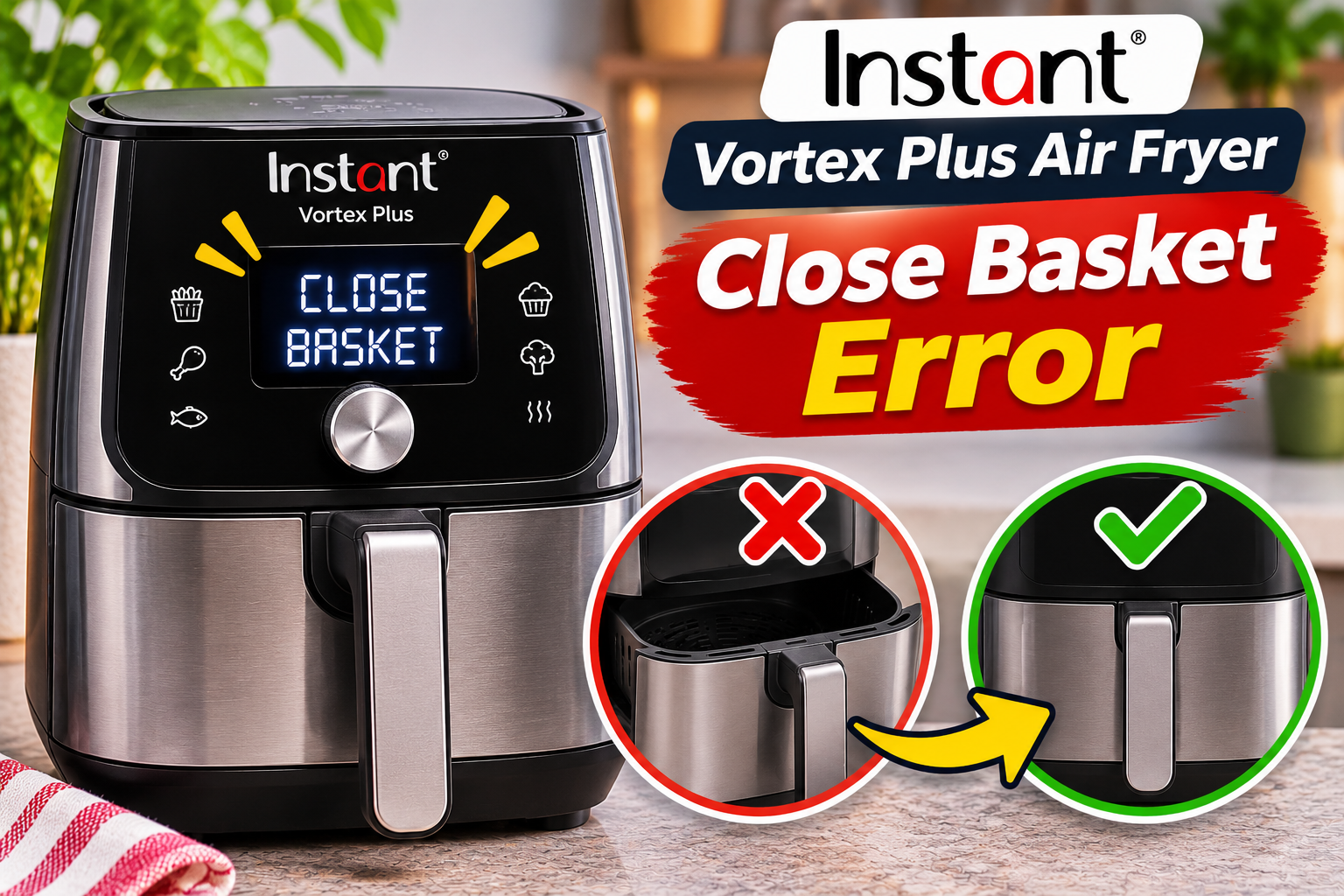
What Does the Close Basket Error Mean on an Instant Vortex Plus Air Fryer?
The “Close Basket” message means your Instant Vortex Plus air fryer isn’t detecting the cooking basket in its required operating position. The appliance uses a basket detection mechanism to determine whether the cooking chamber is properly closed before allowing normal operation.
On models equipped with a basket safety switch, inserting the basket activates the switch and signals the electronic control board that the appliance is ready. When you remove the basket, the control system can interrupt cooking so you can check or turn your food safely.
If the basket doesn’t engage the detection mechanism correctly, the display may continue showing “Close Basket.” You might notice that the fan doesn’t start, the heating element remains inactive, or an ongoing cooking program pauses unexpectedly.
The warning can appear on different Instant Vortex Plus models, including certain versions with ClearCook windows. However, the position and design of the basket detection mechanism vary between models.
Importantly, the Close Basket message isn’t the same as an E1 or E2 temperature sensor error. It usually points to a problem with basket positioning or detection, although a persistent warning may indicate a damaged internal switch or electrical connection.
Instant Vortex Plus Air Fryer Close Basket Error [FIXED]: Common Causes
Several problems can prevent your Instant Vortex Plus from recognizing that its cooking basket is properly inserted. Some involve the basket itself, while others affect the mechanism responsible for detecting its position.
1. Basket Not Fully Inserted
An improperly inserted cooking basket is one of the most common reasons your Instant Vortex Plus displays the “Close Basket” warning.
The basket must slide into the cooking chamber far enough to engage the detection mechanism. If it stops slightly before reaching its correct position, the control board may continue interpreting the basket as open.
This can happen when you slide the basket into place at an angle, fail to push it in completely, or accidentally leave a removable accessory obstructing its movement.
Even a small gap between the basket’s front panel and the appliance housing can prevent proper detection on some models.
You might notice that the warning disappears after removing and reinserting the basket. Alternatively, the appliance may recognize the basket occasionally but display the message during other cooking sessions.
Instant’s user manuals identify an incompletely inserted basket as a possible reason certain Vortex Plus models won’t start.
If the basket appears properly closed but the warning remains, inspect the surrounding areas for obstructions before assuming the detection switch has failed.
2. Food Debris or Grease Around the Basket
Grease, crumbs, and other food particles can accumulate around the areas where the basket slides into the air fryer.
During regular cooking, small pieces of food may escape the cooking tray or collect along the basket’s outer edges. Over time, these deposits can interfere with smooth insertion.
For example, a hardened piece of food near the rear of the cooking chamber could prevent the basket from reaching its normal position. Sticky grease around accessible contact areas may also contribute to poor movement.
You might notice that the basket requires more force than usual to close or doesn’t slide smoothly into the appliance.
However, food residue isn’t always responsible for this warning. If the basket moves freely and sits correctly, the problem may involve the detection mechanism instead.
Cleaning accessible areas can help rule out an obstruction without requiring internal electrical repairs.
3. Worn or Misaligned Basket Switch Actuator
Some Instant Vortex Plus models use a small projecting piece on the basket to activate a switch inside the appliance.
This projecting piece, sometimes called a switch actuator, moves into position as the basket closes. When everything is aligned correctly, it presses the detection switch and allows the control board to recognize the basket.
However, repeated basket removal and insertion can contribute to wear or damage, particularly if the basket is frequently forced into place.
The plastic actuator may become damaged, while changes in basket alignment can prevent it from making proper contact with the switch.
One recognizable symptom is a warning that appears even though the basket looks completely closed. The appliance may also detect the basket inconsistently.
Some owners report that the warning changes when the basket’s position shifts slightly. This can suggest an alignment problem, although it doesn’t confirm which component is defective.
Avoid forcing the basket upward or holding it in an unusual position while cooking. Such actions may place additional stress on the basket and its safety mechanism.
A damaged actuator or mounting component should be evaluated for proper repair or replacement rather than modified using improvised materials.
4. Faulty Basket Detection Microswitch
The basket detection microswitch is another possible cause of a persistent “Close Basket” message.
On models that use this mechanism, the switch changes its electrical state when the basket reaches the correct position. The control board interprets this signal to determine whether cooking can begin or continue.
If the switch becomes worn, damaged, or electrically defective, it may stop responding correctly even when the basket is fully inserted.
This can produce a warning that appears continuously or intermittently. For example, your air fryer might work normally for several weeks before starting to report that the basket is open.
Over time, the problem may become more frequent until the appliance stops recognizing the basket altogether.
A failed microswitch can produce symptoms similar to those caused by a worn basket actuator. Therefore, the warning alone cannot establish which part needs replacing.
Because the switch is part of the appliance’s safety system, testing or replacing it should be handled by a qualified technician.
5. Loose Internal Wiring or Electrical Connection
If the basket is correctly seated and the detection switch is mechanically functional, an electrical connection problem may prevent its signal from reaching the control board.
Small wires and connectors link the switch to the appliance’s electronic controls. If a wire becomes damaged or a connector loses contact, the board may continue receiving a signal that indicates the basket is open.
This can happen because of component deterioration, physical damage, or previous improper repairs.
A possible clue is an inconsistent warning that appears during some cooking sessions but not others. However, similar symptoms can occur when the switch itself is defective.
In less common circumstances, a fault in the control board’s basket detection circuit may also be responsible.
Because these components are inside the appliance’s electrical housing, checking them requires appropriate testing equipment and professional training. Opening the casing yourself could expose you to hazardous electrical parts.
Instant Vortex Plus Air Fryer Close Basket Error [FIXED]: DIY Fixes
The best way to address the “Close Basket” warning is to begin with the basket and other accessible components. These checks can resolve ordinary positioning problems without interfering with the safety mechanism.
1. Remove and Reinsert the Cooking Basket Properly
Start by checking whether the basket is fully inserted into the cooking chamber.
This is the simplest troubleshooting method and is particularly useful if the warning appeared immediately after you removed the basket to add or turn food.
Follow these steps.
- Cancel the cooking program if the controls respond.
- Allow the appliance to cool before inspecting the basket.
- Hold the basket by its handle and carefully remove it.
- Look inside the cooking chamber for obvious obstructions.
- Align the basket with its normal insertion path.
- Slide it straight into the appliance until the front sits in its proper closed position.
Don’t slam the basket or use excessive force. It should slide into place smoothly when the components are correctly aligned.
Once the basket is fully inserted, check whether the warning disappears.
On compatible models, the display should recognize the basket and allow normal operation. If the appliance was paused during cooking, it may resume according to its programmed settings.
However, if “Close Basket” remains visible despite proper insertion, proceed to the next check rather than repeatedly forcing the basket closed.
2. Clean the Basket Edges and Cooking Chamber
Food residue and grease can interfere with the basket’s movement, making cleaning a useful troubleshooting step.
First, unplug the air fryer and allow it to cool completely. Remove the cooking basket and any removable cooking tray according to your model’s instructions.
Examine the basket’s exterior, particularly around its sides, rear, and bottom edges. Look for stuck food particles, hardened grease, or residue that could prevent smooth insertion.
Next, inspect the accessible surfaces inside the cooking chamber.
Use a soft cloth or nonabrasive sponge to remove visible residue. For stubborn grease, use a slightly damp cloth with mild dish soap where permitted by your instruction manual.
Avoid pouring water directly into the appliance or spraying cleaning solution into its electrical housing.
Also, don’t insert sharp objects, metal tools, or brushes into the basket detection opening.
After cleaning, dry all accessible surfaces thoroughly and reinstall the cooking tray and basket.
If food debris was preventing the basket from closing, removing the obstruction may allow the detection mechanism to engage normally.
However, if the warning continues despite a clean cooking chamber, further cleaning is unlikely to resolve a defective microswitch or damaged actuator.
3. Check the Cooking Tray and Basket for Obstructions
Sometimes, the cooking basket cannot close correctly because something inside it is preventing normal assembly or movement.
Your Instant Vortex Plus uses a removable cooking tray or crisper plate, depending on the model. This component should sit in its intended position inside the basket.
If the tray is incorrectly installed, damaged, or sitting unevenly, it may interfere with the basket or another accessory.
Excessively large food items or unsuitable cooking containers can also obstruct proper closure.
To check for these problems, remove the basket after allowing the appliance to cool. Take out the food and removable cooking accessories.
Inspect the tray to confirm that it sits correctly in the basket. Follow any orientation markings provided by the manufacturer.
Then check whether the basket itself appears distorted, cracked, or otherwise damaged.
If everything looks normal, reinstall the empty basket and observe whether it reaches its proper closed position.
For an appliance that’s otherwise undamaged and safe to operate, a successful basket check can help determine whether the obstruction was related to the cooking contents.
If the basket closes normally when empty but not when loaded, reduce the amount of food or reposition the accessory according to the manufacturer’s instructions.
Never force an overloaded basket closed. Doing so can damage its handle, alignment surfaces, or detection mechanism.
4. Inspect the Basket Alignment and Accessible Actuator
If cleaning and reinserting the basket don’t resolve the warning, inspect its alignment and any accessible actuator surfaces.
Some Instant Vortex Plus models have a small molded plastic projection that engages the basket detection switch.
Start by unplugging the appliance and allowing it to cool completely.
Remove the basket and examine its exterior under good lighting. Look for cracks, broken plastic, unusual wear, or sections that appear bent or out of position.
Also, inspect accessible basket guides and surrounding surfaces for damage that could interfere with normal movement.
Compare the basket’s appearance with illustrations in your model’s user manual if available.
Avoid pushing objects into the switch opening or manually pressing the internal detection switch. Activating this mechanism without the basket properly installed could defeat an important safety function.
Similarly, don’t attach metal strips, tape, glue, or other materials to the actuator to make it reach the switch.
Although improvised modifications may temporarily change how the mechanism responds, they can interfere with proper basket detection and create additional risks.
If you find a cracked actuator, distorted basket, or damaged guide, contact Instant customer support to ask whether a compatible replacement component is available.
A correctly fitting replacement is safer than modifying the existing part.
5. Disconnect Power and Check the Warning Again
If the basket appears correctly installed and no obvious obstruction is present, disconnecting the power can help rule out a temporary control problem.
First, cancel the cooking program and unplug the appliance. Allow it to cool completely.
While the air fryer is disconnected, make sure the basket is properly seated and that no removable accessory is preventing it from closing.
If the appliance is dry, undamaged, and shows no signs of overheating or electrical trouble, reconnect it according to your model’s operating instructions.
Check whether the display still shows “Close Basket.”
If the message disappears and the basket is securely installed, you can follow the manual’s normal operating procedure to check whether the appliance responds correctly.
However, disconnecting power doesn’t repair a broken microswitch, worn actuator, or damaged electrical connection.
If the warning returns, stop using the air fryer rather than repeatedly restarting it.
Also, don’t confuse a factory reset of cooking times and temperatures with a repair for basket detection faults. Certain Instant Vortex Plus models allow users to reset saved cooking programs, but this function doesn’t repair a defective safety switch.
If the warning remains despite proper basket positioning, professional diagnosis is the appropriate next step.
6. Contact Instant Customer Support or a Qualified Repair Technician
If your Instant Vortex Plus continues displaying “Close Basket” after the relevant external checks, the problem may involve a faulty detection switch, damaged actuator, or internal electrical connection.
These components require proper diagnosis, particularly because the basket detection system helps prevent operation when the cooking chamber isn’t correctly closed.
A qualified technician may need to examine the following.
- Basket actuator: Checking whether the basket properly engages the detection mechanism.
- Basket alignment: Identifying damage or distortion that prevents correct insertion.
- Detection microswitch: Testing whether the switch changes state when the basket reaches its intended position.
- Internal wiring: Checking for damaged conductors or disconnected electrical contacts.
- Electronic control board: Determining whether the board correctly receives and interprets the basket detection signal.
These checks help distinguish a mechanical positioning problem from an electrical fault.
Before contacting customer support, gather your air fryer’s model number, serial number, and purchase details.
The model information is usually printed on a label attached to the appliance.
You should also describe when the warning appears. Explain whether it occurs immediately after switching on the appliance, when inserting the basket, or halfway through cooking.
A photograph or short video showing the message while the basket is properly seated may help support staff understand the problem.
You can contact Instant customer support through its official website at instantpot.com/pages/contact-us.
For customers in the United States and Canada, Instant lists 800-828-7280 and support@instantpot.com as contact options.
If your air fryer is still under warranty, ask whether the fault qualifies for repair or replacement. Warranty coverage depends on the applicable terms, purchase date, and country.
For appliances outside their warranty period, request a repair estimate before approving replacement parts.
A damaged basket or defective microswitch may be repairable, but the cost depends on the model, component availability, and labor charges.
Avoid purchasing a replacement switch based solely on its appearance. The correct part must match the appliance’s electrical and mechanical requirements.
Most importantly, never bypass or permanently disable the basket safety switch.
Doing so could allow the heating element or fan to operate while the cooking basket is removed, creating a serious risk of burns or other injuries.
Professional repair or replacement is the safest choice when the basket detection system has failed.
Wrap-Up
The Instant Vortex Plus air fryer “Close Basket” error usually appears when the appliance cannot confirm that its cooking basket is properly closed. An incorrectly inserted basket, accumulated debris, damaged actuator, or faulty detection switch may explain the problem.
Start by removing and reinserting the basket, cleaning accessible areas, and checking for visible damage. These simple steps can resolve some positioning problems without interfering with internal electrical components.
However, if the warning continues despite proper basket installation, stop using the appliance and arrange professional diagnosis. Restoring reliable basket detection helps keep your air fryer operating safely.