Seeing Error 2 on your Ninja air fryer oven can be frustrating, especially when you’re preparing a meal. The appliance may stop heating, interrupt the cooking cycle, or display an error message that prevents further operation. Unfortunately, the warning doesn’t explain which component is responsible.
Although some oven problems have simple solutions, Error 2 can indicate an internal malfunction that needs professional attention. Understanding what the warning means and which checks are safe can help you avoid further damage and unnecessary repairs.
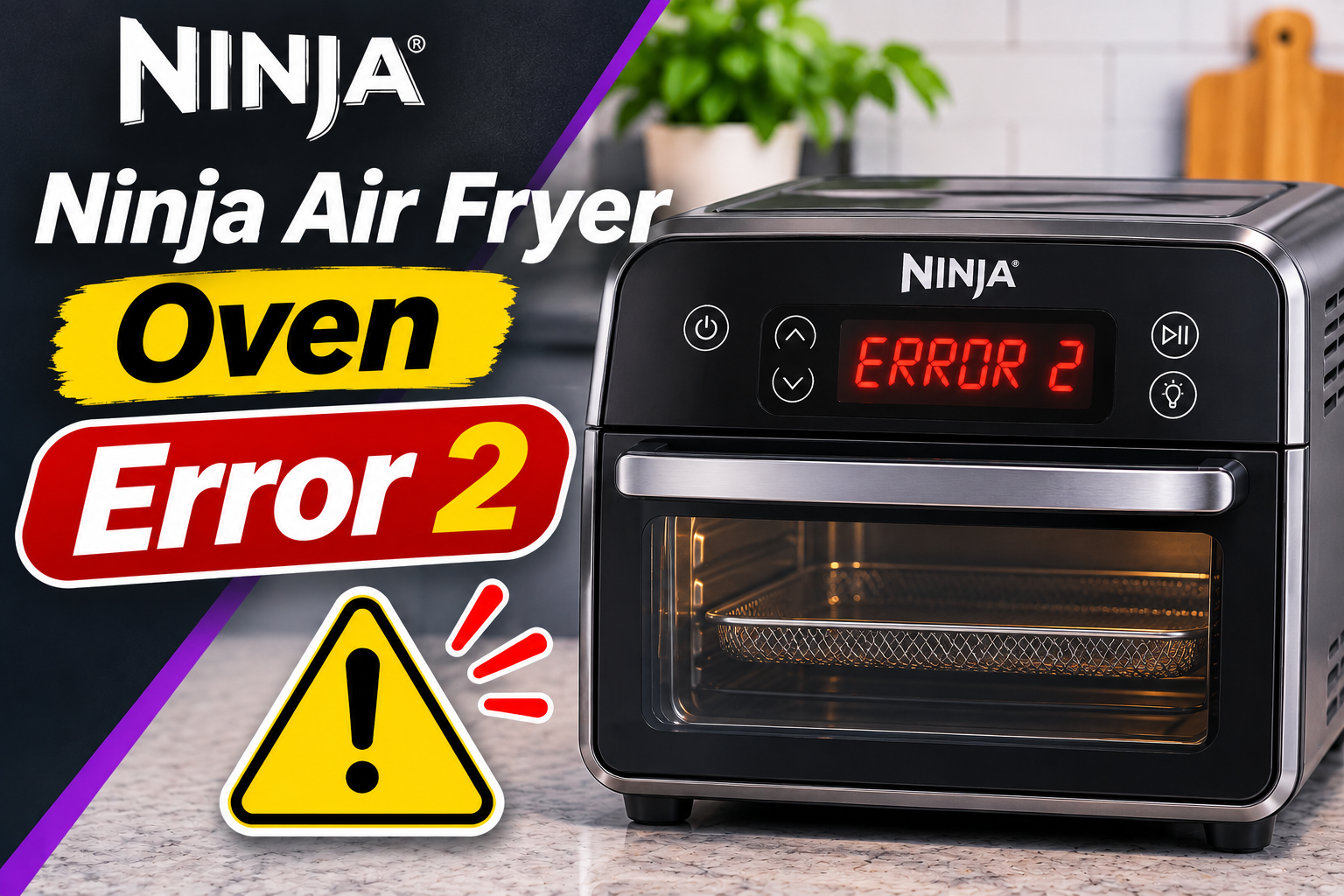
Understanding Ninja Air Fryer Oven Error 2
The Ninja air fryer oven Error 2 is a malfunction warning that requires attention from the manufacturer. Depending on your model, the display may show “Er2,” “Err2,” or a customer service message alongside the error code. Ninja’s troubleshooting guidance for several Foodi air fryer ovens specifically instructs users to switch off the appliance and contact customer support when this error appears.
Your Ninja air fryer oven uses heating elements, a convection fan, temperature monitoring components, and an electronic control board to regulate cooking. The control board processes information from different parts of the appliance and adjusts heating to maintain the selected cooking conditions. If the electronic system detects certain abnormal conditions, it may interrupt operation and display an error.
For example, the Ninja Foodi XL Pro Air Oven DT200 series and the Smart XL Pro DT250 series list Er2 among the error codes that require customer service. The Ninja Flip Toaster Oven and Air Fryer SP150 series also identifies Err2 as a service-related warning. However, Ninja doesn’t publicly identify one specific failed component as the universal cause of Error 2 across these models.
You might encounter the message shortly after switching on the oven, during preheating, or while food is cooking. The timing may provide useful information for a technician, but it doesn’t establish the exact fault. If the appliance produces smoke, sparks, a burning electrical smell, or unusual heat around its housing, disconnect it if safe and stop using it immediately.
Ninja Air Fryer Oven Error 2: Likely Causes
Several internal electrical and temperature control problems could potentially cause a Ninja air fryer oven to malfunction. However, because Ninja doesn’t provide a public component-level diagnosis for Er2 across its oven models, the following are possible technical explanations rather than confirmed meanings of the code.
1. A Faulty Temperature Sensor
Your Ninja air fryer oven needs accurate temperature information to regulate its heating elements. Temperature sensing components provide information that helps the electronic control system determine when to increase, reduce, or interrupt heating.
If a temperature sensor develops an electrical fault, it may send incorrect information or fail to provide a usable reading. The control board may then be unable to determine whether the oven is operating within its intended temperature range.
Temperature sensing problems can develop through component deterioration or damage to the associated electrical circuit. In some cases, a faulty sensor may produce inconsistent readings, while a complete electrical failure may prevent the control system from receiving information altogether.
One possible clue is an oven that displays an error shortly after being switched on, before its cooking compartment has become hot. However, the same symptom can occur with other electrical faults, so it doesn’t confirm a defective sensor.
A faulty temperature sensor is a possible cause of an electronic malfunction, but it isn’t a verified universal explanation for Ninja oven Error 2. Identifying a sensor problem requires model-specific diagnostic information and appropriate electrical testing.
2. A Malfunctioning Electronic Control Board
The electronic control board coordinates several important functions inside your Ninja air fryer oven. It processes cooking settings, receives information from sensors, and controls the electrical components responsible for heating and airflow.
If part of this circuit board fails, the appliance may become unable to complete its normal operating sequence. Depending on the fault, you might notice an interrupted cooking cycle, an unresponsive control panel, or an error message that appears immediately after startup.
Electronic components can deteriorate because of age, manufacturing defects, repeated heat exposure, or electrical damage. A damaged circuit connection may also interfere with communication between the control board and other components.
However, a malfunctioning display doesn’t automatically mean the entire control board needs replacement. The warning may originate from another component connected to the board.
Professional diagnosis is necessary to distinguish a failed board from a sensor or wiring problem. Replacing the control board without confirming the cause could result in unnecessary expense and leave the original problem unresolved.
3. Damaged Internal Wiring or Electrical Connections
Inside your Ninja air fryer oven, electrical connections allow the control board, sensors, fan, and heating components to communicate and operate.
If a wire becomes damaged or an electrical connector develops a fault, the affected circuit may no longer function correctly. This can interfere with the information reaching the control board or prevent a component from responding as expected.
Electrical connections can deteriorate because of heat exposure, vibration, or component failure. In some cases, an intermittent connection may produce occasional problems, while a complete break can prevent normal operation.
You may notice that the error appears unpredictably or returns after the oven has been operating for some time. However, these symptoms aren’t specific to damaged wiring.
Since the wiring is located inside an electrical appliance containing high-powered heating components, don’t remove the housing to inspect, reconnect, or test internal wires. A qualified technician should handle these checks using the appropriate service information.
4. Excessive Heat or a Cooling System Problem
Ninja air fryer ovens generate considerable heat during cooking. Alongside the heating elements that cook your food, the appliance uses ventilation and cooling arrangements to manage temperatures around its internal components.
If airflow becomes restricted, heat may accumulate in areas that require cooling. Possible contributing conditions include blocked ventilation openings, insufficient space around the appliance, or a malfunctioning internal fan.
For example, placing your oven too close to a wall or surrounding it with other appliances can interfere with ventilation. Similarly, accumulated grease and food residue may contribute to overheating if they obstruct airflow.
Some Ninja Foodi oven models also use a cooling fan that continues operating after cooking has stopped. This is normal behavior intended to help manage internal temperatures.
If your oven previously made a noticeable fan sound but now produces grinding noises or operates unusually, the change may be worth reporting to customer support.
However, overheating isn’t an established universal meaning of Error 2. A cooling issue is one possible factor to investigate, particularly when the appliance also shows signs of excessive heat.
Ninja Air Fryer Oven Error 2: How to Fix
The safest response to Error 2 is to stop using the oven and follow the instructions for your exact model. Ninja recommends contacting customer service for Er2 on several oven series, so basic external checks should be treated as safety precautions rather than guaranteed repairs.
1. Switch Off the Oven and Disconnect the Power
When Error 2 appears, stop the cooking process and switch off your Ninja air fryer oven.
If the power cord is accessible and there are no immediate electrical hazards, unplug the appliance from the wall outlet. Avoid touching the oven’s hot surfaces or reaching into the cooking compartment while it’s still hot.
Allow the appliance to cool naturally. Depending on the cooking temperature and how long the oven has been operating, the interior, racks, and heating elements may remain hot after the power has been disconnected.
If food remains inside, remove it only when you can do so safely using oven mitts and appropriate utensils.
Disconnecting the oven removes its electrical supply and allows you to inspect the outside of the appliance without it operating unexpectedly.
However, unplugging the oven doesn’t repair a defective electronic component. Even if the error disappears after a power interruption, the original malfunction may still be present.
Avoid repeatedly reconnecting the oven or restarting cooking to see whether Error 2 returns. If your owner’s manual instructs you to contact customer service for Er2, follow that direction.
2. Check the Power Cord and Electrical Outlet
An electrical supply problem can interfere with normal appliance operation, although Ninja hasn’t established poor outlet connections as a specific cause of Er2.
While the oven is unplugged, examine the visible power cord and plug. Look for damaged insulation, scorch marks, bent plug pins, or other signs of overheating.
Also, check whether the appliance was connected through an extension cord or overloaded power strip.
Ninja instructs users to connect several of its air fryer oven models directly to a suitable wall outlet. For example, the North American Foodi XL Pro DT200 series is rated at 1,800 watts and requires an appropriately rated electrical circuit.
The correct voltage and electrical requirements depend on the specific appliance and the country where it was sold. Check your model’s rating label before making assumptions about its power requirements.
If the outlet appears damaged, feels unusually hot, or causes repeated circuit breaker trips, stop using it and contact a qualified electrician.
A faulty electrical outlet should be corrected for safety, but doing so doesn’t establish that the oven’s internal Error 2 fault has been repaired.
3. Allow the Oven to Cool and Check Its Ventilation
Although overheating hasn’t been confirmed as the universal cause of Error 2, proper ventilation is essential for safe operation.
After disconnecting the oven, allow it to cool completely. Then, examine its position on your countertop.
Make sure the appliance isn’t surrounded by objects that block its ventilation openings. Keep towels, curtains, cooking utensils, and other materials away from the housing.
Check the clearance requirements in your owner’s manual. For example, Ninja specifies at least 1 inch of space above and around the DT200 series for air circulation. Other models may have different requirements, so use the instructions supplied with your appliance.
If your oven has a flip-up storage design, follow its specific positioning instructions. On models such as the SP150 series, the oven must be in its normal cooking position before operation.
However, an oven that repeatedly displays Error 2 shouldn’t be operated simply because you’ve improved its ventilation.
Also, don’t attempt to cool the appliance by spraying water into its openings or placing it near an air conditioning vent where condensation could enter the electronics.
If you suspect that the oven has been overheating, explain the circumstances to Ninja customer support. Details about its placement, cooking settings, and operating time may help with diagnosis.
4. Clean the Oven and Remove Accessible Food Residue
Cleaning your Ninja air fryer oven can prevent grease and food residue from interfering with normal airflow and cooking performance.
However, cleaning isn’t a manufacturer-approved repair for Error 2. This step is useful for routine maintenance and correcting visible obstructions, provided the appliance is completely cool and safe to handle.
Begin by unplugging the oven and removing its detachable accessories.
For models that allow normal interior cleaning, follow these steps.
- Remove the air fry basket, sheet pan, wire rack, and crumb tray.
- Empty loose crumbs and remove visible food particles from the removable parts.
- Wash approved accessories using warm water, mild dish soap, and a nonabrasive sponge.
- Wipe the accessible interior surfaces with a soft, lightly damp cloth, following your model’s instructions.
- Gently remove visible residue from accessible exterior ventilation areas without inserting objects into the openings.
- Allow everything to dry completely before putting the accessories back.
Ninja recommends regular cleaning for the Foodi XL Pro and Smart XL Pro oven series. Some removable racks and air fry baskets can be placed in a dishwasher, although other accessories require hand washing.
Always check your manual before placing any component in a dishwasher.
Avoid spraying cleaning liquids directly into ventilation openings, control panels, or electrical connections. Likewise, don’t remove protective panels or attempt to clean hidden electrical components.
If you discover heavy grease buildup, blocked ventilation openings, or damaged internal surfaces that cannot be cleaned safely, report the condition to a qualified service provider.
Cleaning may improve general cooling and maintenance conditions, but a persistent Er2 warning still requires the manufacturer’s recommended service assessment.
5. Identify Your Exact Model and Check Its Error Instructions
Before arranging a repair, confirm the model number of your Ninja air fryer oven. This matters because Ninja produces several countertop oven designs with different control panels, heating arrangements, and troubleshooting procedures.
For example, the Foodi Digital Air Fry Oven SP101, Foodi XL Pro DT200, Smart XL Pro DT250, and Flip Toaster Oven SP150 series don’t all have identical controls.
Their error displays can also differ. One model may show “Er2” alongside a customer service message, while another displays “Err2.”
Find the model number on the appliance’s identification label. On several Ninja Foodi ovens, this label is located underneath the main unit. Make sure the appliance is completely cool and unplugged before attempting to read a label on its underside.
Once you’ve identified the model, consult its owner’s guide through the official Ninja support website.
Pay particular attention to the troubleshooting section and any instructions associated with Error 2.
Don’t confuse ordinary setting resets with repairs for electronic faults. For example, certain Foodi XL Pro ovens allow users to restore their cooking settings to factory defaults by pressing specific control buttons.
However, resetting cooking preferences doesn’t repair defective temperature sensors, damaged wiring, or malfunctioning electronics.
If your manual instructs you to switch off the oven and contact Ninja when Er2 appears, avoid experimenting with undocumented button combinations or repeated cooking cycles.
6. Contact Ninja Customer Support or a Qualified Technician
If your Ninja air fryer oven displays Error 2, contacting Ninja customer support is the manufacturer’s recommended next step for several affected models.
For example, the DT200, DT250, and SP150 series owner’s guides direct users to switch off the appliance and seek customer service assistance when Er2 or Err2 appears.
For customers in the United States, Ninja provides support through its official website at https://support.ninjakitchen.com/ and by telephone at 1-877-646-5288.
Customers in other countries should use the contact information provided by their regional Ninja service center.
Before reaching out, gather the following information.
- Model number: Identify the exact Ninja oven model.
- Serial number: Check the product identification label.
- Error details: Record whether the display shows Er2, Err2, or another message.
- Operating conditions: Note whether the warning appeared during startup, preheating, or cooking.
- Additional symptoms: Mention unusual noises, excessive heat, smoke, or interrupted operation.
- Purchase information: Keep your receipt and warranty documents available.
If possible, take a clear photograph of the error display before disconnecting the oven, provided it is safe to do so. This can help support staff identify the warning accurately.
A qualified technician may need to assess the electronic control board, temperature monitoring system, internal wiring, or related components.
However, don’t attempt these repairs yourself. Countertop ovens contain electrical circuits and heating components that can create serious hazards if handled incorrectly.
You should also avoid purchasing replacement sensors or control boards based solely on the appearance of Er2. Without an accurate diagnosis, you could replace a working component and leave the underlying malfunction unresolved.
If your appliance is still under warranty, contact Ninja before arranging independent repairs. Depending on the warranty terms, the company may offer an authorized repair or replacement.
For an older appliance, compare the cost of professional service with the price of a suitable replacement. In some cases, replacing the oven may be the more practical option.
Wrapping Up
Ninja air fryer oven Error 2 is a warning that deserves attention because it can indicate an internal malfunction. Although temperature sensors, electronic controls, wiring, and cooling problems are possible areas of concern, the code doesn’t identify one confirmed cause across every Ninja model.
Start by switching off the appliance, checking for visible hazards, and reviewing your model’s troubleshooting instructions. Avoid repeated resets or attempts to bypass electrical safety features. If your oven displays Er2 or Err2, contacting Ninja support is the safest way to identify the fault and arrange an appropriate repair.