You’re ready to cook dinner, but your Zojirushi’s display has decided to take an unscheduled vacation. The screen shows nothing but darkness, even though the rest of the unit seems to work normally when you press random buttons.
This common issue frustrates thousands of rice cooker owners every year, but most cases have surprisingly simple solutions. With some basic troubleshooting and the right approach, you can likely get that display working again without incurring any costs.
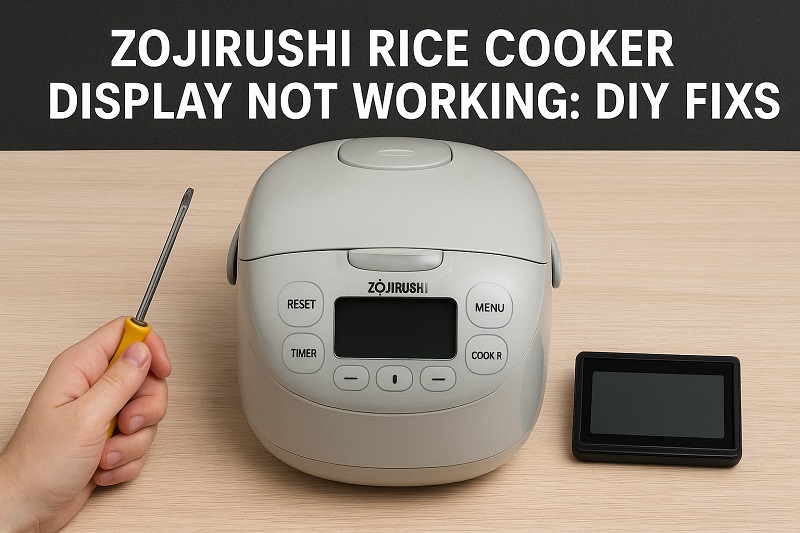
Understanding Your Zojirushi Display Problem
The display on your Zojirushi rice cooker serves as the control center for all your cooking needs. This digital panel shows cooking times, temperature settings, menu options, and error codes that help you monitor your rice cooking process. When this display stops working properly, it can leave you feeling completely lost about what your cooker is doing.
Display problems typically fall into several categories. Your screen might go completely black and show nothing at all, even when the unit is plugged in and powered on. Sometimes the display shows garbled text, random symbols, or lines that flicker on and off. Other times, only portions of the screen work while other areas remain dark or distorted.
These issues can prevent you from selecting cooking programs, adjusting timer settings, or even knowing when your rice is finished cooking. Your rice cooker might still function mechanically, but without proper display feedback, you’re essentially cooking blind.
The severity of display problems can range from minor inconveniences to complete operational failures. Some users report that their cookers work fine despite display issues, while others find their units become completely unusable when the screen malfunctions.
Zojirushi Rice Cooker Display Not Working: Common Causes
Several factors can cause your Zojirushi display to stop working properly. Understanding these root causes helps you pinpoint the exact problem and choose the most effective solution.
1. Power Supply Issues
Your display relies on consistent electrical power to function correctly. When your home’s electrical supply fluctuates or delivers inconsistent voltage, the display circuit board can struggle to operate normally.
Power surges from storms or electrical grid problems can damage sensitive display components. Even minor voltage drops during peak usage hours in your neighborhood can cause temporary display malfunctions.
Check if other electronic devices in your kitchen are experiencing similar issues, as this often indicates broader electrical supply problems rather than a cooker-specific fault.
2. Loose Internal Connections
The display panel connects to the main control board through ribbon cables and wire harnesses that can work loose over time. Regular use, vibrations from the cooking process, and natural expansion and contraction from heating cycles gradually loosen these connections.
Moving your rice cooker frequently or storing it in tight spaces where cables get compressed can accelerate connection problems. These loose connections create intermittent contact that causes flickering displays or complete screen failures.
3. Moisture Damage
Steam and humidity from cooking rice can find their way into the display housing over years of use. This moisture gradually corrodes circuit board traces and component connections, leading to display failures.
Cleaning your rice cooker with excessive water or storing it in damp environments compounds moisture problems. Even small amounts of liquid can cause significant damage to sensitive display electronics.
Water damage often starts as intermittent display glitches before progressing to complete failure as corrosion spreads across circuit board components.
4. Control Board Circuit Failures
Electronic components on the display control board can fail due to age, heat stress, or manufacturing defects. Capacitors, resistors, and integrated circuits all have finite lifespans that vary based on usage patterns and environmental conditions.
High-frequency switching circuits that drive LCD displays are particularly susceptible to failure over time. These components work continuously whenever your cooker is plugged in, even when not actively cooking.
5. Physical Display Panel Damage
The LCD screen itself can develop internal cracks or dead pixels that aren’t always visible from the outside. These microscopic fractures disrupt the liquid crystal matrix that creates your display image.
Extreme temperature changes, physical impacts from dropping or bumping the cooker, and normal aging processes can all damage the display panel. Manufacturing defects in the LCD assembly occasionally surface after years of normal operation.
Zojirushi Rice Cooker Display Not Working: DIY Fixes
Now that you understand what causes display problems, let’s work through practical solutions you can try at home. These fixes address the most common issues and often restore your display to full functionality.
1. Power Cycle Reset
Start with the simplest solution by performing a complete power reset of your rice cooker system. Unplug your Zojirushi from the wall outlet and wait exactly five minutes before plugging it back in.
This extended power-off period allows internal capacitors to fully discharge and clears any temporary memory glitches in the control system. Many display problems resolve themselves after this basic reset procedure.
Press the power button and observe if your display returns to normal operation. If the screen works initially but fails again after a few minutes, you’re dealing with a more complex electrical issue that requires additional troubleshooting steps.
2. Check and Secure Power Connections
Examine the power cord connection at both ends to ensure solid contact. Wiggle the plug gently while watching the display to see if movement affects screen operation.
Try plugging your rice cooker into a different electrical outlet, preferably one on a different circuit breaker. This test eliminates outlet-specific voltage problems that can cause display malfunctions. Clean the power cord plug with a dry cloth to remove any oxidation or debris that might interfere with electrical contact.
If moving to a different outlet restores display function, your original outlet may have voltage regulation problems that require an electrician’s attention.
3. Internal Connection Inspection
This fix requires removing the outer housing to access internal components, so proceed carefully and only if you’re comfortable working with small electronics. Unplug your cooker and remove the screws holding the bottom or back panel in place.
Look for ribbon cables connecting the display panel to the main circuit board. These flat, multi-wire cables should sit firmly in their connector slots without any gaps or crooked positioning.
Gently disconnect and reconnect these cables, ensuring they seat completely in their connectors. Check for any obvious signs of corrosion, burning, or physical damage to the cables or connector pins. Reassemble your cooker and test display operation before finalizing the repair.
4. Clean Moisture and Corrosion
Moisture damage requires careful cleaning with appropriate solvents to restore proper electrical contact. Use isopropyl alcohol (91% concentration or higher) and cotton swabs to clean circuit board areas around the display connections.
Focus on removing any white, green, or blue residue that indicates corrosion damage. Work slowly and avoid excessive pressure that could damage delicate circuit traces.
Allow all cleaned areas to dry completely before reassembling your cooker. This process can take several hours depending on humidity levels and the extent of moisture contamination. Test your display only after ensuring all alcohol has evaporated completely.
5. Temperature and Humidity Control
Environmental factors significantly impact display reliability, so relocate your rice cooker to a more suitable location if possible. Keep your cooker away from direct sunlight, heating vents, and areas with high humidity like near dishwashers or sinks.
Maintain consistent room temperature around your cooker and avoid dramatic temperature changes that can stress electronic components. Consider using a dehumidifier in particularly humid kitchens to reduce moisture-related problems.
Store your cooker with the lid slightly open when not in use to prevent moisture buildup inside the unit. This simple practice prevents condensation that can damage display electronics over time.
6. Professional Circuit Board Replacement
When all other fixes fail, the display control board likely needs professional replacement. Contact Zojirushi customer service or a qualified appliance repair technician who specializes in small electronics repair. Circuit board replacement requires specialized tools and technical knowledge that exceed typical DIY capabilities.
Wrapping Up
Getting your Zojirushi display working again often comes down to methodical troubleshooting and patience with simple fixes. Most display problems stem from basic electrical issues, loose connections, or environmental factors that you can address without expensive repairs.
Start with the easiest solutions like power cycling and connection checks before moving to more involved procedures. When DIY approaches don’t solve your display problem, professional repair services can restore your rice cooker to full functionality and extend its useful life for many more years of perfect rice cooking.