That white light on your JBL speaker started blinking yesterday and hasn’t stopped since. You’ve tried turning it off and on, maybe even unplugged it for a while, but there it goes again. Blink, blink, blink – like it’s mocking you.
Don’t worry, you’re not dealing with a broken speaker here. That persistent blinking is actually your speaker’s way of sending you a message. It’s like when your phone buzzes to get your attention, except your speaker only has that one light to work with.
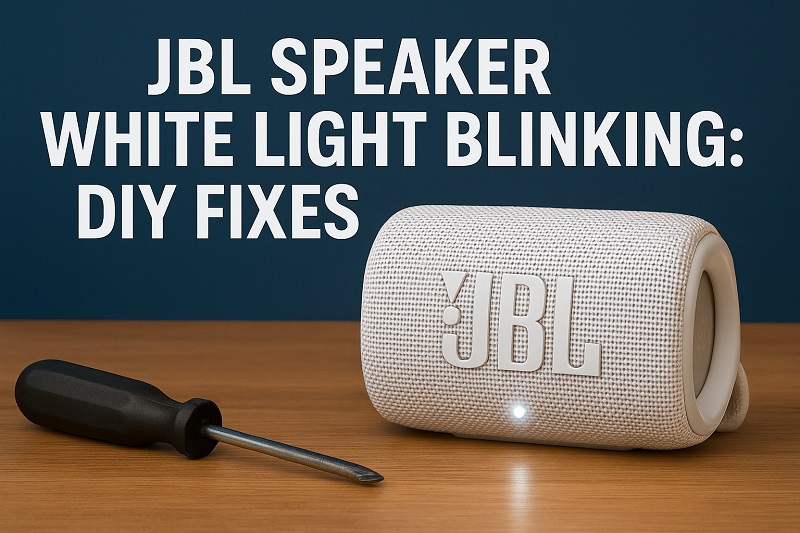
What’s Really Going On With That Blinking Light
Your JBL speaker uses that white light like a little messenger. When it blinks, it’s basically saying “Hey, something needs your attention over here.” Each blinking pattern means something different.
A solid white light means everything’s good. Your speaker is happy, connected, and ready to blast your favorite songs. But when it starts blinking, that’s when you know something’s off. Maybe it can’t find your phone. Maybe the battery’s getting low. Or maybe it just got confused about what it’s supposed to be doing.
Here’s what usually happens. Your speaker gets stuck in one of these modes:
- Looking for a phone or tablet to connect to – This is super common
- Running low on battery – The light warns you before it dies completely
- Having trouble with its Bluetooth connection – Other devices nearby can mess this up
- Updating its software – Sometimes it does this automatically
If you ignore that blinking light, things can get worse. Your speaker might stop connecting to anything. Or the battery could drain so much that it won’t charge properly anymore. Some folks have told me their speaker got permanently stuck trying to pair with devices because they didn’t deal with it early enough.
The good news is that fixing this stuff is usually pretty straightforward once you know what you’re looking for.
JBL Speaker White Light Blinking: Likely Causes
Let’s talk about why this happens in the first place. When you know what’s causing the problem, picking the right fix becomes a lot easier.
1. Your Speaker Thinks You Want to Pair Something New
This is probably the most common reason for that blinking white light. Your speaker somehow got switched into pairing mode, and now it’s sitting there waiting for you to connect a new device.
You might have bumped the Bluetooth button by accident. It happens all the time when you’re carrying the speaker in a bag or backpack. Something presses against that button, and boom – pairing mode activated.
Sometimes your speaker does this on its own. If it can’t find the phone or tablet it was last connected to, it starts looking for anything else nearby. Your phone might be upstairs, or maybe you turned Bluetooth off and forgot about it. The speaker doesn’t know where you went, so it starts broadcasting that “connect me” signal.
2. Battery’s Getting Low
When your JBL speaker is running out of juice, it starts blinking that white light to warn you. It’s like your phone showing you that red battery icon, except your speaker uses light instead of a screen.
The blinking pattern for low battery usually looks different from other problems. It might blink slower or in a specific rhythm that screams “charge me now.”
3. Software Update in Progress
Your speaker occasionally downloads new software to fix bugs and add features. While this is happening, the white light blinks to show you something’s going on behind the scenes.
These updates happen automatically when your speaker connects through your phone’s internet. The whole process usually takes just a few minutes, and the blinking stops when it’s done.
You really don’t want to interrupt this. Turning off your speaker during a software update can mess up its brain permanently. Just let it do its thing, and everything should go back to normal pretty quick.
4. Too Many Wireless Signals Around
If you live in an apartment building or work in a busy office, there might be too many wireless signals competing for space. Your microwave, WiFi router, and neighbor’s Bluetooth devices all use similar frequencies.
All this wireless noise can confuse your speaker. It tries to maintain a connection but keeps getting interrupted by interference from other gadgets nearby.
Your speaker’s Bluetooth uses the same 2.4GHz band as a lot of other stuff. When that band gets crowded, devices start having trouble talking to each other clearly. The blinking light means your speaker is struggling to keep a stable connection.
5. Memory Got Scrambled
Sometimes your speaker’s little computer brain gets confused about what it’s supposed to remember. Old connection information might conflict with new stuff, causing that persistent blinking.
This kind of problem usually starts small. Maybe the light blinks once in a while at first, then it gets worse over time. Your speaker is basically having an argument with itself about which device it should be connected to.
The internal memory holds information about every device you’ve ever paired. When that data gets mixed up or corrupted, weird things start happening with the connection process.
JBL Speaker White Light Blinking: How to Fix
Alright, let’s get your speaker back to normal. These fixes work for most blinking light problems, and you can try them all safely without breaking anything.
1. Get Out of Pairing Mode
If your speaker is stuck looking for new devices to connect to, you can force it to stop. Most JBL speakers have a Bluetooth button that controls this stuff.
Find that Bluetooth button and hold it down for about 5 seconds. You should hear a little beep or see the light change when it works. Don’t just tap it quickly – you need to hold it down until something happens.
No luck with the button? Try turning the whole speaker off, then back on again. This basically tells it to forget whatever it was doing and start fresh. The blinking should stop right away if pairing mode was the problem.
2. Charge It Up Completely
Low battery problems are super easy to fix – just plug in your charger. Use the original cable that came with your speaker if you still have it. Those cheap replacement cables sometimes don’t work as well.
Let it charge for at least 3 hours, even if it looks full sooner. Sometimes the battery meter gets confused, and a longer charge helps reset everything properly.
While it’s charging, the white light might keep blinking at first. That’s normal. It should switch to showing the charging status after a minute or two. If it’s still blinking after a full charge, you’ve got a different problem.
3. Wipe the Bluetooth Memory Clean
When connection data gets messed up, clearing everything and starting over usually works. This gives you a completely fresh start without any old, corrupted information getting in the way.
Here’s how to reset the Bluetooth stuff:
- Turn your speaker on first
- Press and hold Volume Up and Bluetooth buttons at the same time
- Keep holding for about 15 seconds until you hear a confirmation beep
- Let go and wait for the speaker to restart itself
- Go to your phone’s Bluetooth settings and delete the speaker
- Pair everything again like it’s brand new
This wipes out any bad connection data that might be causing trouble. Most people see the blinking stop immediately after doing this reset properly.
4. Get the Latest Software
Old software can cause all kinds of weird problems, including that stubborn blinking light. JBL releases updates pretty regularly to fix bugs and make things work better.
Download the JBL Connect app on your phone and connect your speaker to it. The app checks for updates automatically and walks you through installing them if needed.
While updating:
- Keep your phone and speaker close together
- Make sure your internet connection is solid
- Don’t turn anything off while it’s working
- Give it 15 minutes to finish completely
The white light blinking during updates is totally normal. It’s just showing you that progress is happening. Once the update finishes, everything should go back to working normally with the newest software installed.
5. Reset Everything to Factory Settings
When nothing else works, wiping your speaker completely clean often fixes stubborn problems. This puts everything back exactly like it was when you first bought it.
To do a complete reset:
- Make sure your speaker is turned on
- Find the tiny reset button (you’ll need a paperclip to press it)
- Hold that button down for about 20 seconds
- Wait for the speaker to turn off and back on by itself
- Set everything up again from scratch
This erases all your saved connections and custom settings. You’ll have to reconnect your devices and redo any preferences you had set up before. But it also clears out any corrupted data that might be causing the blinking problem.
Factory resets work really well for those memory scramble issues. Your speaker’s processor gets a completely clean slate to work with, so old conflicts can’t cause problems anymore.
6. Call in the Experts
If you’ve tried everything and that white light is still blinking, your speaker might have a hardware problem that needs professional help. JBL’s support team knows all the advanced tricks and can tell you if warranty coverage applies.
Wrap-Up
That blinking white light doesn’t have to drive you crazy anymore. Most of the time, it’s just your speaker trying to communicate something simple that you can fix in a few minutes.
Try the easy stuff first – exit pairing mode, charge the battery, or restart the speaker. If those don’t work, move on to the memory resets and updates. Your music will be back to normal before you know it.