A smartwatch that won’t charge is one of those problems that feels worse than it actually is. You plug it in, wait, check back, and still nothing. Dead screen. No response.
Here’s what most people don’t realize: charging issues usually have simple causes. Something as basic as dust on the charging pins can stop your Aolon smartwatch from powering up. Other times, it’s a worn-out cable or a software hiccup that’s easy to reset. I’ve fixed dozens of these issues, and you can handle most of them yourself in under ten minutes. This guide walks you through what’s stopping your smartwatch from charging and exactly how to fix it, step by step.
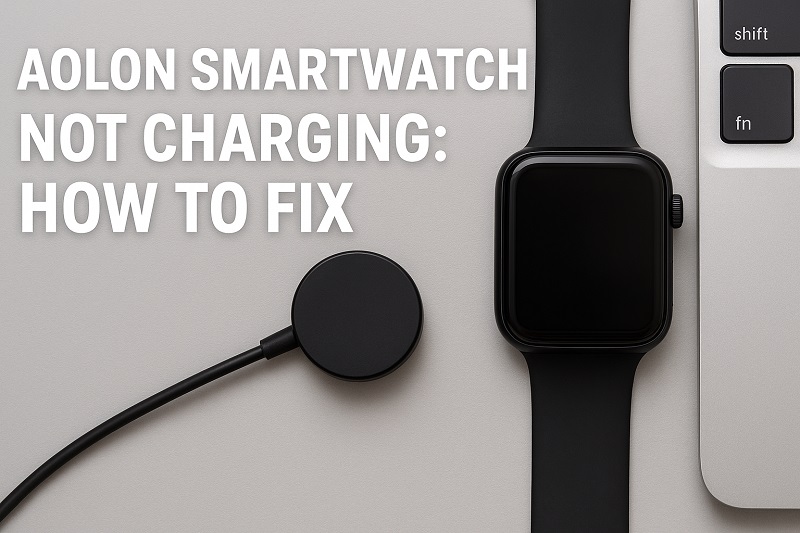
Why Your Aolon Smartwatch Refuses to Charge
Charging a smartwatch seems simple. You set it on the dock, electricity flows through the pins, and the battery fills up. But this process is pickier than you’d think.
The charging pins on your watch need to touch the contact points on the dock perfectly. Clean contact. Dry surface. Proper alignment. Miss any of these, and nothing happens. A single grain of sand or a tiny bit of moisture can block the entire connection. Your watch just sits there, pretending to charge while the battery stays dead.
Problems sneak up on you. One day your smartwatch charges fine. Next week, it takes forever to hit 100%. Then it stops at 80%, or 50%, or refuses to charge at all. These patterns tell you exactly what’s failing. The battery wears down over time, just like any rechargeable battery. After hundreds of charges, it holds less power and charges slower. Your cable might look fine on the outside but have broken wires inside that you can’t see.
Here’s what happens if you ignore charging problems:
- Your smartwatch becomes a fancy bracelet once the battery dies completely
- You lose your fitness data, heart rate tracking, and all those notifications you depend on
- Batteries can swell up when they’re forced to charge with damaged parts, which ruins the watch permanently
- You miss calls, texts, and reminders that normally buzz your wrist
- Small problems turn into expensive repairs when you wait too long to fix them
Aolon Smartwatch Not Charging: Likely Causes
Pinpointing why your smartwatch stopped charging saves you time and money. These are the usual suspects I see again and again.
1. Dirty or Corroded Charging Contacts
The charging pins need perfect contact with the dock. Metal touching metal, no barriers. But your smartwatch lives on your wrist all day, collecting sweat, dust, skin oils, and whatever else you encounter. Workouts. Showers. Humid weather. All of it leaves residue on those tiny metal points.
You can’t always see the buildup. Sometimes it’s just a thin film that blocks electricity from flowing. Other times you’ll spot visible gunk or discoloration on the pins. Corrosion shows up as green or brown spots when moisture sits on the metal too long.
This happens so slowly that you don’t notice until your watch stops charging completely. One day it works fine, the next day it doesn’t. That’s how subtle the buildup can be.
2. Misaligned Charging Dock
Your watch needs to sit at the exact right angle on its dock. The magnets usually snap it into place automatically, but those magnets get weaker over time. The dock’s plastic housing can warp a bit too. When that happens, your watch looks like it’s charging but the pins aren’t actually touching.
Sometimes you set the watch down perfectly, but it slides out of position a few minutes later. Maybe your desk isn’t level, or the dock shifted slightly. Either way, no contact means no charging.
3. Faulty Charging Cable or Adapter
USB cables have thin copper wires inside that carry electricity. These wires break from constant bending, especially near the ends where the cable flexes most. The outside looks perfect. The inside is damaged. You’d never know just by looking at it.
Power adapters fail too. The parts inside wear out and stop delivering consistent power. Sometimes an adapter works fine for your phone but can’t give your smartwatch the exact voltage it needs. Wrong power output means no charging, or very slow charging that never completes.
Cheap knockoff chargers cause tons of problems. They fit your watch but deliver the wrong amount of electricity. This either prevents charging completely or slowly damages your battery over time. Stick with the original charger or buy from trusted brands that match your watch’s specs exactly.
4. Software Glitches
Your smartwatch runs software that controls charging. Sometimes that software freezes or hits an error. The watch stops recognizing the charger even though everything is plugged in correctly.
The battery icon might show charging when nothing is actually happening. Or the screen stays dark and won’t respond at all. Software bugs mess with how the charging system talks to the battery. A failed update can corrupt the files that manage power, leaving your watch unable to charge until you reset things.
5. Battery Degradation
Batteries don’t last forever. Each time you charge your smartwatch, the battery loses a tiny bit of its ability to hold power. After 300 to 500 charge cycles, the difference becomes obvious. It might still work but charges slower and dies faster.
Your watch has a safety system that monitors battery health. As the battery ages, this system gets stricter about charging to protect the worn-out cells. Eventually, it might stop charging completely because it detects the battery is too damaged to charge safely.
Dropping your watch can also hurt the battery internally. The connections might loosen, or the battery cells might get damaged in ways you can’t see. Physical damage often means the battery can’t accept a charge anymore, even if everything else works fine.
Aolon Smartwatch Not Charging: How to Fix
Getting your smartwatch charging again often requires methodical troubleshooting. Start with the simplest solutions and work your way through these fixes until your device powers up.
1. Clean the Charging Contacts Thoroughly
Power off your Aolon smartwatch completely before cleaning it. Take a dry cotton swab or microfiber cloth and gently wipe both the charging pins on the back of your watch and the metal contacts inside the charging dock. Use small circular motions to lift away any visible debris or residue.
For stubborn grime, dampen a cotton swab very slightly with isopropyl alcohol (70% or higher concentration works best). Rub each contact point carefully, then immediately dry them with a clean, dry swab. The alcohol evaporates quickly but make sure everything is completely dry before attempting to charge.
Check for corrosion, which appears as greenish or brownish discoloration on the metal. Light corrosion comes off with alcohol and gentle rubbing. Heavy corrosion might need a tiny amount of white vinegar on a cotton swab, followed by thorough cleaning with alcohol and drying. Wait at least 30 minutes after cleaning before plugging in your charger.
2. Verify Proper Dock Alignment
Place your Aolon smartwatch on the charging dock and watch it carefully for a few seconds. The magnetic connection should pull the watch firmly into position with an audible click or solid feeling. If it slides around easily, the alignment is off.
Try rotating the watch slightly on the dock or repositioning it until you feel that solid magnetic snap. Look at the charging indicator on your watch screen. It should show a charging icon within 3 to 5 seconds of proper placement. If nothing appears, lift the watch and try again.
3. Test with a Different Cable and Adapter
Disconnect your current charging cable from the power adapter and try a different USB cable if you have one available. Plug it into the same adapter and see if charging starts. This helps determine whether the cable has failed internally.
Next, try plugging your charging cable into a different power source entirely. Use a computer USB port, a different wall adapter, or a USB power bank. If your smartwatch suddenly charges with a different power source, your original adapter has failed and needs replacement.
Make sure any replacement charger matches your Aolon smartwatch’s specifications. Check the voltage and amperage requirements printed on your original adapter and match them exactly.
4. Perform a Hard Reset
Your smartwatch might need a hard reset to clear software glitches affecting the charging system. The exact method varies by model, but most Aolon smartwatches reset by pressing and holding the power button for 10 to 15 seconds until the screen goes dark and the device restarts.
Some models require you to press a combination of buttons simultaneously. Check your user manual for the specific reset procedure for your model. After the reset, place the watch on its charger immediately and let it sit for at least 10 minutes before turning it on.
If your smartwatch has enough battery left, you can also try a factory reset through the settings menu. This erases all data and returns the software to its original state, potentially fixing deeper software issues that prevent charging.
5. Try Charging from a Computer USB Port
Wall adapters sometimes deliver inconsistent power that confuses your smartwatch’s charging circuit. Computer USB ports provide steady, regulated power at a consistent voltage. Plug your charging cable directly into a USB port on your computer and leave your smartwatch there for at least 30 minutes.
This slower charging method sometimes jumpstarts a completely dead battery that won’t respond to wall charging. The lower amperage from a computer port can help a depleted battery accept an initial charge more safely.
6. Inspect for Physical Damage
Examine the back of your smartwatch where the charging pins protrude. Look for any pins that appear bent, pushed in, or missing entirely. Shine a flashlight at an angle to see details more clearly. Even slightly misaligned pins won’t make proper contact with the charging dock.
Check the charging dock’s contact points as well. These should be clean, smooth, and spring-loaded. Press gently on each contact point to verify it moves slightly and springs back. If any contacts feel stuck or don’t move, the dock needs replacement.
Look at your charging cable for obvious damage like frayed insulation, exposed wires, or bent connectors. Feel along the entire length of the cable for any unusual bumps or soft spots that indicate internal wire breaks.
7. Contact a Professional Technician
If you’ve tried all these fixes and your Aolon smartwatch still won’t charge, the problem likely requires professional repair. The internal charging circuit might have failed, or the battery itself needs replacement. These repairs involve opening the device and working with delicate components that can be damaged easily without proper tools and experience.
Reach out to an authorized Aolon service center or a reputable electronics repair shop that handles smartwatch repairs. They have diagnostic equipment to test the charging circuit, battery health, and internal connections. Professional battery replacement typically costs less than buying a new smartwatch and can extend your device’s life by another year or two.
Wrapping Up
Charging issues with your Aolon smartwatch can stem from simple problems like dirty contacts or complex ones like battery failure. The silver lining is that most causes have straightforward fixes you can try at home before considering repair or replacement. Cleaning those charging points regularly and using quality charging accessories goes a long way toward preventing these headaches.
Taking care of the charging system means your smartwatch stays reliable for the long haul. Regular maintenance takes just a few minutes but saves you from the frustration of a dead device when you need it most. Your smartwatch is designed to last, and proper charging habits keep it running smoothly through thousands of workouts, notifications, and daily activities.