Although some air fryer errors involve temperature sensors or electrical problems, the exact meaning of 002 hasn’t been confirmed for every Bella Pro Series model. Checking the display carefully can help you identify the problem and avoid unnecessary repairs.
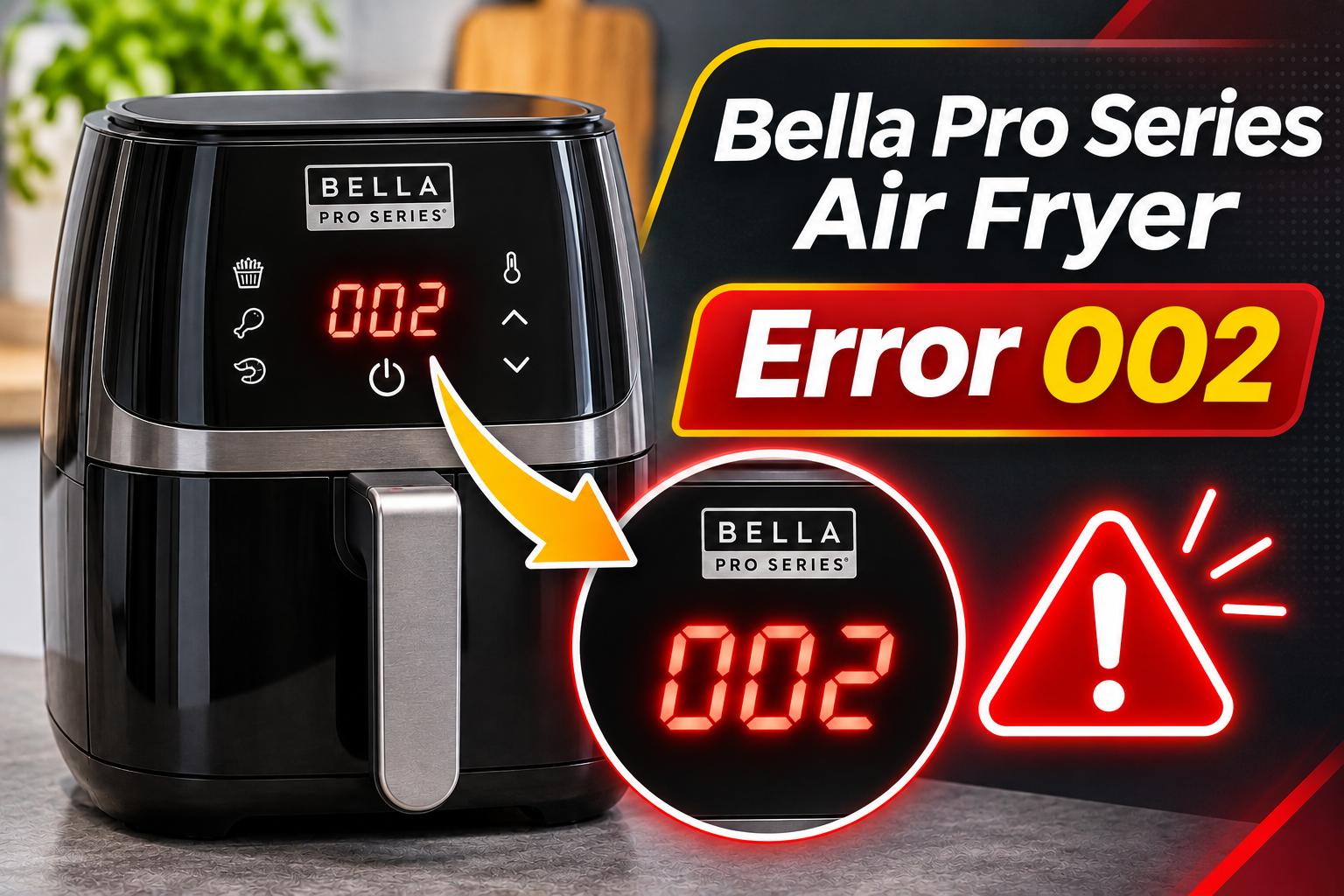
What Does Error 002 Mean on a Bella Pro Series Air Fryer?
The meaning of 002 on a Bella Pro Series air fryer depends on the model and how the number appears on the display. It could be mistaken for an E2 or E02 error, but these codes shouldn’t automatically be treated as identical.
Bella Pro Series air fryers use digital control panels to display cooking temperatures, timers, and operating information. Certain models can also interrupt operation when something prevents the appliance from functioning correctly.
However, the official manuals for the Bella Pro Series 6-quart touchscreen air fryer and SmartCrisp 8-quart digital air fryer don’t provide a confirmed definition for an error labeled 002. Their troubleshooting instructions mainly address problems such as an improperly inserted basket, cooking difficulties, and appliance malfunctions.
Best Buy+1
If 002 appears alongside a stopped cooking timer, an unresponsive control panel, or a failure to heat, the appliance may have developed an operating problem. However, the number alone doesn’t confirm a defective temperature sensor or control board. Identifying your exact model and checking whether the display reads 002, E02, or E2 is essential before attempting a repair.
Bella Pro Series Air Fryer Error 002 [FIXED]: Likely Causes
Several issues can explain why your Bella Pro Series air fryer displays an unexpected number and stops working correctly. Because 002 isn’t a confirmed fault code across the product range, the following causes should be treated as possibilities rather than a definite diagnosis.
1. An Incorrectly Interpreted Display Message
One possible explanation is that the number on your air fryer’s screen is being mistaken for an error code.
Bella Pro Series air fryers have digital displays that show cooking time, temperature, and other operating information. Depending on the model, the screen may alternate between different readings during cooking.
For example, a number appearing in the timer section could represent the remaining cooking time rather than an error. Similarly, E2, E02, and 002 may look similar on certain displays, especially if a letter is difficult to distinguish from a number.
Pay attention to whether the appliance continues heating and whether the cooking timer counts down normally. If everything works as expected, the display may simply be showing cooking information.
However, if the number remains on the screen while the controls become unresponsive or heating stops unexpectedly, a genuine operating fault becomes more likely.
2. An Improperly Installed Cooking Basket
The cooking basket is another component worth checking when your Bella Pro Series air fryer refuses to start.
Many Bella Pro Series models have a safety mechanism that prevents operation unless the basket is correctly inserted. This helps prevent the heating system from operating while the cooking compartment is open.
If the basket is slightly tilted, overloaded, or prevented from closing completely, the appliance may refuse to begin cooking.
For example, food stacked too high inside the basket can interfere with proper installation. A removable crisping tray that isn’t positioned correctly may also affect how the basket fits.
The Bella Pro Series 6-quart touchscreen manual specifically identifies an improperly inserted frying basket as a possible reason the appliance won’t operate.
However, a poorly seated basket hasn’t been confirmed as a direct cause of error 002. It’s worth checking because the resulting failure to start may occur alongside an unfamiliar display message.
3. Restricted Airflow or Excessive Heat
Your Bella Pro Series air fryer uses a heating element and fan to circulate hot air around food. Proper airflow is necessary for efficient cooking and helps the appliance manage heat.
If ventilation openings become obstructed, heat can accumulate around internal components. Depending on the model’s protection system, excessive heat may interrupt normal operation.
This can happen when the appliance is positioned too close to a wall or surrounded by objects that block its air intake and exhaust openings.
An overcrowded cooking basket may also interfere with air circulation inside the cooking compartment. Meanwhile, accumulated grease can produce smoke and create additional heating problems.
You may notice that the appliance becomes unusually hot, produces an unexpected burning smell, or stops during cooking.
However, these symptoms don’t establish that 002 is an overheating warning. Without a confirmed error definition for your particular model, overheating should remain a possible operating problem rather than an assumed diagnosis.
4. A Faulty Temperature Sensor or Control Board
An internal electrical fault is another possibility, particularly if your air fryer stops heating and the display remains unresponsive.
Many electronic air fryers use a temperature sensor called an NTC thermistor. This component changes its electrical resistance as the cooking temperature changes, allowing the electronic control board to regulate heating.
If the sensor develops an internal fault, the control board may receive inaccurate temperature information or lose the signal completely.
Damaged sensor wiring or a loose electrical connection can produce similar problems. In some appliances, a faulty control board may also interrupt cooking or cause unusual display behavior.
For example, if the air fryer shows an unexpected message immediately after being plugged in, an electronic control problem may be worth investigating.
However, this doesn’t prove that the sensor or board is defective. Since 002 hasn’t been verified as a temperature sensor error on Bella Pro Series air fryers, replacing either component without proper testing would be premature.
A qualified technician can determine whether an internal electrical problem is responsible.
Bella Pro Series Air Fryer Error 002 [FIXED]: How to Fix
The safest troubleshooting approach is to identify exactly what your air fryer is displaying before attempting repairs. Start with the accessible components and basic operating checks, then seek professional assistance if the appliance continues malfunctioning.
1. Confirm the Display Message and Check Your Model Number
Before attempting any fix, examine the display carefully and verify whether it reads 002, E02, or E2.
This distinction matters because different models may use different display formats. A number that appears to be an error may actually represent a timer setting.
Start by switching off the appliance and disconnecting it from the electrical outlet. Allow it to cool completely before moving it.
Next, locate the identification label, usually found underneath or at the back of the air fryer.
Look for the following details.
-
Model number
-
Product identification number
-
Serial number, if available
-
Rated voltage and power
-
Manufacturer information
Once you’ve identified the model, consult its instruction manual.
Bella provides downloadable manuals through the product pages on its official website. This allows you to check the instructions for your particular appliance rather than relying on a different model.
If your manual doesn’t explain 002, contact customer support and describe exactly what appears on the screen.
Taking a clear photograph of the display can also help a service representative distinguish an actual error from ordinary cooking information.
2. Check That the Cooking Basket Is Properly Installed
If your Bella Pro Series air fryer won’t start, inspect the cooking basket before considering internal repairs.
The manufacturer’s instructions for several touchscreen models state that the basket must be fully inserted for the appliance to operate. Even a small obstruction can prevent it from reaching its intended position.
Follow these steps.
-
Switch off the appliance and unplug it.
-
Allow the cooking basket to cool completely.
-
Remove the basket using its handle.
-
Check for food particles or objects that could interfere with installation.
-
Make sure the crisping tray is positioned correctly.
-
Slide the basket back into the appliance until it sits securely.
Avoid forcing the basket into place. If it doesn’t slide smoothly, remove it and check for an obstruction.
Also, make sure the basket isn’t overloaded.
If there’s too much food, remove the excess and arrange the remaining ingredients according to the cooking capacity recommended for your model.
A correctly seated basket may resolve a failure to start. However, if the display continues showing an unfamiliar error, don’t assume the basket mechanism is responsible.
3. Switch Off the Air Fryer and Try a Power Reset
A temporary electronic control problem may occasionally disappear after an appliance has been disconnected from power.
Although a reset cannot repair a broken sensor or defective circuit board, it may help determine whether the unexpected display message was temporary.
However, Bella manuals instruct users to stop using an appliance that malfunctions during operation and seek qualified assistance. Therefore, only attempt a restart if your model’s instructions permit it and there are no signs of electrical damage or overheating.
If restarting is permitted, follow these steps.
-
Switch off the air fryer.
-
Disconnect the power plug from the wall outlet.
-
Allow the appliance to cool completely.
-
Leave it disconnected for approximately 10 minutes.
-
Check that the cooking basket is correctly installed.
-
Reconnect the appliance to a suitable electrical outlet.
-
Check whether the unexpected display message remains.
The 10-minute waiting period is a general troubleshooting suggestion rather than an official Bella Pro Series reset requirement.
If the control panel returns to normal, the issue may have involved a temporary electronic problem.
However, a disappearing message doesn’t guarantee that the underlying fault has been corrected. An intermittent electrical problem may return later.
If 002 reappears or the appliance stops responding again, unplug it and arrange professional diagnosis.
4. Inspect the Ventilation Openings and Appliance Position
Restricted airflow can contribute to overheating and poor cooking performance, so checking the appliance’s ventilation is worthwhile.
Start by making sure your air fryer is unplugged and completely cool.
Examine the air intake and exhaust openings for visible obstructions such as packaging materials, dust, or nearby kitchen items.
Remove anything blocking the openings without inserting tools or other objects into the appliance.
Next, check the space around your air fryer.
The Bella Pro Series SmartCrisp 8-quart manual specifies at least 4 inches of clearance from walls and other objects during operation. Other models may have different requirements, so follow the spacing instructions for yours.
Contentful
Position the appliance on a stable, level, heat-resistant surface. Avoid placing it directly beside a stove or another appliance that produces significant heat.
If the ventilation openings were blocked, correcting the problem may help prevent overheating during future cooking sessions.
However, this doesn’t establish that restricted airflow caused the number 002 to appear.
If your appliance has already stopped unexpectedly or displayed a persistent fault, don’t continue running cooking cycles simply to test whether improved airflow has corrected the problem.
5. Clean the Air Fryer and Inspect Its Accessible Parts
Food residue and accumulated grease can affect cooking performance and contribute to smoke or unpleasant smells.
Although ordinary dirt isn’t a verified cause of error 002, cleaning the accessible components can help eliminate separate maintenance problems.
First, unplug your Bella Pro Series air fryer and allow it to cool completely.
Remove the cooking basket and crisping tray according to the manufacturer’s instructions.
For components suitable for handwashing, use warm water, mild dish soap, and a soft sponge.
Avoid metal utensils, abrasive brushes, and harsh cleaning products that could damage the nonstick surfaces.
After washing, dry the removable parts thoroughly before reinstalling them.
You can also wipe the accessible exterior surfaces using a soft, slightly damp cloth if your manual permits it.
Never immerse the main housing in water or allow cleaning liquid to enter the electrical openings.
While cleaning, inspect the basket and housing for cracks, melted plastic, or other visible damage.
Also, check the power cord and plug for cuts, damaged insulation, or discoloration.
If you notice electrical damage, leave the appliance disconnected and contact a qualified repair professional.
Cleaning may resolve problems involving grease buildup or a basket that cannot close correctly. However, it cannot repair damaged internal wiring or a defective electronic component.
If the unexpected display message persists, further cleaning is unlikely to provide a solution.
6. Contact Bella Customer Support or a Qualified Technician
If your Bella Pro Series air fryer continues showing 002 and refuses to operate normally, contact Bella customer support or a qualified appliance repair technician.
This is particularly important if the appliance shuts down unexpectedly, stops heating, or develops unusual electrical symptoms.
A technician may need to examine the temperature sensor, internal wiring, basket detection mechanism, or electronic control board, depending on the model and symptoms.
For example, if the air fryer isn’t recognizing its cooking basket, the technician can determine whether the problem involves the basket’s position or a faulty detection component.
Similarly, if an electrical fault is suspected, appropriate testing can establish whether the temperature sensor or another component has failed.
These repairs should be handled by trained professionals because air fryers contain electrical components and safety devices that shouldn’t be modified without the necessary expertise.
Before arranging a repair, check whether your appliance is still covered by its manufacturer’s warranty.
Bella’s official website currently describes a limited two-year warranty for its appliances, subject to the applicable terms. Check your product documentation and purchase details to establish your coverage.
bellakitchenware.com
You can contact Bella customer support using the following details.
-
Phone: 1-866-832-4843
-
Email: help@bellakitchenware.com
-
Website: bellakitchenware.com
When contacting support, provide the model number, proof of purchase, and a clear description of the problem.
Explain whether the display shows 002, E02, or E2 and whether the appliance stops heating or responds normally to its controls.
Also mention when the message appears, particularly if it occurs immediately after switching on or during cooking.
If your air fryer is out of warranty, request a repair estimate before approving any work.
Depending on the fault, the cost of replacement parts and labor may approach the price of another appliance. In that situation, replacement may be more economical.
Avoid purchasing generic sensors or control boards based solely on an unfamiliar display message. The faulty component should be identified before any replacement is attempted.
Wrap-Up
The Bella Pro Series air fryer 002 error doesn’t have a confirmed universal meaning across the available model manuals. An incorrectly interpreted display, poorly seated basket, or internal electronic problem may explain the symptoms, but the exact cause requires proper identification.
Start by checking the displayed characters and your appliance’s manual. Then inspect the basket, ventilation openings, and accessible parts for obvious problems. If your model permits a reset, follow its instructions carefully. However, if the message persists or the appliance stops working, contact Bella customer support for professional diagnosis and a safe repair.