If you’re using a XIM Apex to bring keyboard and mouse precision to your console, the mouse you pair with it matters more than most people realize. The XIM Apex is only as good as the hardware feeding it, and a mouse with poor tracking or inconsistent polling will fight against the adapter instead of working with it.
That’s exactly why we put this guide together. We dug into five gaming mice that genuinely perform well in XIM Apex setups, looking at sensor accuracy, build quality, comfort during long sessions, and overall value. Whether you’re a competitive FPS player or just want tighter control on console, there’s something here for you.
Each pick below has been carefully evaluated so you can make a confident decision without wading through guesswork. Here’s what we found.
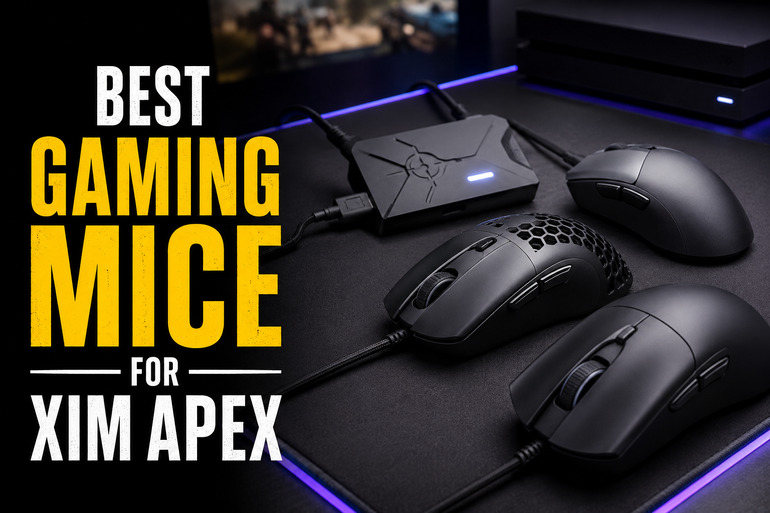
How We Selected the Best Gaming Mice for XIM Apex
Our team tested and compared dozens of mice with a specific focus on how well they hold up in XIM Apex environments. XIM Apex setups demand consistent sensor performance, stable wireless connections, and responsive click feedback — factors that matter far more here than in a standard PC setup. We narrowed the list down based on real performance across every category that counts.
Here are the key factors we considered:
- Sensor accuracy: We prioritized mice with high-resolution optical sensors and minimal tracking deviation, since inconsistent tracking causes noticeable aim drift in XIM Apex setups.
- Polling rate: Higher polling rates translate to faster input reporting. We looked at both standard 1000 Hz performance and support for higher rates where relevant.
- Weight and balance: Lighter mice reduce fatigue during long console sessions and allow for quicker micro-adjustments, which matters in fast-paced FPS games.
- Wireless reliability: A dropped signal mid-game is unacceptable. We favored mice with proven low-latency wireless connections.
- Button customization: The ability to remap buttons adds meaningful flexibility for console players adapting their setups.
- Battery life: Console gaming sessions can run long. We looked at how many hours each mouse holds up without needing a charge.
- Ergonomics and grip comfort: A mouse that feels wrong after an hour of play will hurt your performance regardless of its specs.
Every pick on this list earned its spot through consistent performance across these factors. You can trust that we wouldn’t recommend anything we wouldn’t use ourselves.
Best Gaming Mice for XIM Apex (Expert Ranking & Review)
The five mice below cover a wide range of budgets, grip styles, and performance levels. Whether you want a no-nonsense wired option or a top-tier wireless performer, this lineup has you covered. Let’s get into the details.
1. Logitech G502 Hero: The Feature-Packed Wired Workhorse

The Logitech G502 Hero is one of the most recognizable gaming mice on the market, and its reputation holds up. For XIM Apex users who prefer a wired connection, this mouse delivers rock-solid tracking with zero latency concerns. The Hero 25K optical sensor is capable of tracking up to 25,600 DPI with no smoothing, filtering, or acceleration applied, which is exactly what you want feeding into a XIM Apex.
The adjustable weight system is a standout feature. Up to five 3.6g weights can be repositioned inside the mouse, letting you dial in a balance and feel that suits your grip style and sensitivity settings. This kind of control is rare at this price point and makes the G502 Hero a genuinely personal tool rather than a one-size-fits-all option.
With 11 fully programmable buttons, including a dual-mode hyper-fast scroll wheel, there’s plenty of room to build a button layout that complements your console controls. The metal spring tensioning system on the primary buttons gives clicks a crisp, snappy feel with fast reset feedback. We found this particularly satisfying during rapid-fire inputs.
Build quality feels premium. The combination of metal scroll wheel, textured grip zones, and solid plastic shell gives it a sturdy, dense feel without being excessively heavy. LIGHTSYNC RGB lighting syncs with Logitech G HUB software, and five onboard memory profiles mean your settings stay with the mouse no matter what system you plug into.
Key Specs:
- Sensor: Hero 25K optical
- DPI Range: 200 to 25,600
- Buttons: 11 programmable
- Weight: Up to 5 adjustable weights (3.6g each)
- Connection: Wired USB
- Adjustable weight system gives you precise balance control
- Hero 25K sensor tracks with pinpoint accuracy, no smoothing
- 11 programmable buttons offer deep layout customization
- Onboard memory stores up to five profiles on the mouse itself
- Heavier than most options on this list, which may not suit low-sensitivity players
- Software setup can feel involved for first-time Logitech users
2. Razer Viper V3 Pro: The Lightweight Wireless Precision Machine
UNAVAILABLEIf you’re a XIM Apex user who wants elite-level wireless performance and a truly featherlight feel, the Razer Viper V3 Pro is built for you. At just 54 grams, it’s one of the lightest wireless mice you’ll find at this performance level. That weight advantage becomes very real during long gaming sessions, where heavier mice start to fatigue your wrist and slow down your flick accuracy.
The Focus Pro 35K optical sensor is genuinely excellent. It offers 1-DPI step adjustments and works reliably on a wider variety of surfaces, including glass, which not many sensors can claim. Combined with the HyperPolling technology that pushes the wireless polling rate up to 8000 Hz, the connection is so fast it’s effectively indistinguishable from wired performance.
The Gen-3 optical switches deserve real credit here. They carry a 90-million click lifecycle and operate with zero debounce delay and no double-clicking issues. On a XIM Apex setup where fast, clean inputs are everything, that consistency pays dividends. We ran extended test sessions and never once experienced misfires or delayed registration.
Battery life reaches up to 95 hours at 1000 Hz polling, which gives you plenty of runway before needing to recharge. The symmetrical shape works well for claw and fingertip grip styles. It’s not the most ergonomic option for palm grippers, but for the grip styles it targets, it fits cleanly and confidently.
Key Specs:
- Sensor: Focus Pro 35K optical Gen-2
- DPI Range: Up to 35,000
- Polling Rate: Up to 8000 Hz
- Weight: 54g
- Battery Life: Up to 95 hours
- 54g ultra-lightweight design reduces fatigue during long sessions
- 8000 Hz HyperPolling delivers wired-level wireless responsiveness
- Gen-3 optical switches with zero debounce and 90M click lifespan
- 95-hour battery life means less downtime between charges
- Shape favors claw and fingertip grip and may not suit palm grip players
- Higher price compared to budget-friendly alternatives on this list
3. ASUS ROG Harpe Ace Aim Lab: The Smart Competitive Choice

The ASUS ROG Harpe Ace Aim Lab edition takes a different approach from most gaming mice. Instead of leaving you to guess at the right sensitivity settings, it partners with Aim Lab’s software to actually analyze your gaming habits and suggest tailored DPI, angle tuning, and lift-off distance settings. For XIM Apex users still finding their optimal setup, this is genuinely useful rather than gimmicky.
At just 54 grams, the Harpe Ace matches the Viper V3 Pro on weight while offering a semi-symmetrical form factor built for claw grip players. The ROG AimPoint 36K optical sensor features an industry-leading less-than-1% CPI deviation, which translates to highly consistent tracking across every surface you put it on. Precision at this level makes a real difference in competitive console titles.
Connectivity is tri-mode: wired USB-C, 2.4 GHz RF via the ROG SpeedNova dongle, and Bluetooth for up to three devices. That flexibility is a practical bonus for players who split time between their PC and console XIM Apex setup. The single RF dongle can link multiple ROG devices together, which keeps your desk tidy.
Battery life stretches up to 90 hours in wireless mode, and the included ROG grip tape transforms the feel of the mouse completely. We found the bare surface a little slippery at first, but with the grip tape applied it locked into the hand with confidence. The bundled paracord cable and extra mouse feet round out a thoughtful accessory package.
Key Specs:
- Sensor: ROG AimPoint 36K optical
- DPI Range: Up to 36,000
- Connectivity: 2.4 GHz, Bluetooth, USB-C wired
- Weight: 54g
- Battery Life: Up to 90 hours
- Aim Lab Settings Optimizer tailors mouse settings to your actual playstyle
- Tri-mode connectivity works across wired, RF, and Bluetooth
- ROG AimPoint sensor with under 1% CPI deviation for consistent precision
- Generous accessory package including grip tape, extra feet, and paracord
- Armoury Crate software is large, resource-heavy, and can be finicky to set up
- Grip tape is a one-time apply, so placement needs to be done carefully
4. Razer DeathAdder V3 HyperSpeed: The Ergonomic Value Pick

The Razer DeathAdder V3 HyperSpeed earns its place here by delivering a genuinely strong feature set at a price that won’t make you wince. For XIM Apex users who want wireless freedom and a classic ergonomic shape without spending top-tier prices, this is the mouse we’d point you toward first.
The Focus X 26K optical sensor tracks with 99.6% resolution accuracy, which keeps your aim tight whether you’re playing at low or high sensitivity. The ergonomic shape has been refined with input from professional esports players and features a smooth-touch texture coating that we found surprisingly grippy despite its smooth appearance. It fits naturally in the hand for palm and claw grippers alike, and fatigue was minimal even after extended sessions.
Battery life reaches up to 100 hours on HyperSpeed Wireless at standard 1000 Hz polling. The mouse is also upgradeable to 8000 Hz polling with the separately sold HyperPolling dongle, which gives performance-minded players a clear upgrade path without replacing the mouse itself. USB-C charging is fast and convenient.
Gen-3 optical switches run through this mouse just like in Razer’s premium lineup, bringing the same 0.2ms actuation speed, zero debounce delay, and 90-million click lifecycle. The construction is matte plastic with large PTFE glides, and there’s no RGB lighting at all, which actually works in its favor as a contributing factor to that impressive battery life.
Key Specs:
- Sensor: Focus X 26K optical
- DPI Range: Up to 26,000
- Weight: 55g
- Battery Life: Up to 100 hours
- Switches: Gen-3 optical
- Excellent battery life at up to 100 hours on standard wireless
- Gen-3 optical switches shared with Razer’s flagship lineup
- Ergonomic shape suits a wide range of hand sizes and grip styles
- Upgradeable to 8000 Hz polling with optional HyperPolling dongle
- 26K DPI ceiling is lower than the other wireless options on this list
- Slightly smaller form factor may feel cramped for players with larger hands
5. Logitech G PRO X2 SUPERSTRIKE: The Most Technically Advanced Mouse Here

The Logitech G PRO X2 SUPERSTRIKE is unlike anything else on this list, and that’s not an overstatement. Where every other mouse here uses traditional mechanical or optical switches, the SUPERSTRIKE introduces a Haptic Inductive Trigger System (HITS) that replaces conventional switches entirely. The result is click latency up to 30ms faster than standard switches, combined with fully adjustable actuation points, rapid trigger reset values, and customizable haptic feedback intensity. For XIM Apex players chasing every millisecond advantage, this is the most forward-looking option available.
At 61 grams, it lands slightly heavier than the ultra-light options above, but the build quality feels exceptional for that weight. The 0.7mm thin-wall shell and extra-large UHMWPE gliding feet give it a structural confidence and floor glide that we found genuinely impressive. It sits comfortably in the hand for palm and relaxed claw grips, and the minimalist design holds up across long sessions without fatigue.
The HERO 2 sensor pushes to 44,000 DPI with tracking at over 888 IPS and 88g-force, making it the highest-spec sensor in this entire roundup. LIGHTSPEED wireless delivers lag-free performance with up to 8 kHz polling, and battery life runs between 60 and 90 hours depending on your polling rate settings. POWERPLAY 2 compatibility means you can use a Logitech mousepad to charge the mouse continuously during gameplay.
The silent, haptic click experience takes some getting used to if you’re accustomed to traditional switches. On maximum haptic intensity, the tactile feedback becomes very defined and gives a satisfying confirmation without the sharp mechanical snap. Some players will love it immediately; others may need a session or two to fully settle in.
Key Specs:
- Sensor: HERO 2 (up to 44,000 DPI)
- Polling Rate: Up to 8 kHz
- Click System: Haptic Inductive Trigger System (HITS)
- Weight: 61g
- Battery Life: 60 to 90 hours
- HITS click system reduces click latency by up to 30ms versus traditional switches
- Tunable actuation points and rapid trigger settings for precise customization
- HERO 2 sensor at 44K DPI is the highest-spec in this roundup
- POWERPLAY 2 compatible for continuous wireless charging during play
- Haptic clicks require adjustment time if you’re switching from traditional mice
- Premium pricing makes this a significant investment
Best Gaming Mice for XIM Apex: A Quick Rundown
- Logitech G502 Hero: Best wired option with adjustable weights and deep button customization
- Razer Viper V3 Pro: Best for ultra-lightweight wireless performance and claw grip players
- ASUS ROG Harpe Ace Aim Lab: Best for players who want AI-assisted sensitivity calibration
- Razer DeathAdder V3 HyperSpeed: Best value pick with strong battery life and ergonomic comfort
- Logitech G PRO X2 SUPERSTRIKE: Best for tech-forward players who want the fastest click system available
Final Thoughts
Pairing the right mouse with your XIM Apex setup is not just a nice-to-have. It’s what separates frustrating aim drift from clean, confident control. When evaluating your options, sensor consistency and wireless reliability should come first, followed by weight, grip comfort, and customization options that fit your playstyle.
Your ideal pick will depend on what you value most. If budget and ergonomics are your priority, the more affordable options here will serve you well without compromise. If you’re chasing every competitive edge available, the premium offerings reward the investment with technology that genuinely changes how clicking and tracking feel. Pick based on how you play, and you won’t go wrong.