You’re craving that perfect homemade ice cream, and your Ninja Creami suddenly starts flashing its power light at you like a tiny disco ball. Instead of creamy dessert bliss, you’re staring at a blinking light that won’t let you start your machine. Frustrating, right?
This blinking isn’t random. Your Creami is trying to tell you something important, and the good news is that most of these issues are fixable without calling for help or spending money on repairs. Let’s figure out what’s going on and get you back to making frozen treats.
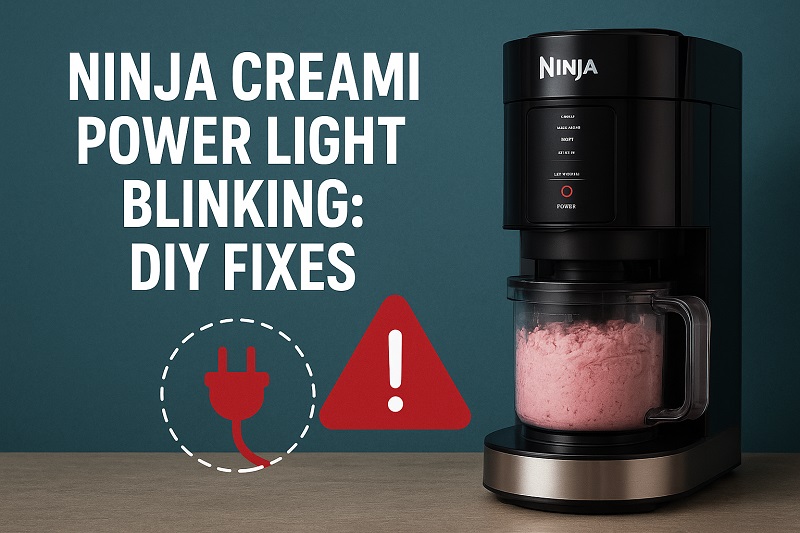
Understanding the Blinking Power Light
That little blinking light on your Ninja Creami serves as its communication system. Think of it as your machine’s way of waving a red flag to say “hold on, something needs attention here.” The power light blinks specifically when the machine detects a problem that prevents safe operation.
Most commonly, this happens because of assembly issues, safety sensor triggers, or minor electrical hiccups. Your Creami has built-in safety mechanisms designed to protect both you and the motor from damage. These sensors check everything from lid placement to whether the bowl is properly seated before allowing the machine to run.
The blinking can occur at different stages. Sometimes it happens right when you press the power button. Other times, it might start blinking mid-cycle after you’ve already begun processing your frozen treat. Each scenario gives us clues about what’s actually wrong.
If you ignore a blinking power light and try to force the machine to work, you risk damaging internal components or creating a safety hazard. The motor could overheat, parts might grind against each other incorrectly, or you could even damage the control board. Your Creami is expensive, and a small fix now beats a costly replacement later.
Ninja Creami Power Light Blinking: Common Causes
Several things can trigger that blinking light, and knowing what they are helps you troubleshoot faster. Let’s look at the usual suspects behind this problem.
1. Improper Bowl or Lid Assembly
Your Creami won’t run unless everything clicks into place exactly right. The machine uses alignment sensors to detect whether the outer bowl, the pint container, and the lid are all seated correctly. Even a millimeter of misalignment triggers the safety lockout.
The outer bowl has specific grooves that must align with tabs on the base. If you set it down at a slight angle or don’t rotate it fully into position, the machine thinks it’s unsafe to operate. The same goes for the pint container inside the outer bowl.
The lid presents its own challenges. It needs to press down completely and lock with an audible click. Sometimes ice crystals, dried cream residue, or food particles prevent a proper seal. You might think it’s closed when it’s actually sitting just a hair too high for the sensor to register.
2. Frozen Bowl Issues
Your pint container needs to be frozen solid before processing, but too much frost buildup causes problems. When you pull the pint from your freezer, condensation forms immediately. This moisture can create a layer of ice on the outside of the pint that prevents it from sitting flush in the outer bowl.
Additionally, if your frozen pint has been in the freezer for weeks or if your freezer runs particularly cold, the contents might freeze harder than the machine can handle initially. The blade tries to spin, hits resistance, and the safety system kicks in with that blinking light.
3. Dirty or Obstructed Sensors
The Creami uses small sensors around the lid area and bowl platform to verify everything is in place. These sensors are usually small metal contacts or plastic tabs that need to touch specific points. Food splatters, sticky residue, or dried cream can coat these sensors.
You might not even see the buildup because it’s often in tight corners or under the rim. A thin film of sugar or protein is enough to prevent proper contact. The machine reads this as a missing component and refuses to start.
4. Electrical Connection Problems
Sometimes the issue isn’t mechanical at all. The power cord connection at the back of the machine can work loose over time, especially if you move the Creami around your counter frequently. A partially disconnected cord doesn’t provide stable power.
Your kitchen’s electrical outlet might also be the culprit. Ground Fault Circuit Interrupter (GFCI) outlets, common in kitchens, are sensitive to power fluctuations. If the outlet has tripped or is providing inconsistent power, your Creami’s control board gets confused and defaults to the safety mode with the blinking light.
Power surges or brief outages can also scramble the machine’s internal memory. The control board might get stuck in an error state even after normal power resumes.
Ninja Creami Power Light Blinking: How to Fix
Now that you know what causes the problem, let’s fix it. These solutions work for most blinking light issues and don’t require any special tools.
1. Reassemble Everything from Scratch
Start by completely disassembling your Creami. Remove the lid, take out the pint container, and lift the outer bowl off the base. This reset approach works surprisingly often because it forces you to put everything back together with fresh attention to detail.
Clean each component as you go. Wipe the outer bowl rim, check the pint container for any sticky spots, and inspect the lid gasket. Look for anything that seems out of place or damaged.
When you reassemble, take your time. Place the outer bowl on the base and rotate it slowly until you feel it drop into the locking position. You should hear or feel a definite click. Then insert your frozen pint, making sure it sits flat at the bottom. Finally, place the lid and press down firmly until it locks. Don’t just set it on top and assume it’s closed.
2. Address Frost and Condensation
Pull your frozen pint from the freezer and let it sit on the counter for exactly 5 minutes. This slight thaw makes a huge difference. The outer surface warms just enough to release any frost buildup, and the contents soften slightly for easier processing.
While you wait, wipe down the inside of the outer bowl with a dry cloth. Any moisture in there will freeze on contact with your cold pint and create adhesion problems. Make sure the blade assembly area is completely dry too.
If your pint has been in the freezer longer than 24 hours, you might need that full 5-minute rest. Older frozen containers become rock-solid, and your Creami’s motor can sense when it’s about to face too much resistance. The safety system stops operation before the motor strains.
3. Clean the Sensors and Contact Points
Unplug your Creami first for safety. Then grab a cotton swab, dampen it slightly with rubbing alcohol, and clean around the lid rim where it meets the base. There are small metal contacts here that need to be spotless.
Check underneath the outer bowl platform too. You’ll find alignment tabs and possibly small sensor points. Wipe these down thoroughly. Even invisible residue affects conductivity.
Pay special attention to any small holes or recessed areas around the control panel and lid hinge. These spots collect splattered ingredients over time. A toothpick wrapped in a slightly damp paper towel works great for tight spaces. Let everything air dry for a few minutes before reassembling.
4. Reset the Machine Completely
Unplug your Creami from the wall outlet and leave it unplugged for a full 60 seconds. This hard reset clears the control board’s memory and can resolve electronic glitches. It’s the equivalent of restarting your computer when it acts up.
While it’s unplugged, press and hold the power button for 10 seconds. This discharges any residual electricity in the system. You’re essentially giving the machine a completely fresh start.
Plug it back in and wait for the display to fully boot up before trying to use it. Don’t rush this process. Let the machine sit for a moment after plugging it in so all internal systems initialize properly.
5. Check Your Power Source
Test your outlet with another appliance to confirm it’s working properly. Plug in your phone charger, a lamp, or another kitchen gadget. If that device works fine, your outlet is probably okay.
Try plugging your Creami into a different outlet, preferably one on a different circuit. Sometimes kitchen outlets share circuits with other high-draw appliances. If your refrigerator and Creami are on the same circuit and the fridge compressor kicks on, it can cause a momentary voltage drop.
Make sure you’re plugging directly into a wall outlet rather than an extension cord or power strip. The Creami draws significant power during operation, and anything between the machine and the wall can cause issues. The machine needs a dedicated, stable power supply.
6. Inspect for Physical Damage
Look closely at the lid locking mechanism. Press the release button and watch how the locking tab moves. It should spring back smoothly without sticking. If it feels sluggish or doesn’t fully retract, food particles might be jamming it.
Check the outer bowl for any cracks or warping, especially around the bottom edge. Plastic can warp if exposed to heat or if you’ve accidentally run it through the dishwasher on a high-heat cycle. Even slight warping prevents proper seating on the base.
Examine the pint container handle area. If this handle broke or cracked, the container won’t align correctly in the outer bowl. The machine reads this misalignment as a safety issue and triggers the blinking light.
7. Contact Ninja Customer Support
If you’ve tried everything and that light keeps blinking, you might have a sensor failure or control board issue that requires professional attention. Ninja’s customer support can walk you through additional troubleshooting steps specific to your model.
They may also determine that your unit needs repair or replacement, especially if it’s still under warranty. Keep your purchase receipt handy when you call. Some issues qualify for free replacement even outside the standard warranty period.
Don’t attempt to open the base housing or access internal electronics yourself. You’ll void any remaining warranty and risk electric shock. Let the professionals handle internal repairs.
Wrapping Up
That blinking power light might seem like a major problem, but you can usually fix it yourself in just a few minutes. Most issues come down to assembly, cleanliness, or simple resets that cost nothing but a little time.
Start with the easiest solutions first. Reassemble your machine carefully, give your frozen pint a brief countertop rest, and make sure everything is clean and dry. These three steps alone solve the majority of blinking light problems. Your Creami is built with safety in mind, and once you understand what it’s checking for, you’ll prevent most issues before they start.