As great as the Philips Sonicare toothbrush is at keeping your teeth pearly white, you may sometimes encounter an issue where the toothbrush does not vibrate as it should.
This can be a bit of a nuisance, especially since the vibration is what does the lion’s share of the work in cleaning your teeth.
But don’t worry, you’re not alone. Many people have faced this issue, and there are several things you can do to try to rectify it.
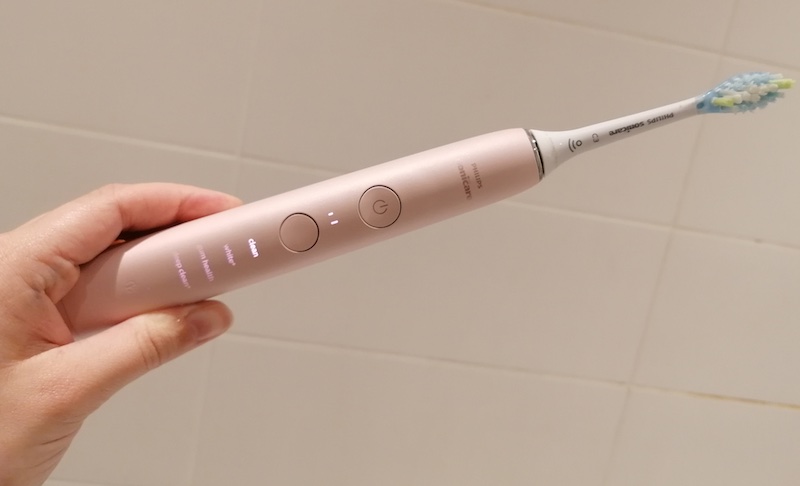
Philips Sonicare Toothbrush Not Vibrating Properly: Common Causes
1. Depleted Battery
The most straightforward and often encountered reason for your Sonicare toothbrush not vibrating properly is likely due to a depleted battery.
This is a simple cause-effect situation; if the battery doesn’t have enough charge, the toothbrush won’t have the required power to function as it should.
The battery powers the motor that drives the bristles of your toothbrush to vibrate. When the battery is low or completely drained, it can’t supply enough power, and as a result, the vibrations from your toothbrush could become weaker or stop entirely.
2. Damaged Motor
Each Sonicare toothbrush comes equipped with a small motor nestled inside the handle. This motor, when powered, produces the high-speed vibrations that make Sonicare toothbrushes so effective at cleaning teeth.
However, like any mechanical component, this motor can wear out or become damaged over time. Exposure to water, dropping the toothbrush, or just regular wear and tear could potentially damage this motor.
When the motor isn’t functioning properly, you’ll notice that the toothbrush either vibrates less than usual or doesn’t vibrate at all.
3. Faulty Charging Base
Another possible issue could lie with the charging base itself. This base is what supplies your toothbrush with the power it needs to operate.
If the charging base isn’t working as it should, it won’t be able to charge the toothbrush properly. This can be due to a variety of reasons, such as a broken power cord, internal circuitry issues, or problems with the electrical outlet it’s plugged into.
Consequently, if your toothbrush isn’t receiving a proper charge, it won’t have the energy to vibrate as expected.
4. Built-up Debris
The area where the brush head attaches to the handle is a common spot for toothpaste, saliva, and other gunk to accumulate over time. This build-up can start to interfere with the vibrations of your toothbrush.
If the brush head can’t move freely because of the debris in its way, the vibrations will not be transmitted effectively from the handle to the brush head. This could manifest as a weaker vibration or the toothbrush stopping intermittently while in use.
5. Faulty Brush Head
The brush head is another component that can affect the toothbrush’s vibrations. If the brush head is damaged in some way, it might not be able to move as freely as it needs to, causing the vibrations to be less effective.
Additionally, if the brush head is not correctly attached or is loose, it won’t be able to transfer the vibrations from the motor to the bristles efficiently. This could result in weak or inconsistent vibrations, leading to a less effective clean.
Philips Sonicare Toothbrush Not Vibrating Properly: DIY Fixes
Before rushing to buy a new toothbrush or sending yours in for repairs, there are a few things you can try to get your Sonicare toothbrush vibrating correctly again:
1. Charge the Battery
One of the first things you should try if your Sonicare toothbrush isn’t vibrating properly is to fully charge the battery.
To do this, you’ll need to connect your toothbrush to its charging base. Make sure it’s sitting properly in the base and that the charging light is on.
If you don’t see the light, try adjusting the position of the toothbrush or plugging the base into a different electrical outlet. Once the light is on, leave the toothbrush on the charging base for at least 24 hours to ensure it receives a full charge.
After charging it for this period, disconnect the toothbrush and try using it again. If the vibrations have returned to their usual power, it’s likely the battery was simply depleted.
2. Clean the Toothbrush
Just like brushing your teeth, it’s important to keep your toothbrush clean too.
Over time, debris like toothpaste and saliva can build up, particularly where the brush head connects to the handle. This build-up can interfere with the toothbrush’s function, so you’ll want to clean it off.
Start by removing the brush head. Then use a small brush or cloth and some warm water to gently scrub these areas. Pay special attention to the metal shaft where the brush head attaches.
After cleaning, make sure to let the toothbrush dry completely before you reattach the brush head and use it again. This can help prevent water damage to the motor.
3. Check the Brush Head
The brush head of your Sonicare toothbrush plays a vital role in the vibration function. If it’s not properly attached or is loose, it can cause the toothbrush to vibrate improperly.
Start by removing the brush head and checking it for any signs of damage. If you find any, you’ll want to replace it. Then reattach the brush head, making sure to secure it firmly to the handle.
If the brush head is old or worn out, it may not be able to vibrate as effectively, so consider replacing it with a new one.
4. Reset the Toothbrush
If you’re still having trouble, a simple reset could be the answer. Resetting your Sonicare toothbrush is easy. While your toothbrush is on the charging base, press and hold the power button.
Keep holding it until the toothbrush beeps, which indicates that it has been reset. After it beeps, release the power button and take the toothbrush off the charger. Try turning it on again to see if the vibrations have improved.
5. Check the Charging Base
Lastly, if you’ve tried all the above steps and your toothbrush still isn’t vibrating properly, it’s time to consider the charging base.
If your toothbrush isn’t receiving a proper charge, it could be due to a faulty charging base. If you have access to a different charging base, try using it to charge your toothbrush.
Make sure the charging light comes on and leave it to charge for 24 hours. If the toothbrush charges correctly and the vibrations return to normal, it’s likely the issue was with your original charging base.
Related FAQs
Q: How do I know when to replace my Sonicare toothbrush or brush head?
A: Philips recommends replacing the brush head of your Sonicare toothbrush every three months or sooner if the bristles become frayed. As for the toothbrush itself, if it stops working and the troubleshooting steps do not help, it might be time for a replacement.
Q: Can water damage cause my Sonicare toothbrush to stop vibrating?
A: Sonicare toothbrushes are designed to be water-resistant, but they’re not completely waterproof. If your toothbrush is exposed to excessive water, especially if water gets inside the handle, it could potentially damage the motor and cause it to stop vibrating.
Conclusion
If your Philips Sonicare toothbrush isn’t vibrating properly, it can be frustrating, but there are several possible causes and solutions.
From simply recharging the battery or cleaning the toothbrush, to resetting it or even replacing the brush head, these steps can often rectify the issue and get your toothbrush back to its high-performing best.
If all else fails, you might need to consider replacing your toothbrush. With proper care and maintenance, your Sonicare toothbrush can provide you with a great clean for years to come.