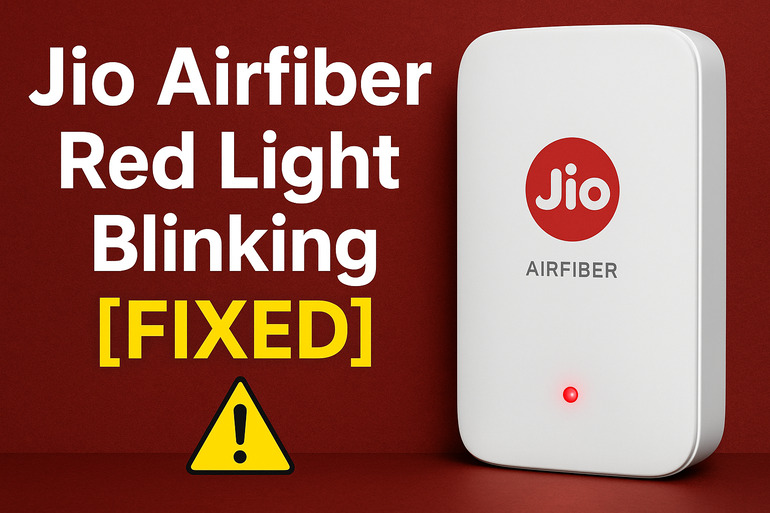
Your Jio Airfiber suddenly starts blinking red, and your internet connection drops. It’s frustrating, especially if you’re in the middle of streaming your favorite show or working on something important. That tiny red light feels like it’s mocking you.
But here’s what most people don’t know: this blinking red light is actually your device trying to tell you something. It’s a warning signal, and once you understand what it means, fixing it becomes much easier than you think.
What That Red Light Really Means
That blinking red light on your Jio Airfiber isn’t random. It’s the device’s way of saying something has gone wrong with your connection. Think of it like a check engine light in your car, except this one’s easier to fix.
Your Jio Airfiber unit has different colored lights for different situations. Green means everything’s working perfectly. Yellow usually means the device is starting up or updating. But red? Red means there’s a problem that needs your attention right away.
The blinking pattern matters too. A steady red light might mean one thing, while a fast-blinking red light could point to a different issue. Sometimes the light blinks a few times, pauses, then repeats. Each pattern can give you clues about what’s happening inside your device.
If you ignore this warning, your internet will stay down. You won’t be able to browse, stream, or do anything online until the issue gets sorted out. The longer you wait, the more complicated things might become, especially if there’s a hardware issue developing.
Jio Airfiber Red Light Blinking: Common Causes
Several things can trigger that red light on your Jio Airfiber. Most of them are simple to identify, and once you know what’s causing the problem, you’re already halfway to fixing it.
1. Network Signal Problems
Your Jio Airfiber works by catching wireless signals from nearby towers. If those signals get weak or blocked, your device struggles to maintain a connection. This is actually one of the most common reasons for that red light.
Bad weather can mess with signals. Heavy rain, strong winds, or even thick clouds sometimes interfere with the wireless connection between your device and the tower. Buildings or large objects between your home and the tower create obstacles too.
Even moving your device to a different spot in your house can cause signal issues. Maybe you placed it near thick walls, in a basement, or next to other electronics that create interference.
2. Power Supply Issues
Sometimes the problem isn’t with the connection at all. Your Jio Airfiber needs steady, clean power to work properly. If the power coming into the device fluctuates or drops, that red light shows up.
Loose power cables cause this more often than you’d expect. The adapter might not be pushed all the way into the socket, or the cable connecting to your device could be slightly unplugged. These small disconnections create big problems.
3. Overheating
Your Jio Airfiber generates heat while it’s working. That’s normal. But if it gets too hot, the device protects itself by shutting down certain functions. The red light appears as a warning.
Placing your device in enclosed spaces blocks airflow. Some people tuck it behind furniture, inside cabinets, or cover it with cloth to hide it. This traps heat inside the device.
Dust buildup makes things worse. Over time, dust settles on the vents and clogs them up. The device can’t cool itself properly, and temperatures rise. Your Airfiber might feel warm or hot to the touch when this happens.
4. Account or Payment Problems
This might surprise you, but your Jio Airfiber can show a red light if there’s an issue with your account. Maybe your plan expired, or a payment didn’t go through properly.
Jio’s system automatically checks your account status. If it finds something wrong, like an unpaid bill or an inactive plan, it signals your device to stop providing internet service. That red light appears to let you know there’s an account-related issue.
5. Firmware or Software Glitches
Every piece of tech runs on software, and your Jio Airfiber is no different. Sometimes the software running your device develops small errors or bugs. These glitches can trigger false alarms, making that red light blink even when nothing’s really wrong.
Failed updates cause this too. If your device was updating its software and something interrupted the process, it might get stuck in an error state. The red light stays on until the device sorts itself out.
Jio Airfiber Red Light Blinking: DIY Fixes
Now that you know what causes the problem, let’s fix it. These solutions work for most people, and you don’t need any special tools or technical knowledge to try them.
1. Restart Your Device
This sounds almost too simple, but restarting fixes more problems than anything else. When you turn your device off and back on, it clears temporary errors and resets the connection.
Unplug your Jio Airfiber from the power source. Wait for about 30 seconds. This brief pause lets all the electrical charge drain from the device completely. Then plug it back in and let it start up. Watch the lights as the device boots up. It should go through its startup sequence and hopefully settle on a green light.
If the red light comes back after a few minutes, try leaving the device off for a full five minutes before turning it back on. Sometimes a longer break helps the device reset more thoroughly.
2. Check and Improve Signal Strength
Your device needs a clear path to catch signals from the tower. Moving it to a better location often solves the red light problem instantly.
Place your Airfiber near a window if possible. Windows let signals pass through more easily than walls. Keep it away from thick concrete walls, metal objects, and other electronics like microwaves or cordless phones. These things block or interfere with wireless signals. Try elevating the device too. Putting it on a shelf or mounting it higher up can help it catch signals better.
Open the Jio app on your phone to check your signal strength. The app shows you how strong your connection is. If it’s weak, keep adjusting the position of your device until the signal improves. Even moving it a few feet can make a big difference.
3. Verify Power Connections
Loose cables create intermittent power supply, which confuses your device and triggers that red light. A quick check of all your connections might solve everything.
Look at where the power adapter plugs into the wall socket. Push it in firmly to make sure it’s secure. Check where the cable connects to your Jio Airfiber too. Give it a gentle push to ensure it’s fully inserted. Feel along the length of the cable for any damage or kinks. A damaged cable needs replacing because it can’t deliver steady power.
Try plugging your device into a different wall socket. Sometimes the problem isn’t your device at all but a faulty socket that doesn’t provide consistent power.
4. Cool Down Your Device
Overheating damages electronics over time, so fixing this issue protects your device’s lifespan too. Cooling down your Airfiber usually brings that green light back.
First, turn off your device and unplug it. Let it sit for at least 15 minutes to cool completely. While you’re waiting, check where you’ve been keeping it. If it’s in an enclosed space, find a more open spot with better airflow.
Clean the vents using a soft brush or compressed air. Blow out any dust you can see. Make sure all sides of the device have at least a few inches of clear space around them. Air needs to flow freely to keep the temperature down.
After moving it to a better spot, turn it back on. If the device was overheating, this should fix your red light issue. Going forward, check on your device every few weeks to make sure dust isn’t building up again.
5. Check Your Account Status
Account issues are easy to fix once you identify them. Your Jio app gives you all the information you need about your plan and payments.
Open the Jio app and look at your plan details. Check if your plan is active and when it expires. Look at your payment history to see if any recent payments failed. If you spot any problems, you can make payments right there in the app.
Sometimes there’s a delay between making a payment and your service getting activated. If you just paid your bill, wait about 30 minutes and restart your device. The system should recognize your payment by then, and your red light should turn green.
6. Reset to Factory Settings
If nothing else works, a factory reset often clears up stubborn problems. This erases all your custom settings and returns the device to how it was when you first got it.
Look for a small reset button on your Jio Airfiber. You’ll probably need a paperclip or pin to press it. Hold the button down for about 10 to 15 seconds. The lights on your device will blink or change color to show the reset is happening. Release the button and wait for the device to restart.
After the reset completes, you’ll need to set up your device again like you did the first time. Follow the instructions in your Jio app to get everything configured. This takes a few extra minutes, but it’s worth it if it fixes your problem.
7. Contact Jio Customer Support
Sometimes the issue is bigger than what you can fix at home. There might be a problem with the tower in your area, or your device might have a hardware fault that needs professional attention.
If you’ve tried everything here and that red light still blinks, reach out to Jio’s customer support. Call their helpline or use the chat feature in the Jio app. Explain what you’ve already tried so they don’t make you repeat the same steps. They can run diagnostics on your connection from their end and might spot issues you can’t see. If your device needs replacing, they’ll arrange that for you too.
Wrapping Up
That blinking red light on your Jio Airfiber doesn’t have to ruin your day. Most of the time, it’s pointing to something simple like a signal issue, loose cable, or overheating problem. These fixes work for the majority of cases, and you can handle them yourself in just a few minutes.
Your device talks to you through those colored lights. Pay attention to them, and you’ll catch problems early before they get serious. Keep your Airfiber in a cool, open space with good signal reception, and you’ll see that green light far more often than red.