You press the button on your garage door opener, and the door goes up just fine. But the light? Nothing. You’re left fumbling around in the dark, trying to find your way through boxes and bikes and whatever else lives in your garage.
This happens more often than you might think. Your Chamberlain garage door opener is doing its main job, but that little light bulb feature has gone on strike. Let me walk you through why this happens and how you can get that light shining again without calling someone to fix it for you.
What’s Going On With Your Light
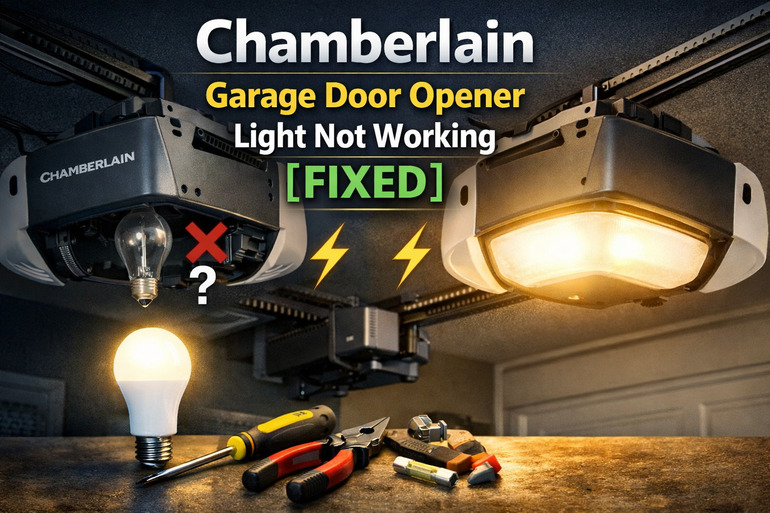
Your garage door opener has a built-in light that’s supposed to turn on when you operate the door. It’s a simple but helpful feature that lets you see where you’re going. Most Chamberlain models keep that light on for about four and a half minutes after you use the door.
That light socket sits right there on the motor unit, usually taking a standard bulb. You might think it’s just like any other light fixture in your house, but there’s a catch. The motor creates vibrations every single time you use the door. Those vibrations shake everything, including the bulb.
Over time, this constant shaking can loosen connections or damage parts inside the light socket. Sometimes the bulb itself takes a beating from all that movement. Your opener might be working perfectly fine otherwise, but that light feature needs attention.
Here’s something else you should know. Some Chamberlain models have a light timer that can be adjusted or might even get stuck in the wrong setting. If your light feature has been disabled accidentally through the control panel, you’ll be standing there wondering why it’s pitch black every time the door opens.
Chamberlain Garage Door Opener Light Not Working: Likely Causes
Several things can stop your garage door opener light from working properly. Let me break down what usually causes this frustrating issue so you know what you’re dealing with.
1. Burned Out or Wrong Bulb Type
Your bulb might simply be dead. This is the most basic reason, but it’s easy to overlook because you assume the bulb would last longer. Standard bulbs can burn out faster in garage door openers because of all that shaking and vibrating.
Using the wrong type of bulb causes problems too. Your opener needs a specific kind of bulb that can handle vibrations. Regular household bulbs crack or fail quickly under those conditions. Some models need special rough service bulbs or LED bulbs rated for garage door openers.
If you’ve been grabbing whatever bulb you have lying around, that could explain why your light keeps going out. The wrong wattage can also create issues. Check your manual for what your model needs.
2. Loose or Damaged Light Socket
That socket holding your bulb can work itself loose from all the vibrations. Each time your door goes up or down, everything shakes. Screws loosen, connections get wobbly, and parts shift around bit by bit.
Sometimes the socket itself gets damaged from changing bulbs too roughly. Those little metal tabs inside the socket can bend or corrode. If they’re not making good contact with the bulb base, your light won’t turn on.
Water can sneak into the socket if your garage gets humid or has leaks. Moisture leads to rust and corrosion on those metal contacts. You might not see it right away, but it’s enough to stop electricity from flowing properly.
3. Disabled Light Feature
Your opener has settings that control how the light works. Someone might have accidentally turned off the light feature through the wall control panel or the remote. It’s easier to do than you’d think, especially if you were pressing buttons trying to program something else.
Some models let you adjust the light timer. If it’s set to zero minutes, the light won’t come on at all. Kids playing with the buttons or just random button presses while moving things around can change these settings without you realizing it.
4. Faulty Light Socket Wiring
The wires connecting to your light socket can come loose or get damaged. These wires run from the main circuit board to the socket. If a wire has pulled away from its connection point, electricity can’t reach the bulb.
Sometimes rodents chew through wiring. Mice and rats love garage spaces and will nibble on anything. Even a small nick in a wire can cause the light to stop working. Older openers might have wiring that’s just worn out from years of temperature changes and use.
5. Circuit Board Problems
Your opener’s circuit board controls everything, including the light. If there’s a problem with the board itself, the light feature might not work even though the door still operates. This happens because the door motor and the light feature use different parts of the board.
Power surges can damage specific sections of the circuit board. Maybe there was a lightning storm or the power flickered while you were using the opener. These events can fry just the light control part while leaving everything else working fine.
Chamberlain Garage Door Opener Light Not Working: DIY Fixes
Fixing your garage door opener light is usually straightforward. Here are practical steps you can take to get it working again.
1. Replace the Bulb With the Right Type
Start with the simplest fix first. Turn off power to your opener at the circuit breaker before you touch anything. Wait a minute, then turn it back on and try the door to make sure power is flowing. Turn it off again before working on the light.
Unscrew the old bulb and check what type it is. Look at the wattage and bulb style. Your Chamberlain manual will tell you exactly what bulb you need, but most models use either a 60-watt rough service bulb or a specific LED bulb made for garage door openers.
Head to the hardware store and get the right replacement. When you screw it in, don’t overtighten it. Just snug it up gently. Turn the power back on and test it. Sometimes it really is just a dead bulb, and you’re done in five minutes.
2. Check and Clean the Light Socket
Power off your opener again at the breaker. Take out the bulb and look inside the socket with a flashlight. You’re checking for any burnt marks, rust, or corrosion on those metal tabs inside.
If you see corrosion, grab some fine sandpaper or an emery board. Gently clean the metal contacts inside the socket. Be careful not to bend them. Those tabs need to spring up and touch the bottom of the bulb base properly.
Check if the socket itself is loose. There are usually screws or clips holding it in place. Tighten anything that’s loose. Make sure all wire connections to the socket are secure. If a wire has come loose, reconnect it firmly. Put a new bulb in and test it.
3. Reset the Light Timer Settings
Your wall control panel or remote might have buttons that control the light settings. Look for a light button or menu option. Some Chamberlain models let you press and hold the light button to adjust the timer.
Try this: Press and hold the light button on your wall panel for about 10 seconds. This often resets the light timer back to default settings. You should see the light blink or change to show it’s been reset. Different models work differently, so check your user manual if you’re not sure what buttons to press.
Test the door after resetting. The light should come on and stay lit for several minutes. If you want to adjust how long it stays on, most models let you cycle through options by pressing the light button multiple times.
4. Inspect and Repair Socket Wiring
Turn off the power at the breaker and keep it off for this one. You’ll need to access the wiring that connects to the light socket. Remove the light cover if your model has one. Look at where the wires attach to the socket.
Check if any wires are loose, disconnected, or damaged. If a wire has pulled out of its connection, you’ll need to reattach it. Most connections use small push-in terminals or screw terminals. Push the wire back in firmly or tighten the screw to secure it.
Look along the length of the wires for any cuts, nicks, or chew marks. If you find damage, you can wrap that section with electrical tape as a temporary fix. For a better repair, you might need to cut out the damaged section and reconnect the wires using wire nuts. Make sure all connections are tight before you turn the power back on.
5. Test the Light Socket With a Multimeter
This step is for folks who are comfortable with basic electrical testing. Get a multimeter and set it to measure voltage. Turn the power back on at the breaker. Carefully test the socket to see if it’s getting power.
Touch the multimeter probes to the metal contacts inside the socket while someone else activates the door opener. You should see a voltage reading if power is reaching the socket. If there’s no voltage, the problem is either in the wiring or the circuit board.
This test tells you if the socket is the issue or if something earlier in the electrical path is broken. If power is reaching the socket but the bulb still doesn’t work, you know the socket needs to be replaced. If no power is reaching it, you’ll need to trace back to find where the connection is broken.
6. Call a Professional Technician
If you’ve tried everything and your light still won’t work, it’s time to call a garage door technician. Some problems need professional tools or expertise. Circuit board issues are tricky and usually require replacement parts that only technicians carry.
A technician can also check if there are other issues with your opener that you might not have noticed. They have the right equipment to test every part of the system safely. Sometimes what seems like a light problem is actually a sign of bigger electrical issues that need proper attention.
Wrapping Up
Your Chamberlain garage door opener light is a small feature, but losing it makes everything more difficult. Most of the time, fixing it is something you can handle yourself with basic tools and a little patience.
Start with the easy stuff like checking the bulb and work your way through the other fixes. Pay attention to what type of bulb you’re using and make sure all your connections are tight. If you get stuck or feel unsure about electrical work, there’s no shame in calling someone who does this every day.