If you play OSU, you already know that your mouse is everything. The way it glides, the way it tracks a fast cursor jump, the way it responds to the lightest flick — all of it feeds directly into your performance. A mouse built for general use might feel fine at first, but once you start pushing your speed and accuracy in maps above a certain difficulty, the gaps show up fast.
That’s why choosing the right mouse matters more for OSU than for almost any other game. You’re not aiming at enemies with large hitboxes. You’re chasing tiny circles, often at high speed, with tight timing windows that leave no room for sensor lag or sluggish movement. The margin for error is razor thin.
We put together this guide after carefully reviewing the specs, build quality, sensor performance, and real-world feedback on five of the most talked-about gaming mice available right now. Whether you’re grinding for an S rank or just getting started with the rhythm game that’s taken over the internet, this list will help you find the right tool for the job. Here’s how we made our picks.
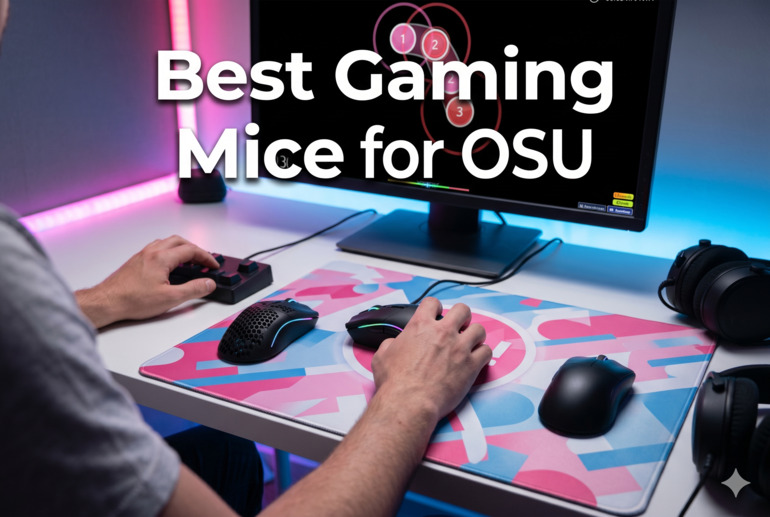
How We Selected the Best Gaming Mice for OSU
Our team spent time analyzing each mouse across multiple dimensions, comparing sensor data, physical design, and user experience feedback to narrow the field. OSU is a specific discipline, and we treated it that way — we weren’t just looking for good gaming mice in general. We were looking for mice that make the rhythm game feel natural, responsive, and consistent.
Here are the factors we weighed during evaluation:
- Sensor accuracy: The precision of the optical sensor determines how faithfully the mouse translates your hand movement into on-screen cursor position. For OSU, this is the single most important spec.
- Weight: Lighter mice reduce fatigue during long sessions and allow for faster, more precise flicks. We paid close attention to how each mouse’s weight affects playability.
- Click responsiveness: OSU demands fast, reliable clicking. We looked at switch quality, actuation time, and how consistently each mouse registers clicks under pressure.
- Cable and connectivity: For wired mice, cable drag can disrupt smooth cursor movement. For wireless options, latency and signal stability are critical.
- Grip style compatibility: OSU players use a range of grip styles. We noted which mice cater to fingertip, claw, and palm grips, and flagged where a mouse may limit certain players.
- Build quality and durability: A mouse that holds up to thousands of hours of intense clicking is a worthwhile investment. We factored in switch lifecycle ratings and overall construction.
- Value for money: Performance matters, but so does price. We assessed each mouse across its full price tier, not just against others in its range.
Every pick on this list earned its place by excelling across most of these areas in a way that makes a genuine difference for OSU players. With that foundation set, let’s get into the mice themselves.
Best Gaming Mice for OSU (2026 Expert Review)
The five mice below cover a wide range of budgets and play styles. Whether you want a no-frills workhorse or a pro-grade wireless setup, there’s a strong option here for you. Each one has been chosen specifically with OSU in mind.
1. Logitech G305 Lightspeed — The Smart Wireless Pick for OSU Players

The Logitech G305 Lightspeed earns its spot at the top of this list by threading an impressive needle: it gives you genuine wireless freedom without sacrificing the kind of low-latency performance that OSU demands. The LIGHTSPEED wireless technology delivers a 1 ms report rate, which is the same responsiveness you’d get from a wired connection. That matters a great deal when you’re clicking circles on a map running at 200 BPM.
The HERO optical sensor is the heart of this mouse. It tracks at up to 12,000 DPI with 400 IPS precision and no smoothing or acceleration applied. For OSU, that means every micro-adjustment your hand makes is captured exactly as intended. You can dial the DPI to exactly where you feel sharpest on your setup, and the sensor will follow your movements faithfully without any guessing from the firmware.
At just 99 grams, the G305 sits in a comfortable middle ground — light enough to move quickly across a wide mousepad, but substantial enough to feel planted and controlled. The ambidextrous, compact shape fits a wide range of hand sizes and supports both palm and claw grips reasonably well. The six programmable buttons give you flexibility without overcomplicating the layout, and the built-in nano receiver storage means you won’t lose the dongle when you take it somewhere else.
The battery situation is one of its most practical advantages. A single AA battery powers this mouse for up to 250 continuous hours. That’s months of real-world use before you ever need to think about a replacement. For players who hate charging routines, this is a genuine quality-of-life win.
Key Specs:
- Sensor: HERO 12K optical
- DPI range: 200 to 12,000
- Weight: 99g
- Battery life: Up to 250 hours (1 AA battery)
- Connectivity: LIGHTSPEED wireless (1 ms)
- Buttons: 6 programmable
- Lag-free wireless performance ideal for OSU’s precise input requirements
- Exceptional battery life — months of use on a single AA battery
- Accurate HERO sensor with zero smoothing or acceleration
- Lightweight and compact for extended play sessions
- No RGB lighting for those who want a more visual setup
- Requires a USB dongle, which takes up a port
2. Redragon M602 Griffin — The Budget Entry Point That Actually Delivers
![Redragon M602 Gaming Mouse, Ergonomic RGB Gaming Mouse Wired with 7200 Adjustable DPI, 9 Programmable Buttons, Professional Software for Gamer Office [Black]](https://m.media-amazon.com/images/I/4189L2UBl9L._SL500_.jpg)
For players who want to get serious about OSU without spending a lot upfront, the Redragon M602 Griffin is the most honest recommendation on this list. It’s a wired, ergonomically shaped mouse with a 7,200 DPI adjustable optical sensor, and it has been on the market since 2015 with a track record that speaks for itself. Longevity like that doesn’t happen by accident.
The M602 is designed with a right-handed ergonomic body that fits most hand sizes comfortably. The dedicated thumb rest keeps your hand in a natural position during long sessions, which is a bigger deal than it sounds when you’re clicking through hundreds of beatmaps in a row. The matte plastic finish with textured grips on the sides gives you a secure hold even when things get intense.
What makes this mouse work for OSU specifically is how it behaves in the hands. The P3212 optical sensor offers stable, consistent tracking across DPI steps — from 800 all the way up to 7,200. For most OSU players, the sweet spot sits somewhere in the lower range, and the M602 hits those settings without drifting or stuttering. The braided cable adds durability and produces less drag than standard plastic cables.
The nine programmable buttons give you plenty of room to bind OSU-specific shortcuts, and the RGB lighting offers seven modes that are adjustable through onboard controls, no software required for basic changes. At this price point, it gives you more than it has any reason to.
Key Specs:
- Sensor: P3212 optical
- DPI range: Up to 7,200
- Weight: 0.29 lbs (approx. 131g)
- Connectivity: Wired USB
- Buttons: 9 programmable
- Cable: Braided with metal-reinforced USB connector
- Unbeatable value for the performance it delivers
- Comfortable ergonomic shape for long OSU sessions
- Braided cable adds durability and reduces drag compared to basic cables
- Heavier than most mice on this list, which may slow down fast flick movements
- Software setup can be inconsistent depending on your system
3. Razer Viper Mini — Built Small, Built Fast, Built for OSU
UNAVAILABLEThere’s a reason the Razer Viper Mini shows up constantly in OSU community discussions. At 61 grams, it is genuinely light. Not “light for its price tier” or “light compared to office mice” — just light, full stop. That weight makes a real difference when you’re moving the cursor rapidly across large maps, especially at high speed and difficulty.
The 8,500 DPI optical sensor hits a precision target that works well across different OSU play styles. Whether you prefer low DPI with wide arm movements or higher DPI with tight wrist flicks, this sensor keeps up without adding noise or artificial smoothing to your input. The Razer Optical Mouse Switches actuate at 0.2 ms with no debounce delay, which means the mouse registers your clicks almost exactly as your finger intends. That level of click response has a real impact on timing accuracy in OSU.
One of the Viper Mini’s most overlooked advantages for OSU is the Speedflex cable. Most wired mice ship with cables that create noticeable drag during fast swipes, which can throw off your movement. The Speedflex cable is designed to bend freely and produce minimal resistance, so your cursor glides close to how a wireless mouse would feel. It’s a practical detail that separates this mouse from cheaper wired options.
The ambidextrous form factor and compact body make it a particularly strong fit for players with smaller hands or those who use fingertip or claw grip. The Chroma RGB underglow is customizable through Razer Synapse 3, and onboard memory lets you save your settings for use without software installed.
Key Specs:
- Sensor: 8,500 DPI optical
- Weight: 61g
- Connectivity: Wired USB (Speedflex cable)
- Switches: Razer Optical (0.2 ms actuation, 50 million click lifecycle)
- Buttons: 6 programmable
- Lighting: Razer Chroma RGB underglow
- Ultra-lightweight at 61g for fast, fatigue-free cursor movement
- Optical switches eliminate debounce delay for precise timing
- Speedflex cable significantly reduces cable drag during sweeping movements
- Compact size may feel cramped for players with larger hands
- Some users report scroll wheel degradation after extended use
4. Logitech G PRO X Superlight 2 — The Pro Standard, Worth Every Cent

The Logitech G PRO X Superlight 2 is the mouse that pro players reach for when the stakes are as high as they get. It’s the most expensive option on this list, and it earns that position through a combination of hardware quality, engineering precision, and real-world tournament performance that is difficult to argue with.
The HERO 2 sensor is the most capable in Logitech’s lineup, tracking at up to 44,000 DPI with 888 IPS precision. You won’t use those upper extremes for OSU, but the point is that this sensor has no ceiling that will ever limit you. At the DPI ranges most OSU players actually use, it performs with a smoothness and consistency that you feel immediately. Zero acceleration, zero smoothing, zero filtering — the cursor does exactly what your hand does, every time.
At 60 grams, the Superlight 2 disappears in your hand during a session. The symmetrical, low-profile shape supports multiple grip styles comfortably, and the zero-additive PTFE mouse feet glide across any surface with almost no resistance. The LIGHTFORCE hybrid switches sit in a class of their own — combining the speed of optical actuation with the tactile feel of mechanical, resulting in clicks that feel sharp and intentional, never mushy or over-sensitive.
Wireless performance through LIGHTSPEED with 8 kHz polling is as good as any gaming mouse connection gets right now. The 95-hour battery life on a full charge means charging is a rare interruption rather than a daily routine, and USB-C makes charging fast when you do need it. For serious OSU players who want to remove every variable from their performance equation, this is the mouse to own.
Key Specs:
- Sensor: HERO 2 optical (up to 44,000 DPI, 888 IPS)
- Weight: 60g
- Connectivity: LIGHTSPEED wireless, 8 kHz polling rate
- Switches: LIGHTFORCE hybrid optical-mechanical
- Battery life: Up to 95 hours
- Charging: USB-C
- HERO 2 sensor is among the most precise optical sensors available for gaming
- 8 kHz polling rate delivers ultra-fast input registration
- 95-hour battery life with USB-C fast charging
- Premium price puts it out of reach for budget-conscious players
- Right-handed shape limits left-handed players to the compact variant
5. Razer Cobra — The Best Value Wired Mouse on This List

The Razer Cobra lands in a sweet spot that not many mice find: legitimate performance credentials at a price that doesn’t require any justification. For OSU players who want a wired option with serious build quality and a sensor they can trust, this mouse makes the case clearly and confidently.
The Gen-3 Optical Mouse Switches are one of the standout features here. They’re rated for 90 million clicks — far above average — and they completely eliminate double-clicking issues, which can be a real headache with cheaper switches. The actuation time of 0.2 ms with no debounce delay means that every hit, every click, and every hold in OSU registers immediately and accurately. Those optical switches also have a satisfying tactile feel that gives your fingers clear feedback with each press.
The 58-gram body fits comfortably in most hand sizes and works across claw and fingertip grip styles particularly well. We found the ambidextrous form and glossy PTFE-coated shell give it a confident, nimble feel in the hand. The Speedflex cable is the same flexible, low-drag design used across Razer’s wired lineup, keeping your cursor movement from feeling tethered during wide OSU swipes.
The 8,500 DPI optical sensor allows for adjustments in 50 DPI increments, giving you granular control over your sensitivity. Chroma RGB with gradient underglow lets you customize the lighting through Razer Synapse, and the mouse is also compatible with macOS and Linux in addition to Windows. At this price, the Cobra brings a surprising amount of hardware engineering to the table.
Key Specs:
- Sensor: 8,500 DPI optical (adjustable in 50 DPI increments)
- Weight: 58g
- Connectivity: Wired USB (Speedflex cable)
- Switches: Gen-3 Optical (0.2 ms, 90 million click lifecycle)
- Mouse feet: 100% PTFE
- Buttons: 6 programmable
- Gen-3 Optical Switches rated for 90 million clicks with no double-click issues
- 100% PTFE mouse feet for smooth, unobstructed gliding
- Lightweight at 58g with a flexible, low-drag Speedflex cable
- Precise 50 DPI increment adjustments for dialed-in sensitivity
- Compact size is a better fit for small to medium hands
- Some users report louder-than-expected primary click sounds
Best Gaming Mice for OSU: A Quick Rundown
- Logitech G305 Lightspeed — Best wireless option with exceptional battery life and lag-free performance
- Redragon M602 Griffin — Best budget pick for players just getting into OSU
- Razer Viper Mini — Best lightweight wired mouse for fast, precise cursor movement
- Logitech G PRO X Superlight 2 — Best overall performance for serious and competitive OSU players
- Razer Cobra — Best value wired mouse with pro-grade optical switches
Final Thoughts
Choosing the right mouse for OSU comes down to a few things that genuinely matter. Weight affects how fast and freely you can move. Sensor quality determines how accurately your movements translate to the screen. Switch responsiveness shapes whether your clicks land on time or just slightly off. Get those three things right for your play style, and the rest is fine-tuning.
If you’re newer to the game, start with something lightweight and accurate without overcomplicating your setup. If you’re pushing for top-tier performance and accuracy is your main focus, investing in a higher-end sensor and switch combination will pay off over thousands of hours of play. Pick what fits your grip, your budget, and the way you actually play — then focus on the thing that actually improves your scores: the hours you put in.