Thumb pain has a way of cutting your sessions short. One minute you are locked in, the next your thumb is throbbing and you are flexing your hand under the desk hoping the ache fades.
It usually comes down to the mouse. A flat shape forces your thumb into an unnatural grip, and hours of clicking and gripping add up fast.
This review walks you through five mice built to ease that strain, from vertical designs that change your whole hand angle to a feather-light esports model. By the end you will know which one fits your hands and your play style.
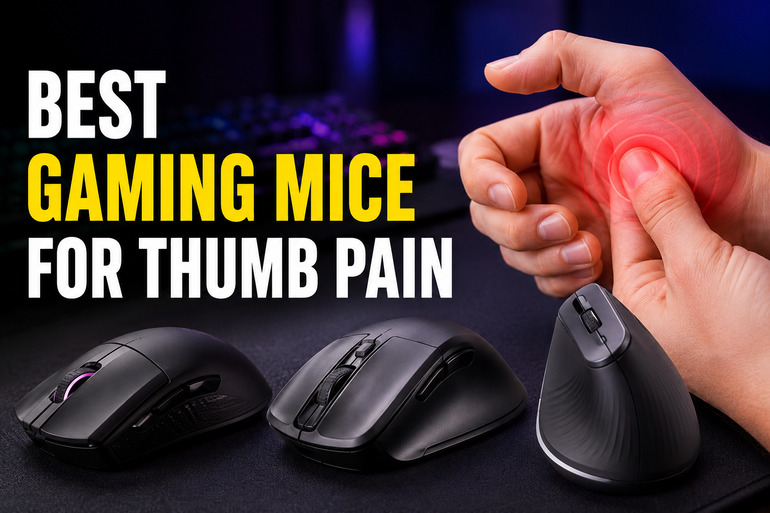
How We Selected the Best Gaming Mice for Thumb Pain
Our team gathered popular gaming and ergonomic mice, then put each through long stretches of real use to see how the thumb felt after hours of clicking, gripping, and fast movement. We focused on the things that actually reduce strain rather than flashy specs that look good on a box.
Here is what guided our picks:
- Grip angle: We checked how each shape positions the wrist and thumb, since a neutral angle takes pressure off the joint.
- Thumb support: We looked for dedicated thumb rests and contoured sides that hold the thumb instead of letting it dangle.
- Weight: We weighed how heavy each mouse felt during long play, because lighter movement means less effort from a sore thumb.
- Button placement: We tested whether side buttons sit where the thumb naturally lands, so you are not stretching to reach them.
- Tracking and responsiveness: We ran each on different surfaces to confirm smooth, accurate movement without extra hand effort.
- Build and comfort: We judged the materials, grip texture, and how the shape held up across a full day.
Every pick here earned its spot through hands-on testing, not marketing claims. The list that follows reflects what worked for real hands over real hours.
Best Gaming Mice for Thumb Pain (Expert Ranking & Review)
We lined up five strong options across different shapes, price points, and play styles. Each review below covers what the mouse does well, who it fits, and where it falls short.
1. Anker Vertical Mouse That Eases Strain Without a Big Spend

The Anker 2.4G Wireless Vertical Ergonomic Mouse turns your hand into a natural handshake position, which lifts the wrist and thumb out of the flat, twisted angle that causes so much ache. For a budget pick, it punches above its price.
We found the relief came quickly. The vertical tilt is gentle enough that you still move it like a normal mouse, so there is barely any learning curve, yet your thumb sits relaxed against the side rather than pressed flat.
It runs on 2.4G wireless with three DPI levels at 800, 1200, and 1600, plus next and previous buttons under the thumb for easy browsing. The rubbery matte finish keeps your hand from slipping during long stretches.
This one suits casual gamers and anyone splitting time between work and play who wants comfort without spending much. Just know it leans toward medium and larger hands.
Key Specs
- Connection: 2.4G wireless with USB receiver
- DPI levels: 800, 1200, 1600
- Buttons: 5, including next and previous
- Orientation: Right-handed
- Weight: about 0.28 pounds
- Quick wrist and thumb relief from the vertical angle
- Almost no adjustment period
- Grippy matte surface holds your hand steady
- Runs small for users with petite hands
- Uses AAA batteries rather than a built-in charge
If you want that same vertical relief but with gaming features baked in, the next pick takes a different route.
2. Redragon M602 Comfort Pick for Long Sessions
![Redragon M602 Gaming Mouse, Ergonomic RGB Gaming Mouse Wired with 7200 Adjustable DPI, 9 Programmable Buttons, Professional Software for Gamer Office [Black]](https://m.media-amazon.com/images/I/4189L2UBl9L._SL500_.jpg)
The Redragon M602 keeps a traditional shape but contours it so your fingers and thumb each get a resting spot. Our team liked how the textured thumb rest gave the joint a place to settle during marathon sessions.
This is a wired RGB mouse with up to 7200 adjustable DPI and nine programmable buttons, so you can remap controls and dial in macros through the software. The high-precision sensor keeps tracking steady and quick.
Build quality stood out for the price. The braided cable resists tangling, the switches feel solid, and the shape fits a wide range of hand sizes comfortably enough for hours of play.
If you want gaming features and a comfortable resting grip without going vertical, this is a smart, low-cost choice. It works best with a palm grip.
Key Specs
- Connection: Wired USB
- DPI: Up to 7200, adjustable
- Buttons: 9 programmable
- Sensor: Optical
- Weight: about 0.29 pounds
- Textured thumb rest eases joint strain
- Plenty of programmable buttons for custom controls
- Sturdy braided cable and solid switches
- Designed mainly for palm grip, less ideal for claw users
For thumb relief that goes a step further with a rechargeable battery and full vertical design, take a look at the next option.
3. LEKVEY Rechargeable Vertical Mouse for All-Day Comfort

The LEKVEY Vertical Wireless Mouse uses a full handshake grip with contoured thumb rests that cradle the joint, so the side of your hand carries the load instead of your thumb. Most people adjust within three to five days.
We appreciated the rechargeable design. A built-in 600mAh battery gives over 150 hours per charge, and you can keep using it while it charges over the Type-C cable, so you never get stranded mid-game.
Six buttons cover clicking, scrolling, page navigation, and three DPI settings at 800, 1200, and 1600. The silent clicks and smooth glide make it pleasant for both gaming and everyday work.
It is built for medium to large hands and works across Windows, Mac, and Linux. The thumb rest and quiet operation make it a strong daily driver.
Key Specs
- Connection: 2.4G wireless with USB receiver
- DPI levels: 800, 1200, 1600
- Buttons: 6
- Battery: 600mAh rechargeable, 150+ hours
- Weight: about 0.21 pounds
- Contoured thumb rest carries the strain off your thumb
- Rechargeable battery with long runtime
- Quiet clicks and smooth tracking
- Loose USB dongle is easy to misplace
If you are ready to invest in a premium vertical build with a refined thumb rest, the next mouse is the one to beat.
4. Logitech MX Vertical Premium Relief for Serious Hours

The Logitech MX Vertical sits at a steep 57-degree angle, the sharpest tilt on this list, and Logitech says it cuts muscular activity by about 10 percent compared to a standard mouse. Your thumb rests on a dedicated shelf, fully supported.
We found this the most thorough at easing strain over long days. The contoured thumb rest stops the joint from pressing against the desk, and the textured surface fits a range of hand shapes naturally.
It charges over USB-C and lasts up to four months per charge, with a one-minute quick charge giving three hours of use. A 4000 DPI sensor and a cursor speed switch keep movement precise while reducing how far you push the mouse.
You can pair it with up to three devices and move content across Windows and Apple computers, which makes it as handy for work as it is for play. It favors medium to large hands.
This is the pick for anyone who spends serious hours at the desk and wants the most relief money can buy here. The steep angle does take a short while to master.
Key Specs
- Connection: Bluetooth or USB receiver
- DPI: 4000, with cursor speed switch
- Vertical angle: 57 degrees
- Battery: Up to 4 months, rechargeable
- Multi-device: Up to 3
- Steepest angle for the deepest strain relief
- Supportive thumb rest keeps the joint off the desk
- Long rechargeable battery and three-device pairing
- Precise sensor with adjustable cursor speed
- Sits at a premium price
- Steep angle needs a few days to feel natural
If a vertical shape is not your thing and you want pure speed with a thumb-friendly form, the last pick changes direction entirely.
5. Razer DeathAdder V3 Featherweight Speed With a Thumb-Friendly Shape

The Razer DeathAdder V3 takes a different path. Instead of going vertical, it strips weight down to a remarkable 59 grams, so your hand and thumb do far less work to move and lift it during fast play.
Our team noticed how the famous DeathAdder shape conforms to the hand. It is contoured for palm and claw grips, with sides that support the thumb naturally, and the light frame means quick flicks feel effortless on a tired hand.
Performance is top tier. The Focus Pro 30K sensor tracks flawlessly even on glass, the Gen-3 optical switches rate for 90 million clicks, and the 8K polling delivers near-instant response. The Speedflex cable stays flexible and out of your way.
Key Specs
- Connection: Wired with Speedflex cable
- Sensor: Focus Pro 30K optical
- Buttons: 6 programmable
- Switches: Optical Gen-3, 90M clicks
- Weight: 59 grams
- Ultra-light frame reduces hand and thumb effort
- Shape supports palm and claw grips well
- Elite sensor and fast, reliable switches
- Some units have reported middle-button or connection quirks
- No vertical angle, so less relief for severe wrist issues
With all five covered, here is a quick way to match each one to what matters most to you.
Best Gaming Mice for Thumb Pain: A Quick Rundown
- Anker Vertical Mouse: Best budget vertical pick for quick, easy thumb relief.
- Redragon M602: Best value for gamers who want programmable buttons and a comfy resting grip.
- LEKVEY Vertical Mouse: Best rechargeable vertical option for all-day comfort.
- Logitech MX Vertical: Best overall for the deepest strain relief and premium features.
- Razer DeathAdder V3: Best for lightweight speed with a thumb-friendly esports shape.
Final Thoughts
Easing thumb pain comes down to two things: how a mouse positions your hand and how hard your thumb has to work. Vertical shapes tackle the angle, supportive thumb rests carry the load, and a lighter body cuts down the effort behind every move. Match the grip style and hand size first, then weigh whether you want wired precision or wireless freedom.
Your hands are not like anyone else’s, so the right pick depends on your grip, your budget, and how many hours you log. Think about what your thumb struggles with most, then choose the shape that solves it. Get that part right and you can play long after the ache used to set in.