Picking the right mouse for 3D modeling is one of those decisions that sounds simple but really isn’t. Your mouse is your primary connection to the software, and the wrong one can slow you down, strain your wrist, and make hours of detailed work feel like a chore.
That’s exactly why we put this guide together. Whether you’re working in Blender, SolidWorks, Fusion 360, or any other 3D application, the mouse you use matters more than most people realize. Precision, comfort, and how well the device fits into your specific workflow are all things that deserve serious thought.
We’ve reviewed five strong options across a range of use cases and budgets. By the time you finish reading, you’ll have a clear picture of which mouse is the right match for your work.
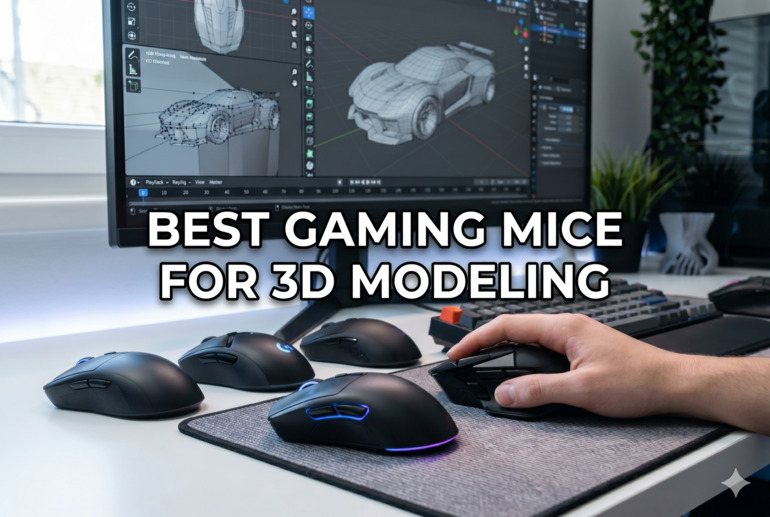
How We Selected the Best Gaming Mice for 3D Modeling
Our team evaluated dozens of mice before narrowing the list down to five. We focused specifically on how each mouse performs in the context of 3D modeling workflows, not just general gaming or office use.
Here’s what guided our selection:
- Sensor precision: We looked at DPI range and tracking accuracy, since 3D modeling demands fine cursor control that a low-quality sensor simply cannot deliver.
- Ergonomics and comfort: Long sessions at the desk are standard for modelers. We prioritized mice that support natural hand positioning and reduce fatigue over time.
- Button count and customizability: Extra programmable buttons can replace keyboard shortcuts and keep your hand on the mouse longer, directly improving speed and efficiency.
- Software quality: A mouse is only as useful as its companion app. We considered how easy it is to remap buttons, adjust sensitivity, and set application-specific profiles.
- Connectivity options: Whether wired or wireless, we assessed how reliably each device connects and whether latency could be an issue during precise work.
- Build quality and weight: A mouse that feels cheap or unstable undermines confidence during detailed work. Weight tuning options also earned bonus consideration.
- 3D navigation capability: For specialist tools, we assessed whether the device was specifically designed to support six-degrees-of-freedom navigation in CAD environments.
Every pick on this list earned its place based on how well it holds up against these real-world criteria. Here’s what we found.
Best Gaming Mice for 3D Modeling (Expert Ranking & Review)
The five mice below cover a wide range of needs, from high-performance wireless options to purpose-built 3D navigation tools. Each one has something distinct to offer, and the right choice really does depend on how you work.
1. Logitech MX Master 3S — The Versatile All-Rounder That Handles Everything

The Logitech MX Master 3S is the kind of mouse that feels immediately at home in a 3D modeling workflow. With an 8,000 DPI sensor that tracks on virtually any surface including glass, you get consistent precision whether you’re nudging vertices in Blender or selecting faces in Maya.
What sets it apart for creative professionals is the MagSpeed scroll wheel. It can rip through 1,000 lines in a single second in free-spin mode, which makes navigating long timelines, parameter stacks, or dense object lists effortlessly fast. Then, with a simple flick, it clicks into stepped mode for precise, controlled scrolling. We found this dual-mode behavior genuinely useful and not just a gimmick.
Seven programmable buttons and a dedicated thumbwheel give you plenty of real estate for custom shortcuts. Pair that with the Logi Options+ software, which supports per-application button profiles, and you can have one set of actions for Blender and a completely different set for Fusion 360 without changing any settings manually.
The ergonomic right-handed shape fits a wide range of hand sizes and encourages a natural wrist position during long sessions. Battery life is rated at up to 70 days per charge, and a one-minute USB-C quick charge delivers three hours of use when you’re in a pinch.
Key Specs:
- Sensor: 8,000 DPI optical (tracks on glass)
- Buttons: 7 programmable
- Connectivity: Bluetooth + Logi Bolt USB receiver (up to 3 devices)
- Battery life: Up to 70 days
- Weight: 141 g
- Dual-mode MagSpeed scroll wheel is genuinely useful for modeling workflows
- Per-application button profiles via Logi Options+ software
- Tracks reliably on glass and unconventional surfaces
- Up to 70-day battery life with fast USB-C charging
- Right-handed only, so left-handed modelers are out of luck
- Some long-term users have reported button wear after 18 to 24 months of heavy daily use
2. SteelSeries Rival 600 — The Precision Beast with Customizable Weight and Feel

If you want a mouse that you can physically tune to match how you work, the SteelSeries Rival 600 is one of the most interesting options on this list. Its dual optical sensor system is the headline feature: a primary TrueMove3 sensor handles standard 1-to-1 tracking at up to 12,000 CPI, while a secondary depth-sensing optical sensor manages lift-off detection with extreme accuracy, down to just 0.5 mm.
For 3D modeling, that lift-off precision matters. When you reposition your mouse on a pad mid-movement, you want the cursor to stop exactly where you left it. The Rival 600 excels here, making repositioning feel deliberate and controlled rather than unpredictable.
The weight system is another standout. The mouse ships at 96 grams and accepts additional weights up to 128 grams across 256 possible configurations. That level of tuning lets you find the exact balance that feels right for long hours of detailed model editing. Seven buttons are all remappable via SteelSeries Engine 3, and the 32-bit ARM processor stores settings on-board for use without software.
The split-trigger design separates the left and right click buttons from the main body of the mouse, which reduces accidental clicks when your fingers rest lightly on the surface. The silicone side grips add friction and durability, though some users have noted the grip material can degrade after extended use.
Key Specs:
- Sensor: TrueMove3+ Dual Optical (up to 12,000 CPI)
- Buttons: 7 programmable
- Weight: 96 g to 128 g (customizable)
- Connectivity: Wired USB, 2 m cable
- Lift-off distance: Customizable 0.5 to 2 mm
- Dual sensor system delivers exceptional lift-off accuracy
- 256 weight configurations for fully personalized feel
- On-board memory stores profiles without software
- Split-trigger button design reduces accidental clicks
- Wired only, so cable management is a consideration at the desk
- Silicone grip panels have been known to deteriorate over time
3. Razer Basilisk V3 Pro — The Feature-Packed Wireless Mouse for Detail-Oriented Modelers
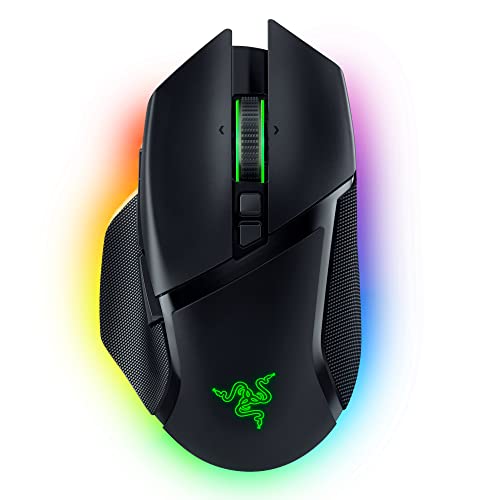
The Razer Basilisk V3 Pro earns its spot through sheer depth of features. At its core is the Focus Pro 30K optical sensor, which delivers flawless tracking on a wider variety of surfaces than most competitors, including glass. With 30,000 DPI and a 750 IPS tracking speed, the sensor handles both fine micro-adjustments and sweeping movements without skipping or drifting.
The HyperScroll Tilt Wheel is the kind of feature you’ll wonder how you lived without. It operates in three modes: tactile ratchet for controlled scrolling, free-spin for fast document and viewport navigation, and Smart-Reel which automatically switches between the two based on how fast you scroll. For 3D modeling, jumping between a dense node graph and a zoomed-in mesh edit feels fast and natural.
Thirteen programmable controls offer a serious customization advantage. Through Razer Synapse, you can assign application-specific macros, shortcuts, and button mappings that switch automatically depending on which software is in focus. Gen-3 optical switches handle each click, rated for 90 million actuations and built to eliminate double-clicking.
Wireless performance via Razer HyperSpeed is reliable and low-latency, covering up to 10 meters. Battery life reaches up to 110 hours on HyperSpeed wireless. One thing to note: the charging dock is sold separately, which is a reasonable complaint at this price point. The mouse connects via three modes, including 2.4 GHz wireless, Bluetooth, and wired USB-C.
Key Specs:
- Sensor: Focus Pro 30K optical
- Buttons: 11 (13 total programmable controls)
- Connectivity: 2.4 GHz wireless, Bluetooth, USB-C wired
- Battery life: Up to 110 hours (HyperSpeed wireless)
- Weight: 112 g
- Focus Pro 30K sensor tracks on glass and unusual surfaces
- Three-mode HyperScroll wheel adapts to your scrolling speed
- 90-million-click Gen-3 optical switches are fast and durable
- Thirteen programmable controls with app-specific Synapse profiles
- Charging dock sold separately despite the premium price
- Razer Synapse software is powerful but has a steeper learning curve
4. 3DConnexion SpaceMouse Compact — The Dedicated 3D Navigation Tool That Changes Everything

The SpaceMouse Compact is not a standard mouse. It doesn’t replace the one already on your desk. What it does is add a second input device specifically designed for navigating three-dimensional space, and once you understand that distinction, its value becomes undeniable.
The 6-Degrees-of-Freedom (6DoF) sensor is the entire point of this device. Push, pull, twist, or tilt the controller cap and your 3D viewport responds in exactly that direction. Pan, zoom, and rotate happen simultaneously with a single hand movement, while your other hand stays on your regular mouse to select, draw, or edit. The result is a workflow that feels fundamentally more natural than using keyboard shortcuts or middle-mouse-button combinations.
Compatibility covers the most widely used 3D applications including SolidWorks, Fusion 360, Blender, FreeCAD, Cura, and many more. The companion software, 3DxWare 10, lets you create and customize radial menus assigned to each of the two physical buttons, giving quick access to up to 16 application commands total. Settings can be configured per application.
The brushed steel base keeps it planted firmly on any desk surface even during quick movements, and the compact footprint means it fits comfortably beside your regular mouse and keyboard. There is a learning curve, but it passes quickly. Most users we spoke to reported feeling natural with the device within a few sessions.
Key Specs:
- Sensor type: 6-Degrees-of-Freedom (6DoF) cap sensor
- Buttons: 2 (each opens a radial menu with up to 8 commands)
- Connectivity: Wired USB
- Weight: 480 g (brushed steel base)
- Compatible software: SolidWorks, Fusion 360, Blender, FreeCAD, Cura, and more
- 6DoF sensor enables true simultaneous pan, zoom, and rotate
- Frees your dominant hand to stay on the regular mouse
- Works with a broad range of CAD and 3D modeling applications
- Heavy steel base provides rock-solid stability during use
- Wired only with no wireless option at this tier
- Only two physical buttons, which limits direct shortcut access compared to higher-tier models
5. 3Dconnexion CadMouse Compact Wireless — The CAD-Focused Wireless Mouse Built for Professionals

The 3Dconnexion CadMouse Compact Wireless is purpose-built for CAD and 3D modeling workflows, and that focus shows in every design decision. This is a mouse made by a company that understands what engineers, architects, and designers actually need at the desk.
It connects via Bluetooth or a 2.4 GHz wireless receiver, offering the freedom to work cable-free at up to 10 meters. The rechargeable battery lasts approximately two months per charge, which is a remarkable figure that means you’re not constantly hunting for a USB cable mid-project. At 110 grams and with a 4.3-inch length, it sits comfortably in the right hand and is designed to reduce strain during prolonged sessions.
The optical sensor runs at up to 7,200 DPI, which is more than sufficient for the kind of precise cursor work that CAD modeling demands. Seven buttons are built in, with five of them fully programmable through the 3DxWare 10 software, allowing you to assign application-specific commands that automatically switch when you change programs.
What makes this mouse particularly compelling for professionals is the combination of portability and purpose. It pairs naturally with the SpaceMouse Compact, letting you use both hands for a complete 3D navigation setup. That pairing is frequently recommended by experienced CAD users and it transforms the way you interact with your models.
Key Specs:
- Sensor: Optical, up to 7,200 DPI
- Buttons: 7 total (5 programmable)
- Connectivity: Bluetooth + 2.4 GHz wireless
- Battery life: Approximately 2 months
- Weight: 110 g
- Two-month battery life removes the hassle of frequent charging
- Pairs seamlessly with 3Dconnexion SpaceMouse for a full dual-hand setup
- Wireless connectivity reduces desk clutter without sacrificing reliability
- Purpose-built for CAD workflows with app-specific button profiles
- 7,200 DPI ceiling is lower than some general-purpose alternatives
- Ergonomic fit may not suit every hand size or grip style
Best Gaming Mice for 3D Modeling: A Quick Rundown
- Logitech MX Master 3S — Best overall for versatile 3D modeling workflows with top-tier scrolling and customization
- SteelSeries Rival 600 — Best for precision-focused modelers who want fine-tuned weight control and dual sensor accuracy
- Razer Basilisk V3 Pro — Best for feature-heavy wireless use with the most programmable controls on this list
- 3DConnexion SpaceMouse Compact — Best dedicated 3D navigation tool for engineers and designers working in CAD
- 3Dconnexion CadMouse Compact Wireless — Best wireless CAD mouse for professionals who want a purpose-built option without a cable
Final Thoughts
Choosing the right mouse for 3D modeling comes down to understanding what your workflow actually demands. Sensor precision, button accessibility, and long-session comfort are the factors that make the biggest difference in day-to-day use. A mouse that works beautifully for a game developer may not suit an architect spending eight hours in SolidWorks, and vice versa.
Think honestly about how you work. Do you need wireless freedom? A high button count for shortcut access? The ability to navigate 3D space with both hands at once? Your answers will point you toward the right choice faster than any spec sheet. Pick the mouse that fits your habits, your software, and your hands, and you’ll feel the difference from the very first session.