Your Ninja blender sits on the counter, and you’re ready to make your morning smoothie. You press the power button, but instead of the usual whir of blades, you see a blinking light. Nothing happens.
This flashing light feels like your blender is speaking in Morse code, trying to tell you something’s wrong. The good part is that a blinking power light usually points to a specific issue you can fix yourself.
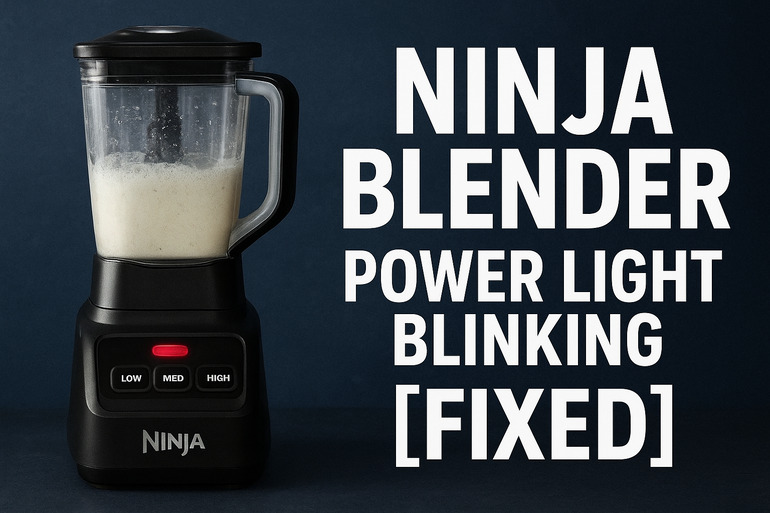
What’s Happening With That Blinking Light
That flashing power light on your Ninja blender is actually a built-in safety feature. Your blender has sensors that check if everything is properly connected and secure before it starts spinning those sharp blades at high speed. When something isn’t right, the blender refuses to work and blinks instead.
Think of it like your car refusing to start if you don’t buckle your seatbelt. The blender won’t blend if it detects a safety problem. This could mean a jar isn’t sitting correctly, the lid is loose, or something inside needs attention.
Different Ninja models blink in different patterns. Some flash red, others blink white or blue. Your model might blink three times quickly, or keep flashing slowly. Each pattern can mean something slightly different, but they all share the same basic message: something needs to be fixed before the blender will work.
If you ignore this blinking and try to force the blender to work, you could damage the motor or other parts. The safety lock exists for good reason. A loose blade assembly spinning at full speed could be dangerous. Plus, forcing a malfunctioning blender might void your warranty or create bigger repair bills later.
Ninja Blender Power Light Blinking: Likely Causes
Several things can trigger that annoying blink, and most of them are simple to spot. Let me walk you through what I’ve seen cause this issue over the years fixing these machines.
1. Misaligned Container or Pitcher
Your blender container has small tabs and grooves that need to line up perfectly with the base. Even being off by a millimeter will make the power light blink. The base uses these alignment points to detect if the container is secure.
I’ve seen people twist their containers on without paying attention to those alignment arrows. The container might feel like it’s sitting on the base, but if those tabs aren’t locked in place, the blender knows. It checks this connection before every use.
Sometimes the container looks aligned but isn’t fully clicked into position. You might hear a small click when it locks properly, but that sound gets quieter as blenders age. Check if your container can wiggle or twist even slightly after you place it on the base.
2. Dirty or Damaged Safety Sensors
Your Ninja has tiny sensors around the base where the container sits. These sensors are like little eyes checking if parts are in place. Food residue, dried smoothie splatter, or liquid can coat these sensors and confuse them.
You might not even see the gunk because these sensors sit in small crevices. A thin film of banana smoothie or protein powder buildup is enough to trigger the blinking. The sensors think something is blocking them or that parts are missing.
3. Loose or Improperly Seated Lid
The lid on your Ninja pitcher has tabs that need to press down specific spots. Your blender checks if the lid is fully closed before it will blend. This stops liquid from flying out during blending and protects your hands from the blades.
Many Ninja lids have a pour spout cap that also needs to be closed. If that little cap is open or loose, the blender detects an incomplete seal. Your blender might also have a center cap on the lid for adding ingredients, and this needs to be firmly in place too.
4. Blade Assembly Problems
The blade assembly screws onto the bottom of your pitcher. If this isn’t tightened completely or if the rubber gasket underneath is damaged, your blender will blink. The base can detect when the blade assembly isn’t secure.
Over time, that rubber gasket can crack or get food particles stuck under it. This breaks the seal and triggers the safety sensor. The gasket might look fine at first glance but could have a tiny tear or be sitting unevenly.
5. Motor Base Connection Issues
The bottom of your container has a gear that connects to the motor base. This gear needs to drop into place and engage properly. Sometimes plastic buildup or a worn gear prevents a solid connection.
The power supply itself could be part of the issue too. If your outlet isn’t providing steady power, or if the power cord has a loose connection, the blender might start its startup sequence but fail to complete it. This makes the light blink as the blender tries and fails to fully power on.
Ninja Blender Power Light Blinking: How to Fix
Getting your blender working again usually takes just a few minutes. These fixes go from simplest to more involved, so start at the top and work your way through.
1. Realign and Reseat the Container
Take your container completely off the base. Look at the base and find the alignment marks or arrows. You’ll see matching marks on the bottom of your container.
Line up these marks carefully and place the container straight down onto the base. Don’t tilt it as you set it down. Once it’s sitting flat, twist it gently in the direction indicated by the arrows until you feel or hear it lock. The container should feel solid and not wiggle at all.
Try the blender now. If it still blinks, lift the container off again and repeat the process, paying extra attention to make sure those alignment tabs slide into their grooves. Sometimes you need to apply a bit of downward pressure while twisting to get everything seated properly.
2. Clean the Safety Sensors
Unplug your blender first. Look closely at the rim of the base where your container sits. You’ll see small plastic nubs or metal contacts. These are your sensors.
Get a cotton swab or soft cloth and dampen it slightly with water. Clean around all these sensor areas thoroughly. Get into the small gaps and grooves. Use a dry cloth to wipe away any moisture afterwards.
Check under the container as well. The bottom edge where it makes contact with the base can accumulate residue. Clean this area too. Let everything dry completely before plugging the blender back in and testing it.
3. Properly Secure the Lid
Remove the lid completely and inspect all the tabs. Make sure none are cracked or bent. Place the lid back on the pitcher and press firmly on all sides until you hear clicks.
Check your pour spout cap and center ingredient cap. Both need to be closed tightly. Push down on them to make sure they’re fully seated. Some models require you to twist these caps after pressing them down.
If your lid has a handle with an interlock mechanism, make sure the handle is in its locked position. The handle on some Ninja models needs to be pushed down or twisted to engage a safety switch. Test the blender after securing everything properly.
4. Inspect and Tighten the Blade Assembly
Turn your pitcher upside down carefully. Grab the blade assembly and try to turn it clockwise to tighten it. Even if it feels tight, give it another quarter turn. A slightly loose blade assembly is one of the most common causes of blinking.
Look at the rubber gasket between the blade assembly and the pitcher. This ring should be smooth and undamaged. If you see any cracks, tears, or if it looks flat and compressed, you need to replace it. Ninja sells replacement gaskets, or you can find them online.
Make sure the blade assembly threads are clean. Food particles stuck in the threads can prevent a tight seal. Use an old toothbrush to clean the threads on both the pitcher and the blade assembly. Screw the blade assembly back on firmly after cleaning.
5. Check the Motor Gear Connection
Flip your container over and look at the center bottom. You’ll see a plastic drive gear. This gear needs to be clean and undamaged to connect properly with the motor base.
Clean any buildup from this gear using a damp cloth. Check if the gear wobbles or feels loose. If it does, the plastic might be worn and you may need a replacement container. This happens with heavily used blenders.
Place the container on the base again and make sure the gear drops fully into the motor coupling. You should feel it settle into place. If the gear sits too high or won’t drop down, something is preventing the connection. Check for debris in the motor coupling on the base itself.
6. Reset the Power Supply
Unplug your blender and leave it unplugged for at least 60 seconds. This gives the internal computer a chance to reset. Sometimes the control board gets confused and needs this full reset to clear its memory.
While it’s unplugged, press the power button a few times. This drains any residual power from the system. Plug the blender into a different outlet if possible. Some outlets don’t provide stable power, especially if they’re on the same circuit as large appliances.
Plug the blender back in and try it. If the outlet was the issue, the blender should work normally now. If you had everything assembled correctly but the blender still blinked, this reset often clears the problem.
7. Contact Ninja Customer Support
If none of these fixes work, your blender might have an internal electronic problem. The control board or sensors could be faulty. This isn’t something you can fix at home without potentially voiding your warranty.
Call Ninja customer support or visit their website. Have your model number ready, which you’ll find on the bottom of the base. They can walk you through additional troubleshooting specific to your model. If your blender is still under warranty, they’ll arrange a repair or replacement. Even if your warranty has expired, they can direct you to authorized repair centers or help you order replacement parts.
Wrapping Up
That blinking light on your Ninja blender isn’t there to annoy you. It’s actually trying to help by pointing out a safety issue before you start blending. Most of the time, the fix is as simple as reseating your container or cleaning some sensors.
Start with the easiest solutions first. Check your alignment, clean those sensors, and make sure everything clicks into place. Your blender wants to work for you, and these safety features keep you safe while making your favorite drinks and meals. Taking a minute to properly assemble everything means smooth blending every time.