Your Keurig Slim has been brewing perfectly fine for months, maybe even years. Then one morning, you notice that little light blinking at you. At first, you think maybe it’ll stop on its own.
It doesn’t. That descaling light keeps flashing, sometimes even after you’ve already cleaned the machine. This happens more often than you’d think, and the fix is usually simpler than buying a new coffee maker.
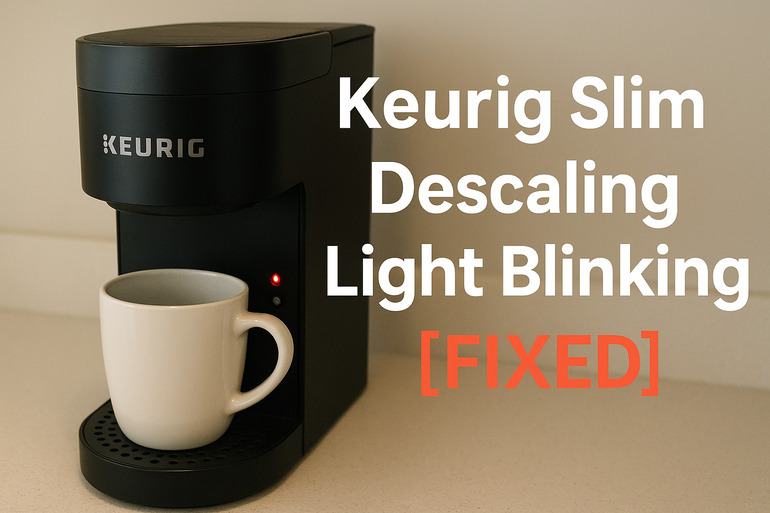
What That Blinking Light Really Means
Your Keurig Slim uses that blinking descale light as its way of talking to you. Think of it like your car’s check engine light, but way less scary. The machine has a sensor inside that tracks how many cups you’ve brewed since the last cleaning. Once you hit a certain number, usually around 250 brews, that light starts its annoying dance.
Here’s what actually happens inside your machine. Every time water flows through your Keurig, tiny bits of calcium and magnesium stick to the heating element and pipes. This stuff comes from your tap water, even if it looks crystal clear. Over time, these minerals build up into what we call scale or limescale. You might have seen the white crusty stuff on your bathroom faucet. Same thing happens inside your coffee maker.
The buildup does more than trigger that light. Your coffee starts tasting weird, kind of flat or metallic. Your machine takes longer to heat up. Sometimes the water barely trickles out instead of flowing smoothly. In really bad cases, the heating element gets so covered in scale that it burns out completely. That’s an expensive fix nobody wants to deal with.
Some people ignore the light for weeks or months. Your machine will keep working for a while, but you’re basically asking for trouble. The longer you wait, the harder those mineral deposits become to remove. Eventually, you might need professional cleaning or replacement parts that cost nearly as much as a new machine.
Keurig Slim Descaling Light Blinking: Likely Causes
Several things can make that light start blinking on your Keurig Slim. Some are straightforward, while others need a bit more attention to figure out.
1. Normal Brewing Cycle Has Been Reached
This is the most common reason your light comes on. Your Keurig counts every single cup you brew. After about 250 cups, the internal counter decides it’s time for a cleaning, whether the machine actually needs it or not.
The machine can’t actually see inside itself to check for buildup. It just knows you’ve used it enough times that scale is probably forming. If you live in an area with soft water, you might not have much buildup at all. But the light comes on anyway because the counter reached its limit.
2. Hard Water Deposits Have Built Up Fast
Your water quality makes a huge difference in how quickly scale forms. If your home has hard water, that light might come on even faster than expected. Some areas have water so full of minerals that they leave white spots on everything they touch.
You can test your water by looking at your shower head or sink faucets. See white crusty buildup? That’s calcium and magnesium. Your Keurig is dealing with the same stuff, except it’s happening inside where you can’t see it. Hard water can cut the time between descaling needs in half.
People who use filtered or bottled water usually see that light less often. The machine still counts your brews the same way, but there’s actually less junk building up inside.
3. The Descaling Process Wasn’t Completed Properly
Here’s a frustrating one. You might have actually descaled your machine already, but the light keeps blinking anyway. This happens when the descaling cycle doesn’t finish the way it should.
Your Keurig needs you to run through specific steps in a specific order. If you stop halfway through, or if you skip a rinse cycle, the machine’s brain thinks you never cleaned it at all. The counter doesn’t reset, so the light stays on. Sometimes people unplug the machine mid-cycle, which completely confuses the system.
4. The Descale Button Wasn’t Held Long Enough
After you finish descaling, you need to tell the machine you’re done. This involves holding down a button for several seconds. If you just press it quickly like you’re brewing coffee, nothing happens.
The reset process requires a long press, usually three to five seconds. Your hand gets tired and you let go too early. The light stays on because the system never got the message that cleaning is complete. It’s like hanging up the phone before the other person hears you say goodbye.
5. A Sensor or Internal Glitch Has Occurred
Electronics can be weird sometimes. Your Keurig has a small computer inside that occasionally gets confused. Maybe there was a power surge. Maybe the machine got bumped while running. Maybe it’s just having a bad day.
The sensor that monitors descaling needs can get stuck in the “needs cleaning” position even after you’ve done everything right. This doesn’t mean your machine is broken. It just needs a reset to clear its memory and start fresh.
Keurig Slim Descaling Light Blinking: How to Fix
Getting that light to stop blinking usually takes about 45 minutes of your time. Most of these fixes work for nearly everyone who tries them.
1. Run a Complete Descaling Cycle
Start with the proper descaling process from beginning to end. You’ll need either Keurig’s descaling solution or white vinegar. The official solution works faster, but vinegar costs less and does the job fine.
Empty your water reservoir completely. Pour in the entire bottle of descaling solution, or fill the reservoir halfway with white vinegar and top it off with fresh water. Don’t put a pod in the machine. Place a large mug under the spout.
Here’s how to run the cycle:
- Press and hold the 8oz and 12oz buttons together for three seconds until the descale light stops blinking and stays solid
- Press the brew button to start dispensing the cleaning solution into your mug
- Pour the hot liquid down your sink and repeat this process until the reservoir is empty
- Let the machine sit for 30 minutes with the remaining solution inside if you used vinegar (the official solution doesn’t need this wait time)
- Rinse the reservoir thoroughly and fill it with fresh water only
- Run at least three brew cycles with just water to flush out any remaining solution or vinegar smell
Your machine should work normally after this, and the light should turn off. If the vinegar smell lingers, run a few more water-only cycles.
2. Perform a Manual Reset of the System
Sometimes your Keurig just needs to forget everything and start over. This works especially well if you’ve already descaled but the light won’t quit.
Turn off your machine using the power button. Unplug it from the wall outlet and leave it unplugged for at least five minutes. This gives the internal computer time to clear its memory completely. Some technicians recommend waiting 10 minutes to be safe.
While it’s unplugged, press and hold the power button for 30 seconds. This drains any leftover electricity from the circuits. Plug the machine back in and turn it on. The descale light should be off if the issue was just a glitch.
3. Check That Your Water Reservoir Is Properly Seated
Your water tank has a magnet or sensor at the bottom that tells the machine it’s in place. If this connection is dirty or the tank isn’t pushed in all the way, weird things happen. The descale light is one of them.
Remove your water reservoir completely. Look at the bottom where it connects to the machine. You might see mineral buildup or coffee residue blocking the connection. Wipe both the tank bottom and the machine’s connection point with a damp cloth. Make sure everything is dry before putting it back together.
Push the reservoir back into place firmly. You should feel it click or settle into position. If it wobbles or sits loose, the sensor can’t communicate properly with the machine’s computer. This simple fix solves the problem more often than you’d expect.
4. Use the Correct Button Combination to Reset
Different Keurig models use different button sequences to reset the descale light. The Slim model has its own specific method that works better than the generic instructions.
After finishing your descaling cycle, press and hold both the 8oz and 12oz buttons at the same time. Keep holding them for about five seconds. You’ll see the descale light change from blinking to solid, then it should turn off completely.
If that doesn’t work, try this alternative: with the machine on but not brewing, hold the power button and the 12oz button together for three seconds. Release both buttons and wait for the lights to cycle through their pattern. This forces a deeper reset of the brewing system.
5. Run Extra Rinse Cycles After Descaling
Your machine might still think there’s cleaning solution inside even after you’ve rinsed it. The sensor can detect chemical residue, which keeps the light blinking as a safety measure.
Fill your reservoir with fresh, cold water. Run brew cycle after brew cycle without any pods. Keep going until you’ve emptied the entire tank at least twice. That means 12 to 16 individual brews with nothing but water.
This might seem excessive, but it guarantees all the descaling solution is gone. Some people stop after three or four rinses, which leaves just enough residue to confuse the sensor. The machine is trying to protect you from drinking cleaning chemicals with your morning coffee.
6. Contact Keurig Support or a Qualified Technician
If none of these fixes work, something more serious might be wrong. Your machine could have a faulty sensor, a damaged circuit board, or a problem with the heating element itself. These issues need expert help.
Keurig’s customer service can walk you through additional troubleshooting steps specific to your machine. They might also offer warranty replacement if your Slim is still covered. A qualified appliance repair technician can diagnose electrical or mechanical problems that DIY methods can’t fix. Sometimes the cost of professional repair exceeds the price of a new machine, so weigh your options carefully before spending money.
Wrapping Up
That blinking descale light usually means your Keurig Slim needs cleaning, but it can also signal a simple glitch that a quick reset will fix. Most people solve the problem by running a thorough descaling cycle followed by the correct button sequence to reset the system.
Your machine will last longer and brew better coffee if you tackle that light as soon as it appears. Waiting makes the mineral buildup harder to remove and increases the chance of permanent damage. Now you’ve got the tools to handle it yourself without spending money on repairs or replacements.