You’re at your friend’s birthday party, ready to snap some fun instant photos, when your Instax Mini 12 starts acting up. The light keeps blinking at you like it’s trying to send morse code. Super annoying, right?
Here’s the thing – that blinking light isn’t your camera having a breakdown. It’s actually trying to help you fix whatever’s wrong. Most of the time, it’s something really simple that takes two minutes to sort out.
I’ll show you exactly what each type of blinking means and how to get your camera back to normal. No tech degree needed, just a few basic tricks that work almost every time.
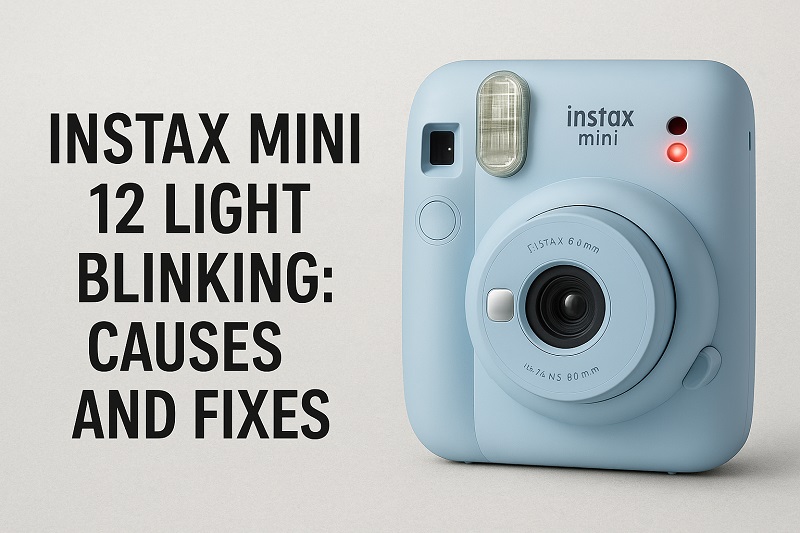
What’s Really Going On With That Blinking Light
Your Instax Mini 12 talks to you through those blinking lights. It can’t exactly tap you on the shoulder and say “Hey, my batteries are dying,” so it blinks instead. Each pattern means something specific.
Sometimes it blinks fast, sometimes slow. Sometimes it won’t stop blinking, other times it just flashes a few times and quits. Your camera picks these different patterns on purpose – they’re like different words in its tiny vocabulary.
Most people panic when they see the blinking, but it’s actually helpful. Your camera caught a problem early and wants you to know before things get worse. That’s way better than having it just stop working with no warning at all.
Think of it like your car’s check engine light, except way less scary and much easier to fix. Once you know what the blinking means, you can usually get back to taking pictures in just a few minutes.
Instax Mini 12 Light Blinking: Likely Causes
The blinking happens for pretty predictable reasons, and most of them are basic stuff you can handle yourself. Let me break down what usually causes these light shows.
1. Your Batteries Are Getting Weak
Dead or dying batteries cause more blinking lights than anything else. When your batteries start losing power, your camera can’t do its job properly and starts flashing to let you know.
Your camera needs steady power to make everything work – the flash, the film advance, all the little motors inside. When batteries get weak, these parts struggle and your camera panics a little. Even batteries that aren’t completely dead might not have enough juice left to run everything smoothly.
Cold weather makes this worse. If you’ve been taking pictures outside when it’s chilly, your batteries might just be cold and sluggish, not actually dead. Bring them inside and warm them up – they might surprise you and work fine again.
2. Something’s Wrong With Your Film
Film problems are huge troublemakers for blinking lights. Maybe you’re out of film and forgot to check. Maybe your film cartridge isn’t sitting right. Maybe something’s stuck and the film can’t move forward like it should.
Your camera expects the film cartridge to fit just so, and when it doesn’t detect what it’s looking for, it gets confused. It’s like trying to put a square peg in a round hole – the camera knows something’s not right.
3. There’s Stuff Stuck Inside
Sometimes little bits of things get stuck inside your camera where they shouldn’t be. Could be dust, tiny pieces of torn film, or just random stuff that somehow got in there. When moving parts can’t move freely, your camera knows there’s a problem.
Your camera has lots of small parts that need to slide and rotate smoothly. When something blocks them, the camera stops working and starts blinking to warn you. It’s actually protecting itself from getting damaged worse.
Even the smallest piece of dirt or debris can mess up these precise parts. Sand from the beach, dust from your bag, or fragments from damaged film can all cause trouble.
4. Flash Problems
Your camera’s flash system can have its own issues that trigger blinking lights. The flash might not be charging properly, or there could be electrical problems with the flash circuits.
The flash needs time to build up power between pictures. If that charging system breaks down, your camera will definitely let you know. Since the flash is super important for getting good pictures, your camera makes flash problems a priority.
5. Temperature Issues
Really hot or really cold weather can make your camera act weird and start blinking. Electronics don’t like extreme temperatures, and neither do the moving parts inside your camera.
When it’s cold, everything moves slower and batteries work worse. When it’s hot, parts can expand and create problems that weren’t there before. Your camera notices these changes and warns you with blinking lights.
Instax Mini 12 Light Blinking: How to Fix
Fixing blinking lights usually means trying the easy stuff first, then moving on if that doesn’t work. Most problems clear up pretty fast once you figure out what’s causing them.
1. Swap Out Those Batteries
Pull out your batteries and take a good look at them. Check for any white crusty stuff (that’s corrosion), cracks, or wetness that means they’re leaking. If you see any of that, definitely throw them away and get new ones.
Wipe the battery contacts inside your camera with a clean, dry cloth. Sometimes gunk builds up there and interferes with the power connection. Pop in fresh alkaline batteries, making sure the plus and minus ends match the pictures inside the battery compartment.
Push the batteries down firmly so they make good contact. Loose batteries cause all sorts of weird problems, including random blinking. Test your camera right away – if it stops blinking and works normally, you just solved your problem.
2. Fix Your Film Situation
Open up the film compartment and really look at what’s going on. Is your film cartridge sitting straight? Does it look damaged? Do you actually have any shots left, or did you use them all up already?
Take the whole cartridge out, then put it back in carefully. It should slide in easily and make a little clicking sound when it’s properly seated. Don’t force it – if it’s not going in smoothly, something’s wrong.
Make sure the cartridge door closes completely and firmly. A door that’s not quite shut can cause detection problems that lead to blinking lights.
3. Clean Things Out
Turn off your camera and remove the batteries before you start cleaning anything. Use a clean, dry cloth to gently wipe down the inside surfaces you can reach easily. Pay attention to the area where the film comes out and around the battery compartment.
Canned air works great for blowing out dust and small particles from tight spaces. Use short puffs instead of long blasts – you want to blow stuff out, not push it deeper inside. Focus on areas around moving parts where junk tends to collect.
Be really gentle with everything. You’re just removing obvious dirt and debris, not doing major surgery on your camera. If you can see it and reach it easily, it’s probably safe to clean.
4. Let Temperature Do Its Thing
If you think heat or cold is causing your problems, move your camera somewhere with normal room temperature and give it time to adjust. Don’t rush this – sudden temperature changes can create moisture inside your camera, which makes things worse.
Wait at least half an hour before testing your camera again. This gives all the internal parts time to reach normal operating temperature and lets any condensation dry up naturally.
Try taking a picture after this waiting period. Temperature problems often fix themselves once your camera gets back to its happy place.
5. Do a Complete Reset
Sometimes your camera just needs a fresh start to clear out whatever’s confusing it. Take out the batteries and leave them out for a few minutes. This lets all the electronic systems completely shut down and reset.
While the batteries are out, press the shutter button several times. This drains any leftover electrical charge stored inside the camera and makes sure everything resets properly.
Put the batteries back in and see if your camera works normally now. This reset trick clears up a lot of temporary glitches that cause persistent blinking.
6. Call in the Experts
If none of these fixes work, it’s time to get professional help. Contact Fujifilm customer service or find an authorized repair shop. When simple solutions don’t solve blinking light problems, there’s usually something more serious going on inside.
Don’t try taking your camera apart beyond what I’ve described here. Complex repairs need special tools and training that only professionals have. Trying to fix advanced problems yourself might break your warranty or damage your camera even more.
Wrap-Up
That blinking light on your Instax Mini 12 usually means something simple needs attention, not that your camera is broken forever. Fresh batteries and properly installed film fix most blinking problems you’ll ever encounter.
Start with the easiest solutions first, then work your way through the list until something works. Most of the time, you’ll have your camera working perfectly again within just a few minutes of troubleshooting.