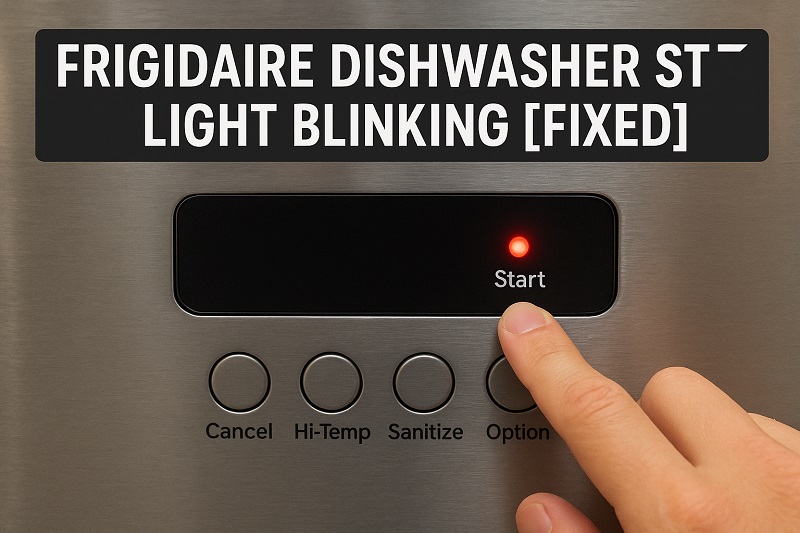
You press the start button on your Frigidaire dishwasher, and instead of hearing that familiar whoosh of water filling up, you get a blinking light that won’t quit. I’ve been there. Standing in my kitchen at 9 PM with a sink full of dirty dishes, wondering why my dishwasher suddenly decided to throw a tantrum.
Here’s what I’ve learned after fixing dozens of these things: that blinking light isn’t broken. It’s actually trying to help you. Your dishwasher spotted something wrong and refuses to start until you fix it. Smart, really, when you think about it.
I’m going to show you exactly how to track down what’s causing this and get your dishwasher running again. Most of the time, it’s something surprisingly simple that takes maybe ten minutes to fix.
Why Your Dishwasher Won’t Stop Blinking
Your dishwasher runs a quick safety check every single time you hit start. Kind of like how your car won’t let you shift into drive until you put on your seatbelt. If something fails this check, that start light blinks instead of staying solid, and the wash cycle never begins.
The thing is, your dishwasher looks totally normal from the outside. Door’s closed, there’s water in the pipes, everything seems fine. But somewhere inside, a sensor picked up something it doesn’t like. Maybe the door isn’t sealed tight enough. Maybe there’s still water sitting where it shouldn’t be. Maybe the control panel got confused after last night’s power surge.
I’ve seen this happen with dishwashers that worked perfectly the day before. You load your dishes, add detergent, press start, and suddenly you’re dealing with Christmas lights instead of clean plates. The frustrating part is that the dishwasher won’t tell you exactly what’s wrong. It just blinks.
What your dishwasher is really doing is protecting itself and your kitchen. These machines move a lot of hot water around, and if something’s not right, they’d rather sit there blinking than flood your floor or damage their internal parts.
Frigidaire Dishwasher Start Light Blinking: Likely Causes
Most blinking light problems come from just a few common issues. Once you know what to look for, you can usually spot the problem pretty quickly.
1. Door Won’t Latch Right
This is the big one. Your dishwasher absolutely will not start unless it knows the door is completely closed and locked. I’ve fixed more of these than I can count, and half the time someone just didn’t push the door hard enough.
Sometimes food gets stuck around the latch area. Spaghetti sauce, melted cheese, little bits of rice. Anything sticky can keep that latch from clicking into place properly. You might think the door is closed, but the dishwasher knows better.
Other times, something’s sticking out from your dish rack. A big spoon handle poking through the silverware basket, or a cutting board leaning against the door. I once spent twenty minutes troubleshooting a dishwasher only to find a pizza stone blocking the door from closing all the way.
2. Control Panel Acting Up
The control panel is basically your dishwasher’s brain, and sometimes brains get scrambled. Power outages do this a lot. Lightning storms, too. Even just the normal electrical hiccups that happen in older houses can confuse the control system.
When the control panel gets mixed up, it might think a cycle is still running when it’s not. Or it might detect an error that isn’t really there. The blinking light is its way of saying “I’m confused and I’m not doing anything until I figure this out.”
Moisture can also mess with control panels. Steam from hot dishes, spilled water from loading, even humidity on really muggy days. Once water gets behind those buttons, they start sending weird signals to the computer inside.
3. Water Problems
Your dishwasher needs good water pressure and flow to work right. If the water coming into your house is running slow, or if something’s blocking the water inlet valve, that start light will keep blinking.
Hard water is a big culprit here. All those minerals in the water build up over time and clog the little screens and valves inside your dishwasher. I see this constantly in areas with really hard water. The dishwasher works fine for a couple years, then suddenly starts acting up as the mineral deposits get worse.
Water temperature matters too. If your water heater isn’t making water hot enough, some dishwashers won’t even try to start. They need water that’s at least 120 degrees to work properly.
4. Drainage Issues
If your dishwasher can’t drain properly from the last cycle, it won’t start a new one. Makes sense when you think about it. Why would it add more dirty water to water that’s already sitting there?
The filter at the bottom gets clogged with food scraps, grease, and soap scum. I’ve pulled some pretty nasty stuff out of these filters over the years. Rice, pasta, vegetable peels, even small pieces of broken dishes. Once that filter gets packed full, water can’t drain and the dishwasher knows it.
Your garbage disposal can cause problems too. If it’s clogged, or if the knockout plug wasn’t removed when the dishwasher was installed, water backs up and triggers the safety sensors.
5. Sensor Problems
Modern dishwashers have sensors checking everything. Water level, temperature, how long cycles are running. When one of these sensors starts giving bad readings, the dishwasher stops everything and starts blinking.
The water level sensor is especially touchy. If it thinks there’s water in the tub when there shouldn’t be, or if it’s not detecting water when there should be some, the whole system shuts down. These sensors are pretty reliable, but they do wear out over time.
Frigidaire Dishwasher Start Light Blinking: How to Fix
Let’s fix this thing. I’m going to walk you through each solution, starting with the easiest ones first. Most of the time, one of the first three fixes will solve your problem.
1. Check the Door Latch
Open your dishwasher door and close it again, but this time really push it shut. You should hear a solid click when the latch catches. If you don’t hear that click, or if you can wiggle the door even a little bit, it’s not latched properly.
Clean around the latch area with a wet cloth. Get all the food particles and grease off the latch mechanism and the rubber door seal. I use an old toothbrush for the stubborn bits. Pay attention to the striker plate on the dishwasher frame too.
Look inside your dishwasher for anything sticking out that might prevent the door from closing completely. Pull out your bottom rack and check for tall items that might be pushing against the door. Push in any utensil handles that are poking through the silverware basket.
2. Reset the Control Panel
Unplug your dishwasher from the wall, or flip the circuit breaker that controls it. Leave it disconnected for about ten minutes. This gives the control panel time to completely reset and clear any error codes or confused states.
Plug it back in and try starting a cycle. This simple reset fixes probably half of all blinking light problems. If you can’t easily unplug your dishwasher, hold down the start button for about fifteen seconds while the unit is on. This usually does the same thing.
3. Check Your Water Supply
Run hot water at your kitchen sink until it’s steaming hot. This makes sure your water heater is working and that you’ve got good water pressure. If your sink water comes out slowly or lukewarm, that might be your problem right there.
Look under your kitchen sink for the dishwasher water supply line. There should be a shutoff valve where it connects to your plumbing. Make sure this valve is completely open. The handle should be parallel to the pipe, not perpendicular to it.
If you have hard water, the inlet screen inside your dishwasher might be clogged with mineral buildup. This is a bit more involved to check, but if you’re handy with tools, you can remove the dishwasher’s front panel and clean the screen with vinegar and an old toothbrush.
4. Clean the Filter and Drain
Take out your bottom dish rack so you can see the bottom of the dishwasher tub. You’ll see a cylindrical filter in the center or corner. Twist it counterclockwise to remove it. Fair warning: this might be gross if you haven’t cleaned it in a while.
Rinse the filter under hot water and scrub it with an old toothbrush or bottle brush. Get all the food particles and grease off it. If it’s really bad, let it soak in hot soapy water for a few minutes first.
While the filter is soaking, look around the area where it came from. Use a flashlight and pick out any visible food scraps or debris. Sometimes bigger pieces get stuck in there and block drainage even when the filter is clean.
Check your garbage disposal if your dishwasher drains through it. Run the disposal with cold water for about thirty seconds to clear any clogs. A backed-up disposal will prevent your dishwasher from draining properly.
5. Look for Standing Water
Open your empty dishwasher and look for water pooling at the bottom that shouldn’t be there. If you see standing water after the dishwasher has been off for hours, you’ve got a drainage problem that needs fixing before the unit will start again.
Try running a short rinse cycle to see what happens. Does the dishwasher fill with water normally? Does it drain completely when the cycle finishes? This tells you whether you’re dealing with a water supply problem or a drainage problem.
If water comes in fine but won’t drain, go back to cleaning the filter and checking your garbage disposal. If water won’t come in at all, focus on the water supply issues I mentioned earlier.
6. Call a Repair Tech
If none of these fixes work, you’re probably dealing with internal electrical problems or failed sensors that need professional attention. Modern dishwashers have complicated control systems, and sometimes you need special tools and replacement parts to fix them properly.
Don’t feel bad about calling for help at this point. You’ve already checked all the common problems that homeowners can fix themselves. The remaining issues usually require taking apart the dishwasher’s internal components or dealing with electrical connections that are better left to professionals.
Wrap-Up
Most dishwasher blinking light problems come down to simple maintenance issues that you can handle yourself. A dirty filter here, a loose door latch there, maybe a control panel that needs resetting. The key is being systematic about checking these things instead of randomly trying different solutions.
Your dishwasher’s blinking light isn’t trying to annoy you. It’s actually doing you a favor by preventing bigger problems. Once you understand what it’s trying to tell you, getting back to clean dishes is usually pretty straightforward. Keep that filter clean and make sure your door closes properly, and you’ll avoid most of these issues in the future.