You plug in your Noco Genius 1 battery charger, expecting it to work like it always does, but instead you see a red light blinking at you. That little flashing red indicator can feel pretty frustrating, especially if you need to charge a battery right away. Maybe you’re trying to get your car started, or you need to revive a dead motorcycle battery before a weekend ride.
This blinking red light isn’t just random. It’s your charger’s way of telling you something’s wrong, and the good news is that most of these issues are fixable without needing to buy a new charger or call a technician. In this article, you’ll learn exactly what causes that red light to blink and how you can troubleshoot and fix the problem yourself.
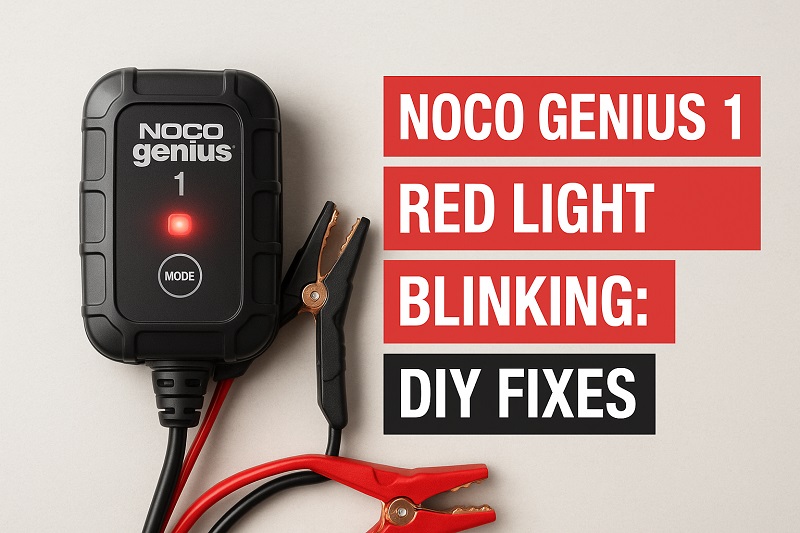
What Does the Blinking Red Light Mean?
Your Noco Genius 1 uses different light patterns to communicate its status. A blinking red light typically signals an error or abnormal condition that’s preventing the charger from working properly. Unlike the steady green light you see during normal charging, this flashing red indicator means the charger has detected something wrong and has stopped the charging process to protect both itself and your battery.
The charger is actually pretty smart. It runs diagnostics every time you connect it to a battery, checking things like voltage levels, polarity, and connection quality. If any of these checks fail, you’ll see that red light start to blink. This built-in safety feature prevents potential damage that could happen from charging a faulty battery or dealing with connection problems.
Think of it like your car’s check engine light. The blinking red indicator doesn’t tell you the exact problem, but it’s alerting you that something needs attention. The issue could be as simple as loose connections or as complex as a battery that’s too damaged to accept a charge. Understanding what triggers this response helps you figure out where to start looking for solutions.
Most people panic when they see this light, assuming their charger is broken. But in reality, the charger is often working exactly as designed. It’s doing its job by refusing to charge under unsafe conditions. Your task is to identify what’s causing the charger to throw up this warning signal.
Noco Genius 1 Red Light Blinking: Common Causes
Several factors can trigger that blinking red light on your Noco Genius 1. Let’s look at what’s most likely causing your charger to signal an error.
1. Poor or Loose Connections
Connection issues rank as the most frequent culprit behind the blinking red light. When your clamps aren’t making solid contact with the battery terminals, the charger can’t establish a proper circuit. This happens more often than you’d think, especially if your battery terminals have corrosion buildup or if the clamps aren’t positioned correctly.
Even a slight gap between the clamp and terminal can cause intermittent contact. The charger detects this unstable connection and refuses to proceed with charging. Vibrations, loose clamps, or simply not clamping down hard enough can all create this problem.
Battery terminal corrosion makes matters worse. That white or greenish crusty stuff you sometimes see on battery posts acts like an insulator, blocking the electrical connection even when the clamps appear to be attached properly.
2. Reverse Polarity Connection
Connecting the clamps backward triggers an immediate safety response from the charger. If you accidentally attach the red positive clamp to the negative terminal and the black negative clamp to the positive terminal, the Noco Genius 1 detects this reversed polarity and activates the blinking red light to prevent damage.
This protective feature saves both your battery and the charger from potential harm. Reverse polarity can cause serious damage if current flows the wrong way through a battery. The charger’s circuitry recognizes this dangerous condition within seconds and shuts down the charging process.
3. Severely Depleted or Damaged Battery
Batteries that have dropped below a certain voltage threshold can confuse the charger. If your battery voltage has fallen to extremely low levels, sometimes below 2 volts, the Noco Genius 1 might struggle to recognize it as a viable battery. The charger sees these ultra-low voltage readings as potentially dangerous and responds with the blinking red light.
Batteries with internal damage present a similar issue. Sulfated batteries, those with shorted cells, or batteries with internal breaks can’t accept a charge properly. The charger detects these abnormal conditions through its diagnostic checks.
Physical battery damage matters too. Cracked cases, bulging sides, or leaking acid all indicate serious problems. Your charger picks up on the electrical signatures of these damaged batteries and refuses to charge them for safety reasons.
4. Incompatible Battery Type or Size
The Noco Genius 1 is designed for specific battery types and capacity ranges. If you’re trying to charge a battery that falls outside these specifications, you’ll likely see that blinking red light. This charger works best with 6-volt and 12-volt lead-acid batteries, including flooded, gel, AGM, and maintenance-free types.
Attempting to charge batteries that are too large or too small for the charger’s output capacity can trigger the error indicator. The charger calculates whether it can safely handle the battery based on voltage readings and internal resistance measurements. If the math doesn’t work out, the red light starts blinking.
5. Faulty Charger Components
Sometimes the problem lies with the charger itself rather than the battery or connections. Internal component failures, though less common, do occur. The charging clamps can wear out over time, developing weak springs or corroded contact surfaces that prevent proper connection.
Cable damage is another possibility. If the cable connecting the charging unit to the clamps has internal breaks or fraying, it disrupts the electrical path. These breaks might not be visible from the outside but can cause intermittent or complete connection failures. Extended use, especially in harsh conditions, can degrade these components over time.
Noco Genius 1 Red Light Blinking: DIY Fixes
You can resolve most blinking red light issues without professional help. Here’s how to tackle each potential problem systematically.
1. Clean Battery Terminals and Ensure Solid Connections
Start by inspecting your battery terminals closely. Look for any corrosion, dirt, or grease that might be interfering with electrical contact. If you spot that crusty buildup, you’ll need to clean it off before attempting to charge again.
Mix a tablespoon of baking soda with a cup of water to create a cleaning solution. Disconnect the charger completely, then use an old toothbrush or wire brush to scrub the battery terminals with this mixture. The baking soda neutralizes the acidic corrosion and makes it easier to remove. Rinse with clean water and dry thoroughly with a cloth before reconnecting anything.
After cleaning, reattach the charger clamps with firm pressure. Make sure each clamp bites securely onto its respective terminal. Give the clamps a gentle tug to verify they’re not going to slip off. Sometimes you need to adjust the clamp position to find a clean spot on the terminal where metal touches metal directly.
2. Verify Correct Polarity
Double-check that you’ve connected the clamps correctly. The red clamp must go on the positive terminal, which is typically marked with a plus sign or the letters POS. The black clamp connects to the negative terminal, marked with a minus sign or NEG.
If you discover you’ve crossed the connections, simply disconnect both clamps and reattach them correctly. The charger should reset automatically once you establish the proper polarity. Wait a few seconds after correcting the connection to give the charger time to run its diagnostic checks again.
Most batteries have clear markings, but if yours are worn or dirty, trace the cables back to where they connect to your vehicle or equipment. The positive cable usually runs to the starter or other powered components, while the negative typically grounds to the frame or engine block.
3. Attempt Recovery Mode for Dead Batteries
Batteries with extremely low voltage need special treatment. The Noco Genius 1 includes a force mode designed specifically for deeply discharged batteries. To activate this mode, hold down the mode button for about three seconds until you see different light patterns.
This force mode supplies a small amount of current to batteries that would otherwise be rejected as too dead to charge. It’s like jump-starting the charging process, giving the battery enough juice to bring it back into a voltage range where normal charging can resume. Keep the charger in this mode for several hours, checking periodically to see if the battery voltage has climbed enough for regular charging.
Monitor the battery temperature during this process. If the battery becomes warm to the touch or you notice any swelling, disconnect immediately. These signs indicate the battery might be too far gone and could be dangerous to continue charging. Some batteries simply can’t be recovered, especially if they’ve been sitting dead for months.
4. Test with a Different Battery
Swap in a known good battery to determine whether the issue is with your charger or the battery you’re trying to charge. Borrow a battery from another vehicle or use a spare if you have one available. Connect your Noco Genius 1 to this test battery using the same clamps and cables.
If the charger works fine with the different battery and shows normal charging indicators, you’ve confirmed that your original battery is the problem. That battery might need professional testing or replacement. Battery shops and auto parts stores usually offer free testing services that can tell you definitively whether the battery can be saved.
When the charger still shows a blinking red light with multiple batteries, you’re looking at a charger problem rather than a battery issue. This narrows down your troubleshooting significantly and tells you where to focus your attention next.
5. Inspect and Test Charger Components
Examine the charging clamps carefully for damage or wear. Open and close them several times to check if the springs provide adequate pressure. Look inside the clamp jaws for corrosion or debris that might prevent good contact. Clean these surfaces with fine sandpaper or a wire brush if needed.
Run your fingers along the entire length of the charging cable, feeling for any soft spots, kinks, or exposed wires. Flex the cable gently near both ends where it connects to the charging unit and the clamps. Sometimes internal wire breaks occur at these stress points. If you find damage, the cable assembly might need replacement.
Check the connection between the charging unit and the wall outlet. Try plugging the charger into a different outlet to rule out power supply issues. Use a multimeter if you have one to verify the outlet is providing proper voltage. Sometimes what looks like a charger problem is actually a faulty wall outlet or extension cord.
6. Contact Noco Support or a Battery Specialist
If none of these fixes resolve your blinking red light, it’s time to reach out for expert help. Noco offers customer support that can walk you through additional troubleshooting steps specific to your situation. They might also determine if your charger qualifies for warranty service or replacement.
Battery specialists can test both your charger and battery with professional equipment that measures things you can’t check at home. They’ll tell you definitively whether your battery can be saved or if your charger needs repair. This professional assessment prevents you from wasting time and money on parts that won’t solve your problem.
Wrapping Up
That blinking red light on your Noco Genius 1 usually points to fixable issues rather than a dead charger. Most problems trace back to connection quality, battery condition, or simple user errors like reversed polarity. By working through the fixes systematically, you can get your charger back in action without spending money on unnecessary replacements.
Take your time with each troubleshooting step and pay attention to what changes when you make adjustments. The charger’s safety features are there to protect you and your equipment, so that blinking light is actually helpful information rather than a nuisance. With clean connections, proper technique, and a bit of patience, you’ll have that battery charging normally in no time.