You walk into your basement and there it is again—that annoying orange light blinking at you from your Midea dehumidifier. Yesterday it was fine. Today it’s acting up like a toddler demanding attention.
Here’s what’s actually happening: your dehumidifier is basically saying “Hey, I need some help here!” It’s not broken. It’s not dying. It just needs you to spend five minutes giving it the care it deserves.
Most people panic when they see this light. Don’t be one of them. I’ve fixed hundreds of these units, and 9 times out of 10, it’s something super simple you can handle yourself without calling anyone or spending money on repairs.
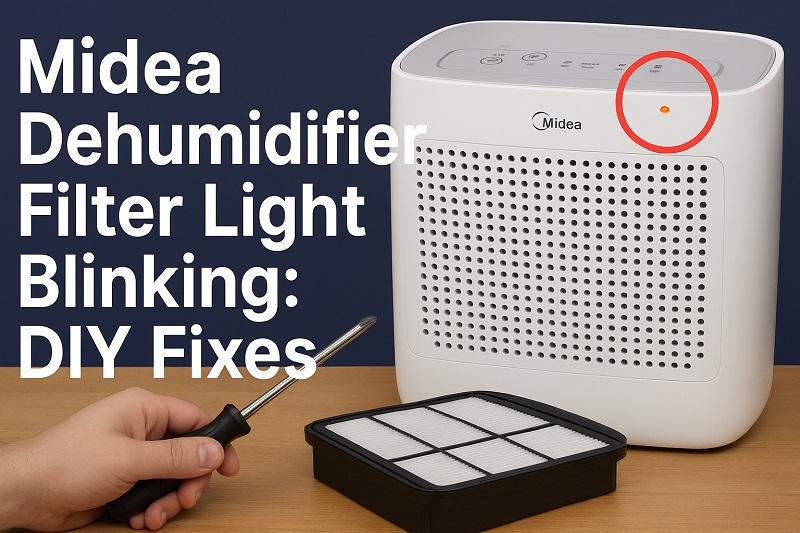
What That Blinking Light Actually Means
Your dehumidifier has one job: suck moisture out of the air. To do this, it needs air flowing through it constantly. When something blocks that airflow, the machine gets cranky and lets you know with that blinking light.
Think of it like breathing through a stuffed nose. You can still breathe, but it’s harder work. Your dehumidifier feels the same way when its filter gets clogged up. The internal computer notices the struggle and turns on the warning light.
Most Midea units flash this light after running for about 200 to 300 hours. That sounds like a lot, but if you run yours every day, you’ll hit that mark in just a couple of months. Some units are pickier and will complain sooner if things get really dirty.
When you ignore this light, bad things happen. Your electric bill goes up because the machine works harder. The unit might not last as long. Plus, it stops cleaning your air properly, which defeats the whole point of having it.
Midea Dehumidifier Filter Light Blinking: Common Causes
Before you start taking things apart, it helps to know what you’re dealing with. Most of the time, it’s one of these five culprits causing trouble.
1. Your Filter is Packed with Junk
This is the big one. Your filter catches everything floating in your air—dust bunnies, pet hair, tiny bits of fabric from your clothes, even microscopic stuff you can’t see. After weeks of this, your filter looks like it’s been through a dust storm.
How fast this happens depends on your house. Got cats or dogs? Your filter will clog faster. Live somewhere dusty? Same deal. Run your dehumidifier all the time? You’ll be cleaning more often than someone who uses theirs occasionally.
The filter keeps catching stuff until it can’t catch anymore. Then your dehumidifier starts struggling to pull air through, and boom—blinking light.
2. You Forgot to Hit the Reset Button
This one makes people feel silly, but it happens all the time. You clean your filter, put it back, and wonder why the light keeps blinking. You did everything right except for one tiny step: telling the machine you fixed it.
After cleaning, you have to press the reset button. Without this step, your dehumidifier thinks nothing changed. It’s still counting hours from where it left off, waiting for you to do the maintenance you already did.
3. The Filter isn’t Sitting Right
Sometimes you’re in a hurry and don’t pay attention to how the filter goes back in. Maybe it’s crooked. Maybe it’s backwards. Maybe it’s not pushed in all the way. Any of these problems creates gaps where unfiltered air sneaks through.
Your dehumidifier notices this weird airflow and assumes something’s wrong. The sensors can’t tell the difference between a dirty filter and a poorly installed one, so they trigger the same warning light.
4. Your Filter is Falling Apart
Filters don’t last forever. After months of washing and using, the material starts breaking down. You might see small tears, stretched-out areas, or spots where the mesh is coming apart. These problems usually start small and get worse over time.
A damaged filter can’t do its job properly. Even if it looks mostly okay, those weak spots let particles through. Your dehumidifier’s sensors pick up on this change and react with the warning light.
Sometimes the damage is obvious. Other times you have to look carefully to spot it. Either way, once your filter starts falling apart, it’s time for a new one.
5. Super High Humidity is Overworking Everything
When humidity goes through the roof, your dehumidifier runs constantly. All that extra work means the filter encounters way more junk than usual. What normally takes weeks to build up might happen in just days.
This is common during really humid weather, in basements, or in houses without good air circulation. Your poor filter gets overwhelmed trying to keep up with all the extra particles in the air.
The filter gets saturated fast, airflow drops, and the warning light comes on much sooner than you’d expect. It’s not your fault—it’s just nature being difficult.
Midea Dehumidifier Filter Light Blinking: How to Fix
Ready to make that annoying light stop? These fixes work for almost every situation, and you probably have everything you need already sitting around your house.
1. Give Your Filter a Proper Cleaning
First things first: turn off your dehumidifier and unplug it. Safety isn’t exciting, but getting shocked definitely isn’t fun either. Find the filter door (usually on the front or side) and pop it open. Pull out the filter gently—don’t shake it around or you’ll dump debris back into the machine.
Take that dirty filter to your kitchen sink. Rinse it with cool water, starting from the clean side and working toward the dirty side. This pushes the gunk through the filter instead of jamming it in deeper. For stubborn buildup, grab some dish soap and a soft brush. Scrub gently—you want to clean it, not destroy it.
Rinse until the water runs clear, then shake off the excess water. Here’s the part people mess up: you have to let it dry completely before putting it back. A wet filter blocks airflow just like a dirty one. Set it somewhere with good air circulation and wait. It might take an hour or more, but it’s worth doing right.
2. Reset the System Properly
Once your filter is clean, dry, and back in place, you need to tell your dehumidifier that you fixed the problem. Look for a button labeled “Filter Reset” or just “Reset” on the control panel. Some have a little filter picture instead of words.
Press and hold that button for about 5 seconds. You should hear a beep or see the light change somehow. This resets the hour counter and tells the machine to stop complaining. If you can’t find the right button, check your manual—some models need you to press multiple buttons or follow a specific sequence.
Don’t skip this step. I’ve seen people clean filters perfectly and then call me because the light won’t stop blinking. The reset fixes it instantly.
3. Make Sure the Filter is Actually in Right
Pull your filter back out and really look at how it’s supposed to fit. Most have little guides, slots, or tabs that show you the correct way. The filter should slide in smoothly and sit flat against all sides of the opening.
Check for arrows on the filter that show which way air should flow. These need to match up with how your dehumidifier works. If you’re not sure, look inside the filter compartment for similar arrows or markings.
Push the filter in firmly and give it a little tug to make sure it’s secure. It shouldn’t wiggle around if it’s properly seated. Close the filter door all the way until it clicks or locks. A loose door can cause the same problems as a bad filter.
4. Check if Your Filter Needs Replacing
Hold your clean filter up to a light and look for damage. You’re hunting for tears, holes, thin spots, or areas where the material looks stretched out. Pay extra attention to the edges and corners where problems usually start.
Run your fingers across the surface gently. Rough spots or areas where the mesh feels different might indicate wear you can’t easily see. If you find any damage, don’t try to patch it or keep using it—just get a new filter.
Replacement filters aren’t expensive, and using a damaged one can lead to bigger problems later. Your dehumidifier will work harder, use more electricity, and might even get internal damage from particles that sneak through the weak spots.
5. Deal with Your Environment
If your filter keeps getting dirty way too fast, the problem might be your house, not your dehumidifier. Open windows when the weather’s nice to get fresh air moving through. Run ceiling fans to keep air circulating better. This reduces the concentration of particles your filter has to catch.
Vacuum and dust more often, especially around your dehumidifier. Pet owners should groom their animals regularly to cut down on hair and dander in the air. These simple changes can double or triple the time between filter cleanings.
Look at where your dehumidifier sits too. Units on carpet or near doorways encounter more debris than those on hard floors in quiet corners. Sometimes moving your unit just a few feet makes a big difference.
6. Call an Appliance Repair Professional
If you’ve tried everything and that light keeps blinking, you might have a sensor problem or an issue with the electronic controls. Modern dehumidifiers have smart systems that sometimes get confused or become overly sensitive.
A repair tech can run tests to figure out if the problem is with the monitoring system, internal sensors, or something else entirely. They can also spot problems you might miss, like blockages inside the unit or motor issues affecting airflow.
Wrap-Up
That blinking light doesn’t mean your dehumidifier is broken or that you need to buy a new one. Most of the time, it’s just asking for basic maintenance that takes a few minutes to handle.
Clean your filter monthly during busy seasons, and you’ll rarely see that light at all. Your dehumidifier will run better, your air will stay cleaner, and you’ll save money on your electric bill. Plus, you’ll feel pretty good about fixing something yourself instead of paying someone else to do it.