Your garage door opener has one job: open and close your garage door. So when that little light on your Craftsman unit starts blinking at you, it feels like your whole routine just hit a wall. You press the button, nothing happens, and that blinking light mocks you from the ceiling.
Here’s what you need to know. That blinking light isn’t random. It’s actually your opener trying to tell you something’s wrong. Different blink patterns mean different things, and once you crack the code, fixing the problem becomes much easier. This guide walks you through what causes that blinking light and how you can get your garage door working again without spending a fortune on repairs.
What That Blinking Light Really Means
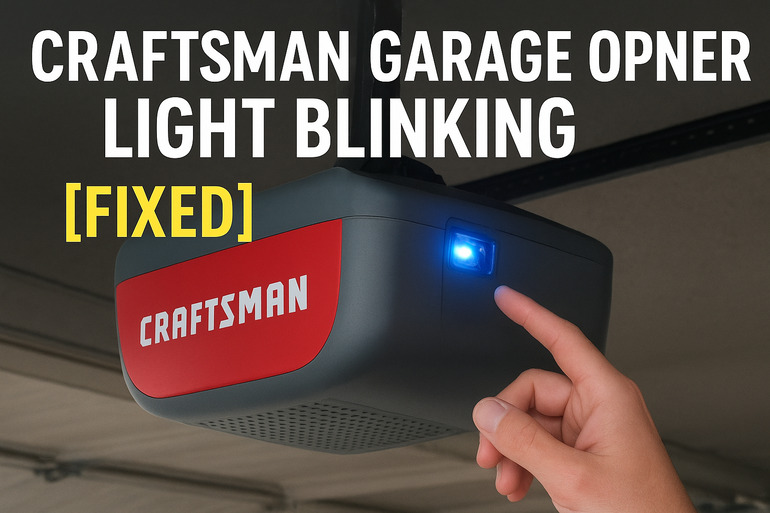
Your Craftsman garage door opener uses LED lights like a simple language. Each blink pattern corresponds to a specific issue. One blink might mean your sensor wires are disconnected. Two blinks could point to a short circuit. Some models blink different numbers of times for different problems.
The light blinks because the opener’s control board detects something off with the system. It could be the safety sensors, the motor unit, the door mechanism itself, or even the power supply. Your opener basically runs a self-check every time you use it, and when it finds a problem, it stops working and starts blinking.
If you ignore this warning, you might end up with a garage door that won’t open at all. Worse, safety features might stop working, which means the door could close on your car, your kids, or your pets. The sensors exist to prevent accidents, so when they malfunction, you’re losing that protection.
Most people panic when they see the blinking light because they assume it means expensive repairs. But here’s something encouraging: many of these issues are simple fixes you can handle yourself in under an hour. You don’t need special tools or technical knowledge for most of them.
Craftsman Garage Opener Light Blinking: Common Causes
Several things can trigger that blinking light on your Craftsman opener. Understanding what causes the problem helps you fix it faster and prevents it from happening again.
1. Misaligned Safety Sensors
The safety sensors sit on either side of your garage door, usually about six inches off the ground. They shoot an invisible beam across the opening, and if anything breaks that beam, the door won’t close. This prevents the door from crushing objects or people.
These sensors need to face each other perfectly. Over time, they can get bumped by your car, knocked by kids playing, or shifted by vibrations from the door closing. Even a tiny misalignment breaks the connection.
When the sensors can’t see each other, the control board picks up on this immediately. The door refuses to close, and the light starts blinking. You might notice the door goes down a few inches and then reverses back up.
2. Dirty Sensor Lenses
Those sensor lenses are small, clear plastic covers on the front of each sensor unit. They get dirty surprisingly fast. Dust blows in from outside. Cobwebs form across them. Sometimes moisture creates a film that blocks the beam.
A thin layer of grime is enough to disrupt the signal between sensors. Your opener can’t tell if the path is actually clear or if something’s blocking it, so it defaults to the safe option and won’t close the door.
3. Wiring Problems
The sensors connect to the main opener unit with thin wires that run along the garage wall or ceiling. These wires carry both power and signals. If they get damaged, loose, or disconnected, the system stops working.
Sometimes the wires get pinched when you hang things on the garage wall. Other times, rodents chew through them. The connections at the sensor units or at the main control board can also work loose over time from vibration.
4. Worn Out Sensors
Sensors don’t last forever. After years of temperature changes, humidity, and dust exposure, the internal components can fail. The average lifespan is about 10 to 15 years, but harsh garage environments can shorten this.
One sensor might still light up but not send a proper signal. Or the receiver sensor might not pick up the beam anymore even though the sender works fine. This creates the same symptom as misalignment, but cleaning or adjusting won’t fix it.
The plastic housings can also crack from impacts or extreme cold, letting moisture inside. Once water gets in, it corrodes the delicate electronics.
5. Power Supply Issues
Your garage opener needs steady power to work correctly. If the outlet has problems, or if the circuit breaker is weak, the opener might not get enough juice to operate properly.
Loose connections in the outlet can cause intermittent power loss. The opener turns on but doesn’t have enough power to run the motor and sensors simultaneously. This triggers error codes and blinking lights.
Some garages share circuits with other heavy appliances. If you run too many things at once, the voltage drops. Your opener senses this and shuts down to protect its electronics.
Craftsman Garage Opener Light Blinking: DIY Fixes
You can handle most blinking light issues yourself without calling a technician. These fixes are straightforward and don’t require special skills or expensive tools.
1. Realign the Safety Sensors
Start by checking if both sensor lights are on. One sensor sends the beam and usually glows steady. The other receives it and might blink or glow solid when aligned properly.
Look at each sensor from the side. They should point directly at each other, forming a straight line across your garage opening. Get down to their level and look along that line. Even a slight tilt makes a difference.
To fix misalignment, loosen the wing nut or screw that holds each sensor bracket. Gently move the sensor until it points straight at its partner. Most Craftsman sensors have LED indicators that glow solid when they’re aligned correctly. Tighten the bracket once you see both lights glowing steadily.
2. Clean the Sensor Lenses
Grab a soft cloth and some glass cleaner. Spray a small amount on the cloth, not directly on the sensors. Gently wipe the lens on each sensor until it’s completely clear.
Check for cobwebs or debris around the sensor housing too. Sometimes a spider web stretches across the beam path without touching the lens itself. Clear everything in the immediate area.
After cleaning, test the door. Press the button and watch what happens. If the door closes normally and the light stops blinking, you’ve solved it.
3. Check All Wire Connections
Turn off power to your garage opener at the breaker box first. Safety matters more than speed. Then inspect the thin wires running from each sensor up to the main unit.
Look for these specific problems:
- Wires pulled loose from the sensor terminals
- Frayed or damaged insulation anywhere along the wire
- Pinched wires under staples or brackets
- Loose connections where wires meet the main control board
If you find loose wires, reconnect them firmly. The terminals usually have small screws you can tighten. For damaged wires, you can splice in new sections using wire nuts, or replace the entire wire run if it’s badly damaged.
4. Test With Manual Mode
Most Craftsman openers have a manual disconnect. This usually looks like a red handle hanging from the opener mechanism. Pull this handle to disconnect the motor from the door.
Try lifting the door manually. It should move smoothly without much effort. If it feels heavy or won’t budge, the problem might be with your door springs or tracks rather than the opener itself. Binding doors can trigger error codes and blinking lights.
If the door lifts easily, reconnect the motor and try the opener again. Sometimes the motor gets out of sync with the door position, and manually cycling it resets things.
5. Replace Faulty Sensors
If cleaning and aligning don’t work, your sensors might be dead. You can buy replacement sensors for most Craftsman models at hardware stores or online. They typically cost between $20 and $40 for a pair.
Installing new sensors takes about 30 minutes. First, disconnect power at the breaker. Remove the old sensors by unscrewing their brackets. Note which wire goes where before disconnecting them.
Mount the new sensors in the same spots. Connect the wires to the correct terminals. Usually, white wires go to white terminals and black or colored wires go to the other terminal. Power everything back on and align the new sensors using the same method described earlier.
6. Reset the Opener System
Your Craftsman opener has a reset function that clears error codes and reinitializes the system. Find the learn button on your main unit. It’s usually on the side panel or near where the antenna wire connects.
Press and hold this button for about 15 seconds until the LED light turns off. Release the button and wait 30 seconds. The system will restart and run through its self-check routine.
After the reset, you’ll need to reprogram your remote controls. Press the learn button again briefly, then within 30 seconds, press the button on your remote. The opener light will blink to confirm it learned the code.
7. When to Call a Professional
If you’ve tried all these fixes and the light still blinks, something more serious might be wrong. The control board itself could be damaged, or there might be motor problems. A licensed garage door technician has specialized diagnostic tools and replacement parts that aren’t available to homeowners.
Professional repair usually costs between $150 and $300 depending on what needs fixing. That’s still cheaper than buying a whole new opener unit. Plus, technicians can spot other potential problems before they become emergencies.
Wrapping Up
That blinking light on your Craftsman garage opener feels like a headache, but it’s actually helpful. Your opener is telling you exactly what’s wrong if you know how to listen. Most causes are simple: dirty sensors, misalignment, loose wires, or tired components that need replacing.
Starting with the easiest fixes saves you time and money. Check alignment first, clean those lenses, and make sure everything’s connected properly. Most people fix their blinking light problem within the first three attempts. Your garage door will be back to working smoothly, and you’ll have learned something useful about how your home systems work.