You’re lying in bed at 2 AM when you notice it—that tiny green light on your smoke detector blinking away like a miniature lighthouse. Your first thought might be panic, but take a deep breath.
Most of the time, that blinking green light isn’t screaming “fire” or “danger.” Instead, it’s your smoke detector’s way of having a conversation with you about its current status. Think of it as your device’s version of body language, telling you exactly what’s happening inside that little plastic guardian on your ceiling.
This guide will walk you through everything you need to know about why your smoke detector’s green light blinks, what each pattern means, and most importantly, how to fix any issues you might discover along the way.
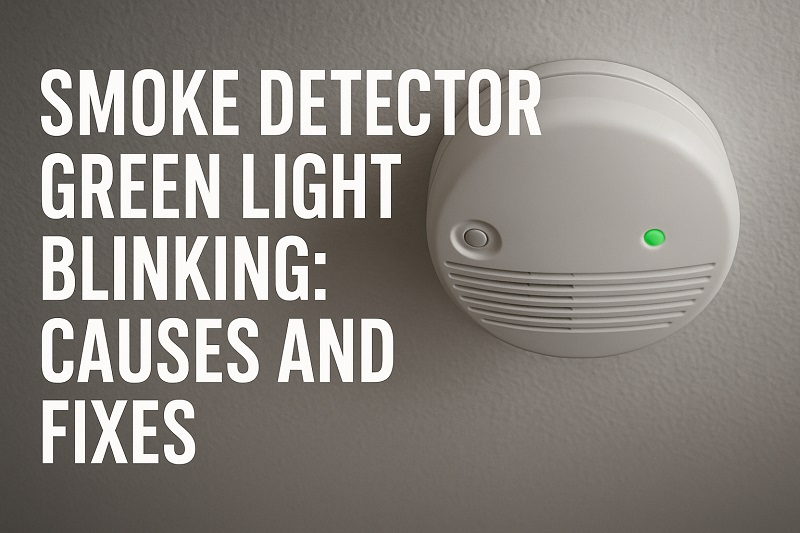
What That Blinking Green Light Really Means
Your smoke detector’s green light operates like a traffic signal system, but instead of controlling cars, it’s managing your home’s safety status. When everything runs smoothly, most smoke detectors either show a steady green light or no light at all. But when that green light starts blinking, it’s trying to tell you something specific about what’s happening inside the unit.
Different manufacturers program their devices with unique blinking patterns. Some units blink once every few seconds to show they’re working properly, while others might blink rapidly to indicate a problem. The timing, frequency, and duration of these blinks create a coded message that reveals your detector’s current condition.
Understanding these patterns becomes crucial because ignoring them could leave your family vulnerable during an emergency. A smoke detector that appears to work fine on the surface might actually be struggling with internal issues that prevent it from detecting smoke properly. Your detector’s green light serves as an early warning system for these hidden problems.
The blinking can also indicate normal operations that you should expect. Many newer smoke detectors blink regularly during their self-test cycles, which happen automatically to ensure all components function correctly. This means not every blinking light signals trouble, but knowing the difference between normal and problematic patterns helps you respond appropriately when issues arise.
Smoke Detector Green Light Blinking: Common Causes
Several factors can trigger your smoke detector’s green light to start blinking, ranging from routine maintenance needs to more serious technical problems. Each cause creates distinct symptoms that help you identify the root issue quickly.
1. Low Battery Power
Your smoke detector’s battery serves as its lifeline, powering everything from the smoke sensors to the communication systems that connect it to other detectors in your home. When battery power drops below optimal levels, the unit activates its warning system to alert you before complete failure occurs.
Most detectors start blinking their green light when battery voltage falls to around 20-30% of full capacity. This gives you plenty of time to replace the battery before the unit stops working entirely. The blinking pattern typically becomes more frequent as the battery continues to drain.
Even hardwired smoke detectors rely on backup batteries to maintain operation during power outages. These backup batteries can weaken over time, triggering the same blinking patterns you’d see in battery-powered units.
2. Dust and Debris Accumulation
Smoke detectors work by monitoring air quality inside their sensing chambers, but dust particles can interfere with this delicate process. Over time, household dust, cooking vapors, and tiny debris particles settle inside your detector, creating false readings that trigger warning signals.
The photoelectric sensors in your detector use light beams to detect smoke particles. When dust accumulates on these sensors, it can scatter light in ways that mimic smoke, causing the unit to think there’s a potential fire hazard.
3. Expired or Malfunctioning Unit
Smoke detectors don’t last forever, and most manufacturers recommend replacing units every 10 years. As detectors age, their internal components begin to deteriorate, leading to unreliable performance and confusing warning signals.
Electronic components inside older detectors can develop sensitivity issues that cause false alarms or incorrect status indicators. The green light might blink erratically when the unit struggles to perform its normal functions.
Manufacturing defects can also cause similar problems in newer units. Sometimes a detector leaves the factory with faulty wiring or damaged sensors that don’t reveal themselves until after installation.
4. Environmental Interference
Temperature fluctuations, humidity changes, and air quality variations can all affect your smoke detector’s performance. Extreme temperatures cause the unit’s sensors to behave differently than they would under normal conditions.
High humidity levels, common in bathrooms and kitchens, can trigger false readings in some detector types. The moisture in the air can interfere with ionization chambers or create condensation on photoelectric sensors.
5. Interconnection Issues
Many modern homes feature interconnected smoke detector systems where all units communicate with each other wirelessly or through hardwired connections. When one detector in the network experiences problems, it can send error signals to other units, causing multiple detectors to display warning lights simultaneously.
Communication failures between detectors often result from weak wireless signals, damaged wiring, or compatibility issues between different detector models. These problems can create cascading effects throughout your entire smoke detection system.
Smoke Detector Green Light Blinking: DIY Fixes
Most blinking green light issues can be resolved with simple troubleshooting steps that don’t require professional expertise. These solutions address the most common problems and can restore your detector to normal operation quickly.
1. Replace the Battery
Battery replacement ranks as the easiest and most effective fix for blinking green lights. Start by locating the battery compartment, which is usually accessible by twisting or sliding the detector off its mounting bracket.
Remove the old battery and check its voltage with a multimeter if you have one available. Even batteries that seem new can lose power faster than expected, especially in detectors that perform frequent self-tests. Install a fresh battery, making sure to match the positive and negative terminals correctly.
After battery replacement, press and hold the test button for several seconds to reset the detector’s internal systems. The green light should return to its normal pattern within a few minutes of completing this reset process.
2. Clean the Detector Thoroughly
Dust removal requires gentle handling to avoid damaging sensitive components inside your detector. Begin by turning off power to hardwired units at the circuit breaker, then carefully remove the detector from its mounting bracket.
Use a soft brush or vacuum cleaner with a brush attachment to remove dust from the exterior vents and sensor openings. Avoid using water or cleaning chemicals, as moisture can damage electronic components permanently.
For stubborn dust buildup, compressed air works well to blow particles out of hard-to-reach areas. Hold the can upright and use short bursts to prevent moisture from the compressed air from entering the detector. Allow the unit to air dry completely before reinstalling.
3. Check and Reset Interconnected Systems
Interconnection problems often require resetting the entire network of detectors simultaneously. Start by turning off power to all hardwired detectors at the main circuit breaker, then remove batteries from any battery-powered units in the system.
Wait at least five minutes before restoring power and reinstalling batteries. This delay allows all detectors to clear their memory and establish fresh connections with each other. Turn power back on and replace batteries in the reverse order you removed them.
Test each detector individually using the test button to ensure proper communication throughout the network. If one detector continues showing error signals, it may need replacement or professional service.
4. Relocate Detectors Away from Problem Areas
Environmental interference often resolves by moving detectors to more suitable locations within your home. Smoke detectors should be positioned at least 10 feet away from cooking appliances to avoid false alarms from cooking vapors.
Bathroom installations should maintain adequate distance from shower areas where steam can trigger unwanted alerts. Consider installing heat detectors instead of smoke detectors in areas with high humidity or temperature fluctuations.
When relocating detectors, ensure they still provide adequate coverage for the intended protection area. Smoke detectors work best when installed on ceilings near the center of rooms, away from corners where air circulation might be limited.
5. Update or Replace Aging Equipment
Detectors approaching their 10-year replacement date should be upgraded to newer models with improved reliability and features. Check the manufacturing date printed on the back of your detector to determine its age.
Modern detectors offer enhanced sensitivity, longer battery life, and better resistance to false alarms. Some newer models include smartphone connectivity that allows you to monitor detector status remotely and receive alerts when maintenance is needed.
When replacing detectors, consider upgrading to photoelectric models if you currently have ionization detectors, as photoelectric units typically produce fewer false alarms from cooking activities while maintaining excellent fire detection capabilities.
6. Contact a Professional Electrician
If none of these solutions resolve your blinking green light issue, the problem likely requires professional diagnosis and repair. Persistent blinking after trying all troubleshooting steps could indicate internal component failure or complex wiring problems that need expert attention.
Professional electricians have specialized tools to test smoke detector circuits and can identify problems that aren’t visible during basic troubleshooting. They can also ensure that any replacement detectors meet current building codes and integrate properly with your home’s fire safety system.
Wrapping Up
That blinking green light on your smoke detector doesn’t have to keep you awake at night wondering if your family’s safety is at risk. Most causes behind the blinking stem from simple maintenance needs like battery replacement or dust cleaning, both of which you can handle yourself with basic tools and a few minutes of your time.
Taking action when you first notice the blinking helps prevent bigger problems down the road and ensures your smoke detection system continues protecting your home effectively. Regular maintenance every six months keeps these issues from developing in the first place, giving you peace of mind and reliable fire protection for years to come.