Your LG stove’s digital display just went dark, and now you’re staring at a blank screen where numbers and settings used to be. This problem hits at the worst possible times, usually when you’re rushing to prepare dinner or trying to bake something special for guests.
The blank display doesn’t always mean your stove is completely broken. Many times, it’s a fixable issue that you can handle yourself with basic tools and a little patience.
You’ll discover what causes these display problems, learn step-by-step solutions to get your screen working again, and understand when it’s time to call for professional help. Most importantly, you’ll save money by avoiding unnecessary service calls for problems you can solve at home.
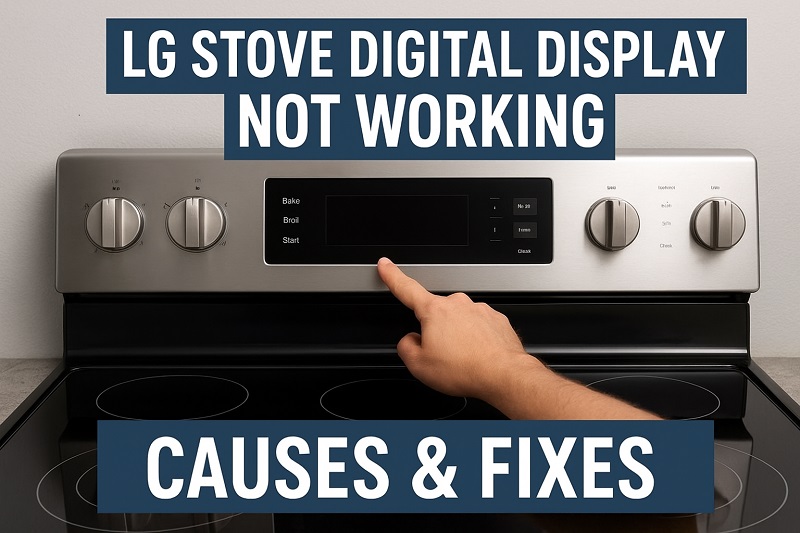
What This Problem Really Means
When your LG stove’s digital display stops working, you lose access to essential cooking functions. The screen that normally shows temperature settings, timer information, and cooking modes becomes completely unresponsive or displays error codes you don’t recognize.
This issue affects different LG stove models in various ways. Some displays flicker before going completely dark, while others show partial information or garbled text. The touch controls that depend on the display also stop responding, leaving you unable to adjust heat levels or access preset cooking programs.
Without a working display, your stove becomes significantly harder to use safely. You can’t monitor cooking temperatures accurately, set timers for food preparation, or access safety features built into the digital control system. Basic cooking might still be possible using manual controls, but you lose the precision and convenience that drew you to a digital stove in the first place.
The problem gets worse over time if left unaddressed. What starts as an intermittent flickering display often progresses to complete failure, potentially affecting other electronic components in your stove. Temperature regulation becomes unreliable, and you might find yourself constantly guessing cooking times and heat levels.
LG Stove Digital Display Not Working: Likely Causes
Several factors contribute to digital display failures in LG stoves, ranging from simple power issues to more complex electronic component problems. Understanding these root causes helps you identify the most effective repair approach for your specific situation.
1. Power Supply Problems
Your stove’s digital display needs consistent electrical power to function properly. Power fluctuations, loose connections, or issues with your home’s electrical system can cause the display to malfunction or stop working entirely.
Sometimes the problem stems from the outlet itself. Old or damaged electrical outlets don’t provide steady power flow, creating voltage drops that confuse the display’s sensitive electronics. You might notice other appliances in your kitchen acting strangely if this is the case.
Circuit breaker issues also affect display performance. A partially tripped breaker can provide insufficient power to run the display while still allowing basic stove functions to work. This creates confusing situations where your burners heat up but the screen remains blank.
2. Control Board Failure
The control board acts as the brain of your LG stove, managing all digital functions including the display. When this component fails, your display loses the signals it needs to show information correctly.
Heat damage is a common cause of control board problems. Stoves generate significant heat during cooking, and over time this thermal stress can damage delicate electronic components on the control board. Poor ventilation around your stove makes this problem worse.
Moisture infiltration also harms control boards. Steam from cooking, spills that seep into control panel gaps, or high kitchen humidity can create corrosion on circuit board connections. Once moisture gets inside, it causes short circuits that disable display functions.
3. Damaged Display Panel
Physical damage to the display panel itself prevents it from showing information properly. Cracks in the screen, damaged backlighting, or broken internal connections can all cause display failures.
Impact damage happens more often than you might expect. Heavy pots dropped near the control panel, aggressive cleaning with abrasive materials, or accidental strikes can crack the display screen. Even small cracks can spread over time, eventually making the entire display unreadable.
4. Faulty Wiring Connections
Loose or corroded wire connections between the display and other stove components cause intermittent or complete display failures. These connection problems often develop gradually, starting with occasional flickering before progressing to total failure.
Vibrations from regular stove use can loosen wire connections over time. The expansion and contraction that happens as your stove heats up and cools down also stresses these connections. Kitchen environments with high humidity accelerate corrosion on metal wire connectors.
5. Software Glitches
Modern LG stoves run sophisticated software that controls display functions. Like any computer system, this software can develop glitches that cause display problems or complete system freezes.
Power surges often corrupt the software stored in your stove’s memory. Lightning storms, electrical work in your neighborhood, or issues with your power company’s equipment can send voltage spikes through your home’s wiring. These surges can scramble the programming that controls your display.
Outdated firmware also causes display issues. LG occasionally releases software updates to fix known problems, but many homeowners never update their stove’s firmware. Running old software versions can lead to display glitches that newer firmware versions have already resolved.
LG Stove Digital Display Not Working: How to Fix
Fixing a non-working LG stove display often requires systematic troubleshooting to identify and address the underlying cause. Most solutions involve steps you can safely perform at home using basic tools and careful attention to safety procedures.
1. Check Power Connections
Start by examining all power connections to ensure your stove receives adequate electricity. Turn off the circuit breaker that supplies power to your stove, then carefully pull the unit away from the wall to access the power cord.
Inspect the power cord for visible damage like cuts, burns, or bent prongs. Check that the cord plugs firmly into the wall outlet without wobbling or sparking. Test the outlet with another appliance to verify it provides consistent power.
Look for loose connections where the power cord enters your stove. Some models have removable power cords that can work loose over time. Tighten any loose connections you find, making sure all electrical connections are secure before restoring power.
2. Reset the Control System
Many display problems resolve with a simple system reset that clears temporary glitches from your stove’s memory. Turn off the circuit breaker supplying power to your stove and leave it off for at least 10 minutes to ensure all stored electricity dissipates.
While the power is off, press and hold the stove’s main power button for 30 seconds if your model has one. This step helps discharge any remaining power in the system’s capacitors.
Restore power by turning the circuit breaker back on, then turn on your stove and check whether the display functions normally. This reset procedure resolves software glitches and temporary memory errors that cause display malfunctions. If the display works after the reset, monitor it closely for the next few days to ensure the problem doesn’t return.
3. Clean the Control Panel
Dirt, grease, and moisture buildup on the control panel can interfere with display functions and touch sensitivity. Mix a solution of mild dish soap and warm water, then use a soft cloth to gently clean the entire control panel surface.
Pay special attention to areas around buttons and display edges where grease tends to accumulate. Use a soft-bristled toothbrush to clean stubborn buildup from small crevices, but avoid using excessive moisture that could seep into the electronics.
For touch screen models, clean the screen with electronics-safe cleaning solution and a microfiber cloth. Remove all streaks and residue that could interfere with touch sensitivity. Allow the control panel to dry completely before testing the display functionality.
4. Inspect and Secure Internal Connections
With the power turned off, remove the control panel cover to access internal wiring connections. Most LG stoves have screws or clips holding the control panel in place that you can remove with basic tools.
Look for loose wire connectors, damaged wires, or signs of corrosion on metal connections. Gently wiggle each connector to check for looseness, and push any loose connectors firmly into place. Clean corroded connections with electrical contact cleaner if available.
Check ribbon cables that connect the display to the control board for damage or loose connections. These flat, wide cables are particularly prone to damage from heat and vibration. Replace any damaged ribbon cables, ensuring new cables match the original specifications exactly.
5. Test Individual Display Components
Use a multimeter to test whether the display receives proper voltage from the control board. Set your multimeter to measure DC voltage, then carefully probe the voltage supply pins on the display connector with the stove powered on.
Compare your voltage readings to the specifications in your stove’s service manual. Voltage that’s too high or too low indicates problems with the power supply circuit or control board. Normal voltage readings suggest the display panel itself has failed and needs replacement.
Test the display’s backlighting system separately if your model uses LED or fluorescent backlights. A display that receives proper voltage but remains dark often has failed backlighting components that you can replace individually.
6. Contact a Professional Technician
If all the previous steps fail to restore your display, contact a qualified appliance repair technician for advanced diagnosis and repair. Complex problems involving control board replacement, display panel installation, or electrical system repairs require professional expertise and specialized tools.
Professional technicians have access to genuine LG replacement parts and factory service manuals that contain detailed troubleshooting procedures. They can also identify safety issues that might not be apparent to homeowners, ensuring your repairs meet electrical codes and manufacturer standards.
Wrapping Up
Getting your LG stove’s digital display working again often comes down to methodical troubleshooting and attention to detail. Most display problems stem from power issues, loose connections, or software glitches that you can address with basic tools and patience.
The key lies in working through solutions systematically, starting with the simplest fixes before moving to more complex repairs. Remember that safety always comes first when working with electrical appliances, so don’t hesitate to seek professional help when repairs exceed your comfort level.