Your KitchenAid refrigerator’s display screen suddenly goes dark, leaving you staring at a blank panel where temperature readings and settings used to shine. This frustrating situation happens more often than you’d think, and it doesn’t always mean your fridge is broken.
Most display issues stem from simple electrical glitches or connection problems that you can fix yourself with basic tools and a little patience. You’ll discover the most common reasons why your display stops working and learn step-by-step solutions that can save you hundreds in repair costs.
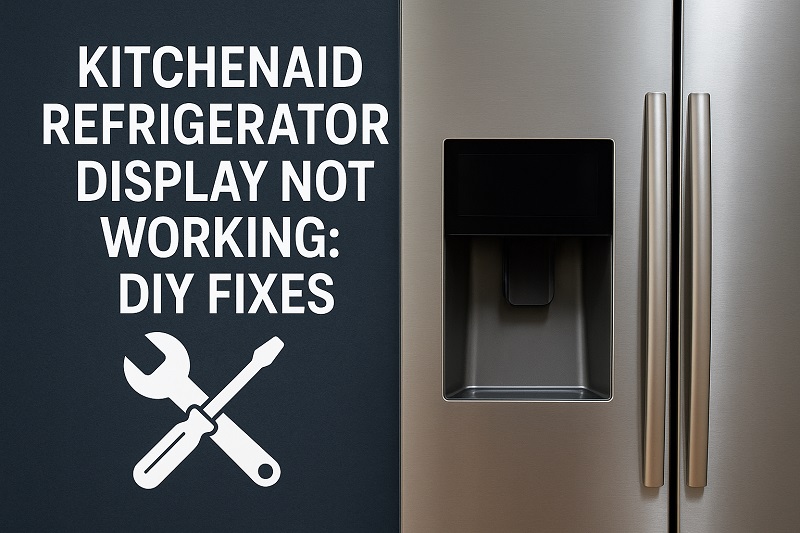
When Your Display Goes Silent
The control display on your KitchenAid refrigerator serves as the command center for temperature settings, ice maker controls, and diagnostic information. When this digital panel stops responding or goes completely black, your appliance loses its primary communication method with you. The refrigerator continues cooling your food, but you can’t adjust settings or monitor its performance.
Display problems manifest in several ways beyond a completely dark screen. Sometimes the panel shows garbled text, flickering numbers, or responds sluggishly to your touch. You might notice certain sections of the display working while others remain blank, or the backlight dims to barely visible levels.
Temperature readings may freeze at incorrect values, making it impossible to know if your food stays at safe storage temperatures. The ice and water dispenser controls often become unresponsive when display issues occur, leaving you without these convenient features.
Without a functioning display, you lose access to important diagnostic codes that help identify other potential problems with your refrigerator. This creates a cascade effect where one issue masks others, making troubleshooting more challenging for both you and service technicians.
Kitchenaid Refrigerator Display Not Working: Common Causes
Understanding what causes display malfunctions helps you target the right solution quickly. Most problems trace back to power delivery issues or component failures that develop over time.
1. Power Supply Interruptions
Electrical surges from storms or power grid fluctuations can disrupt the delicate circuitry that powers your display panel. These voltage spikes often occur without you noticing, especially during brief outages that reset clocks throughout your home.
The display control board contains sensitive electronic components that react poorly to inconsistent power delivery. Even minor fluctuations can cause the system to lock up or reset improperly.
Your home’s electrical system may also contribute to power issues through loose connections at the outlet or circuit breaker problems that create intermittent power loss.
2. Loose Internal Connections
Vibration from the compressor and normal door opening gradually loosens wire connections inside your refrigerator. These connections link the display panel to the main control board, and even slight loosening can cause communication failures.
Temperature changes cause metal components to expand and contract, which can work connections loose over time. This natural process affects all appliances but becomes more noticeable in devices with sensitive electronic displays.
3. Control Board Malfunction
The main control board acts like a computer processor for your refrigerator, managing all electronic functions including the display. Component failure on this board can cause partial or complete display loss while other refrigerator functions continue normally.
Capacitors on the control board can fail due to heat exposure or age, disrupting the power regulation needed for stable display operation. These failures often occur gradually, starting with occasional flickering before progressing to complete blackouts.
Heat buildup near the control board accelerates component degradation, especially in refrigerators placed in warm locations or with blocked ventilation areas.
4. Display Panel Failure
The LCD or LED display panel itself can fail due to manufacturing defects or environmental stress. Extreme temperature fluctuations, humidity, or physical impact can damage the screen components permanently.
Backlight elements within the display often fail first, leaving the screen functional but too dark to read clearly. This creates the appearance of complete failure when the display actually still responds to commands.
5. Software Glitches
Modern refrigerator displays run on embedded software that can freeze or corrupt just like computer programs. These glitches may result from power interruptions during normal operation or accumulated errors in the system memory.
Factory firmware bugs occasionally surface after months or years of use, triggered by specific combinations of settings or environmental conditions. Software problems often cause erratic behavior rather than complete failure.
Memory corruption can occur when the system loses power during critical operations, leaving the display controller in an unstable state that prevents normal startup.
Kitchenaid Refrigerator Display Not Working: DIY Fixes
Before calling for expensive professional repair, try these proven solutions that resolve most display problems. Start with the simplest fixes and work your way through more complex procedures if needed.
1. Power Reset Procedure
Unplug your refrigerator from the wall outlet and wait exactly five minutes before plugging it back in. This complete power reset clears temporary software glitches and allows all electronic components to discharge properly.
During the waiting period, press and hold any button on the display panel for ten seconds to drain residual power from the control circuits. This ensures a complete reset when you restore power to the unit.
After plugging back in, wait two to three minutes for the system to complete its startup sequence before testing the display functions. The panel should illuminate and show normal temperature readings if a simple software glitch caused the problem.
2. Circuit Breaker and Outlet Check
Verify that your refrigerator receives consistent power by checking the circuit breaker in your electrical panel for any tripped positions. Reset any tripped breakers by switching them fully off and then back on.
Test the outlet voltage using a multimeter or plug in a lamp to confirm power delivery. Loose outlet connections can cause voltage drops that affect sensitive electronic displays while still allowing the compressor to run normally.
Examine the power cord for damage, paying special attention to areas where it bends or contacts other surfaces. Replace damaged cords immediately to prevent safety hazards and restore proper power delivery to your refrigerator.
3. Internal Connection Inspection
Remove the refrigerator’s back panel or access cover to locate wire connections leading to the display panel. Look for loose, corroded, or damaged connectors that might interrupt communication between components.
Gently disconnect and reconnect each wire harness you can safely reach, ensuring they click securely into place. Clean any visible corrosion from metal connector pins using electrical contact cleaner and a small brush.
Check for pinched or damaged wires that may have been caught during previous repairs or normal vibration. Replace any wires showing signs of insulation damage or conductor breaks.
4. Display Panel Cleaning
Clean the display screen surface using a soft microfiber cloth dampened with distilled water or electronics cleaner. Avoid harsh chemicals or abrasive materials that could damage the protective coating.
Remove any debris or moisture that may have accumulated behind the display panel by carefully lifting its edges and using compressed air to blow out particles. Moisture buildup can cause connection problems and display distortion.
5. Control Board Reset
Locate the main control board, typically mounted behind the refrigerator or inside the control panel area. Look for a small reset button or jumper pins that allow manual system reset.
Press and hold the reset button for ten seconds, or follow the specific reset procedure outlined in your owner’s manual for jumper pin configurations. Some models require removing a jumper for thirty seconds before reinstalling it.
Allow the system to restart completely before testing display functions. The control board reset often resolves software conflicts and restores normal communication with the display panel.
6. Professional Service Contact
Contact a qualified appliance repair technician if these solutions don’t restore your display functionality. Complex internal repairs require specialized tools and replacement parts that aren’t suitable for DIY attempts.
Professional diagnosis can identify control board failures, display panel replacements, or wiring problems that need expert attention. Attempting advanced repairs without proper training may void your warranty or create safety hazards.
Wrapping Up
Your KitchenAid refrigerator’s display problems often have straightforward solutions that don’t require expensive service calls. Power resets, connection checks, and basic cleaning resolve the majority of issues you’ll encounter with these reliable appliances.
Keep your refrigerator’s electrical connections clean and secure through regular maintenance, and address display glitches promptly before they develop into more serious problems. With these simple techniques, you can maintain clear communication with your appliance and avoid costly repairs.