You grab your Instax Mini 11, ready to snap some memories, and then you see it. That little orange light starts blinking at you. Your camera refuses to take a picture, and you’re left standing there, confused.
This happens to many Instax users, and it’s one of the most common hiccups with this popular instant camera. The blinking light is actually your camera’s way of telling you something’s wrong, kind of like a car’s check engine light.
Here’s what you’ll learn: why that orange light blinks, what causes it, and exactly how to get your camera working again. Most fixes take less than two minutes.
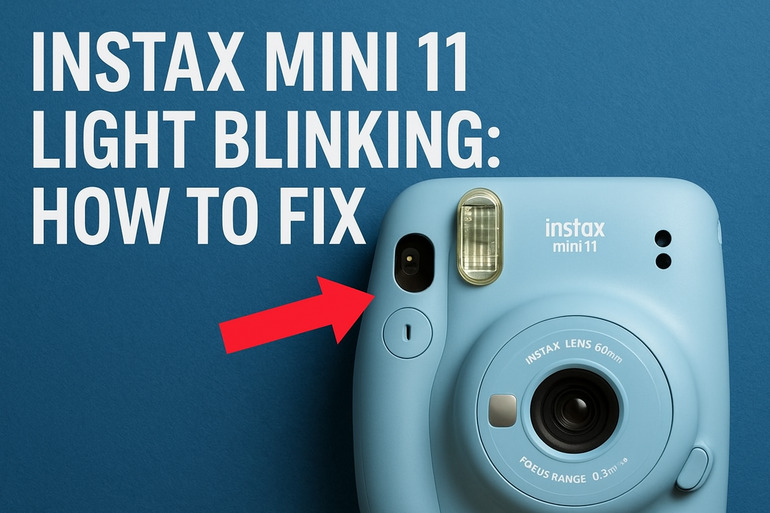
What That Blinking Light Really Means
Your Instax Mini 11 uses that orange LED light as a warning system. It blinks when the camera detects a problem that stops it from taking photos. Think of it as your camera raising its hand to say, “Hey, I need help here.”
The blinking pattern actually matters. A rapidly blinking light usually means your camera can’t focus properly or there’s an issue with the lens. A slower, steadier blink often points to battery or film problems. Your camera is smart enough to know when conditions aren’t right for a good shot.
If you ignore the blinking and try to force a photo, nothing will happen. Your camera locks itself to prevent wasting film on a bad picture. This is actually a helpful feature, even though it feels frustrating in the moment.
What happens if you leave this unfixed? Your camera simply won’t work. You’ll have a cute paperweight instead of a functioning instant camera. The longer you wait, the more frustrated you’ll get, especially if you’re trying to capture special moments. Some issues, like corroded battery contacts, can get worse over time if left unaddressed.
Instax Mini 11 Light Blinking: Common Causes
Several things can trigger that annoying blinking light on your Instax Mini 11. Let’s look at what typically goes wrong so you can pinpoint your specific problem.
1. Dead or Weak Batteries
Your Instax Mini 11 runs on two AA batteries, and when they’re low on juice, that orange light will blink. Batteries don’t always die completely at once. Sometimes they have just enough power to turn the camera on but not enough to operate the flash or motor.
You might think your batteries are fine because the camera powers up. But instant cameras need a good amount of energy to charge the flash and push film through the mechanism. Weak batteries can’t handle that load.
Cold weather makes this worse. If you’ve been shooting outside in chilly temperatures, your batteries lose power faster than usual. Even brand new batteries can act weak when they’re cold.
2. Lens Stuck or Obstructed
The Instax Mini 11 has an automatic lens that extends when you turn the camera on. If something blocks this lens or if it gets jammed, the camera knows something’s wrong and triggers the blinking light. Dust, dirt, or even a tiny grain of sand can cause this.
Sometimes the lens gets stuck partially extended. This happens if you accidentally turn off the camera while it’s still coming out, or if you bump the lens while it’s moving. The camera’s internal sensors detect that the lens isn’t where it should be.
3. Film Cartridge Issues
Your camera checks whether film is loaded correctly every time you try to take a photo. If the film cartridge isn’t seated properly, or if you’ve run out of film, that light will blink. The camera won’t let you waste a shot on an empty cartridge.
Even if you just loaded new film, it might not be clicked in all the way. The cartridge needs to sit flush against the back of the camera with no gaps. A slightly loose cartridge confuses the camera’s sensors.
Film that’s been exposed to heat or humidity can also cause problems. The paper inside might stick together or the cartridge itself might warp slightly. Your camera detects these irregularities and refuses to shoot.
4. Flash Charging Problems
The built-in flash needs a moment to charge up after each shot. If your batteries are borderline weak, the flash might not charge fast enough or at all. This triggers the blinking light because the camera knows it can’t produce a properly exposed photo without the flash.
The Instax Mini 11 uses flash for almost every photo since instant film needs plenty of light. If the flash circuit has an issue or if the batteries can’t provide enough power, you’re stuck.
5. Sensor or Internal Error
Sometimes the camera’s internal sensors get confused. This can happen after a hard bump or drop, or just from regular wear and tear. The camera might think something’s wrong even when everything looks fine from the outside.
These errors are less common but harder to diagnose. Your camera runs self-checks when you turn it on, and if something doesn’t respond correctly, it enters a protective mode. The blinking light is your clue that the camera has detected an internal problem.
Instax Mini 11 Light Blinking: DIY Fixes
Getting rid of that blinking light is usually pretty straightforward. Try these fixes in order, and you’ll likely solve your problem quickly.
1. Replace the Batteries
Start here because it’s the easiest fix and solves about 70% of blinking light issues. Take out your old batteries and put in a fresh pair of AA batteries. Make sure you’re using alkaline batteries, not rechargeable ones, as they don’t provide consistent voltage for instant cameras.
Check the battery contacts while you have them out. Look for any corrosion, which appears as white or greenish crusty stuff on the metal. If you see any, gently clean it off with a cotton swab dipped in white vinegar, then dry thoroughly before inserting new batteries.
Pay attention to the plus and minus symbols inside the battery compartment. Putting batteries in backward won’t damage your camera, but it obviously won’t work. Close the battery door firmly until you hear it click.
2. Clean and Check the Lens
Turn your camera on and watch the lens extend. Does it move smoothly or does it seem to struggle? Gently wipe the lens barrel with a soft, dry cloth to remove any dust or debris that might be causing friction.
If the lens appears stuck, try this:
- Turn the camera off
- Gently rotate the lens barrel with your fingers (don’t force it)
- Turn the camera back on and see if it extends normally
- Repeat a few times if needed
Never pull or push the lens hard. The mechanism inside is delicate. If you feel resistance, stop and try blowing compressed air around the lens base to clear out any hidden debris.
3. Reseat the Film Cartridge
Open the back of your camera and remove the film cartridge completely. Look at the yellow marks on both the cartridge and inside the camera. These need to line up perfectly when you put it back in.
Push the cartridge in firmly until you hear a click. It should sit totally flat with no wobbling. Close the back door and press until it latches securely. Sometimes you need a bit more pressure than you’d expect.
Try taking a test shot after reseating the film. If the light still blinks, take the cartridge out again and examine it for any visible damage or warping.
4. Let the Camera Rest
This sounds too simple, but it works. Turn your camera off and remove the batteries. Let everything sit for about five minutes. This resets the camera’s internal circuits and clears any temporary errors.
While you’re waiting, check that nothing is blocking the camera’s sensors. There are small windows on the front where light sensors peek out. Wipe these gently with a clean cloth.
Put the batteries back in and turn the camera on. Many electronic glitches resolve themselves after a power cycle like this. Your camera basically gets a fresh start.
5. Test in Different Lighting
The Instax Mini 11 has automatic exposure, but extremely dark or bright conditions can confuse it. Try taking a photo in normal indoor or outdoor lighting. If the light stops blinking in better conditions, your camera is actually working fine but struggling with difficult lighting.
Move away from direct sunlight if you’re outside. Go near a window if you’re indoors in a dark room. The camera needs enough light to focus and meter correctly, but too much light can also cause issues.
6. Check for Physical Damage
Examine your camera carefully for any cracks, dents, or loose parts. Pay special attention to the area around the lens and the battery compartment. Even a small crack can let dust inside or cause internal components to shift.
Shake the camera gently near your ear. You shouldn’t hear any rattling or loose pieces moving around inside. If you do, something has come loose internally and you’ll need professional repair.
7. Contact Fujifilm Support
If none of these fixes work, your camera likely has an internal problem that needs expert attention. Fujifilm offers customer support and repair services for the Instax line. You can find their contact information on the Fujifilm website or in your camera’s manual. Sometimes the issue is covered under warranty, especially if your camera is relatively new.
Wrapping Up
That blinking orange light on your Instax Mini 11 doesn’t have to ruin your photo plans. Fresh batteries solve most cases right away. A quick lens cleaning or film reseat handles the rest.
Your camera’s actually trying to help you by signaling problems before you waste film. Once you know what triggers that blink, fixing it becomes second nature. Keep spare batteries handy and your camera clean, and you’ll spend less time troubleshooting and more time capturing fun moments.