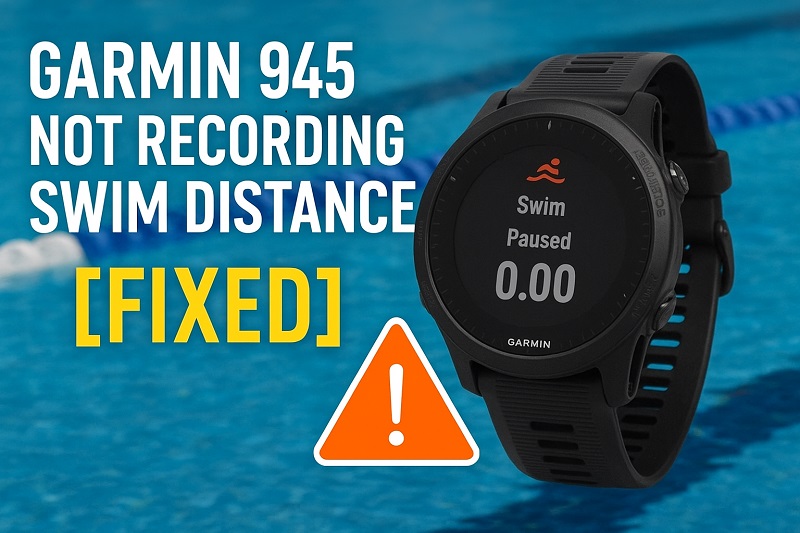
Your Garmin 945 just blanked out your entire swim session. Zero distance. Zero credit for all those laps you just powered through. This isn’t some rare glitch either. Plenty of swimmers deal with this exact problem, and it’s frustrating as hell when you’re trying to track your training properly.
Here’s what you need to know: this issue has real fixes that actually work. I’ve spent years working with these watches and fixing tracking problems, and most swim distance issues boil down to a handful of causes that you can sort out yourself. We’re going to walk through exactly what’s breaking your swim tracking and how to get it working again. No fluff, just practical fixes that’ll have you recording accurate distances by your next pool session.
What’s Actually Happening When Your Watch Stops Tracking
Your Garmin 945 tracks swimming completely differently than it tracks running or biking. No GPS involved when you’re doing laps. Instead, it counts your arm strokes and uses motion sensors to figure out how far you’ve gone. Works great when everything’s lined up right. But this system is pickier than GPS tracking, which means more things can throw it off.
The watch is basically looking for patterns in how your arms move. Each stroke creates a motion signature, and your Garmin adds them up to calculate distance. But here’s the catch: if those sensors can’t read your movements clearly, or if something scrambles the data, you end up with blank distance fields or numbers that make no sense. You might see your swim time recorded perfectly while distance shows nothing. Or you’ll get something silly like 75 meters when you actually knocked out 2,000.
Pool swimming and open water swimming work on different systems entirely. Pool mode? That’s all about stroke counting plus whatever pool length you’ve punched into your settings. Open water mode switches to GPS and tracks your actual movement across space. Both can fail on you, just for different reasons.
The really annoying part is how random it seems. Three weeks of perfect tracking, then boom, it stops working. No warning, no obvious reason. That inconsistency makes it tough to figure out what went wrong. But once you know the usual suspects, fixing it gets a whole lot easier.
Garmin 945 Not Recording Swim Distance: Common Causes
A bunch of different things can mess up your Garmin’s swim tracking. Let’s break down what usually causes these failures so you know what to look for.
1. Incorrect Pool Length Setting
This one trips up more swimmers than anything else. Your Garmin figures out distance by taking the number of pool lengths you swam and multiplying it by whatever pool size you told it. Wrong number in your settings? Wrong distance every single time.
Lots of people forget to change this when they switch pools. Maybe you usually swim at a 25-meter pool but tried a new gym that has a 25-yard pool. Your watch still thinks you’re at the old pool, so your distances end up off by roughly 8.5%. Small difference, but it adds up fast over a long workout.
Sometimes this setting just changes on its own. You bump the buttons while adjusting your watch on your wrist. Or a software update resets everything back to default. Either way, wrong pool length means your data’s going to be wrong.
2. Loose Watch Fit
Your Garmin needs good contact with your wrist to read movements properly. Band too loose? The watch slides around and bounces. That creates gaps where the sensors miss strokes completely, and your distance calculations go haywire.
Water makes this worse. Your watch might feel snug on dry land but gets looser once you hit the pool. Mix in arm movements and flip turns, and that band starts slipping around. Especially if you’re pushing off walls hard.
Think about how you normally wear your watch during the day. Probably pretty loose because it’s comfortable. Swimming needs it tighter. Almost uncomfortably tight when you first strap it on. Once you’re in the water moving around, it’ll relax to just the right fit.
3. Software Glitches or Outdated Firmware
Tech messes up sometimes. Simple as that. A software bug might stop your swim activity from saving right, or corrupted data files interfere with how distance gets calculated. These glitches pile up over time, especially if you haven’t restarted your watch in forever.
Garmin puts out firmware updates regularly. These fix known bugs and make tracking more accurate. Running old software? You’re missing those improvements. Some updates specifically tackle swim tracking issues, so skipping them means you’re stuck dealing with problems that already have solutions out there.
4. Wrong Activity Mode Selected
Your Garmin has separate modes for pool swimming and open water swimming. Pick the wrong one and the tracking method won’t match what you’re actually doing. Pool mode expects you swimming back and forth in a set space. Open water mode expects continuous movement that GPS can follow.
Hit “Pool Swim” for an open water session and your watch tries counting strokes without GPS backup. Distances get weird. Go the other way and pick “Open Water Swim” in a pool? GPS gets confused because you’re not covering enough ground for satellites to track meaningful movement. The watch basically throws its hands up and quits trying.
5. Hardware Issues with the Accelerometer
The accelerometer detects your arm movements and turns them into stroke counts. If this sensor gets damaged or develops a fault, swim tracking falls apart. Physical damage from drops or hard impacts can knock the sensor’s calibration off. Then it can’t detect movements accurately anymore.
Water damage happens too, even though the Garmin 945 is rated for swimming. Sometimes water gets into places it shouldn’t, especially if your watch is older or you’ve been rough with it. Doesn’t mean the whole watch stops working. But certain things like swim tracking might start acting up.
Garmin 945 Not Recording Swim Distance: How to Fix
Getting your swim tracking working again usually takes just a few minutes. Here are the fixes that actually work for most swimmers having this problem.
1. Verify and Correct Pool Length Settings
Pull up your watch settings before you swim next. Go to swimming activity settings and find the pool size option. Check that the number matches your actual pool length. Most pools run 25 meters, 25 yards, or 50 meters. But some are different.
Not sure about your pool’s length? Ask a lifeguard. Check the facility’s website. Some pools have distance markings right on the deck. Getting this number right matters because everything else depends on it.
Make checking this setting a habit whenever you swim somewhere new. You can even set up different activity profiles with different pool lengths if you rotate between multiple pools. Just pick the right profile instead of changing the setting every time. Saves hassle.
2. Tighten Your Watch Band Properly
Before you start swimming, snug up that watch band on your wrist. You should fit one finger underneath. No more than that. Position the watch about a finger’s width above your wrist bone, not sitting right on top of it.
Test it by shaking your arm hard. Watch slides around or spins on your wrist? Too loose. Tighten another notch. Yeah, it’ll feel uncomfortably tight at first. But once you’re in the water and moving, it feels normal.
After your swim, loosen the band back to regular comfort. Just remember to tighten it again before your next session.
3. Update Your Watch Firmware
Connect your Garmin 945 to the Garmin Connect app on your phone. Or plug it into your computer using Garmin Express. The software checks automatically for new updates. New firmware available? Install it right away.
These updates include tracking improvements and bug fixes that directly affect swim distance recording. Takes about 10 to 15 minutes for the whole process. Your watch needs at least 50% battery to do it safely.
After updating, restart your watch. Hold the power button until the menu pops up, then hit “Power Off.” Wait a few seconds. Turn it back on. This fresh start makes sure all the new changes take effect properly.
4. Perform a Soft Reset
Hold down the Light button on your Garmin 945 for roughly 15 seconds. Screen goes blank. Then the Garmin logo appears as the watch restarts. This soft reset clears out temporary glitches without touching any of your data or settings.
Think of a soft reset like giving your watch a quick nap. Refreshes the system. Often fixes weird behavior that crops up after running non-stop for weeks. If your watch hasn’t restarted in forever, this simple step can make a huge difference.
Try doing this before a swim session if you’ve had tracking problems lately. Gives you a clean slate and ups the chances your swim data records right.
5. Select the Correct Activity Mode
Before jumping in, press the Start button to pull up the activity menu. Scroll through and make sure you pick “Pool Swim” for pool sessions. Pick “Open Water Swim” for lakes, oceans, rivers. Check this every time. Easy to grab the wrong mode when you’re in a hurry.
If you use both modes a lot, reorder your activity list to put swimming options up top. Makes them easier to find. Cuts down on accidentally picking the wrong one.
6. Calibrate Stroke Detection
Start a pool swim activity and swim normally for one length. Stop at the wall. Hit the Lap button. Check if the watch recorded one length. Shows zero or the wrong number? You might need to adjust your swimming form slightly so your strokes are easier for the watch to pick up.
Some swimmers have really smooth, efficient strokes that don’t create enough movement for the sensors to catch easily. Try making your arm movements a bit more obvious for the first few lengths. Once the watch locks onto your pattern, you can go back to your normal stroke.
The watch learns your swimming style over time. Give it a few sessions to adapt if you just started using swim tracking. The more you swim with it, the better it gets at reading your specific stroke.
7. Contact Garmin Support
Tried everything and your watch still won’t record swim distances right? Reach out to Garmin support. They can run diagnostics on your device and figure out if there’s a hardware problem needing repair or replacement. Your watch might still be under warranty, which would cover manufacturing defects without costing you anything.
Wrapping Up
Getting accurate swim tracking from your Garmin 945 usually comes down to proper settings and basic maintenance. Most distance recording problems? They’re simple stuff. Wrong pool length in your settings. Loose watch band. Quick fixes that take under a minute.
Software problems need a bit more attention but they’re still easy to handle. Keep your firmware updated. Do a soft reset now and then. Make these part of your routine and you’ll spend way less time fixing problems and way more time swimming with reliable data backing up your training.