There’s nothing quite as annoying as watching your Diesel smartwatch refuse to charge. You’ve got it positioned on the magnetic disc, the cable’s plugged in, everything looks right from the outside. But your watch just sits there doing absolutely nothing, as if it’s decided to ignore the charger completely.
This problem happens to more people than you’d think, and fixing it usually doesn’t mean sending your watch away for repairs. You’ll find out what breaks the charging connection, which causes pop up most often, and practical steps to revive your watch using things you already have around your house.
What’s Really Going On With Your Smartwatch
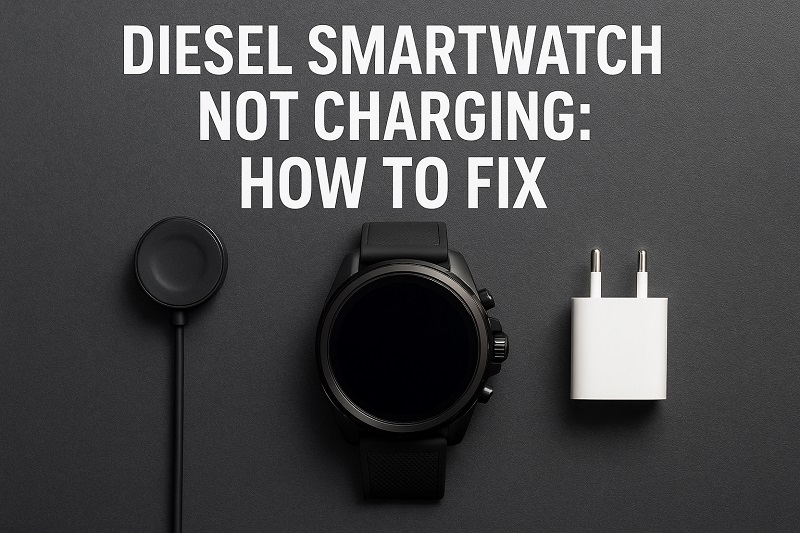
When your Diesel smartwatch won’t charge, you’re looking at a breakdown somewhere in the charging chain. This chain includes your charging cable, the magnetic charging disc, the charging pins on your watch, and the battery itself. Any weak link in this system can bring the whole charging process to a halt.
The issue usually shows up in one of two ways. Either your watch doesn’t respond at all when you place it on the charger, or it starts charging but stops randomly throughout the night. Some people notice their watch gets warm on the charger but still won’t actually gain any battery percentage. Others see the charging icon appear briefly before disappearing seconds later.
What makes this particularly tricky is that Diesel smartwatches use magnetic charging systems. These systems rely on precise alignment and clean contact points to work properly. Even a tiny speck of dust or a slight misalignment can interrupt the charging process completely.
If you ignore this problem, you’re setting yourself up for bigger headaches down the road. Your watch might die completely, making it harder to diagnose the issue later. Plus, attempting to charge a device with damaged components can potentially harm the battery or other internal parts. The sooner you tackle this, the better your chances of a simple fix.
Diesel Smartwatch Not Charging: Likely Causes
Several culprits could be behind your charging troubles, and identifying the right one saves you time and effort. Let’s walk through the most frequent offenders that prevent your Diesel smartwatch from powering up properly.
1. Dirty or Corroded Charging Contacts
The small metal pins on the back of your smartwatch are where the magic happens. These charging contacts need to make solid connections with your charging cable to transfer power. Over time, these pins collect all sorts of unwanted guests.
Sweat, dust, body oils, and even tiny soap residue from washing your hands can build up on these contacts. This buildup creates an invisible barrier between your charger and your watch. Think of it like trying to make a phone call through a pillow, the connection just can’t get through properly.
Corrosion is another enemy here. If you’ve worn your watch in the shower or pool (even though Diesel smartwatches are water-resistant), moisture can slowly cause the metal contacts to oxidize. This creates a thin layer of corrosion that blocks electrical flow. You might not even see it with your naked eye, but it’s enough to stop charging dead in its tracks.
2. Faulty or Damaged Charging Cable
Your charging cable takes a beating every single day. You unplug it, coil it up, toss it in bags, and yank it from outlets. All this handling puts stress on the internal wiring, especially where the cable meets the magnetic charging disc.
The magnetic disc itself can also develop problems. These discs have tiny pins that need to align perfectly with your watch. If the disc gets dropped or if something heavy sits on it, those pins can bend or break. Sometimes the magnet loses strength over time, preventing the secure attachment needed for charging.
What often happens is the cable works intermittently. It might charge your watch one day and fail the next. This inconsistency makes people think their watch is the problem when really it’s the cable all along. Testing with a different cable is usually the quickest way to rule this out.
3. Software Glitches or Frozen System
Sometimes your watch isn’t physically broken at all. Software bugs can make your Diesel smartwatch think it’s charging when it’s not, or prevent it from recognizing the charger altogether. These glitches happen more often after software updates or if your watch hasn’t been restarted in a while.
Your smartwatch runs a complex operating system, and just like your phone or computer, this system can freeze or malfunction. When the software crashes, it might lock up the charging function even though all the hardware works perfectly fine. The watch essentially forgets how to charge itself.
Battery calibration issues fall into this category too. Your watch might show 0% battery but actually have some charge left. The battery indicator gets confused and won’t update correctly even when power is flowing in. This makes you think charging isn’t working when really it’s just a display problem.
4. Worn Out or Degraded Battery
Every battery has a lifespan, and smartwatch batteries are no exception. After hundreds of charging cycles, lithium-ion batteries start losing their ability to hold a charge. Your Diesel smartwatch battery might have reached the end of its useful life.
Battery degradation happens gradually. At first, you might notice your watch doesn’t last as long between charges. Then it starts dying unexpectedly even when it shows 30% or 40% battery remaining. Eventually, it reaches a point where it won’t charge at all because the battery can’t accept or store power anymore.
Extreme temperatures accelerate this process. If you regularly leave your watch in hot cars or expose it to freezing conditions, the battery degrades faster than normal. Physical damage from drops can also harm the battery internally, creating swelling or short circuits that prevent charging. A battery in this condition needs professional replacement.
5. Misaligned or Loose Charging Connection
The magnetic charging system on Diesel smartwatches needs precise positioning to work. If your watch isn’t sitting correctly on the charging disc, the pins won’t make contact. This happens more than you’d expect, especially if you charge your watch in the dark or when you’re tired.
Sometimes the issue isn’t how you place the watch but what’s underneath it. If your charging cable sits on an uneven surface, the magnetic connection becomes unstable. The watch might start charging but then disconnect if the table vibrates or if someone bumps it slightly. You wake up to a dead watch because it only charged for a few minutes.
Magnetic interference is another subtle problem. If you charge your watch near other electronics or metal objects, they can weaken the magnetic hold between the charger and your watch. This creates a weak connection that drops in and out throughout the night, preventing a full charge.
Diesel Smartwatch Not Charging: How to Fix
Fixing your charging issue doesn’t require technical expertise or special tools. These practical solutions address the most common problems and get your smartwatch back to full power using items you already have at home.
1. Clean the Charging Contacts Thoroughly
Start by powering off your Diesel smartwatch if it has any battery left. Grab a clean, dry microfiber cloth or a cotton swab. Look at the back of your watch where you’ll see three or four small metal circles, these are your charging contacts.
Gently wipe these contacts using small circular motions. You’re trying to remove any oils, sweat, or debris that’s accumulated. If you notice stubborn grime, slightly dampen your cloth or swab with rubbing alcohol (70% or higher works best). The alcohol cuts through oils and evaporates quickly without leaving residue.
Pay attention to the charging cable’s magnetic disc too. Clean those pins just as carefully as you cleaned your watch. Use the same method with a dry cloth first, then alcohol if needed. Let everything air dry for about two minutes before attempting to charge again. This simple cleaning solves charging problems about 40% of the time.
2. Perform a Hard Reset
Your Diesel smartwatch needs a fresh start sometimes. A hard reset forces the device to restart completely, clearing any software glitches that might interfere with charging. This process varies slightly depending on your specific Diesel model, but the general approach remains similar.
For most Diesel smartwatches, press and hold the power button (usually on the right side) for about 15 to 20 seconds. Keep holding even if you see the screen flash or the logo appear. The watch should vibrate and restart. If this doesn’t work, try holding both the power button and the lower button simultaneously for the same duration.
After the reset, place your watch on the charger immediately. Sometimes watches need a bit of charge to complete the reset process properly. Leave it there for at least 30 minutes without disturbing it. This combination of resetting and charging often resolves software-related charging failures and gets your battery indicator working correctly again.
3. Check Your Power Source and Cable
Your wall adapter might not be delivering enough power to charge your smartwatch. Diesel smartwatches typically need at least 1 amp of charging current. If you’re using an old or weak adapter, it won’t supply enough juice.
Try plugging your charging cable into different power sources. Test a computer USB port, a different wall adapter, or even a portable power bank. If your watch starts charging with one source but not another, you’ve identified the problem. Wall adapters degrade over time, especially cheaper ones, and their output drops below what your watch needs.
Inspect your charging cable carefully too. Look for any visible damage like frayed wires, bent pins on the magnetic disc, or loose connections where the cable meets the USB plug. Flex the cable gently near both ends while it’s plugged in. If charging starts and stops as you move the cable, there’s internal wire damage. In this case, you need a replacement cable. Generic magnetic smartwatch chargers often work, but getting an official Diesel replacement ensures proper voltage and fit.
4. Ensure Proper Alignment and Stable Connection
Place your Diesel smartwatch on the charging disc with intention rather than just dropping it on. The magnetic pins need to align exactly with the contacts on your watch. You should feel a satisfying snap when the magnet grabs the watch properly.
Check that your charging cable sits on a flat, stable surface. A wobbly table or soft surface like a bed can prevent consistent contact between the charger and watch. If the surface isn’t perfectly flat, the magnetic connection weakens and breaks easily. Move your charging setup to a hard, level surface like a nightstand or desk.
Keep other electronics and metal objects at least six inches away from your charging area. Phones, tablets, keys, and even some watch bands can create magnetic interference. This interference doesn’t completely stop charging but makes the connection unreliable. Your watch might charge for a bit, disconnect, reconnect, and repeat this cycle all night without ever fully charging. Creating a dedicated charging spot eliminates these disruptions.
5. Try a Different Charging Cable
Sometimes you need to accept that your cable has given up. Borrowing a friend’s Diesel smartwatch charger or buying a new one helps you determine if the cable is the culprit. Many third-party magnetic smartwatch chargers work with Diesel models, though checking compatibility first saves headaches.
Connect the different cable and place your watch on it. If charging starts immediately, your original cable is toast. This happens frequently because charging cables are consumable items that wear out with regular use. The good news is that replacing a cable costs much less than repairing or replacing your watch.
If you don’t have access to another cable right away, try manipulating your existing cable. Unplug it completely, then plug it back in. Rotate the magnetic disc to see if different pin positions make contact. Sometimes one pin is damaged but others still work. This won’t solve the problem permanently, but it might give you enough charge to keep your watch functional until you get a replacement cable.
6. Update Your Watch Software
Manufacturers release software updates that fix bugs, including charging issues. If your Diesel smartwatch has enough battery to power on (even just 5% or 10%), connect it to your phone and check for updates through the companion app.
Open the app on your phone and look for a settings or device menu. There should be an option labeled “System updates,” “Software update,” or something similar. If an update is available, download and install it. Keep your watch on the charger during this process because updates drain battery quickly.
After updating, restart both your watch and your phone. Sometimes the connection between your devices gets confused, and a fresh start helps them communicate better. This might seem unrelated to charging, but watch software controls how the device recognizes and responds to being placed on a charger. Outdated software can misinterpret charging signals or fail to activate the charging circuit properly.
7. Contact a Professional Technician
If none of these fixes work, your Diesel smartwatch likely needs professional attention. The battery might be dead, or there could be internal damage to the charging circuit that you can’t fix at home. Continuing to troubleshoot at this point wastes time and risks causing additional damage.
Reach out to Diesel’s customer support first. They can run diagnostics and determine if your watch qualifies for warranty coverage. If your watch is out of warranty, look for reputable smartwatch repair shops in your area. These specialists have the tools and parts needed to replace batteries or repair charging circuits. Getting a quote before authorizing repairs helps you decide if fixing the watch makes financial sense compared to buying a new one.
Wrapping Up
A Diesel smartwatch that won’t charge is annoying but rarely means your device is completely dead. Most charging issues stem from simple problems like dirty contacts, faulty cables, or software hiccups that you can fix yourself in minutes. Starting with the easiest solutions and working your way through the list gives you the best chance of success.
Taking care of your charging contacts and cable extends their lifespan significantly. A quick wipe-down every few weeks and careful handling of your cable prevents many problems before they start. Your smartwatch is designed to serve you for years, and keeping it charged is the first step in making that happen.