Nothing’s more frustrating than a smartwatch that won’t charge. You’ve got it plugged in. The cable’s connected. Everything looks right. But that battery icon stays empty and your watch stays dead. Before you start shopping for a new one or booking a repair appointment, you should know something: this problem is almost always fixable at home.
I fix Denver smartwatches regularly, and charging issues are the most common complaint I hear. They’re also the easiest to solve. Most cases trace back to dirt, damaged cables, or minor software glitches. Nothing serious. This guide shows you exactly how to diagnose and fix the problem yourself, step by step, with tools you already have at home.
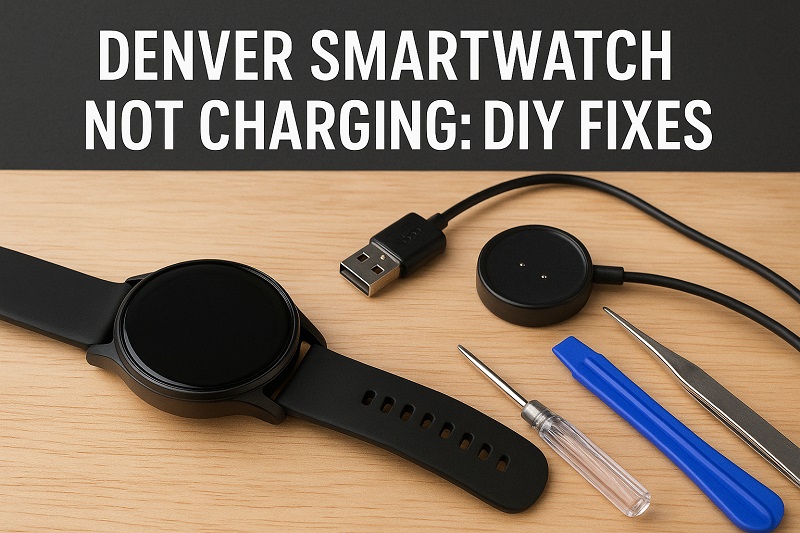
Why Your Smartwatch Stops Charging
Your Denver smartwatch charges through tiny metal dots on its back. These connect to matching pins on your charging cable or dock. When everything lines up right, electricity flows from your outlet into the battery.
But here’s the thing. Even the smallest bit of dirt breaks that connection. The contacts might look clean to your eye, but a thin layer of sweat or skin oil stops the charge completely. Sometimes your watch lights up like it’s charging, but the battery stays dead. Other times, nothing happens at all.
You’ve done everything right. Plugged it in. Waited. Checked it multiple times. The battery percentage doesn’t budge, or your watch won’t even turn on. This doesn’t mean your watch is broken. Most of the time, something’s just blocking the charge or a setting got messed up.
Temperature matters more than you’d think. Your smartwatch has safety features that stop charging if it gets too hot or too cold. Good for the battery, bad for you when you’re trying to charge after being outside in winter or leaving your watch in a hot car. The watch thinks it’s protecting itself, but you see a charging failure.
Denver Smartwatch Not Charging: Common Causes
Most charging failures happen for just a few reasons. Once you know what to look for, finding the problem gets easy.
1. Dirty Charging Contacts
Those metal dots on your watch back collect everything. Sweat. Lotion. Dead skin. Dirt. It builds up so slowly you won’t notice until charging stops working. Even a film you can’t see with your eyes will block the electrical connection completely.
It starts small. Your watch charges normally one day, then takes a bit longer the next. Eventually it stops. The charging cable picks up the same stuff. Dust, lint from your pocket, sticky residue from your hands.
Think about it. Your watch sits on your wrist all day, soaking up whatever’s on your skin. The charging area never gets a break from exposure. You should clean it regularly, but nobody remembers until it’s too late.
2. Broken Charging Cable
Cables get beat up fast. You bend them, roll them tight, throw them in bags, pull them out of outlets by the cord instead of the plug. All that abuse breaks the tiny wires inside, especially where the cable bends near the ends. The outside looks perfect. The copper inside is snapped.
Magnetic docks lose their grip over time. The pins get bent. Your watch doesn’t click into place anymore or sits loose. Sometimes the USB end is the problem. That metal piece wears down from being plugged in and unplugged over and over, making a weak connection to your power source.
3. Software Problems
Your smartwatch runs on software just like a computer. It freezes. Gets bugs. Acts weird. A glitch can stop your watch from knowing it’s plugged in. The charging process actually starts in the software before any real power flows, so if the software’s stuck, nothing moves forward.
These bugs often show up after updates or when an app crashes quietly in the background. Your watch looks totally dead. You assume it’s hardware. Really, the system just needs a reset to clear whatever’s stuck.
Sometimes the battery manager gets confused about how much charge is left. Your watch thinks it’s full when it’s empty. Or empty when it’s full. Charging stops too early or never starts.
4. Dead Battery
Batteries wear out. Every time you charge your Denver smartwatch, the battery loses a tiny bit of capacity. After two years of daily charging, you might only get 60% or 70% of what you started with. Keep going and eventually it holds nothing.
A completely drained battery can lock itself into protection mode and refuse to charge. This happens when you let your watch die and leave it sitting for weeks or months. The voltage drops so low that the charging system sees it as dangerous. Your watch needs a certain voltage level to start charging, and a deeply dead battery falls below that line.
5. Bad Power Source
Your wall plug or USB port might be failing. A dying adapter sends out uneven voltage that can’t charge your watch properly. Maybe you’re using a cheap one that doesn’t push enough power. Different gadgets need different amounts, and not every adapter handles every job.
Computer USB ports give less power than wall plugs. An old computer might have ports that barely trickle out electricity. When your computer sleeps, those ports often shut down completely. You leave your watch charging overnight, but the power cut out hours ago.
Denver Smartwatch Not Charging: How to Fix
Getting your watch working again usually just takes a few quick steps. Start with the easiest fix and work your way through.
1. Clean the Charging Contacts
Grab a soft cloth and cotton swabs. Get some rubbing alcohol, 70% or stronger. Unplug your charging cable first. Take your watch off any power source.
Dip the swab in alcohol and scrub those metal dots on your watch back. Use small circles. Light pressure. You want to melt away grime without scratching metal. Look at the swab after a few seconds. It’s probably dirty already. Grab a fresh one and keep going until it comes away clean.
Do the same with your cable pins. Really focus on the tips where contact happens. Let everything dry for two minutes. Alcohol evaporates fast, but you want it bone dry before you plug back in. This one fix solves about 40% of all charging problems. Try it now. Still broken? Next fix.
2. Use a Different Cable and Power Source
Your cable might look fine but be broken inside where you can’t see. Borrow one from someone with the same Denver watch, or buy a new one online. They’re cheap. Test your watch with it. If it charges, you found your answer.
Change your power source too. Been using a wall plug? Try your computer USB. Been using your computer? Switch to the wall. Different sources push different amounts of power. Your watch might need more juice than what you’re giving it.
If you’re on a computer, test different USB ports. Back ports on desktops usually give more power than front ones. USB 3.0 ports beat old USB 2.0 ones. A wall adapter with at least 1 amp written on it works best for smartwatches.
3. Restart Your Watch
A restart clears glitches that block charging. Hold your power button down for 10 seconds until the screen goes black. Some Denver models need you to hold two buttons at once. Check your manual if one button doesn’t work.
Wait 30 seconds. This lets everything inside fully discharge. Press power again to restart. If your watch is completely dead, plug it into the charger first, then restart. Sometimes it needs a tiny bit of power before a restart works. After it boots up, put it on the charger and look for the charging symbol. Software resets fix about 20% of charging issues, especially after updates or new apps.
4. Fix the Temperature
Your Denver watch won’t charge when it’s too hot or cold. Move it to normal room temperature. Away from sun, heaters, or cold windows. Best charging happens between 50°F and 95°F. If your watch feels hot, let it cool for 30 minutes before trying to charge. If it’s cold from outside or a cold car, let it warm up naturally. Don’t blast it with a heater or hairdryer. Quick temperature swings damage batteries.
5. Factory Reset
A factory reset erases everything and makes your watch new again. This fixes deeper software problems that simple restarts can’t reach. Back up important stuff first if your watch has enough battery to turn on.
How you reset depends on your Denver model. Usually you go to Settings, find System or About, then look for Reset or Factory Reset. Follow what it tells you. If your watch is totally dead, charge it for 15 minutes first to get enough power for the reset.
After resetting, set it up fresh. Don’t load a backup right away because that backup might have the bug that caused your charging problem. Use it clean for a day to make sure charging works. Then restore your data if you want. Be realistic though. If it’s a hardware problem, resetting won’t help. But for software bugs, this usually works.
6. Check the Charging Pins
Here’s something most people miss. If your watch has removable charging pins, take them out carefully and check for damage or gunk. Clean them with alcohol like you did the watch contacts.
Look at the springs inside your charging dock. These can get stuck or squashed over time. Press them down a few times gently to make sure they spring back right. Broken or stuck springs mean your pins won’t touch your watch properly. Put the pins back in. Make sure they click and lock. Test the magnet by setting your watch on the charger. It should snap down firmly. Weak magnet or loose pins mean you need new charging gear.
7. Get Professional Help
Tried everything and still nothing? Time for a pro. Your battery might be permanently dead and need replacing. Internal charging parts can fail too, and those need repairs you can’t safely do at home.
Call Denver support first. If you’re still under warranty, they might fix or replace it free. Have your receipt ready and tell them what you’ve tried. They might know about specific problems with your model. Local repair shops can swap batteries if you trust third-party work. Ask if they’ve worked on smartwatches before. Battery replacement costs less than a new watch, so it’s worth it if your device works fine otherwise.
Wrap-Up
Most Denver smartwatch charging problems are simple. Dirty contacts. Bad cables. Software bugs. Nothing expensive. Nothing complicated. A cotton swab, some alcohol, and five minutes fixes most of them.
Work through these fixes in order. One of them almost always works. Clean those contacts regularly from now on and you’ll avoid most problems before they start.