That blinking start light on your Kenmore dishwasher can feel like morse code you can’t crack. You press the start button, expecting your dishes to get clean, but instead you get this persistent blinking that seems to mock your dinner cleanup plans.
The good news is that most blinking start light issues stem from simple problems you can tackle yourself. Your dishwasher is trying to tell you something specific, and once you understand its language, you’ll have clean dishes again in no time.
This guide will walk you through exactly why your start light blinks, what triggers this behavior, and the step-by-step fixes that work. You’ll learn how to troubleshoot like a pro and get your dishwasher back to its reliable self.
Understanding the Blinking Start Light Problem
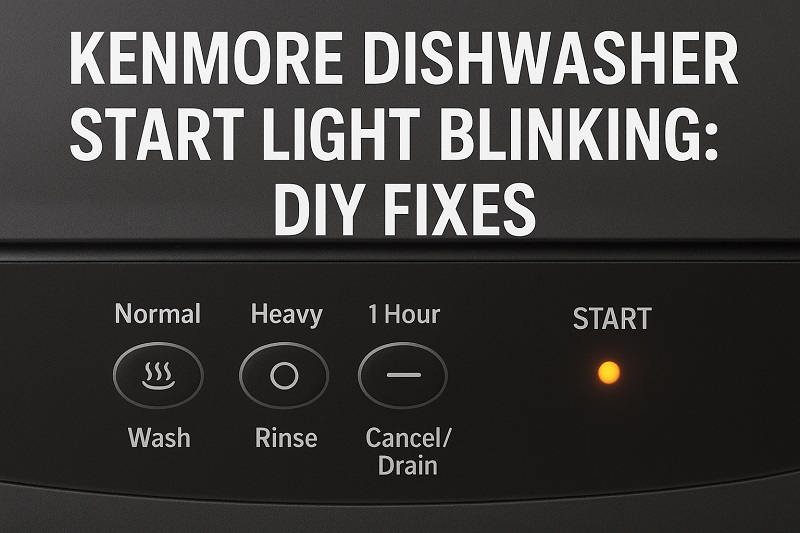
Your Kenmore dishwasher’s start light serves as a communication tool between you and the machine. When it blinks instead of staying solid, your dishwasher has detected an issue that prevents it from running a normal cycle. Think of it as your appliance’s way of raising a red flag before something goes wrong.
The blinking pattern isn’t random. Different blink sequences often indicate different problems, though many Kenmore models use a general blinking pattern to signal various issues. Your dishwasher runs multiple safety checks before each cycle, and if any of these checks fail, the start light begins its blinking dance.
Most commonly, the blinking occurs because your dishwasher can’t complete its pre-wash safety checklist. This might involve door latching, water supply, drainage, or internal sensor readings. The machine stays in this holding pattern, blinking and waiting, until the underlying issue gets resolved.
If you ignore the blinking light and hope it resolves itself, you might face bigger problems down the road. Your dishwasher could develop more serious malfunctions, or you might end up with water damage if drainage issues worsen. Taking action when you first notice the blinking saves both time and money.
Kenmore Dishwasher Start Light Blinking: Likely Causes
Several factors can trigger your Kenmore dishwasher’s start light to blink persistently. Understanding these root causes helps you pinpoint the exact issue affecting your machine and choose the most effective repair approach.
1. Door Latch Problems
Your dishwasher door must latch completely and securely before any cycle can begin. The door latch mechanism includes both mechanical and electrical components that work together to signal the control board that it’s safe to start washing.
Over time, food particles, grease, and mineral deposits can build up around the latch mechanism. This buildup prevents the door from closing properly or interferes with the electrical connection that tells your dishwasher the door is secure.
Sometimes the latch itself becomes worn or damaged from repeated use. You might notice that your door feels loose when closed, or you have to push harder than usual to get it to latch properly.
2. Water Supply Issues
Your dishwasher needs adequate water pressure and flow to operate correctly. If the water supply gets restricted or interrupted, the start light will blink to indicate the problem.
Clogged supply lines, kinked hoses, or partially closed water valves can all reduce water flow to your dishwasher. The machine detects this insufficient water supply during its initial checks and refuses to start the cycle.
3. Drainage System Blockages
A blocked drainage system prevents dirty water from leaving your dishwasher properly. Your machine checks its ability to drain before starting each cycle, and any obstruction triggers the blinking start light.
Food scraps, grease buildup, and small objects can clog various parts of the drainage system. The garbage disposal connection, drain hose, or internal filters might harbor these blockages.
Even partial blockages can cause problems. Your dishwasher’s sensors are sensitive enough to detect when water isn’t draining at the expected rate, causing the safety system to activate.
4. Control Panel Malfunctions
The electronic control panel manages all your dishwasher’s functions, including the start light. When this component develops issues, it can send mixed signals or fail to properly communicate with other dishwasher components.
Moisture, power surges, or general wear can affect the control panel’s performance. Sometimes the problem lies in loose connections behind the panel rather than the panel itself.
5. Faulty Door Switch
The door switch is a small but critical component that tells your dishwasher when the door is properly closed. This switch must make solid electrical contact to signal the control board that it’s safe to begin a wash cycle.
Worn contacts, corrosion, or physical damage to the switch can prevent it from functioning correctly. Even when your door appears to latch properly, a faulty door switch might not send the right signal to start the cycle.
Kenmore Dishwasher Start Light Blinking: DIY Fixes
You can resolve most blinking start light issues with some basic troubleshooting and simple repairs. These solutions address the most common causes and require only standard household tools and a bit of patience.
1. Check and Clean the Door Latch
Start by examining your dishwasher door and latch mechanism for obvious problems. Open and close the door several times, paying attention to how smoothly it operates and whether it feels secure when latched.
Look for food particles, grease, or mineral buildup around the latch area. Use a damp cloth to wipe down both the latch mechanism on the door and the corresponding catch on the dishwasher frame. For stubborn buildup, use a soft brush with mild dish soap to gently scrub the components clean.
Test the door after cleaning by closing it firmly and trying to start a cycle. Sometimes this simple cleaning resolves the blinking issue immediately.
2. Verify Water Supply Connection
Check that your dishwasher’s water supply valve is fully open. This valve is typically located under your kitchen sink and should be turned counterclockwise to the fully open position.
Examine the water supply hose for kinks, bends, or damage. The hose should have a smooth path from the shut-off valve to your dishwasher without any sharp bends that could restrict water flow. Straighten any kinks you find and ensure the hose connections are tight.
Run your kitchen faucet to verify you have adequate water pressure throughout your plumbing system. Low household water pressure can also trigger the blinking start light on sensitive dishwasher models.
3. Clear Drainage Obstructions
Begin by checking your garbage disposal if your dishwasher drains through it. Run the disposal briefly to clear any food particles that might be blocking the connection point where your dishwasher drain hose connects.
Remove your dishwasher’s bottom dish rack and locate the cylindrical filter at the bottom of the tub. Unscrew this filter by turning it counterclockwise and lift it out carefully. Rinse the filter under hot water, using a soft brush to remove trapped food particles and grease buildup.
Check the area around the filter housing for debris or objects that might have fallen through the rack. Small items like bottle caps, silverware, or broken glass can lodge in this area and interfere with proper drainage. Replace the clean filter by reversing the removal process.
4. Reset the Control Panel
Power off your dishwasher completely by unplugging it from the wall outlet or turning off the circuit breaker that supplies power to the unit. Wait at least five minutes to allow the control panel’s memory to clear completely.
Restore power to your dishwasher and press the start button to see if the blinking has stopped. This reset process often resolves temporary electronic glitches that can cause the start light to blink unnecessarily.
If your dishwasher is hardwired rather than plugged in, locate the appropriate circuit breaker in your electrical panel and switch it off for the same five-minute period.
5. Inspect the Door Switch
Locate the door switch, which is usually positioned near the top of the dishwasher opening where the door makes contact when closed. The switch should click audibly when you press it gently with your finger.
Look for signs of corrosion, damage, or loose connections around the switch. If the switch appears corroded, try cleaning the contacts with a small amount of electrical contact cleaner applied to a cotton swab.
Test the switch by pressing it while someone else watches the start light. If the light behavior changes when you press the switch, you’ve likely identified the problem component.
6. Professional Service Call
If all these DIY fixes fail to resolve your blinking start light, contact a qualified appliance repair technician. Some issues require specialized tools, replacement parts, or technical expertise that goes beyond typical homeowner capabilities.
Wrapping Up
Your Kenmore dishwasher’s blinking start light usually signals a fixable problem rather than a major appliance failure. Most issues stem from simple maintenance needs like cleaning the door latch, clearing drainage blockages, or resetting the control panel.
Regular maintenance prevents many of these problems from occurring in the first place. Clean your dishwasher filter monthly, wipe down the door seals regularly, and keep an eye on your water supply connections. These small efforts keep your dishwasher running smoothly and your dishes sparkling clean.