That annoying blinking light on your GE dishwasher has turned your simple “press start and walk away” routine into a staring contest you’re definitely losing. Your dirty plates are piling up in the sink, and you’re starting to wonder if your dishwasher has officially given up on life.
The truth is, your dishwasher isn’t broken – it’s just being overprotective. That flashing start button is like a worried parent refusing to let you leave the house until you fix whatever safety issue it’s detected. Frustrating? Absolutely. But once you know what to look for, it’s usually a quick fix.
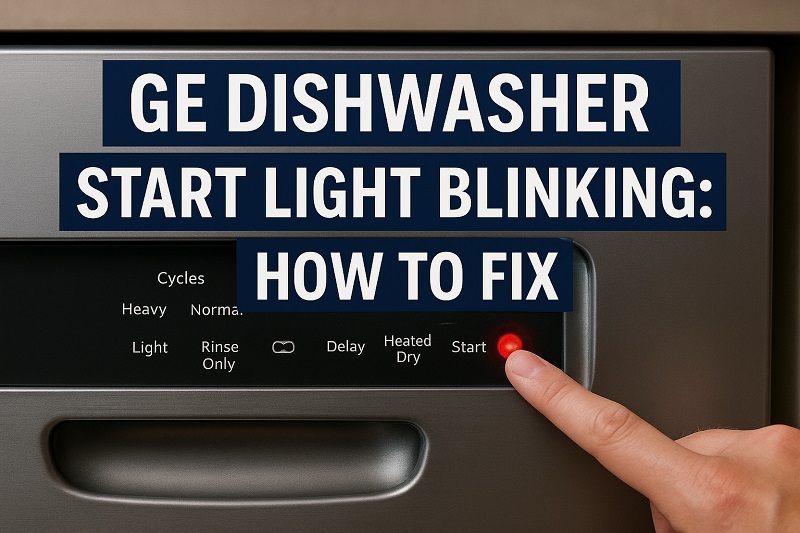
What’s Really Going On When That Light Blinks
That blinking start light isn’t just being difficult for no reason. Your GE dishwasher runs through a quick safety checklist every time you hit start. If something fails that checklist, the light blinks and nothing happens.
Think of it like your car checking that your seatbelt is on before letting you shift into drive. The dishwasher checks things like whether the door is properly shut, if water can get in and out, and if all the sensors are working correctly. When one of these checks fails, you get the blinking light treatment.
Most GE dishwashers use the same steady blinking pattern – just a regular flash every couple of seconds. It’s not morse code or anything fancy, just a simple “something’s wrong” signal that keeps going until you fix the problem.
This happens on pretty much every GE dishwasher model out there, from the basic ones to the fancy smart models. The causes are usually the same no matter how old or new your machine is, which makes troubleshooting a lot easier.
GE Dishwasher Start Light Blinking: Likely Causes
Let me walk you through the usual suspects when your start light won’t stop blinking. These are the problems I run into most often when people call me about this exact issue.
1. Door Latch Problems
Nine times out of ten, this is your culprit. Your dishwasher absolutely will not start unless it knows for sure that the door is closed tight. That’s a safety thing – you don’t want hot water and steam shooting out of an open door.
The door latch can get gunked up with food bits, soap scum, or just plain old kitchen grease over time. Even a tiny piece of rice stuck in the wrong place can keep that latch from working right. I’ve seen people spend hours troubleshooting when all they needed to do was wipe down the latch area.
Sometimes the door itself gets a little warped or the hinges get loose, so it doesn’t line up with the latch perfectly anymore. Your dishwasher is picky about this – if the door is even slightly off, the safety system kicks in and you get the blinking light.
2. Control Panel Acting Up
The control panel is basically the brain of your dishwasher, and like any brain, sometimes it gets confused. These electronic parts don’t like power surges, getting wet, or just getting old, and when they start failing, weird things happen.
A bad control panel might think you’re pressing buttons you’re not pressing, or it might not understand when you actually do press the start button. It’s like trying to have a conversation with someone who’s not really listening to you.
3. Water Supply Issues
Your dishwasher needs decent water pressure to work properly. If the water coming into your house is weak, or if something’s blocking the water line to your dishwasher, the machine knows it can’t do its job right.
Most dishwashers need at least 20 PSI of water pressure. That might sound technical, but it’s really just enough pressure so water can spray around properly inside the tub. Anything less than that and your dishwasher says “nope, not gonna try.”
The water line itself can get kinked or damaged too, especially if you’ve had work done under your sink recently. Even a small kink can cut the water flow enough to trigger that blinking light.
4. Clogged Drain System
If water can’t drain out of your dishwasher properly, it won’t start a new cycle. Makes sense when you think about it – you don’t want to add more water to a tub that’s already having trouble emptying.
The drain filter at the bottom of your dishwasher catches all the food scraps and gunk, and over time it gets pretty nasty. When it’s too clogged, water can’t flow through like it should. Your dishwasher tests this before every cycle starts.
Sometimes the problem isn’t even in the dishwasher itself. If your kitchen sink drain is backed up, or if you have a garbage disposal that’s not working right, that can affect your dishwasher’s drainage too.
5. Broken Door Switch
The door switch is a little button or sensor that tells your dishwasher when the door is actually closed. It works together with the latch, and if either one fails, your machine won’t start.
These switches can go bad from normal wear and tear, or sometimes they get corroded from all the moisture in your kitchen. Since this is a safety feature, if the switch isn’t working perfectly, your dishwasher just won’t run at all.
GE Dishwasher Start Light Blinking: DIY Fixes
Here’s where we fix this thing. I’m going to give you the solutions in order from easiest to hardest, so start at the top and work your way down.
1. Clean Up That Door Latch
First thing to do is take a good look at your door latch. Open and close the door a few times and really listen for that solid “click” when it latches. If it sounds weak or mushy, that’s your problem right there.
Get a damp cloth and clean all around the latch area. You’ll probably be surprised at how much gunk builds up there. Pay attention to both the part on the door and the part on the dishwasher frame that it latches into.
For the stubborn stuff, use an old toothbrush with a little dish soap. Get into all the little grooves and corners where food particles like to hide. Once everything’s clean, try closing the door again and see if that click sounds more solid.
2. Give It a Hard Reset
Pull the plug on your dishwasher for about ten minutes. I know that sounds too simple, but you’d be amazed how often this fixes control panel glitches. It’s like restarting your computer when it’s acting weird.
When you plug it back in, try holding down the start button for about ten seconds instead of just pressing it quickly. Some GE models need that longer press to reset properly.
3. Check Your Water Supply
Head under your kitchen sink and make sure the water shut-off valve for your dishwasher is turned all the way on. Sometimes these get bumped or turned down accidentally, especially if you’ve had a plumber working under there.
Look at the water line going to your dishwasher too. If it’s kinked or bent, carefully straighten it out. Don’t force it though – if the line looks damaged, you’ll need to replace it.
Turn on your kitchen faucet and see how the water pressure looks. If it’s weak everywhere in your house, that’s probably your problem. If it’s just weak at the kitchen sink, the issue might be with your sink’s aerator or the local plumbing.
4. Clean Out the Drain Filter
Pull out your bottom dish rack so you can get to the bottom of the tub easily. Look for a cylindrical filter down there – it usually twists out or lifts out depending on your model.
Take that filter to your kitchen sink and rinse it under hot water while scrubbing with a brush. You’ll probably see some pretty gross stuff come out of there, but that’s normal. Get it as clean as you can.
While you have the filter out, check the drain area for any obvious junk:
- Look for pieces of food, broken glass, or anything else that doesn’t belong
- Run some water down your kitchen sink to make sure it drains well
- If you have a garbage disposal, run it to make sure it’s working
- Put the clean filter back in exactly how it came out
5. Test the Door Switch
Open your dishwasher door and look along the door frame for a small button or switch. It’s usually somewhere the door would press against when closed.
Press this switch with your finger and see if it moves in and out smoothly. It should have a little spring to it. If it’s stuck or doesn’t move at all, that’s likely your problem.
6. Call for Backup
If you’ve tried everything on this list and that light is still blinking at you, it’s time to call in a professional appliance repair tech. Some problems need special tools or replacement parts that aren’t worth trying to tackle yourself.
Don’t feel bad about calling for help – sometimes the control board needs replacing, or there’s an internal wiring issue that’s just not practical for most people to fix. A good repair tech can usually figure out what’s wrong pretty quickly and get you back to clean dishes.
Wrap-Up
Most of the time, a blinking start light on your GE dishwasher is trying to tell you about something simple that’s easy to fix. Door latch problems, dirty filters, and control panel hiccups account for probably 80% of these cases.
The key is working through these fixes one at a time instead of panicking and assuming you need a new dishwasher. A little cleaning and basic troubleshooting usually gets things back to normal, and you’ll feel pretty good about fixing it yourself.