Your Voltas AC remote suddenly stops showing any light when you press the buttons. You keep jabbing at different buttons, but there’s still nothing. Frustrating, right?
This little problem can leave you wondering if your remote is dead or if something else is going on. Before you rush out to buy a new remote, there are several simple things you can try at home that might get that light glowing again. We’ll walk through why this happens and exactly what you can do about it.
What’s Really Happening With Your Remote
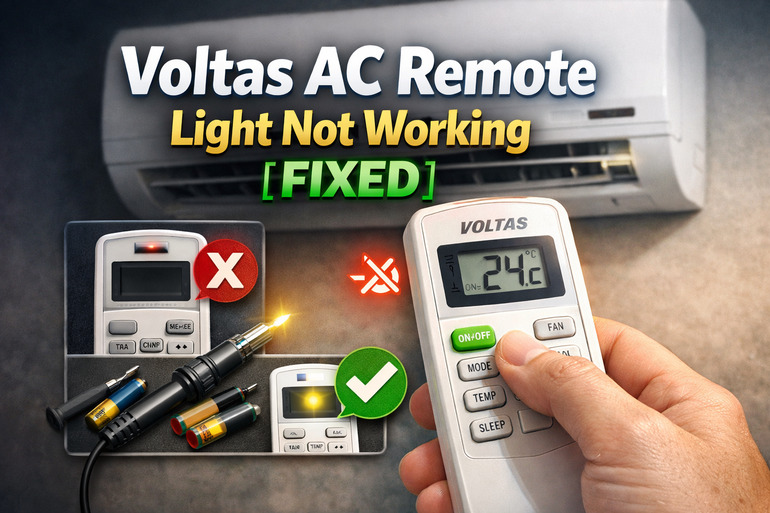
Your remote control uses infrared technology to send signals to your AC unit. The light you see on the remote is actually part of this communication system. When you press a button, a tiny LED bulb should light up, showing that the remote is trying to send a command.
That light serves two purposes. First, it confirms that your remote has enough power to function. Second, it shows you that the button press registered. Without this light, you’re left guessing whether the remote is working at all or if your AC unit is ignoring the commands.
Sometimes the remote might still be sending signals even without the light showing. This happens because the infrared beam and the indicator light are separate components. However, most of the time, if the light isn’t working, the remote itself has stopped functioning properly.
If you leave this problem unfixed, you’ll have trouble controlling your AC. You won’t know if you’re actually adjusting the temperature or changing modes. This can lead to unnecessary energy waste if you can’t properly turn off your AC when needed.
Voltas AC Remote Light Not Working: Common Causes
Several things can stop your remote’s light from working. Let’s look at what usually causes this issue so you can pinpoint the exact problem with your device.
1. Dead or Weak Batteries
Your batteries might look fine from the outside, but they could be completely drained inside. Batteries lose their charge over time, even if you haven’t used the remote much.
Sometimes batteries drain faster in hot conditions. If your remote sits near a window or in a warm room, the heat speeds up battery discharge. You might think the batteries are recent, but they could have lost most of their power already.
Even partially drained batteries can cause issues. The remote needs a certain voltage level to power both the LED light and the infrared transmitter. When batteries get weak, the light is usually the first thing to fail.
2. Corroded Battery Contacts
Open up your remote and check inside the battery compartment. You might see white, green, or brownish crusty stuff on the metal contacts. That’s corrosion, and it blocks the electrical connection between your batteries and the remote’s circuit.
This happens when batteries leak or when moisture gets into the compartment. Even a tiny amount of corrosion can prevent power from flowing properly. The metal contacts need clean, direct contact with the battery terminals to work.
3. Faulty LED Bulb
The LED light itself can burn out or fail. LEDs usually last a long time, but they’re not invincible. Physical damage from drops or manufacturing defects can kill the LED while the rest of the remote still functions.
Sometimes the LED gets partially disconnected from the circuit board. This can happen if the remote takes a hard fall or if someone presses the buttons too forcefully over time.
4. Circuit Board Issues
Inside your remote sits a small circuit board that connects everything together. This board can develop problems over time. Solder joints can crack, especially if the remote gets dropped frequently.
Moisture is another enemy of circuit boards. If you’ve spilled liquid on the remote or used it with wet hands, moisture might have seeped inside. This can create short circuits or corrode the delicate connections on the board.
The circuit board might look perfectly fine from the outside, but microscopic cracks or damaged traces can stop the LED from lighting up. These problems are harder to spot without opening the remote and inspecting closely.
5. Stuck or Damaged Buttons
Your remote buttons might be physically stuck or damaged in a way that prevents proper contact. Each button presses down on a rubber pad underneath, which then touches the circuit board to complete the connection.
Over years of use, this rubber pad can wear out or get dirty. Dust, oil from your fingers, and other debris can build up and create a barrier. When the button can’t make good contact with the circuit board, the LED won’t receive the signal to light up.
Voltas AC Remote Light Not Working: DIY Fixes
Now that you know what causes the problem, here’s how to fix it yourself. These solutions work for most remote issues and don’t require any special tools.
1. Replace the Batteries
Start with the simplest fix. Pop out your old batteries and put in fresh ones. Make sure you’re using the correct battery type that your remote needs, usually AAA or AA.
Check that you’ve inserted the batteries in the right direction. Look for the plus and minus symbols inside the battery compartment and on the batteries themselves. Getting this wrong means no power will flow.
After inserting new batteries, press a few buttons to see if the light comes back on. Sometimes you need to press firmly the first time to establish good contact. If the light works now, your problem is solved.
2. Clean the Battery Contacts
If new batteries didn’t help, you need to clean those contacts. Take out the batteries first. Look inside the compartment for any crusty or discolored spots on the metal parts.
Grab a cotton swab and dip it in white vinegar or lemon juice. Rub the swab firmly over the corroded areas. The acid in the vinegar helps dissolve the corrosion. You might need to scrub a bit if the buildup is thick.
After cleaning, dry everything thoroughly with a clean cloth or let it air dry for a few minutes. You can use a dry cotton swab to remove any remaining moisture. Put the batteries back in and test the remote.
3. Clean the Circuit Board and Buttons
This fix requires opening up your remote. Look for small screws on the back, usually hidden under stickers or in the battery compartment. Remove these screws carefully and separate the two halves of the remote.
Once open, you’ll see the circuit board and rubber button pad. Here’s what to do:
- Gently remove the rubber button pad
- Wipe the circuit board with a soft, dry cloth to remove dust
- Clean the rubber pad with a slightly damp cloth and mild soap
- Use a cotton swab with rubbing alcohol to clean the circuit board contacts
- Let everything dry completely before reassembling
This cleaning removes built-up grime that might be blocking the electrical connections. Many remote problems get fixed just by doing this simple maintenance.
4. Check for Physical Damage
While your remote is open, inspect it carefully for any visible damage. Look at the LED light itself. It’s usually a small, clear or colored bulb near where the infrared transmitter sits.
Check if any wires or components look loose or broken off. Sometimes you can spot a crack in the circuit board or a disconnected wire. If the LED bulb looks dark or damaged, that’s likely your problem.
Look at the solder points where components connect to the board. These should be shiny and smooth. If you see cracks or gaps in the solder, that’s a sign of a broken connection.
5. Reset the Remote
Some Voltas remotes have a reset button or procedure. Look for a tiny hole labeled “reset” on your remote. Use a paperclip or pin to press this button for about five seconds.
If there’s no reset button, try this instead. Take out the batteries and press every button on the remote several times. This drains any remaining charge. Wait for about two minutes, then put the batteries back in.
This reset can fix software glitches that might be preventing the light from working. It’s like turning your remote off and on again, giving it a fresh start.
6. Test With Your Phone Camera
Here’s a clever trick to check if your remote is actually working even without the light. Open your phone’s camera app and point the remote at the lens. Press any button on the remote while looking at your phone screen.
If your remote is sending signals, you’ll see a light flashing on the camera screen, even though you can’t see it with your eyes. This happens because phone cameras can detect infrared light that’s invisible to us.
Seeing this light means your remote is working, but just the indicator LED is broken. If you don’t see anything on the camera, the remote has a bigger problem.
7. Contact a Professional Technician
Sometimes the problem is too complicated to fix at home. If you’ve tried all these steps and nothing worked, it’s time to call in an expert. Reach out to a qualified electronics repair technician or contact Voltas customer service directly.
A professional can diagnose issues with the circuit board or replace internal components that regular users can’t easily fix. They have the tools and knowledge to solder new parts or repair damaged connections. This option makes sense if your remote is expensive or if you’re not comfortable doing more complex repairs yourself.
Wrapping Up
Getting your Voltas AC remote light working again usually comes down to simple fixes you can handle yourself. Fresh batteries solve the problem most of the time. Cleaning away dirt and corrosion takes care of many other cases.
Even if the light stays off but your remote still controls the AC, you’ve learned how to check that with your phone camera. Your remote doesn’t need to be expensive to replace, but why spend money when a quick fix at home might be all you need? Keep your remote clean and dry, and it should serve you well for years.