You open your KitchenAid fridge at night, expecting that familiar glow, but instead you’re greeted by complete darkness. Suddenly, finding your midnight snack feels like a treasure hunt gone wrong.
A broken fridge light might seem like a small problem, but it can be surprisingly frustrating. You deserve better than fumbling around in the dark every time you need something from your refrigerator. Let me walk you through why this happens and how you can get that light shining again.
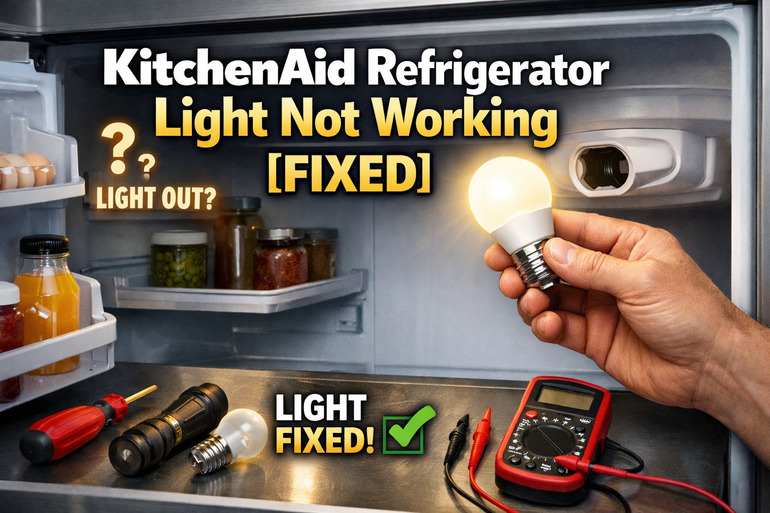
What’s Really Going On With Your Fridge Light
Your refrigerator light seems simple enough. You open the door, it turns on. Close the door, it goes off. Behind this basic function lies a small system that includes a bulb, a socket, and a door switch that acts like a trigger.
Here’s how it works. That little switch sits near the door frame, usually tucked along the top or side. Every time you close your fridge door, the door pushes against this switch, telling the light to turn off. Opening the door releases the switch, and the light should come on. This setup has been around for decades because it works well.
But like anything in your home, things can break down. The bulb might burn out after months of use. The switch could get stuck from spills or wear out from being pressed thousands of times. Sometimes the socket itself develops issues, or wiring connections loosen up over time.
If you ignore a dead fridge light, you might think it’s no big deal. But reaching blindly into your fridge increases the chance of knocking things over or missing expired food hiding in the back. Plus, it makes cleaning harder because you can’t see what needs attention.
KitchenAid Refrigerator Light Not Working: Common Causes
Several things can stop your fridge light from working, and most of them are easier to fix than you’d think. Let me break down what usually goes wrong so you can figure out which issue you’re dealing with.
1. Burned Out Bulb
This is the most straightforward reason your light stops working. Fridge bulbs don’t last forever, even though they might seem like they do.
Your refrigerator light bulb faces constant temperature changes every single day. Each time you open that door, warm room air rushes in, then cold air takes over again when you close it. This back and forth stresses the bulb’s filament over time.
Most fridge bulbs last about a year with normal use, but yours might burn out sooner if you open your fridge frequently. The good news is that checking this takes about 30 seconds. Just look at the bulb to see if the filament inside looks broken or if there’s dark spots on the glass.
2. Faulty Door Switch
Your door switch takes a beating. Think about how many times you open and close your fridge each day. Multiply that by weeks, months, and years.
This switch is usually a small button that the door presses when it closes. Over time, the spring inside can wear out or the contacts can get dirty. Sometimes sticky spills drip down and gum up the mechanism. When this happens, the switch might stay in the “off” position even when you open the door.
You can spot a bad switch pretty easily. Press it with your finger while the door is open. If it feels mushy, doesn’t click properly, or stays pushed in, that’s your problem right there.
3. Loose or Damaged Socket
The socket holds your bulb in place and delivers electricity to it. But sockets can develop issues that aren’t always obvious at first glance.
Sometimes the metal contacts inside the socket get bent or corroded. This stops electricity from flowing properly to the bulb. You might have a perfectly good bulb, but if the socket can’t make a solid connection, nothing happens.
Moisture is often the culprit here. Your fridge is a humid environment, especially if you store lots of fresh produce. That moisture can creep into the socket over time and cause corrosion. Occasionally, someone screws a bulb in too tightly and damages the socket’s threading or contacts.
4. Wiring Problems
Behind your fridge’s interior panel, there are wires connecting everything together. These wires can come loose or get damaged, cutting power to your light.
This happens more often than you’d expect. If your fridge has been moved recently, all that jostling can shake connections loose. Sometimes a wire’s insulation cracks from age, or a connection point develops corrosion.
The tricky part here is that you usually can’t see these problems without taking panels off. But if you’ve already tried a new bulb and checked the door switch and socket, wiring becomes the likely suspect.
5. Control Board Issues
Modern KitchenAid refrigerators have electronic control boards that manage various functions, including your light. These boards can fail, though it’s less common than the other causes I’ve mentioned.
A control board is basically the brain of your fridge. It tells different components when to turn on and off based on various signals. If the board develops a fault in the circuit that controls your light, the bulb won’t get power even though everything else looks fine.
You might notice other odd behaviors if your control board is acting up. Maybe your temperature display flickers, or other features work inconsistently. These are clues that point beyond a simple bulb or switch problem.
KitchenAid Refrigerator Light Not Working: How to Fix
Getting your fridge light working again is usually something you can handle yourself. Here are the fixes that work most of the time, starting with the easiest.
1. Replace the Bulb
Start here because it’s the simplest fix and the most common problem. You’ll need to grab the right replacement bulb first.
Check your fridge’s manual or look at your current bulb to find the correct type. Most KitchenAid fridges use standard appliance bulbs, either 40 watts or 60 watts. Some newer models use LED bulbs instead. Make sure you get the right one because using the wrong bulb can cause overheating or won’t fit properly.
Once you have your new bulb, this takes about two minutes:
- Unplug your refrigerator or turn off the circuit breaker that powers it
- Remove the light cover if your model has one (it usually twists off or has a small tab to squeeze)
- Unscrew the old bulb by turning it counterclockwise
- Screw in your new bulb, but don’t overtighten it
- Replace the cover if there was one
- Plug your fridge back in and test the light
2. Clean and Test the Door Switch
If a new bulb didn’t solve your problem, the door switch needs your attention. This fix requires a bit more work but stays pretty straightforward.
Find your door switch first. Look along the top edge or side of your fridge opening where the door makes contact when closed. You’ll see a small button or plunger sticking out slightly.
Here’s how to test and clean it:
- Press the switch several times with your finger and listen for a clicking sound
- If it clicks and feels springy, spray a tiny bit of contact cleaner around it (you can find this at hardware stores)
- Press it a few more times to work the cleaner in
- If it feels stuck or doesn’t click at all, you’ll need to replace it
Replacing a door switch is still pretty easy. Most switches pull straight out or have a single screw holding them in place. Disconnect the wire harness, pop in the new switch, and reconnect everything.
3. Inspect and Clean the Socket
A dirty or damaged socket stops electricity from reaching your bulb, even if everything else works fine. You can often fix socket problems without replacing anything.
Turn off power to your fridge before doing this. Remove the bulb and look inside the socket with a flashlight. Check the metal contact at the bottom and the threading on the sides.
If you see corrosion (it looks crusty or greenish), here’s what to do:
- Mix a small amount of baking soda with water to make a paste
- Dip a cotton swab in the paste and gently scrub the contacts
- Use a dry cloth to wipe everything clean
- Let it air dry completely before putting in a new bulb
Sometimes the center contact tab gets pushed down too far and can’t touch the bulb properly. You can gently pry it up a bit with a wooden toothpick while the power is off. Metal tools can damage the socket, so stick with wood or plastic.
4. Check the Wiring Connections
This step requires removing some panels inside your fridge, but it’s still manageable if you’re comfortable with basic repairs. You’re looking for loose wires or damaged connections.
Start by unplugging your refrigerator completely. You’ll need to remove the light assembly cover and potentially a panel or two to access the wiring. Take pictures before disconnecting anything so you know how it all goes back together.
Look for wires that have come loose from their connectors. Push them back in firmly until you hear or feel a click. Check wire insulation for cracks or damage. If you find damaged wires, you can wrap them with electrical tape as a temporary fix, but replacing damaged wiring is better for the long term.
5. Replace the Door Switch Assembly
If cleaning didn’t help and your switch still feels wrong, replacement is the next step. You can buy replacement switches online or from appliance parts stores.
Getting the right part matters here. Write down your refrigerator’s model number (you’ll find it on a sticker inside the fridge or on the back). Use this number when ordering your switch to make sure it fits.
Installation goes like this:
- Turn off power to your fridge
- Locate the mounting screw or clip holding the old switch
- Disconnect the wire harness by pressing the release tab
- Remove the old switch
- Install the new switch in the same position
- Reconnect the wires
- Test it before putting everything back together
6. Contact a Qualified Appliance Technician
Sometimes the problem runs deeper than what you can fix yourself. If you’ve tried everything above and your light still doesn’t work, it’s time to call in a professional appliance repair technician. They have the tools and knowledge to diagnose control board issues or hidden wiring problems that aren’t easy to spot. Getting expert help beats spending hours frustrated and potentially making things worse.
Wrapping Up
Your KitchenAid fridge light serves an important role even though it seems like a minor feature. Most light problems come from simple causes that you can fix yourself in just a few minutes.
Start with the easiest solutions like replacing the bulb or cleaning the door switch. These fixes work most of the time and cost very little. If those don’t help, work your way through checking the socket and wiring. You’ll likely find and fix your problem before needing to call anyone for help.