Your Ikea smart light stopped responding to the remote, and now you’re stuck flipping the wall switch like it’s 1995. Frustrating, right?
I’ve been fixing these exact issues for years, and I can tell you this happens way more often than you’d think. The good part is that most of these problems have simple fixes you can do yourself in minutes.
This guide will show you exactly why your Ikea remote stopped working and walk you through each fix step by step. You’ll learn what causes the problem, how to spot the issue, and how to get your lights responding again.
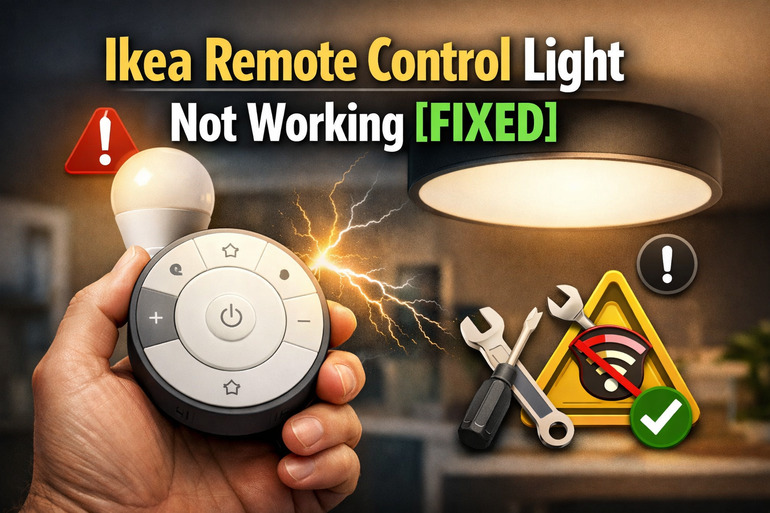
What’s Really Happening With Your Remote
Your Ikea remote control light system uses something called Zigbee technology. Think of it as a special language your remote and light bulb use to talk to each other. When they stop talking, your lights won’t respond no matter how hard you press those buttons.
This breakdown in communication can happen for several reasons. Sometimes the remote and bulb forget they’re supposed to work together. Other times, the batteries are too weak to send a clear signal. Distance can play a role too, especially if you’ve moved furniture or changed your room layout.
Here’s what makes this tricky. Your light might still turn on and off from the wall switch but ignore the remote completely. That usually means the bulb itself is fine, but the wireless connection between the remote and bulb has broken down.
If you ignore this problem, you lose all the smart features you paid for. No dimming. No color changes. No remote control from your couch. You’ll be walking to the wall switch every single time, which defeats the whole purpose of having a smart lighting system.
Ikea Remote Control Light Not Working: Common Causes
Several things can break the connection between your Ikea remote and your smart lights. Let me walk you through the most common culprits I see in homes every week.
1. Dead or Weak Batteries
Your remote needs power to send signals. This sounds obvious, but weak batteries cause more problems than you’d think.
Even when batteries seem to work, they might not have enough juice to send a strong signal. The remote might light up when you press a button, making you think everything’s fine. But that little LED indicator uses way less power than the actual signal transmission.
Here’s something interesting. Cold temperatures drain batteries faster. If your remote sits near a window or in a cool room, the batteries might die sooner than expected. I’ve seen remotes work perfectly in summer but fail constantly in winter, all because of battery drain.
2. Lost Pairing Connection
Your remote and light bulb need to be paired, like Bluetooth headphones with your phone. Sometimes they forget each other exists.
This happens when you’ve reset something accidentally. Maybe you turned the light switch on and off quickly several times while trying to find it in the dark. That rapid switching can trigger a reset sequence. Power outages can do the same thing.
3. Signal Interference
Other devices in your home might be blocking or confusing the signal between your remote and lights. Zigbee operates on the 2.4 GHz frequency, which lots of devices share.
Your WiFi router is probably the biggest culprit. If it’s sitting right next to your lamp or between your remote and the bulb, it can cause interference. Microwaves do this too when they’re running. Baby monitors are another common source of interference that people rarely suspect.
Physical obstacles matter as well. Thick walls, metal furniture, or even large appliances can weaken the signal. I once helped someone whose lights stopped working after they moved a filing cabinet into the room. The metal was blocking the signal path.
4. Outdated Firmware
Your Ikea smart bulbs run on software that occasionally needs updates. Old firmware can cause weird behavior and connectivity issues.
Most people don’t realize these bulbs even have updatable software. Unlike your phone that nags you about updates, these bulbs just quietly get outdated. If you’ve had your system for over a year and never updated it, this could be your issue.
5. Faulty Remote or Bulb Hardware
Sometimes the hardware itself fails. Remotes take a beating from daily use, and bulbs can develop internal issues over time.
The little circuit board inside your remote can crack from being dropped. Water damage from a spilled drink is another common killer. Even humidity in a bathroom can slowly corrode the internal components.
Bulbs can fail internally too. The LED part might work fine, but the wireless chip inside could be dead. This is less common than other issues, but it happens. I usually see this with bulbs that have been running hot for long periods, like in enclosed fixtures where heat builds up.
Ikea Remote Control Light Not Working: DIY Fixes
Getting your Ikea remote working again is usually straightforward. Here’s how to fix the most common issues yourself.
1. Replace the Remote Batteries
Start with the simplest fix. Pop out the old batteries and put in fresh ones.
Don’t just swap them if the remote still lights up. Even partially drained batteries can cause connection problems that aren’t obvious. Use brand new batteries from a sealed package, not ones sitting in your junk drawer for months. Make sure you put them in the right direction. The plus and minus symbols inside the battery compartment show you which way they go.
After installing new batteries, try the remote from different distances. Stand close to the light first, then move farther away. This helps you figure out if the batteries were really the problem.
2. Re-Pair the Remote and Bulb
Pairing creates a fresh connection between your devices. You’ll need to get the bulb and remote talking again from scratch.
Turn your light switch on so the bulb has power. Hold the remote very close to the bulb, maybe six inches away. Press and hold the pairing button on your remote. For most Ikea remotes, this is the button with two circles connected by a line. Keep holding it until the bulb flashes or changes brightness. This usually takes about 10 seconds.
If the bulb doesn’t respond, try turning the light switch off and on five times quickly. This resets the bulb. Wait for it to flash, then immediately try the pairing process again. Some Ikea systems need this reset step before they’ll accept a new pairing.
3. Check for Interference Sources
Move potential interference sources away from your lighting system. This can instantly restore your connection.
Start with your WiFi router. If it’s within a few feet of your lamp or overhead light, move it farther away. Even three or four feet can make a difference. Turn off your microwave and try the remote. If it suddenly works, you’ve found your interference source.
Look for other wireless devices too. Cordless phones, baby monitors, and wireless security cameras all use similar frequencies. Try unplugging them one at a time to see if your remote starts working. You don’t have to get rid of these devices, just position them differently or use them at different times.
4. Reset Both Devices Completely
A full reset wipes everything clean and lets you start fresh. This often fixes stubborn problems that other solutions can’t touch.
For the bulb, turn the wall switch on and off six times, pausing about one second between each flip. The bulb should flash to confirm the reset. For the remote, take out the batteries and press every button a few times. This drains any residual power. Wait 30 seconds, then put the batteries back in.
Now pair them again using the method from fix number two. Treating both devices to a fresh start clears out any corrupted settings or confused programming. I’ve seen this fix issues that seemed completely mysterious.
5. Update the System Firmware
If you have an Ikea gateway or hub, check for firmware updates through the Ikea Home smart app.
Open the app on your phone and look for a settings or devices section. Find your remote and bulb in the list. If updates are available, you’ll see an option to install them. The update process usually takes just a few minutes. Keep the app open while it’s updating and don’t turn off your lights.
Some people skip this because they don’t think software matters for a light bulb. But these updates fix bugs and improve how devices communicate. I’ve seen countless cases where a simple update solved problems that seemed like hardware failures.
6. Test With a Different Bulb or Remote
Sometimes you need to figure out which device is actually broken. Swap components to isolate the problem.
If you have another Ikea smart bulb in your home, try pairing your remote with that one. If it works, your original bulb is the problem. If it still doesn’t work, your remote is likely faulty. You can do the reverse too. Try a different remote with your bulb if you have one available.
This testing method saves you from buying replacement parts you don’t actually need. I’ve had customers ready to buy a new remote when their bulb was the real issue.
7. Contact Ikea Support or an Electrician
If none of these fixes work, you might have a defective product or a more complex electrical issue.
Ikea’s customer service can help determine if your remote or bulb is still under warranty. They can also walk you through more advanced troubleshooting steps specific to your exact model. Keep your receipt handy when you call.
For persistent electrical issues, like lights that flicker constantly or circuits that trip when you use the lights, call a licensed electrician. These symptoms point to problems with your home’s wiring that go beyond the smart light system itself.
Wrapping Up
Your Ikea remote control light system should make life easier, not harder. Most connection problems come from simple causes like dead batteries or lost pairing, and you can fix them yourself in minutes.
Start with the easiest solutions first and work your way through the list. Fresh batteries and a quick re-pairing solve most issues. If those don’t work, checking for interference and doing a full reset usually does the trick. Your smart lights will be responding to your remote again before you know it.