You grab your electric scooter for your morning commute, hit the power button, and nothing happens on the screen. No battery bars, no speed numbers, just a blank black rectangle staring back at you. Your heart sinks because you think your scooter just died.
Here’s what I’ve learned after fixing dozens of these dead displays: most of the time, your scooter is perfectly fine. The motor works, the battery has juice, and everything else functions normally. It’s just the screen having a bad day.
I’ll walk you through exactly what causes these display failures and show you how to fix most of them yourself. You don’t need fancy tools or years of experience. Just some basic common sense and maybe 30 minutes of your time.
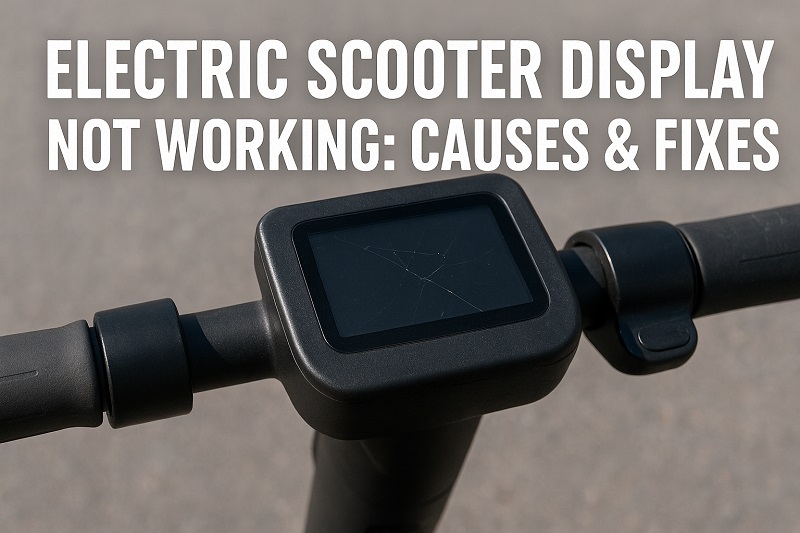
What Happens When Your Scooter Display Dies
Your scooter’s display is basically the dashboard of your ride. It shows your speed, how much battery you have left, what riding mode you’re in, and sometimes error messages when something goes wrong. When it stops working, you’re basically riding blind.
These screens can fail in different ways. Sometimes they go completely black and won’t turn on no matter what you do. Other times they flicker like an old TV, show weird symbols that don’t make sense, or get stuck showing the same numbers even when you’re speeding up or slowing down.
Most scooter displays are pretty simple devices, but they depend on several things working together. They need steady power from your battery, clear signals from the main computer (called a controller), and all the wires connecting everything need to stay put. Break any link in this chain and your display goes haywire.
Weather plays a bigger role than most people think. Super hot days can make the tiny parts inside expand and lose their connections. Really cold weather makes LCD screens sluggish or completely unresponsive. And don’t get me started on water damage – even a little moisture can fry these delicate electronics in no time.
Electric Scooter Display Problems: Common Causes
Most display problems don’t just appear out of nowhere. They build up over time, and once you know what to look for, the patterns become pretty obvious. I’ve seen the same issues pop up again and again across different scooter brands.
The trick is being systematic about finding the real problem instead of just guessing and hoping for the best. Each cause has its own fingerprints that can point you in the right direction.
1. Loose or Busted Wire Connections
Every time you ride your scooter, it vibrates. Every bump, every crack in the sidewalk, every curb you hop gradually shakes your electrical connections loose. These connections weren’t designed to handle years of constant jiggling, and eventually something gives way.
Water makes this problem ten times worse. When moisture creeps into connection points, it creates this green crusty stuff called corrosion that basically acts like rust on metal. This corrosion makes it harder for electricity to flow through, causing your display to work sometimes but not others.
You’ll often notice the display cutting out when you hit rough patches of road but working fine on smooth surfaces. That’s a dead giveaway that you’ve got loose connections somewhere. The wiring harness that runs from your display down to the main controller is usually the culprit.
2. Your Battery Can’t Keep Up
Electric scooter displays are picky about their power supply. They need steady, reliable electricity to function properly. When your battery starts struggling to maintain proper voltage, the display often shuts itself down to avoid getting damaged.
Old batteries are notorious for this. They might seem fine when your scooter is just sitting there, but as soon as you hit the throttle and the motor starts drawing power, the voltage drops like a rock. Your display sees this voltage drop and says “nope, I’m out” to protect itself.
Even newer batteries can cause problems if the individual cells inside get out of balance. Think of it like a team where some players are stronger than others – the whole team suffers when members aren’t pulling their weight equally. When battery cells drift apart in voltage, the whole pack becomes unreliable.
3. Controller Communication Breaks Down
Your scooter’s main controller is like the brain of the whole system. It manages everything from how much power goes to the motor to what information gets sent to your display. When the controller and display stop talking to each other properly, weird things happen.
Sometimes the display turns on but shows completely wrong information. Other times it freezes on one reading and never updates. These communication problems usually happen when the special wires that carry digital signals get damaged or when the controller itself starts having internal problems.
Temperature swings mess with controllers more than most people realize. Extreme heat can cause temporary malfunctions, while cold weather can slow down the digital processing. Many times these temperature-related issues fix themselves once conditions get back to normal.
4. Tiny Parts Inside the Display Give Up
Your display contains hundreds of tiny electronic components – capacitors, resistors, computer chips, and other microscopic parts that all have to work together perfectly. When any of these parts reaches the end of its life, your display starts acting up.
Sometimes you get unlucky and receive a display with defective parts right from the factory. These manufacturing flaws might not show up for months, then suddenly your perfectly good display starts having problems for no apparent reason.
Crashes and hard impacts can also damage these internal components even when the screen looks fine from the outside. The circuit boards inside are fragile, and a good solid whack can crack solder joints or knock tiny parts loose from where they belong.
5. Water Gets Where It Shouldn’t
Electric scooters spend their lives outside, dealing with rain, puddles, and spray from wet roads. Most displays have some protection against moisture, but rubber seals wear out over time and let water sneak inside where it can cause serious damage.
Condensation is sneaky too. When temperatures change rapidly, moisture can form inside sealed display housings just like fog forms on your car windows. This internal moisture is just as damaging as rain getting in from outside, but it’s much harder to notice until the damage is already done.
Electric Scooter Display Problems: How to Fix
Most display problems look scarier than they actually are. With some patience and basic troubleshooting skills, you can fix many of these issues without spending money on expensive replacement parts or professional repairs.
Start simple and work your way up to more complex solutions. This saves you time and keeps you from taking apart things that don’t need fixing.
1. Check Every Wire Connection
First thing to do is turn off your scooter completely and start looking at every electrical connection you can find. Follow the main wire bundle from your display down to where it plugs into the controller. Give each connector a gentle wiggle and see if any feel loose or wobbly.
Pull apart each connector carefully and take a good look at the metal contacts inside. If you see any green or white crusty buildup, that’s corrosion and it needs to come off. Use some fine sandpaper or electrical contact cleaner to scrub it away. When you put the connectors back together, they should click firmly into place.
If you find connections that look like they’ve been wet before, pay extra attention to those areas. They tend to develop problems repeatedly. Consider wrapping them with electrical tape or using heat-shrink tubing to keep moisture out in the future.
2. Test Your Battery Power
Get yourself a basic multimeter – they’re cheap and incredibly useful for this kind of work. Check your battery voltage when the scooter is sitting idle, then check it again when you’re actually riding. A healthy battery shouldn’t drop more than 10-15% from its resting voltage when you hit the throttle.
If your voltage drops way down under load, your battery is probably getting tired and needs replacement. Try giving it a full charge and letting it sit for a few hours before testing again. Sometimes batteries can recover their strength after a complete charge cycle.
Battery age matters a lot here. Most scooter batteries last about 2-3 years with regular use. If yours is getting up there in age and showing voltage problems, it’s probably time to start shopping for a replacement before you get stranded somewhere.
3. Reset Everything
Sometimes electronic systems just need a good restart to clear out temporary glitches and get everything talking to each other again. Turn off your scooter completely and wait at least 30 seconds before turning it back on. This gives all the systems time to fully shut down.
Some scooters have special reset procedures – check your manual for specific instructions. These might involve holding down certain buttons while powering up or disconnecting the main battery for a set amount of time.
After resetting, test everything thoroughly. Make sure the speed readings match how fast you’re actually going and that the battery indicator reflects your actual charge level. Sometimes resets fix the main problem but leave other settings a bit off.
4. Deal With Water Damage
If you find moisture inside your display housing, act fast to prevent permanent damage. Carefully take apart the display case if you can and use compressed air to blow out any water droplets you can see. Don’t use a hair dryer or heat gun – the heat can melt plastic parts.
Put the opened display in a container with uncooked rice or those little silica gel packets you find in shoe boxes. Leave it there for at least 24 hours to suck out all the hidden moisture. Make sure everything is completely dry before putting it back together.
Once it’s dry, seal up any gaps where water might get in again. Use marine-grade silicone or similar waterproof sealant around the display mounting points and where cables enter the housing. Let the sealant cure completely before taking your scooter out in wet conditions.
5. Replace Damaged Cables
Follow your display cable from the screen all the way down to where it connects to the controller. Look for obvious damage like cuts, kinks, or places where the cable covering looks melted or chewed up. Bend the cable gently along its length – sometimes you can feel internal breaks even when the outside looks fine.
If you find damage, replace the cable with an exact match from your scooter manufacturer. Don’t try to use generic cables that “look close enough” – they might fit physically but have different electrical properties that cause new problems.
When installing a new cable, route it carefully to avoid sharp edges and places where it might get pinched. Secure it with the proper clips and leave a little slack so normal suspension movement doesn’t put stress on the connections.
6. Know When to Call for Help
If you’ve tried all these fixes and your display still won’t work, it’s time to find a qualified electric scooter repair shop. Some problems require specialized diagnostic equipment and replacement parts that aren’t practical for home repair. A good technician can also spot controller problems that might be causing your display issues.
Wrap-Up
Most electric scooter display problems are less serious than they first appear. Simple connection issues, battery problems, and moisture damage account for the majority of failures, and you can fix most of these yourself with basic tools and some patience.
Keep your scooter’s electrical connections clean and dry, and address small problems before they turn into big ones. Regular maintenance prevents most display issues and keeps your rides smooth and worry-free.