Your Panasonic air conditioner is blinking at you, and you have no idea why. One minute it’s cooling your room perfectly, the next it’s flashing lights like a disco ball and refusing to work properly.
This blinking isn’t random. Your AC is trying to tell you something is wrong. The lights are actually error codes, and each pattern means something different. Understanding what your unit is saying can save you time, money, and a lot of frustration.
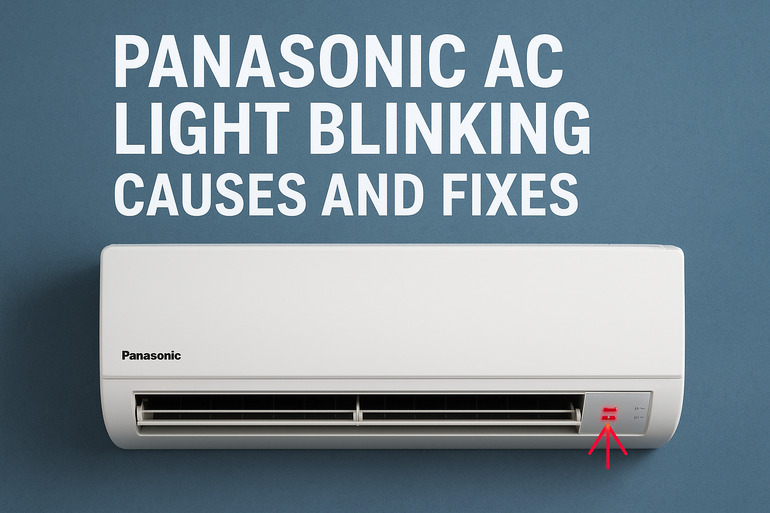
What’s Really Happening When Your AC Blinks
Those blinking lights on your Panasonic AC are like a secret language. Each flash pattern represents a specific problem inside your unit. Think of it as your AC’s way of waving a red flag to get your attention.
Most Panasonic air conditioners use LED indicators that blink in specific sequences. You might see the timer light flashing, the operation light going crazy, or even multiple lights blinking at once. Each pattern corresponds to a different issue, from minor hiccups to serious problems that need immediate attention.
The blinking usually happens right after your AC shuts itself off. Your unit has built-in safety features that stop it from running when something goes wrong. This protects the compressor, circuits, and other expensive parts from getting damaged. So while it’s annoying that your AC stopped working, the blinking is actually a good thing because it prevents bigger problems.
If you ignore these warning signs, small issues can turn into major repairs. A simple dirty filter today could become a frozen coil tomorrow. A refrigerant leak that starts small might damage your compressor if left unchecked. Your AC is built to protect itself, but it needs you to pay attention and take action.
Panasonic AC Light Blinking: Likely Causes
Several things can trigger your Panasonic AC to start blinking. Understanding these causes helps you figure out what’s happening and how serious it might be.
1. Dirty or Clogged Air Filters
Your air filters catch dust, pet hair, pollen, and all sorts of particles floating around your home. Over time, these filters get so clogged that air can barely pass through them. This makes your AC work harder than it should.
When airflow drops too low, your unit overheats or the coils get too cold. Sensors inside detect this abnormal condition and trigger a shutdown. That’s when the blinking starts.
Many people forget about their filters for months. Some don’t even know where the filters are located. But a clogged filter is one of the most common reasons for blinking lights on any AC unit, including Panasonic models.
2. Sensor Problems
Your AC has several temperature sensors that monitor different things. One sensor checks the room temperature. Another watches the evaporator coil. These sensors tell the control board what’s happening so it can adjust cooling accordingly.
Sometimes these sensors get dirty, shift out of position, or simply fail. When a sensor sends wrong information, the control board gets confused. It might think the coil is freezing when it’s actually fine, or that the room is too hot when it’s already cold. This confusion triggers error codes and blinking lights.
3. Low Refrigerant Levels
Refrigerant is the special liquid that makes your AC actually cool the air. It cycles through your system, absorbing heat from inside your home and releasing it outside. Your AC needs the exact right amount to work properly.
If there’s a leak somewhere in the system, refrigerant slowly escapes. Even a tiny leak can cause problems over time. Low refrigerant makes your AC struggle to cool, and it can cause the compressor to overheat or the coils to freeze.
Your Panasonic AC detects these abnormal conditions through pressure sensors. When refrigerant levels drop below safe limits, the unit shuts down and starts blinking to warn you. This prevents damage to the compressor, which is the most expensive part to replace.
4. Electrical Issues
Your AC runs on electricity, and any problem with the power supply can cause blinking lights. Voltage fluctuations are a common culprit. If your home’s electrical supply isn’t stable, your AC notices.
Power surges, brownouts, or loose wiring can all confuse the control board. Sometimes the problem isn’t even inside your AC. It could be a tripped breaker, a faulty outlet, or issues with your home’s electrical panel. The control board monitors incoming power constantly, and when something seems off, it protects itself by shutting down.
5. Control Board or Circuit Failures
The control board is basically the brain of your AC. It receives information from all the sensors, makes decisions, and tells other parts what to do. This board has tiny electronic components that can wear out or get damaged.
Heat, moisture, and age all take their toll on circuit boards. Sometimes a power surge fries certain components. Other times, corrosion builds up on the connections. When the control board starts failing, you’ll see strange behavior like random blinking, the unit turning on and off by itself, or complete failure to respond to remote commands.
Panasonic AC Light Blinking: How to Fix
Getting your AC back to normal doesn’t always require a technician visit. Many blinking light issues can be fixed with simple steps you can do yourself.
1. Clean or Replace Your Air Filters
Start by finding your air filters. On most Panasonic units, they’re behind the front panel. You’ll need to open the panel by lifting it up or pulling it forward, depending on your model.
Pull out the filters and hold them up to the light. If you can’t see through them easily, they need cleaning or replacing. Washable filters can be rinsed with water and mild soap. Let them dry completely before putting them back. Disposable filters should be replaced with new ones that match your model.
Clean filters improve airflow instantly. Your AC won’t have to strain, and those temperature sensors will get accurate readings again. Check your filters every month during heavy use seasons. This simple habit prevents most blinking light problems.
2. Reset Your Air Conditioner
Sometimes your AC’s control board just needs a fresh start. Turn off your unit using the remote control, then locate your circuit breaker panel. Find the breaker that controls your AC and flip it off. Wait for about five minutes.
This waiting period is important. It gives all the capacitors inside your AC time to discharge completely. After five minutes, flip the breaker back on and turn your AC on with the remote.
If the blinking was caused by a temporary glitch or power fluctuation, this reset often clears it. The control board reboots, checks all its systems, and starts fresh. Many users find this simple fix solves their problem right away.
3. Check the Temperature Sensor
The temperature sensor usually sits near the evaporator coil inside your unit. It’s a small probe attached to thin wires. Open your AC’s front panel and look for this sensor near the coils.
Make sure it hasn’t gotten bent or moved out of position. It should be close to the coils but not touching them. If it’s dirty, wipe it gently with a soft, dry cloth. Dirt and grime can make it read temperatures incorrectly.
A misaligned sensor is easy to fix. Just carefully bend it back into the right position. If you’re not sure where it should be, check your user manual or look up your specific model online for reference photos.
4. Inspect and Tighten Electrical Connections
Safety first here. Turn off your AC at the breaker before touching anything electrical. Remove the outer cover of your indoor unit. You’ll see various wire connections going to the control board and other components.
Look for any loose wires or connections. Gently tug on visible wire connectors to make sure they’re secure. Check for any signs of burning, melting, or corrosion on the wires or terminals.
If you find loose connections, push them firmly back into place. Corroded connections might need cleaning with electrical contact cleaner. But if you see actual burn marks or melted plastic, stop here and call a professional. Those signs mean something serious happened.
5. Clean the Outdoor Unit
Your outdoor unit needs airflow too. Go outside and look at your condenser. Is it covered in leaves, grass clippings, or dirt? Is there debris blocking the fan?
Use a garden hose with gentle pressure to rinse off the fins. Spray from inside going out to push dirt away from the unit. Be careful not to bend the delicate aluminum fins. Pull away any plants, weeds, or objects that are too close to the unit.
The outdoor unit needs at least two feet of clear space all around it to breathe properly. When it’s blocked, it can’t release heat efficiently. This causes high pressure readings that trigger blinking lights and shutdowns.
6. Contact a Certified Technician
If you’ve tried everything and your AC is still blinking, it’s time to call for help. Some problems need special tools, refrigerant handling licenses, or technical expertise you can’t get from a blog post.
A qualified HVAC technician can diagnose refrigerant leaks, replace faulty control boards, fix compressor issues, and handle electrical repairs safely. They have the equipment to read error codes precisely and the experience to fix complex problems quickly. Getting professional help prevents you from accidentally making things worse or voiding your warranty.
Wrapping Up
Those blinking lights on your Panasonic AC aren’t there to annoy you. They’re actually helping by pointing you to specific problems before they become expensive repairs. Most causes are surprisingly simple, from dirty filters to loose wires.
Start with the easy fixes like cleaning filters and resetting your unit. These solve the majority of blinking light issues without costing you anything. But know when to step back and call a professional, especially for refrigerant or electrical problems that need expert handling.