Your Kent water purifier has been working fine for months, and then one morning you walk into your kitchen to find a red light blinking at you. It feels like your purifier is trying to tell you something urgent, but you have no idea what.
That blinking red light can stop your water supply completely or reduce it to a trickle. Either way, you’re stuck without clean drinking water until you figure out what’s going on. Let’s break down what this warning means and how you can get your purifier back to normal.
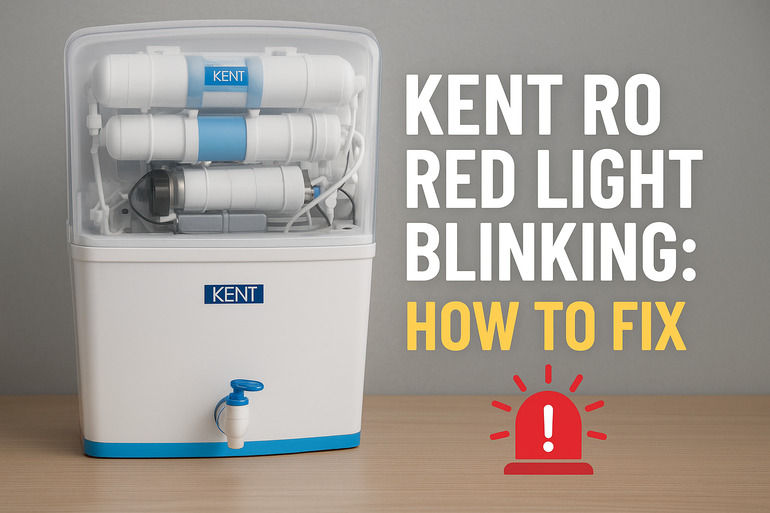
What That Blinking Red Light Really Means
That red indicator on your Kent RO system acts like a warning flag. Your purifier uses it to alert you that something needs attention. It could be a minor hiccup or something more serious that affects how well your water gets cleaned.
Most Kent RO models have multiple indicator lights. The red one specifically signals problems with filtration, water flow, or the storage tank. When it blinks, the system often stops producing purified water as a safety measure. You might notice your tap barely drips or doesn’t give any water at all.
Different blinking patterns sometimes mean different things. A slow blink might point to one issue while a fast blink suggests another. Your user manual usually explains these patterns, but many of us have misplaced that booklet long ago.
If you ignore this warning for too long, you could end up drinking water that hasn’t been properly filtered. That defeats the entire purpose of having a purifier in the first place. The good news is that most causes behind this red light are things you can check and fix yourself before calling a technician.
Kent RO Red Light Blinking: Common Causes
So what triggers this annoying red light to start flashing? The reasons vary, but most fall into a few common categories. Let’s look at what usually causes your Kent RO to throw this warning at you.
1. Clogged or Dirty Filters
Your RO system pushes water through several filters to remove impurities. Over time, these filters collect dirt, sediment, rust, and other particles from your water supply. Think of them like coffee filters that get darker and thicker as they catch more grounds.
When filters get too clogged, water can’t pass through properly. The system senses this blockage and triggers the red light. This happens faster if your area has particularly dirty water or high sediment levels.
Each filter has a lifespan measured in months or liters of water processed. Most sediment filters need replacement every 6 to 8 months, while carbon filters last about 12 months. If you’ve been using your purifier for a while without changing filters, this is probably your culprit.
2. Low Water Pressure
Your Kent RO needs adequate water pressure to push liquid through those dense filter membranes. If your home’s water pressure drops too low, the system struggles and eventually gives up, signaling the problem with that red light.
Water pressure issues can stem from your municipal supply, especially during peak usage hours when everyone in your neighborhood is running taps. Sometimes the problem is simpler. A partially closed inlet valve or a kinked supply pipe can choke off water flow.
3. Full or Faulty Storage Tank
The storage tank in your RO system holds purified water until you need it. This tank has a sensor that monitors water levels. When the tank fills up completely, the sensor should stop the purification process. But if this sensor malfunctions, it might trigger the red light even when the tank isn’t actually full.
On the flip side, a tank that can’t fill properly due to a faulty float valve or air pressure issues will keep the purification cycle running longer than it should. This confuses the system and triggers warnings.
4. Membrane Problems
The RO membrane is the heart of your purification system. It’s a thin film that filters out dissolved impurities at a molecular level. This membrane can get fouled with mineral deposits, especially if your water has high TDS (total dissolved solids) levels.
A damaged or expired membrane won’t filter water effectively. The system detects poor output quality or flow rate and flashes that red alert. RO membranes typically last 2 to 3 years, but this varies based on your water quality and usage.
Some Kent models have sensors that measure water purity. If the purified water coming out doesn’t meet quality standards, the red light comes on to warn you.
5. Electrical or Sensor Glitches
Like any electronic appliance, your Kent RO has circuit boards and sensors that can act up. A loose wire connection, a sensor covered in mineral buildup, or a minor electrical fault can send false signals.
Sometimes the problem is as simple as a power fluctuation that confused the control board. Other times, moisture seeping into electrical components causes issues.
Kent RO Red Light Blinking: How to Fix
Now that you know what might be causing the problem, let’s get your hands dirty with some fixes. These solutions work for most Kent RO models and don’t require special tools or technical skills.
1. Check and Replace Your Filters
Start by opening your RO cabinet and locating the filter housings. Most Kent systems have three pre-filters before the RO membrane. Turn off the water supply first, then carefully unscrew these housings.
Pull out each filter and examine it closely. If it looks dark, feels slimy, or smells musty, it needs replacing. Even if it looks okay, check how long it’s been since the last change. Filters are cheap compared to the damage dirty ones can cause.
After installing new filters, run water through the system for a few minutes to flush out any carbon dust or loose particles. This prevents them from clogging downstream components. Make sure each housing is screwed back tightly to avoid leaks.
2. Verify Water Pressure
Grab a bucket and time how long it takes to fill one liter from your regular tap. If it takes more than 10 seconds, you have low pressure. Kent RO systems typically need at least 40 to 60 PSI to work properly.
Check your inlet valve next. It should be fully open, not halfway. Follow the supply line from your main water pipe to the RO unit, looking for any kinks or tight bends that might restrict flow. Straighten these out gently.
If low pressure is a recurring issue, you might need a booster pump. Many Kent models come with one built in, but it might need servicing or replacement. You can hear the pump running when the RO is filling. It should hum steadily, not make grinding or clicking sounds.
3. Inspect the Storage Tank
Tap the side of your storage tank. A hollow sound means it’s empty or nearly empty, while a dull thud indicates water inside. If it’s full but the red light still blinks, the level sensor might be stuck or faulty.
Try this simple reset. Turn off the RO, disconnect the power for about 30 seconds, then plug it back in. This can reset sensors that got confused. Let the system run through a complete cycle and see if the light stops blinking.
Check the air pressure in the tank if your model has an air valve (looks like a tire valve at the bottom or side). The tank needs proper air pressure to push water out. Too little pressure means water won’t flow well to your tap.
4. Clean or Replace the RO Membrane
The membrane housing is usually the larger, horizontal cylinder in your RO system. You’ll need to turn off water and release pressure before opening it. Carefully pull out the membrane and rinse it under clean water.
Look for tears, holes, or excessive scale buildup on the membrane. Minor deposits can sometimes be gently brushed off, but a heavily fouled membrane needs replacement. Kent recommends using genuine replacement membranes that match your model.
When inserting a new membrane, make sure the rubber O-rings are properly seated and the housing cap is tight. A loose membrane or leaky seal will cause performance issues that might trigger error lights.
5. Power Cycle and Reset the System
Unplug your Kent RO from the power outlet and wait a full minute. This gives all electronic components time to discharge completely. Check all wire connections inside the unit while the power is off, making sure nothing looks loose or corroded.
Plug the unit back in and listen for the startup sequence. Most models run a quick self-check when powered on. Watch the indicator lights during this process. Sometimes this simple reset clears electronic glitches that caused false alarms.
If your model has a reset button (check your manual or the control panel), press and hold it for about 5 seconds after powering on. This can clear error codes stored in the system’s memory.
6. When to Call a Technician
If you’ve tried all these fixes and that red light keeps blinking, something more serious needs attention. Internal electrical faults, damaged circuit boards, or complex sensor issues require professional diagnosis. Kent has authorized service centers in most cities with trained technicians who know these systems inside out.
Trying to repair electrical components yourself can void your warranty and might even damage the unit further. Some problems, like a failed transformer or control board, need proper replacement parts and tools. Save yourself the headache and get expert help for these situations.
Wrapping Up
That blinking red light on your Kent RO might seem scary at first, but it’s usually telling you about fixable problems. Most issues trace back to filter maintenance, water pressure, or simple sensor resets that you can handle at home.
Regular care makes a huge difference. Change filters on schedule, clean the exterior, and pay attention to how your system sounds and performs. Catching small issues early keeps that red light from ever showing up. Your purifier works hard to give you clean water every day, so giving it a little attention now and then seems like a fair trade.