Your heated blanket suddenly starts flashing at you like a tiny distress signal. You’re left confused, cold, and wondering what went wrong. This frustrating issue can turn your cozy companion into a source of stress.
Thankfully, a blinking light on your heated blanket usually points to problems you can fix yourself. Here’s what you need to know about why this happens and what you can do to get your blanket working properly again.
What the Blinking Light Really Means
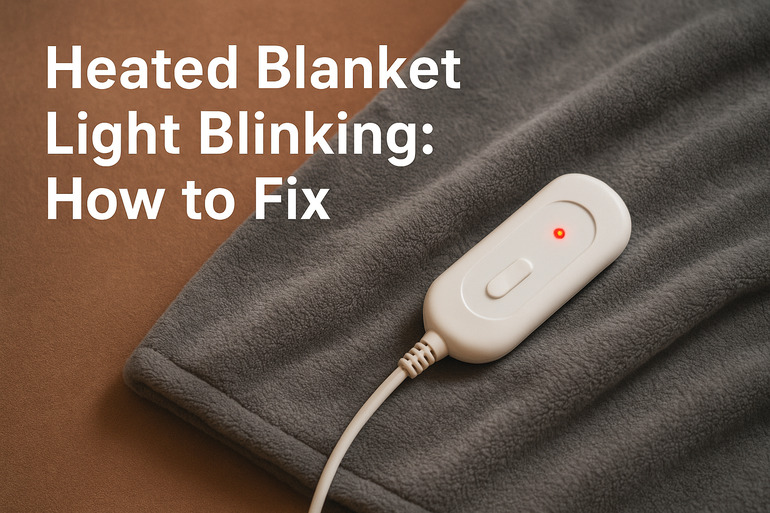
Your heated blanket’s blinking light acts as a built-in alarm system. It’s trying to tell you something’s wrong before things get worse. Most manufacturers program these lights to flash when the blanket detects a safety issue or a problem with how it’s functioning.
Think of it like a check engine light in your car. The blanket knows something isn’t right and wants you to take action. This safety feature exists to protect you from potential hazards like overheating or electrical problems. Your blanket essentially puts itself into lockdown mode until you fix whatever triggered the warning.
Different brands flash their lights in different patterns. Some blink steadily, others flash quickly, and a few alternate between colors. Each pattern might mean something specific according to your manual. But across almost all brands, a flashing light means the same basic thing: stop using the blanket right now and figure out what’s wrong.
If you ignore the warning and keep using your blanket, you risk damaging the internal wiring permanently. Worse yet, you could create a fire hazard. The blanket won’t heat properly anyway while the light is blinking, so there’s really no point in trying to push through the problem.
Heated Blanket Light Blinking: Likely Causes
Several things can trigger that annoying blink on your controller. Understanding what went wrong helps you fix it faster. Let’s look at what usually causes this issue.
1. Poor Connection Between Controller and Blanket
The plug connecting your controller to the blanket might not be seated properly. This happens more often than you’d think. You might have bumped the connection while getting into bed, or maybe you didn’t push it in all the way when you first set up the blanket.
Your pets or kids could have pulled on the cord without you noticing. Even slight movement can loosen that connection enough to trigger the safety sensor. The blanket loses its ability to communicate with the controller, so it blinks to let you know.
This is actually one of the easier problems to fix. Sometimes the connection looks fine from the outside but isn’t making proper contact internally.
2. Folded or Bunched Fabric
Heated blankets hate being folded while they’re on. The wires running through the fabric need space to spread out evenly. Bunching up your blanket creates hot spots where too much heat concentrates in one area.
Those internal sensors pick up on this uneven heating pattern. Your blanket thinks it’s overheating because certain sections are getting way too hot while others stay cool. The blinking light kicks in as a safety measure to prevent damage or fire.
3. Internal Wire Damage
The thin wires inside your blanket are surprisingly delicate. Washing your blanket in harsh cycles, twisting it too hard when storing it, or even just years of regular use can damage these wires. Once a wire breaks or frays, the electrical current can’t flow properly through the blanket.
Your controller detects this interruption in the circuit. It can’t figure out if the blanket is working safely anymore. The system defaults to the blinking warning light and shuts down the heating function completely.
Sharp pet claws, aggressive vacuuming, or snagging the blanket on furniture can all contribute to wire damage over time. You might not see any obvious tears on the outside, but the damage is happening beneath the surface where you can’t see it.
4. Overheating Protection Kicked In
Your blanket has a built-in temperature limiter. This safety feature monitors how hot your blanket gets and shuts things down if temperatures climb too high. Using your blanket on the highest setting for too long can trigger this protection.
Covering the blanket with heavy comforters or pillows traps heat underneath. Your blanket can’t release heat properly, so temperatures keep climbing. The safety system sees this as a danger and responds with the blinking light.
5. Faulty Controller or Power Supply
Sometimes the problem isn’t with the blanket at all. The controller itself might be malfunctioning. These controllers contain small circuit boards that can fail after years of use or exposure to power surges.
Your outlet could be delivering inconsistent power. Old wiring in your home, overloaded circuits, or a loose outlet can all mess with how much electricity reaches your blanket. The controller picks up on these power fluctuations and blinks to warn you.
Heated Blanket Light Blinking: How to Fix
Fixing a blinking heated blanket light usually takes less than ten minutes. Try these solutions before you give up on your blanket. Most people can handle these fixes without any special tools or technical knowledge.
1. Check and Reseat All Connections
Start with the most basic fix. Unplug your controller from the wall outlet completely. Wait about thirty seconds before you do anything else.
Now check where the controller plugs into your blanket. Pull that connection apart gently but firmly. Look inside both the plug and the socket for any debris, bent pins, or obvious damage. Sometimes dust or pet hair gets stuck in there and blocks proper contact.
Push the plug back into the blanket socket until you hear or feel a solid click. Make sure it’s pushed in as far as it will go. Then plug your controller back into the wall outlet. Turn your blanket on and see if the blinking stops. This simple reset fixes the problem about forty percent of the time in my experience.
2. Completely Unfold and Flatten the Blanket
Spread your blanket out on your bed completely flat. Smooth out every wrinkle and fold you can find. The fabric should lie as flat as possible with no bunched areas.
Pay special attention to the corners and edges where folding happens most often. Run your hands over the entire surface to check for any lumps or creases. If you find resistance or thick spots, those are probably folded areas that need straightening.
Let the blanket sit flat for a few minutes before turning it back on. This gives the internal wires time to return to their proper positions. Sometimes just repositioning everything solves the overheating sensor issue that caused the blinking.
3. Reset the Blanket’s System
Your heated blanket needs a full power cycle sometimes. Unplug everything from both the wall and the blanket. Leave it disconnected for at least three to five minutes.
This longer waiting period lets all the capacitors discharge completely. The internal computer system gets a chance to reset itself. Any temporary glitches or false readings get cleared from memory.
After waiting, reconnect the controller to the blanket first. Then plug the whole system back into your wall outlet. Turn the blanket on at a low setting to start. Watch the light for a minute or two to see if the blinking returns. If it doesn’t blink, you’ve likely fixed a temporary system error.
4. Try a Different Outlet
Your current outlet might be causing power issues. Find another outlet in a different part of your room or even a different room entirely.
Plug your blanket into this new outlet and turn it on. Make sure this outlet isn’t connected to a dimmer switch or sharing a circuit with heavy appliances like space heaters. These can interfere with how your blanket receives power.
If the blinking stops with a different outlet, you know the problem was with your original power source. You might need an electrician to check that outlet for loose wiring or poor connections.
5. Test at Lower Heat Settings
Sometimes your blanket works fine but can’t handle the highest temperature setting anymore. Turn your blanket to the lowest heat level available.
Let it run for fifteen minutes on low. If the light stops blinking and stays solid, your blanket can still function but probably shouldn’t be used on high settings anymore. This often happens with older blankets where the heating elements have aged.
You can keep using your blanket on lower settings safely. Just accept that those maximum heat levels aren’t available anymore. This lets you get more life out of your blanket without replacing it immediately.
6. Contact a Professional Technician
If none of these fixes work, your blanket likely has internal damage that you can’t repair at home. The wiring inside might be broken, or the controller could have failed completely.
Reach out to the manufacturer if your blanket is still under warranty. Many companies will replace defective blankets or controllers free of charge. If you’re past the warranty period, a small appliance repair shop might be able to help, though replacement often costs less than professional repairs for heated blankets.
Wrapping Up
That blinking light on your heated blanket isn’t there to annoy you. It’s a safety feature trying to prevent bigger problems. Most of the time, you can fix the issue yourself by checking connections, flattening the blanket properly, or resetting the system.
Sometimes the fix is as simple as using a different outlet or accepting that your blanket works better on lower settings now. If your blanket keeps blinking after trying everything, it might be time to shop for a replacement. Your comfort and safety matter more than holding onto a malfunctioning appliance.