Your morning coffee routine just hit a snag. Those annoying blinking lights on your Keurig are flashing like a disco ball, and your machine refuses to brew that much-needed cup of caffeine.
This frustrating scenario affects thousands of Keurig owners daily, turning what should be a simple coffee-making process into a troubleshooting nightmare. The good news is that most blinking light issues can be resolved with some basic maintenance steps that take just a few minutes to complete.
You’ll learn exactly why these lights start blinking, what each pattern means, and most importantly, how to get your Keurig back to brewing perfect cups of coffee without calling for professional help.
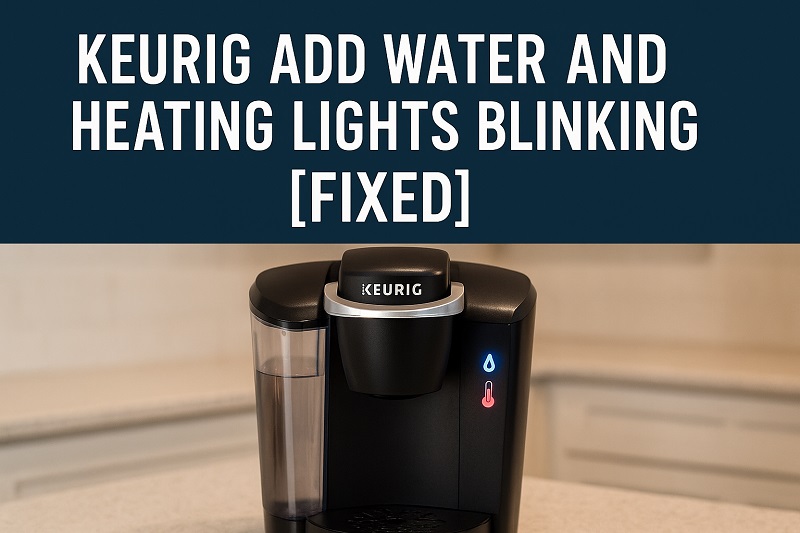
What Those Blinking Lights Actually Mean
When your Keurig’s “Add Water” and heating lights start blinking simultaneously, your machine is essentially throwing a tantrum. These lights serve as your coffee maker’s way of communicating specific problems that prevent normal operation.
The blinking pattern isn’t random. Your Keurig uses these visual cues to tell you exactly what’s wrong inside its internal systems. Most often, the lights indicate issues with water detection, temperature regulation, or internal sensor malfunctions that can disrupt the entire brewing process.
Understanding this communication system helps you diagnose problems faster. The “Add Water” light typically signals issues with water reservoir detection or internal water flow, while the heating light indicates problems with the machine’s ability to heat water to proper brewing temperature.
When both lights blink together, your Keurig has detected multiple issues that need attention before it can resume normal brewing operations. This dual-blinking pattern often occurs after periods of non-use, improper storage, or when mineral buildup affects internal components.
Keurig Add Water and Heating Lights Blinking: Likely Causes
Several factors can trigger these blinking lights, and identifying the root cause helps you apply the most effective solution. Most issues stem from routine maintenance neglect or environmental factors that affect your machine’s sensors and internal components.
1. Water Reservoir Connection Problems
Your water reservoir might not be sitting properly in its designated spot, even though it looks perfectly aligned from the outside. The magnetic connection points at the bottom of the reservoir can collect dust, coffee grounds, or mineral deposits that prevent proper contact with the machine’s sensors.
Even a slight misalignment can trigger the “Add Water” light because the internal sensors can’t detect that the reservoir is actually in place. This happens frequently after cleaning sessions when the reservoir gets replaced hastily without ensuring perfect alignment.
2. Internal Water Line Blockages
Mineral buildup from hard water creates stubborn deposits inside your Keurig’s internal water lines and heating elements. These blockages prevent water from flowing smoothly through the system, causing sensors to malfunction and trigger multiple warning lights.
The heating element becomes particularly vulnerable to calcium and lime scale accumulation, which affects both water heating capability and sensor accuracy. Over time, these deposits can completely block water pathways, making your machine think it’s empty even when the reservoir is full.
3. Sensor Malfunction or Contamination
Internal sensors that detect water levels and temperature can become dirty or damaged from regular use and exposure to steam. Coffee oils, mineral deposits, and general debris can coat sensor surfaces, causing them to send incorrect signals to the machine’s control system.
Temperature sensors are especially sensitive to contamination and can trigger heating light warnings when they can’t accurately read internal temperatures. This creates a safety protocol that prevents the machine from operating until the issue gets resolved.
These sensors also become less reliable over time due to normal wear and exposure to heat cycles, leading to false readings that trigger unnecessary warning lights.
4. Power Supply Inconsistencies
Electrical issues within your home or problems with the power cord can cause your Keurig to receive inconsistent power supply, leading to erratic behavior including random light blinking patterns. Voltage fluctuations confuse the machine’s electronic systems and trigger safety protocols.
Loose power connections at the wall outlet or internal wiring issues can create intermittent power delivery that affects sensor operation and internal computer functions. Your Keurig interprets these power inconsistencies as system malfunctions, activating warning lights as a precautionary measure.
5. Internal Computer Glitch
Like any electronic device, your Keurig has an internal computer system that can occasionally experience software glitches or memory errors. These digital hiccups can cause the machine to display incorrect warning lights even when all physical components are functioning normally.
Factory programming errors or corrupted memory from power surges can create persistent blinking light issues that resist standard troubleshooting methods. The internal computer might get stuck in an error loop, continuously displaying warning lights regardless of actual machine status.
Keurig Add Water and Heating Lights Blinking: How to Fix
These proven solutions address the most common causes of blinking lights and can restore your Keurig to normal operation. Start with the simplest fixes before moving to more complex troubleshooting steps.
1. Properly Reseat the Water Reservoir
Remove your water reservoir completely and inspect both the reservoir and the machine’s connection area for any visible debris or mineral deposits. Clean the magnetic contact points on both surfaces using a damp cloth, paying special attention to the small metal contacts at the bottom of the reservoir.
Dry all surfaces thoroughly before reinstalling the reservoir, ensuring it clicks firmly into place with no gaps or wobbling. The reservoir should sit flush against the machine with all connection points making solid contact.
Test your Keurig by powering it on after reinstalling the reservoir. Many blinking light issues resolve immediately once proper connection is restored between the reservoir and the machine’s sensors.
2. Perform a Complete Descaling Process
Fill your water reservoir with a mixture of equal parts white vinegar and water, then run multiple brew cycles without K-cups to flush mineral deposits from internal water lines. This process removes calcium and lime scale that can block sensors and water flow pathways.
After running several vinegar cycles, empty the reservoir and refill it with fresh water only. Run additional brew cycles with plain water to remove all vinegar residue from the system, continuing until no vinegar smell remains.
The descaling process typically requires 30-45 minutes but effectively removes months of mineral buildup that can cause sensor malfunctions and blinking light issues. Perform this maintenance every 3-6 months depending on your water hardness.
3. Clean Internal Sensors and Components
Unplug your Keurig and carefully remove the water reservoir and K-cup holder assembly. Use a soft, damp cloth to clean all visible sensors and connection points inside the machine, removing any coffee residue or mineral deposits.
Pay particular attention to small sensors located near the water reservoir area and heating element housing. These components are sensitive to contamination and require gentle cleaning to avoid damage while ensuring proper operation.
4. Reset the Machine’s Internal Computer
Perform a complete power reset by unplugging your Keurig from the wall outlet and waiting at least 5 minutes before reconnecting power. This allows the internal computer system to clear any temporary glitches or memory errors that might be causing false warning lights.
While the machine is unplugged, press and hold the power button for 30 seconds to discharge any residual electrical charge from internal components. This complete reset often resolves persistent blinking light issues caused by software glitches.
After plugging the machine back in, power it on normally and check if the blinking lights have stopped. Many electronic issues resolve completely after a proper power reset cycle.
5. Check and Secure All Electrical Connections
Inspect your power cord for any visible damage, loose connections, or signs of wear that might cause intermittent power delivery to your Keurig. Try plugging the machine into a different electrical outlet to rule out wall outlet issues.
Ensure the power cord is firmly connected to both the machine and the wall outlet, with no loose or wobbly connections that could cause power interruptions. Poor electrical connections can trigger safety protocols that activate warning lights.
6. Contact Keurig Technical Support
If all previous solutions fail to resolve the blinking light issue, contact Keurig’s technical support team for professional assistance. Persistent problems might indicate internal component failure that requires manufacturer repair or replacement under warranty coverage.
Wrapping Up
Blinking lights on your Keurig usually indicate simple maintenance issues rather than serious mechanical problems. Most cases resolve quickly with basic cleaning, proper reservoir installation, or a simple power reset that takes just a few minutes to complete.
Regular maintenance prevents these frustrating interruptions to your daily coffee routine. Descaling every few months and keeping connection points clean ensures your Keurig operates reliably for years without throwing electronic tantrums that disrupt your morning caffeine fix.