Your Litter Robot has been quietly doing its job for months, and then boom – yellow light starts flashing like it’s trying to send you morse code. If you’re anything like most cat parents, you’re probably standing there wondering if this is going to cost you a fortune.
Take a deep breath. That yellow light isn’t your robot throwing a tantrum or breaking down on you. It’s more like a gentle tap on the shoulder – your robot spotted something that needs attention and wants to let you know before it becomes a real problem. Most of these “emergencies” can be fixed faster than your cat can knock something off your counter.
I’ve been fixing these units for years, and trust me, about 90% of yellow light problems can be solved in under ten minutes with your bare hands. No tools, no tech support calls, no waiting weeks for a repair guy.
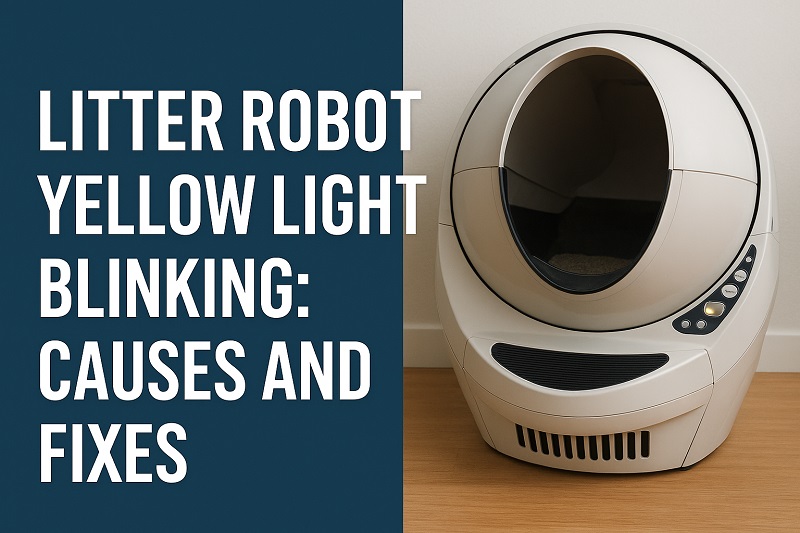
What’s Really Going on With That Yellow Light
Your Litter Robot isn’t having a breakdown when it blinks yellow. Think of it like your car’s check engine light, but way less scary and much easier to fix.
The yellow light pops up when your robot notices something’s not quite right. Maybe the trash drawer is getting pretty full, or something got stuck during cleaning, or your cat decided to hop back in while the thing was doing its rotation dance. The robot just stops what it’s doing and waves that yellow flag to get your attention.
Different blink patterns mean different things too. A slow, lazy blink usually means “hey, when you get a minute, check on me.” Fast blinking is more like “um, I really need help right now.” Your robot’s pretty smart about figuring out what’s wrong and letting you know in its own way.
The cool part is that this warning system actually prevents bigger problems. When your robot catches issues early, you can fix them before they turn into expensive headaches that need professional repair.
Litter Robot Yellow Light: Likely Causes
Your robot doesn’t just randomly decide to blink yellow for fun. There are specific things that trigger this warning, and once you know what to look for, spotting the problem becomes pretty straightforward.
1. The Trash Drawer is Almost Full
Your robot keeps track of how much waste it’s collected, kind of like a step counter but for cat poop. When it figures the drawer is about 80% full, that yellow light kicks in to give you a heads up.
The robot doesn’t wait until the drawer is overflowing because that would create a much bigger mess. Instead, it gives you this early warning so you can empty things out before they get gross or start causing other problems.
Sometimes the drawer might not look totally full to you, but the robot’s sensors are counting cycles and estimating volume based on how often your cat uses the box. It’s usually right about these things, so don’t second-guess the warning just because there’s still some space visible at the top.
2. Something Interrupted the Cleaning Cycle
Picture your robot in the middle of its cleaning routine when suddenly your cat decides to jump back in for round two. The robot immediately stops everything because safety comes first, but now it’s stuck halfway through its cycle with nowhere to go.
Power hiccups can cause this too. Even a brief flicker in your electricity can confuse the robot and leave it hanging in the middle of its rotation. The yellow light comes on because the robot knows something didn’t finish properly.
Your robot needs to complete its full cleaning sequence to work correctly. When it gets interrupted, the waste chamber ends up in a weird position, and the robot won’t continue until you help it finish what it started.
3. Wrong Amount of Litter
Your robot is pretty picky about how much litter it wants to work with. Too little and it can’t separate the waste properly. Too much and the whole rotation mechanism gets jammed up.
Most people either forget to add fresh litter as it gets used up, or they dump in way too much when refilling. Both situations mess with the robot’s sensors and make it harder for the cleaning cycle to work right.
The robot has specific fill lines inside the globe for a reason. When litter levels go outside that range, the sensors start giving weird readings and the yellow light shows up to let you know something’s off.
4. Cat Sensors Acting Up
Those little sensors that detect when your cat is inside the box sometimes get confused. Cat hair, dust, or litter particles can build up on them and make them think your cat is still in there when the box is actually empty.
These sensors use heat and movement detection to know when it’s safe to start cleaning. If they’re dirty or blocked, they might give false readings that prevent the cleaning cycle from starting or cause it to stop unexpectedly.
Sometimes bright sunlight or heat from nearby vents can also mess with the sensors. They’re designed to be pretty accurate, but they need to stay clean and unobstructed to do their job properly.
5. Something’s Stuck in the Globe
Cats are notorious for dropping things into their litter box. Toys, hair ties, twist ties from treat bags – you name it, I’ve pulled it out of a Litter Robot. When something blocks the globe from rotating smoothly, the motor notices the extra resistance and triggers that yellow warning.
Large clumps of wet litter can also cause problems, especially if they stick to the sides of the globe and create bumps or rough spots. The robot expects a certain amount of resistance during rotation, but anything beyond normal levels sets off the alert system.
Even small pieces of hardened litter can cause issues if they get caught in the wrong spot. The robot’s pretty sensitive to changes in how smoothly things move, which is actually a good thing because it prevents damage to the motor.
Litter Robot Yellow Light: How to Fix
Most yellow light problems have simple solutions that don’t require any special skills or tools. Start with the easiest fixes first, and you’ll probably solve the issue without breaking a sweat.
1. Empty That Waste Drawer
Pull out the waste drawer and dump everything, even if it doesn’t look completely full. The robot’s internal counting system might be more accurate than your eyeballs, especially if waste has settled or compressed over time.
Give the drawer a quick wipe-down while you’re at it. Sometimes litter dust or residue builds up on the surfaces where the drawer sits, and that can interfere with how the sensors read the drawer’s position.
When you put the drawer back, make sure it clicks into place properly. A loose or crooked drawer can trigger sensor errors even when it’s not actually full. After reinstalling, unplug the robot for about 10 seconds, then plug it back in to reset the system.
2. Help the Robot Finish Its Cleaning Cycle
If your robot got stuck mid-cycle, you can manually help it finish the job. Hold down the cycle button and let the globe complete a full rotation back to its starting position.
Keep your cat away during this process – you don’t want another interruption while you’re trying to fix the first one. The whole cycle usually takes just a couple of minutes, and you’ll know it’s done when the opening faces forward again.
Watch to make sure the globe actually completes the full rotation. If it stops partway through, you’ve probably got a blockage that needs to be cleared before trying again.
3. Get the Litter Level Just Right
Check the fill lines inside the globe and adjust accordingly. If there’s too much litter, scoop some out until you’re just below the maximum line. If there’s too little, add fresh litter up to about the minimum line.
Stick with the same type of litter you’ve been using successfully. Switching brands or types in the middle of troubleshooting just adds another variable that might cause problems.
The right amount of litter gives your robot enough material to work with for proper waste separation, but not so much that it interferes with the rotation mechanism. Getting this balance right solves a lot of yellow light issues.
4. Clean Those Cat Sensors
Find the small sensor windows – they’re usually near the entrance or on the base of the unit. Use a dry cloth or cotton swab to gently clean off any dust, hair, or litter particles that might be blocking them.
Don’t use water or cleaning sprays directly on the sensors. These are electronic components that don’t like getting wet. A dry cleaning is usually all they need to start working properly again.
Test the sensors after cleaning by putting your hand in the entrance. The robot should detect your presence and not try to start a cleaning cycle while your hand is there. If the sensors are working correctly, you should see the status light change when you trigger them.
5. Clear Out Any Blockages
Turn off the robot completely before you start poking around inside. Safety first – you don’t want the globe trying to rotate while your hands are in there.
Remove the waste drawer and take a good look inside the globe for anything that shouldn’t be there. Cat toys are the most common culprits, but I’ve found everything from bottle caps to hair scrunchies stuck in these things.
Check the track where the globe sits on the base too. Litter buildup in this area can create friction that prevents smooth rotation. A damp cloth usually cleans this up nicely, just make sure everything’s dry before you reassemble.
6. Try a Complete Reset
When simpler fixes don’t work, try unplugging the robot for 15 minutes. This gives all the electronic components time to fully reset and clear any temporary glitches in the system.
Use this downtime to do some basic maintenance – wipe down surfaces, make sure connections are secure, and check that all parts are seated properly. Sometimes a loose connection or accumulated dust can cause intermittent problems.
After plugging back in, let the robot complete its startup sequence without interruption. This might include a full cleaning cycle, so be patient and let it finish before checking if the yellow light is gone.
7. Get Professional Help
If you’ve tried everything and that yellow light is still mocking you, it’s time to call in the experts. Persistent issues after proper troubleshooting usually mean there’s an internal problem that needs professional diagnosis.
Don’t feel bad about calling for help – some problems really do require technical expertise or replacement parts. The manufacturer’s support team has seen it all and can usually figure out what’s wrong pretty quickly.
Wrap-Up
That yellow light doesn’t have to ruin your day or send you into panic mode. Most of the time, your robot just needs a little attention – kind of like when your cat meows for food even though the bowl isn’t completely empty.
Keep this guide handy for next time, because there probably will be a next time. Regular maintenance and quick responses to warning lights keep your Litter Robot happy and working smoothly for years to come.